Can I pass personal user vault credentials to a website session on user specific settings?
Can I pass personal user vault credentials to a website session on user specific settings?

Hey everyone, we have plenty of webui devices we need to manage, trying to figure out if possible to pass Linked (user vault) to websites. I can do this with RDP connections but cant get it to work with websites.
If set these user specific settings it wont pass it to the webui of the device: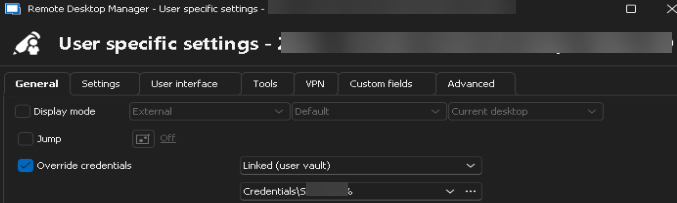
Thanks!
e63a0c16-c32f-4163-a840-b190f8b7e2f2.png
All Comments (6)
Hello,
Thank you for reaching out to us regarding this,
Could you please specify the version of RDM you are currently using?
What type of data source are you using?
That being said, I am assuming that the Website entry is in "Embedded" display, would this be correct? If so, have you followed this knowledge base article for the configuration of the Username ID and Password ID Fields under the "HTML Control" section?
https://docs.devolutions.net/rdm/kb/knowledge-base/website-authentication/#troubleshoot-missing-fields
Let me know,
Best regards,
Samuel Dery
Hello,
Thank you for reaching out to us regarding this,
Could you please specify the version of RDM you are currently using?
What type of data source are you using?
That being said, I am assuming that the Website entry is in "Embedded" display, would this be correct? If so, have you followed this knowledge base article for the configuration of the Username ID and Password ID Fields under the "HTML Control" section?
https://docs.devolutions.net/rdm/kb/knowledge-base/website-authentication/#troubleshoot-missing-fields
Let me know,
Best regards,
version 2024.3.14.0 64-bit
we have tried external and also embedded display but it doesn't populate on either of the two. Reviewing your link now. thanks.
That being said, I am assuming that the Website entry is in "Embedded" display, would this be correct? If so, have you followed this knowledge base article for the configuration of the Username ID and Password ID Fields under the "HTML Control" section?
https://docs.devolutions.net/rdm/kb/knowledge-base/website-authentication/#troubleshoot-missing-fields
I went through that link and I was not able to populate with embedded or not. I checked the 3 autofill options with the delay bumped up to 10 secs.
I tried username and password within the General tab meaning all users that access this website connection would use the same cred and it didn't populate.
I then edited user specific settings and selected my saved credential in my vault (as pictured in my original post), tried again waited past 10 seconds on both embedded or not and no luck.
At the moment trying with a vcenter logon site. I did an inspect on the site and it uses "username" and "password". I populated those fields as well within the properties of the shortcut - followed the same steps as mentioned before and no luck with population. I have other sites I can test but need some additional time.
EDIT:
So it seems to work on a regular website, such as a shortcut connection that I have to the website whenIwork. When I use other internal device websites, we usually get the connection is not provide and you have click on Advanced and then on proceed to x.x.x.x.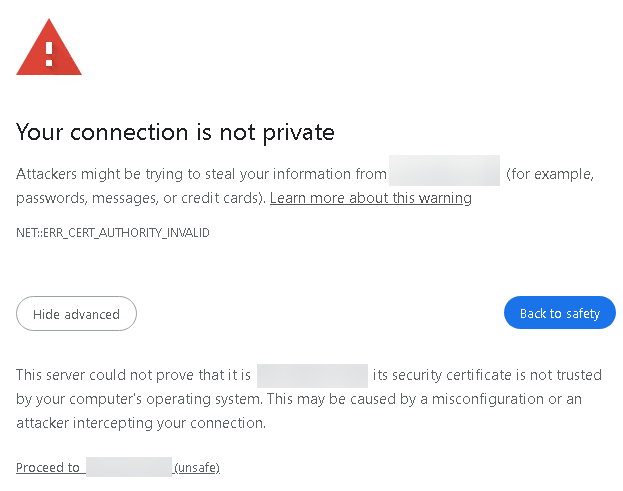
I did try a 10 second delay which gives enough time to click on the proceed to get to the user\pass logon but that doesn't seem to work.
Can anything be done for these sites?
thanks
19c3a9e0-4449-4e03-96f7-3748c2ecdc1d.png
Hello,
Thank you for your reply,
In your Website entry Properties under the "Settings" section, you can check "Ignore Certificate errors" for this issue.
Would you be able to provide me with a screenshot of the Inspect element result for the Username or Password field on the website where you are encountering this issue?
Let me know,
Best regards,
Samuel Dery
Hello,
Thank you for your reply,
In your Website entry Properties under the "Settings" section, you can check "Ignore Certificate errors" for this issue.
Would you be able to provide me with a screenshot of the Inspect element result for the Username or Password field on the website where you are encountering this issue?
Let me know,
Best regards,
Hi, I dont see such settings under the Settings tab. Could this be a permission issue. I think I am currently set as an Administrator within the application.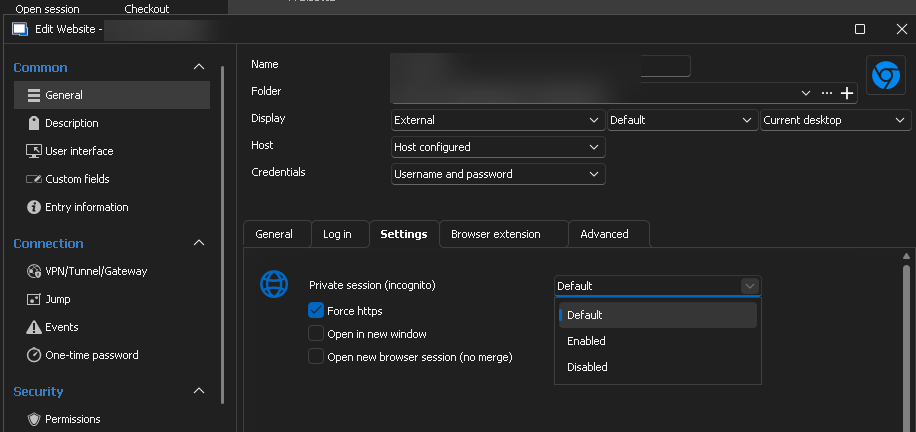
739eb915-fa3c-4443-9d2f-edad946e3e4d.png
Hello,
Thank you for your reply,
I see that your Display is currently set to External, the option I mentioned is only available in Embedded, did you switch this for a test or is this what you are using normally?
Let me know,
Best regards,
Samuel Dery