Multiple Entries for Pleasant Password Servers

Hello,
we recommend and sell the Pleasant Password Server to all our larger customers. We also store all password entries of the customer in their respective password server and not in ours.
That leads to my wish list item: It should be possible to enter more than one Pleasant Password Server in RDM.
Cordialement
Christian
Kind Regards
Christian
All Comments (5)
Hi Christian,
I'm not sure I understand, on my side I can add as many pleasant password server as I want on RDM Mac as shown in my screenshot.
Is there something I am missing?
Best regards,
Jesse Galarneau
Screenshot 2025-01-29 at 8.33.18 AM.png
Hi Jesse,
I'm sorry, I didn't explain exactly what I meant. I meant this entry: 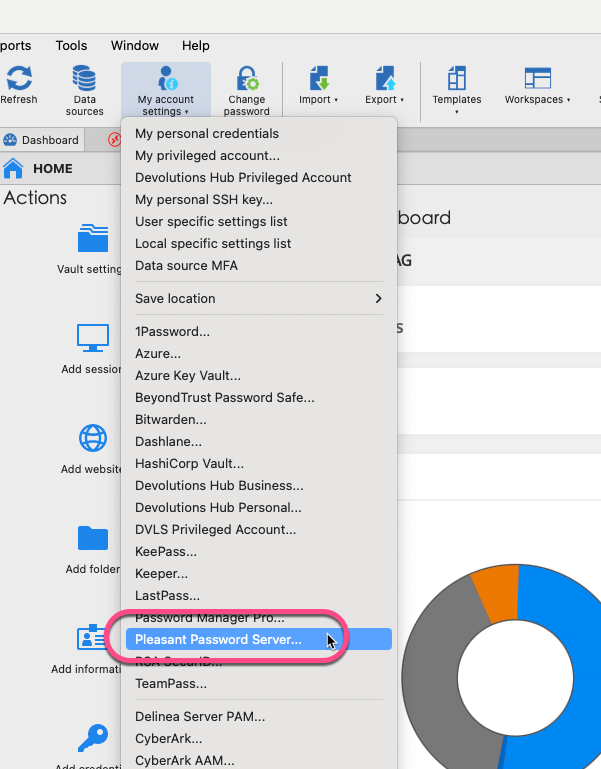
Each of us enters his own credentials for our password server. The Entries for the Passwords reference these "my account settings" so every one is accessing the password server with his credentials: 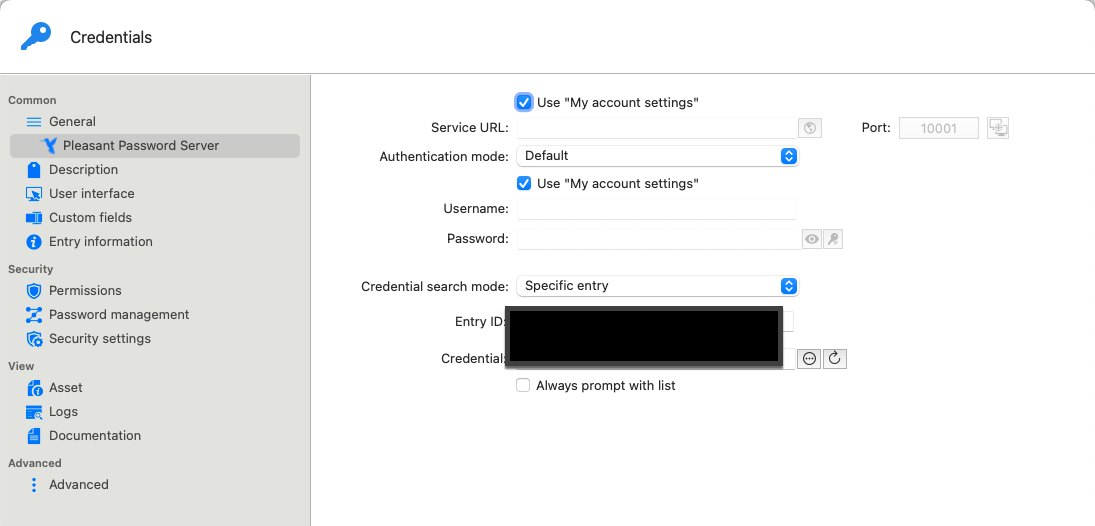
With this technique we are able that every employee accesses the Passwort Server with his user credentials.
In the stored passwords for the customers Pleasant Server we have to enter one account and all employees working with RDM access these password server with the same account.
So to be clearer: We want to store "personal Pleasant Password Server Credentials" for every user of RDM and for multiple Pleasant Server.
Cordialement
Christian
Kind Regards
Christian
2025-01-29_17-12-02.png
2025-01-29_17-09-35.png
Hi,
If I understand correctly, you could untick the first "Use My Account Settings" option and set different Server URLs in multiple credential entries while keeping the second "Use My Account Settings" option ticked. This way, your employees can use their personal credentials to connect to different servers.
If I have misunderstood or if this solution does not meet your needs, please do not hesitate to let me know. We can work together to implement a solution that better suits your requirements.
Best regards,
Jesse Galarneau
Screenshot 2025-01-29 at 11.49.34 AM.png
Hi Jesse,
this solution would work only if we have the same username and password for all Pleasant password servers at our customers. Despite it is a very bad security practice to have the same Username/Password at different Customers it will not work as different customers have different policies for naming the accounts.
Or did I miss a bit?
Cordialement
Christian
Kind Regards
Christian
Hi Christian,
We agree that using the same credentials for all servers would be a terrible idea. In this case, I don’t think My Account Settings is the best approach.
Unfortunately, our current My Account Settings structure isn’t designed to support multiple accounts.
Instead, I suggest using User-Specific Settings, which would allow users to override the username and password for each servers with their own credentials. 

Let me know if this works for you.
Best regards,
Jesse Galarneau
Screenshot 2025-02-03 at 7.55.31 AM.png
Screenshot 2025-02-03 at 7.53.51 AM.png