Unable to import custom csv for Winbox sessions

Currently trying to import a decent sized list of Winbox sessions into RDM however it is losing a lot of the data during the import:
The .csv: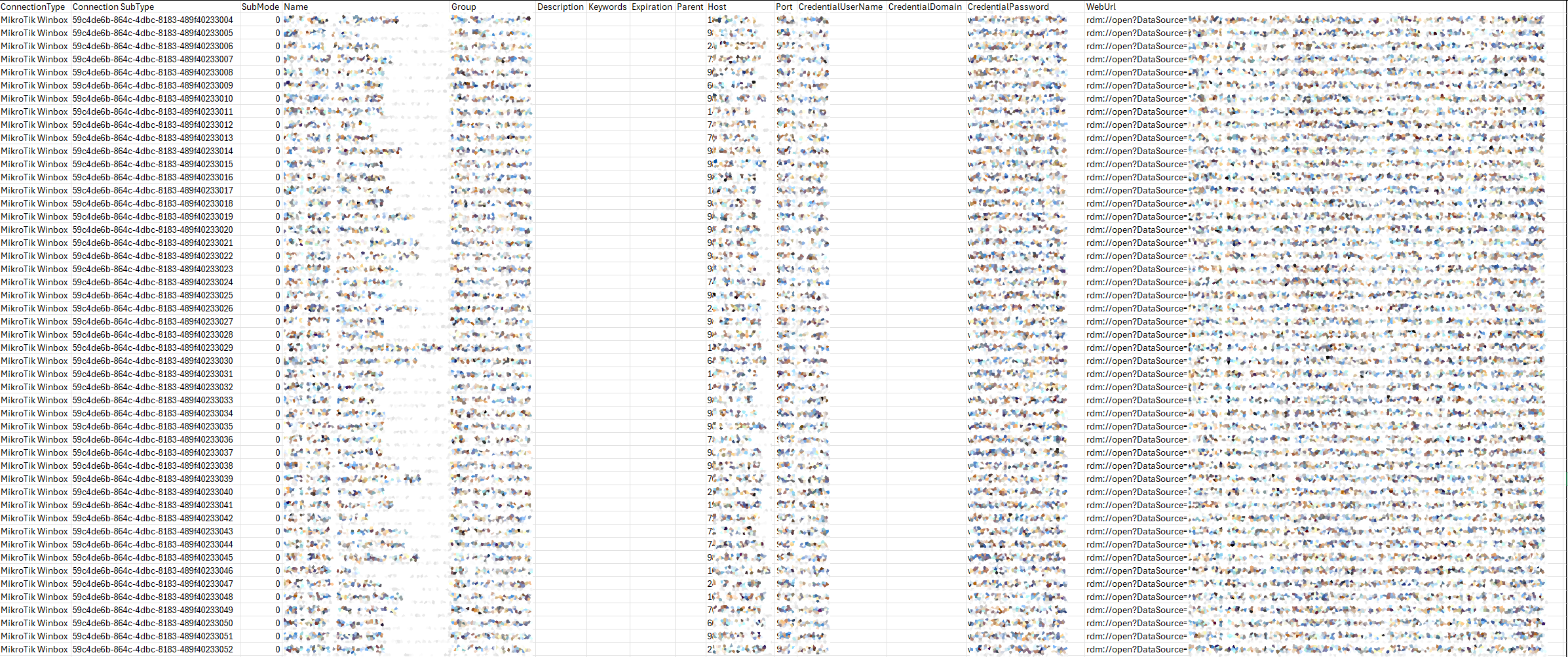
The import via the wizard: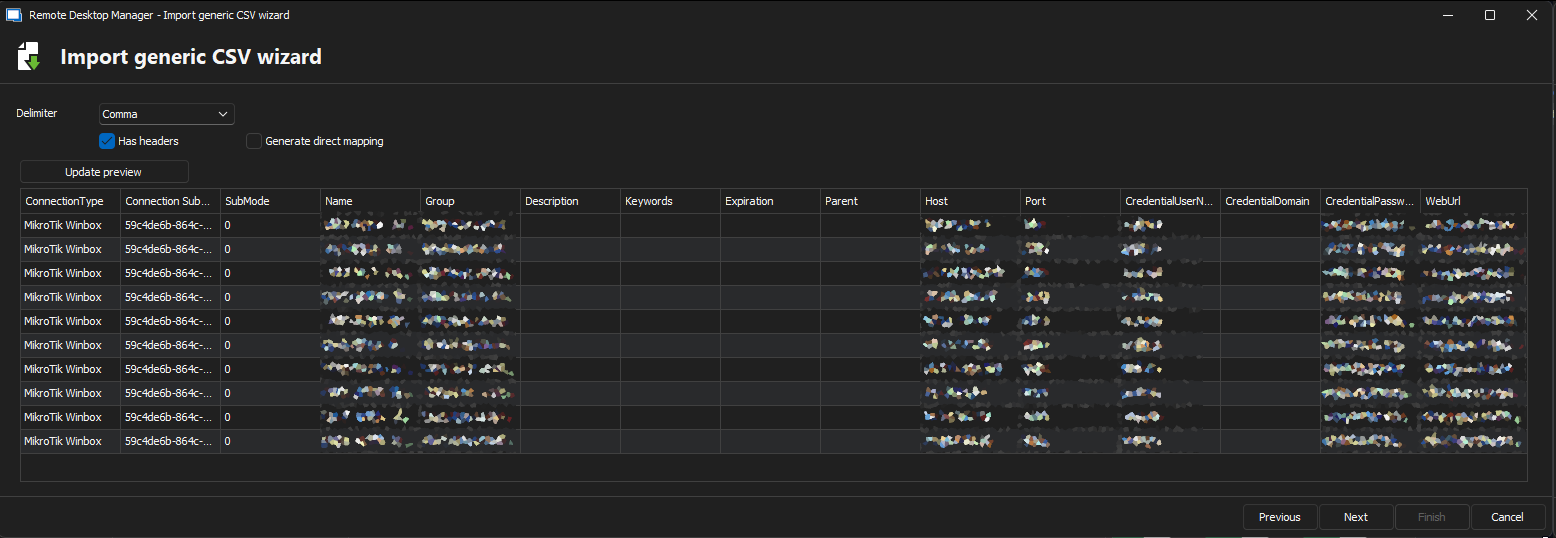
The mapping: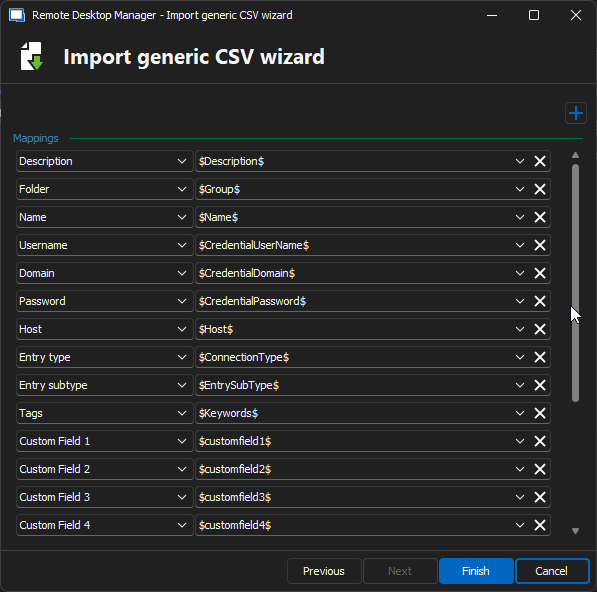
What I end up with: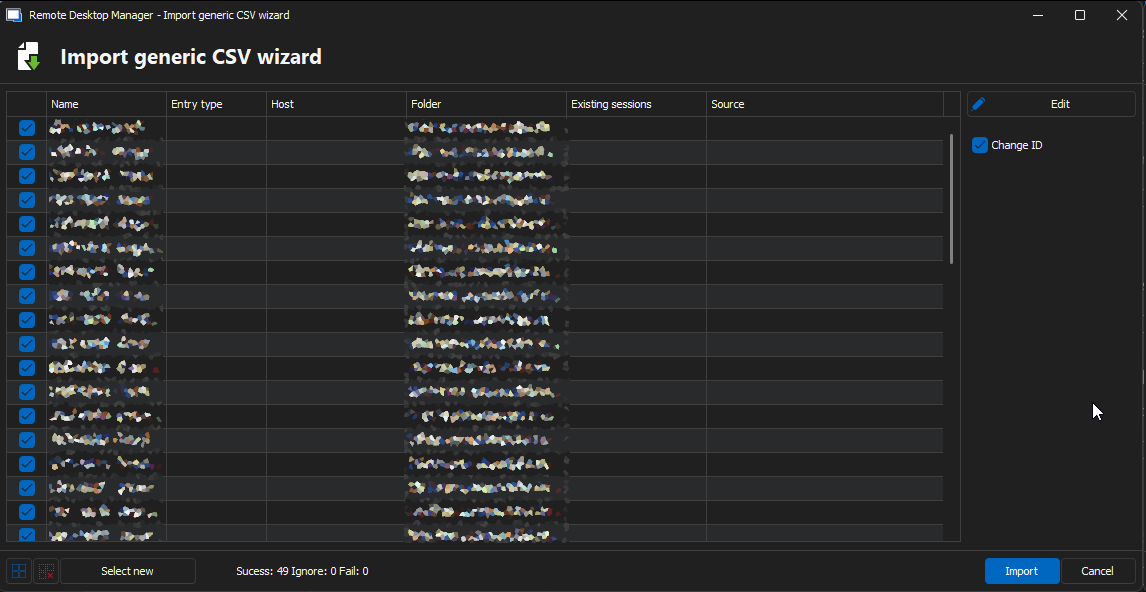
Even if I proceed with the import, it imports them as RDP sessions.
I don't know if my formatting is just wrong with the .csv or if this is just a limitation that you can't import mass Winbox sessions.
6bf670b3-f492-4111-bb0e-e6e4fbc74b85.png
2004fb27-9820-474e-a5ea-75f64c3e20f3.png
f9e7b952-674d-44fc-a7fc-96fcbf7aeecf.png
a15dea50-eb24-4a67-bce7-6f9435b41957.png
All Comments (6)
Hello,
Which RDM version and data source are you using?
Regards,
Min
Hello,
Which RDM version and data source are you using?
Regards,
Min
v2024.3.27.0
Data source is the generic CSV import, I tried build it out myself originally then built one out and exported that one and built the template off of that.
Hello,
It's working as expected on my side.
Could you give the attached file a try?
Regards,
Min
MikroTik.csv
Hello,
It's working as expected on my side.
Could you give the attached file a try?
Regards,
Min
That worked, I did have to tweak it a touch as for some reason the port column doesn't work so I had to tack it onto the end of the host.
Was it just a formatting error or just seemingly a random issue?
Hello,
Perfect, thanks for the feedback!
It looks like a formatting issue, but it's hard to say without the original file. If you're curious, you could compare the files on your end.
Regards,
Min
Hello,
Regarding the port option, did you set the mapping for the port to the correct value?
Regards,
Min
bc50545f-197e-4f41-8bd6-42db1e4b8d54.png