Custom VPN (openfortivpn) - Not launching windows

Hello,
I'm trying to configure a Custom VPN using FortiVPN (https://github.com/adrienverge/openfortivpn), specifically the Mac OS X version.
I have attached the executable
and this is my configuration.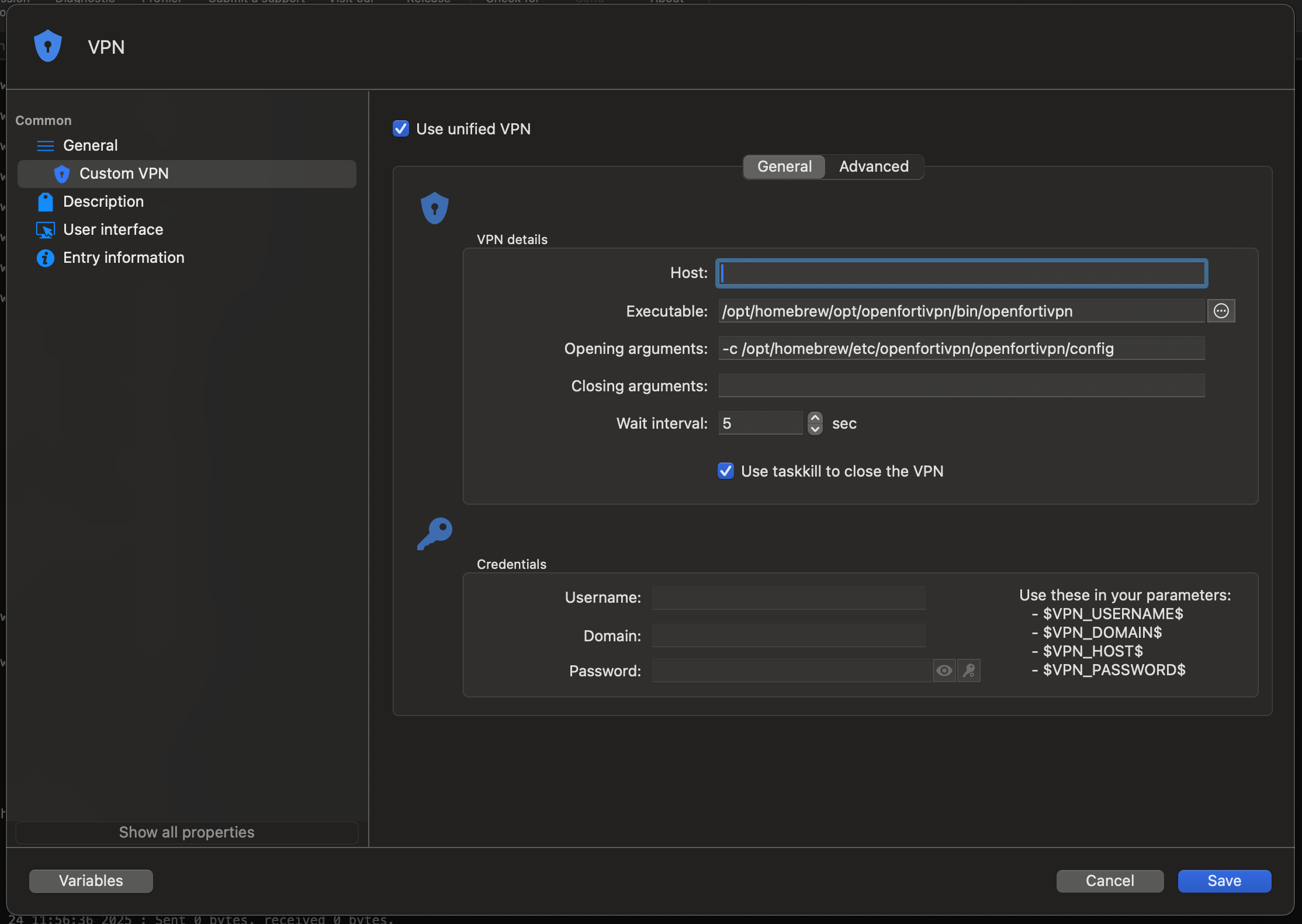
This is how its supposed to be when launched from terminal but when using Remote Desktop Manager I'm not getting any popups
6eaf6529-6d44-4d87-ac2f-c27890e80ccf.png
6c0ea57c-ea10-4f1e-8e5f-721c6b3d58c4.png
openfortivpn
All Comments (1)
Hello,
We are going to do some test on our side and re-read the documentation just to be sure, but I fear this behaviour is expected.
I think the issue is that OpenFortiVPN is a terminal process rather than daemon running in the background like other VPN so RDM doesn't recognize it as such. Also, unless OpenFortiVPN have changed something in how it work, it will ask for a sudo authorization before you can enter your credentials, which RDM don't handle.
We will come back to confirm
In the meantime, I think there's a possible work around by using a macro or an applescript to inject your credentials. For security purpose, I do recommend that the terminal and the sudo password be entered manually though.
Best regards,
Michel Lambert