Which entry type for ESXI

Hi,
I chose "Website" entry type for logging on my ESXI web page. I suppose this is the correct type? However it does not fill in my username and password. How do I make RDM fill in my credentials automatically?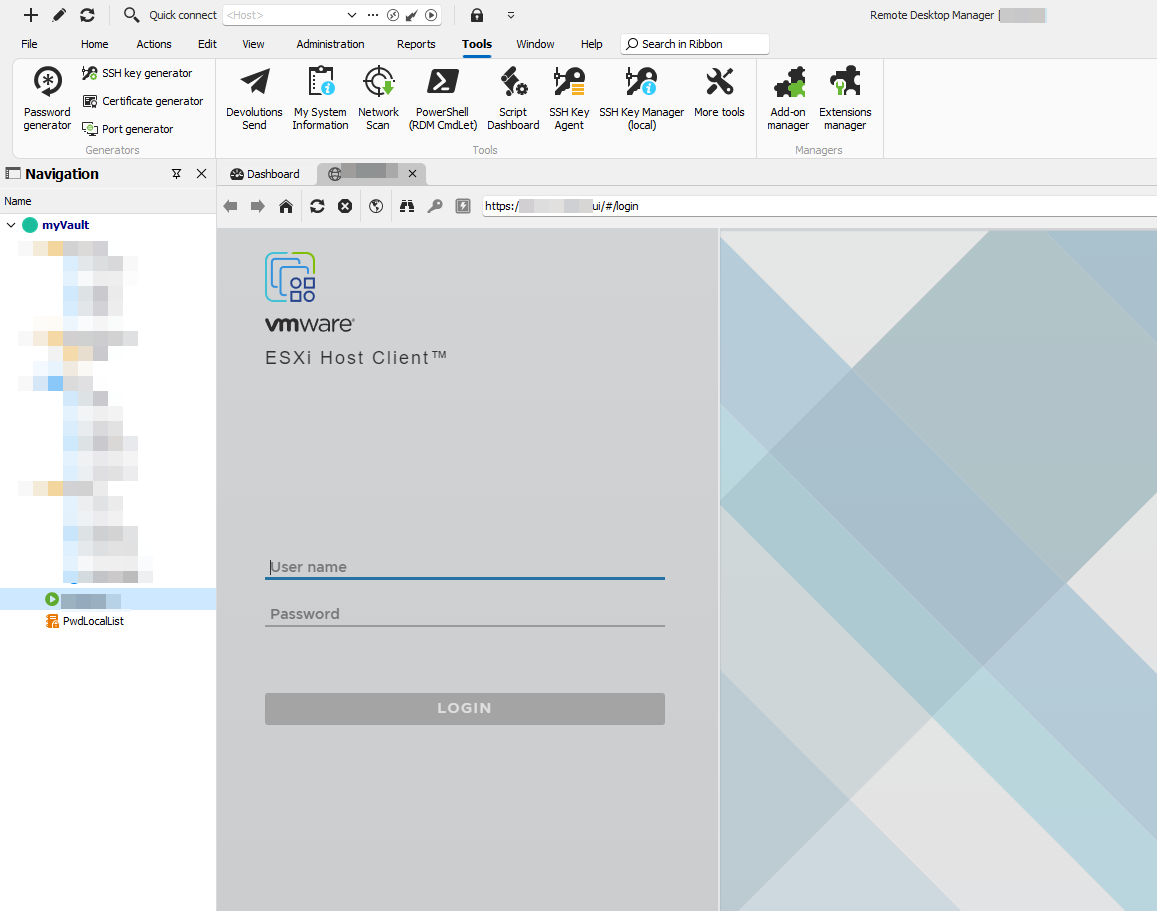
5277d2d7-430f-45f4-ae5e-9735cc3dbe21.png
712c5227-4df4-4aef-a6c1-c25ff824a1a4.png
54955917-818f-4fc1-bc4e-48af335197ff.png
All Comments (5)
Hello,
Thank you for reaching out regarding this matter.
You might have to set up the HTML control form.
I recommend referring to the documentation page on our website for detailed guidance.
Here is the link: https://docs.devolutions.net/rdm/kb/knowledge-base/website-authentication/#website-entry-fields-overview
Feel free to share your results here once you’ve had a chance to review it.
Best regards,
Jacob Lafrenière
ok. so i got it to work.
here is what the Html control page looks like: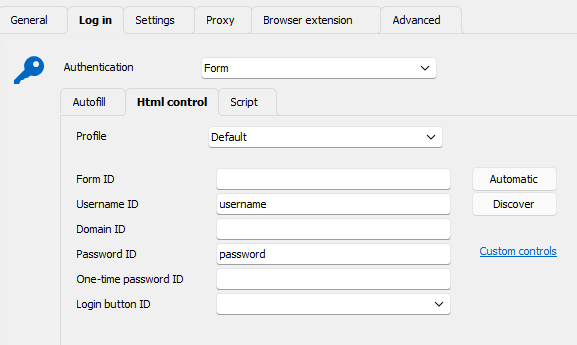 here is what settings look like: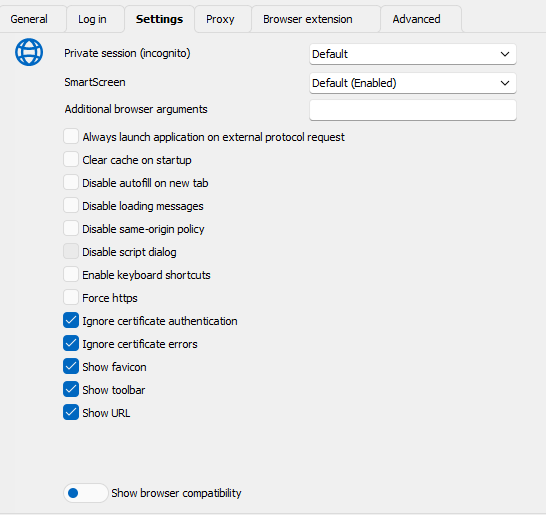
and lastly, this is what the events tab looks like: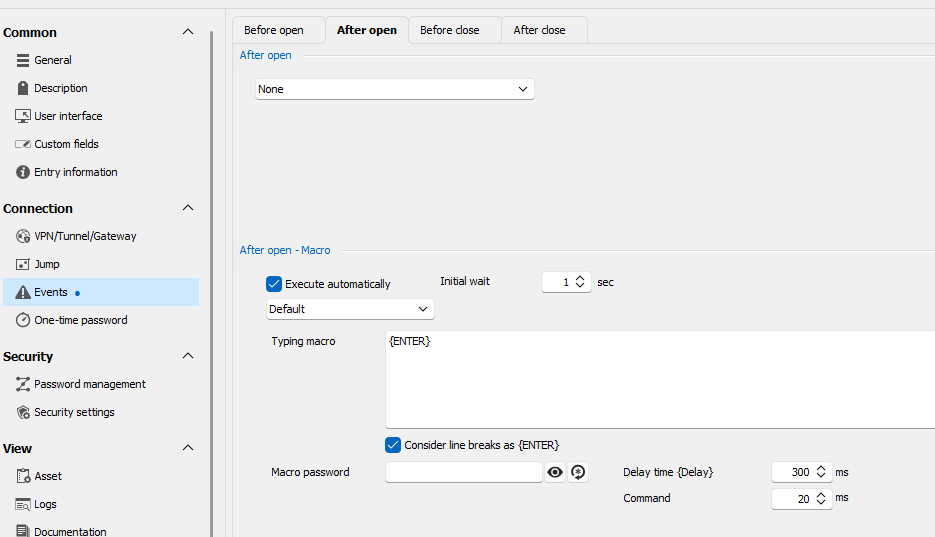
all the rest of the settings are default.
182c4f96-f2a7-45b2-9285-d99ab40aae0d.png
105f924c-d0f7-424b-a08a-02d335bed978.png
1ae579f3-a365-4c4d-a473-b4241a4962d5.png
Hello,
Thank you for sharing your configuration with the community!
Just as a sidenote 😉
On my end, I'm not using the Events section, as I set the [ENTER] key in the Login section:
(Additionally, it is possible to configure a delay - if needed - in the Autofill tab)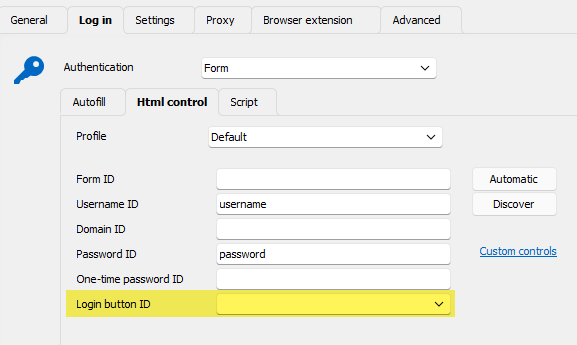
Regards,
Min
d88e5075-9a08-4af1-87a4-a12912d39471.png
ok that works, too! but i had to set a delay (100ms). otherwise the webpage is complaining that i entered wrong username/password.
Hello,
Perfect, I'm glad to hear! 😎
Regards,
Min