How to change TLS compatibility level to 1.3 in RDM?

Hello everyone,
I have our RDM DataSource stored on a Microsoft Azure SQL Server.
I would like to increase TLS compatibility to version 1.3.
When I increase TLS version on Azure SQL end, I'm getting this message when trying to connect via RDM.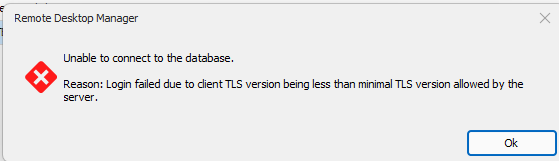
How can I adjust TLS settings withing RDM?
Thank you in advance.
Philipp
a0bfc047-634f-4ff7-8bbc-f0ef6646d43a.png
All Comments (5)
Hello Philipp,
Thank you for getting in touch with us. To better assist you, could you kindly provide us with the following information:
- Are you able to connect to SQL Server Management Studio?
- The current version of your RDM.
Once we have this information, we will be better equipped to diagnose and resolve the issue.
Best regards,
Maxim Robert
Hello Philipp,
Thank you for getting in touch with us. To better assist you, could you kindly provide us with the following information:
- Are you able to connect to SQL Server Management Studio?
- The current version of your RDM.
Once we have this information, we will be better equipped to diagnose and resolve the issue.
Best regards,
Hello Maxim,
uh, nope I cannot connect using SSMS. Same error, so I guess this is a OS related issue I need to adjust?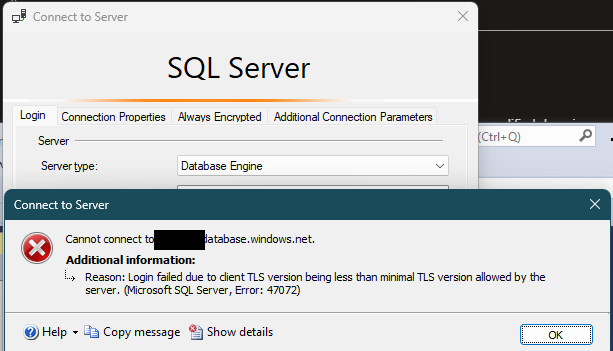
The current RDM version is the latest published till today.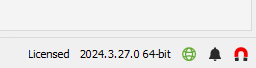
Thank you.
e194b60c-d4e2-4d01-9ee7-40667aa6ae58.png
c70d0e98-8008-4d97-a41b-d9473a9f5bfc.png
Hello
What's your client OS? TLS 1.3 isn't supported and/or enabled by default on all versions of Windows.
Best regards,
Richard Markievicz
Hello
What's your client OS? TLS 1.3 isn't supported and/or enabled by default on all versions of Windows.
Best regards,
Hello Riichard,
I have W11 installed.
I already found that TLS can be adjusted with specific registry keys. TLS seems not to be enabled by default. I guess RDM TLS compatibility also depends on the OS settings and is not dedicated to RDM config only.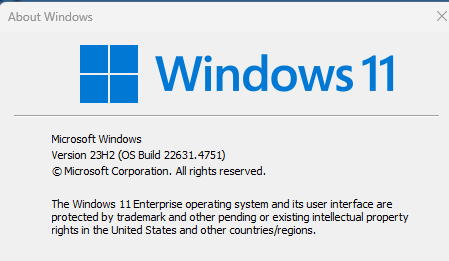 Cheers,
Philipp
2c7a7a00-6872-44b3-8e78-aa89d6c124ac.png
Hello
Right on - if you enable TLS 1.3 in the schannel configuration, and can connect with SSMS but not RDM, please let us know.
Note that older Windows versions either don't support, or don't fully support, TLS 1.3 so if backward compatibility is a requirement you might want to enable this with care.
Kind regards,
Richard Markievicz