SSH Sessions PuTTY to SSH Shell

Hi,
I'm on version 2024.3.26.0 64-bit , when setting up RDM some months ago I imported my ssh sessions from PuTTy using the sessions.xml. i want to be able to log sessions to a .txt or .log file but cannot get it to work. thinking i need to change my ssh session to use SSH shell. all my sesssions currenly are using puTTy can you let me know how to do that ? then also setup the session logging.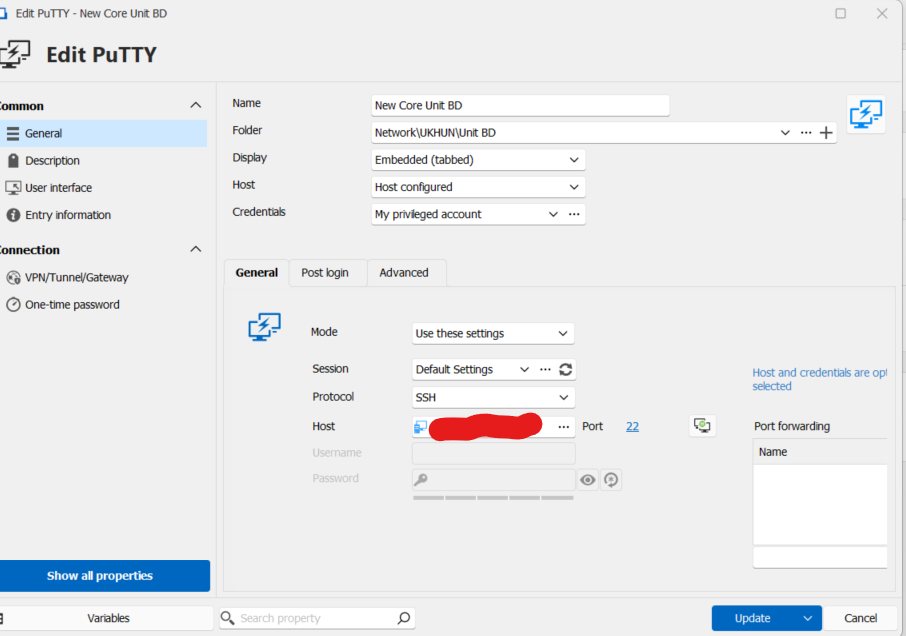
thanks
Gary
eec275d5-a35e-4644-ae02-3038ab7e3d20.png
All Comments (3)
BTW I really like the product but was use to SecureCRT
OK Figured it out Highlight multiple Putty sessions go to Edit menu > Edit (Special actions)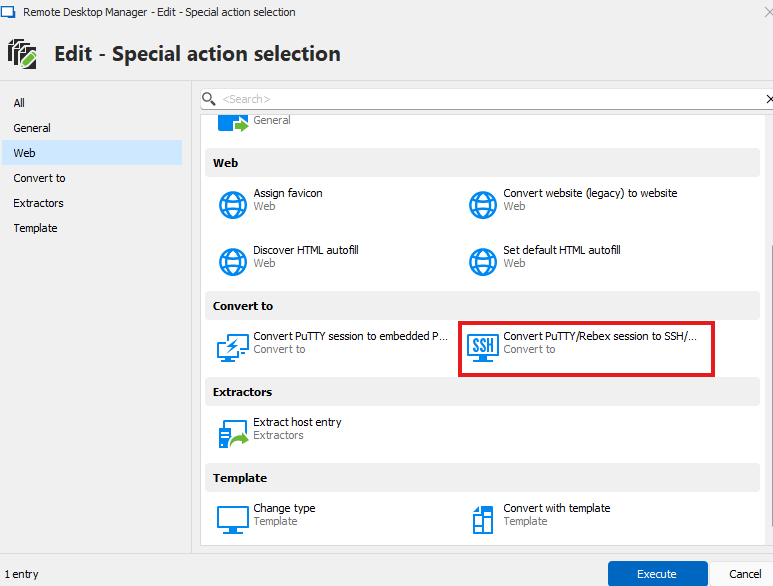
Execute
But still not able to get the loggings working i have the following configured for it:
File > templates > SSH terminal.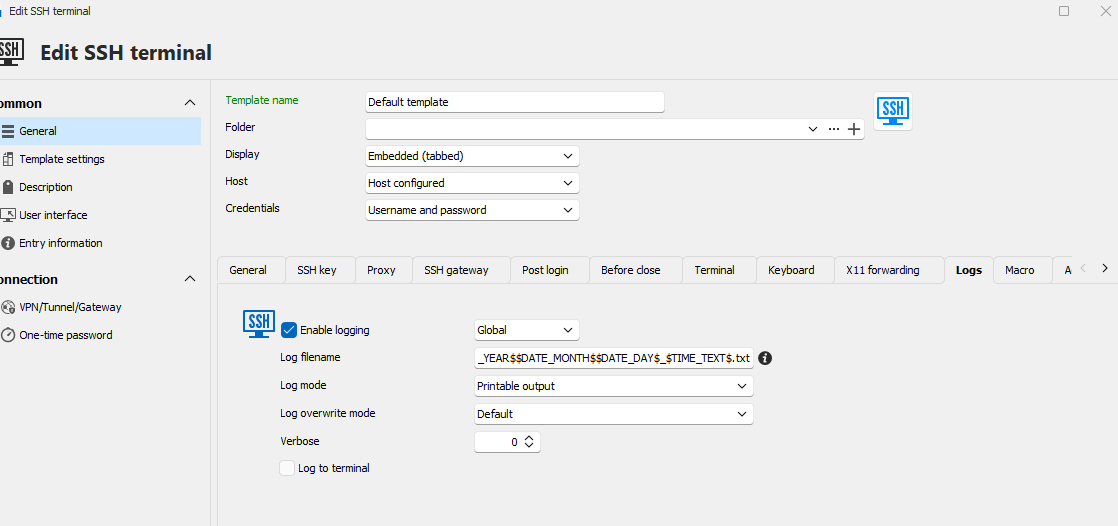
File > Settings > Sessions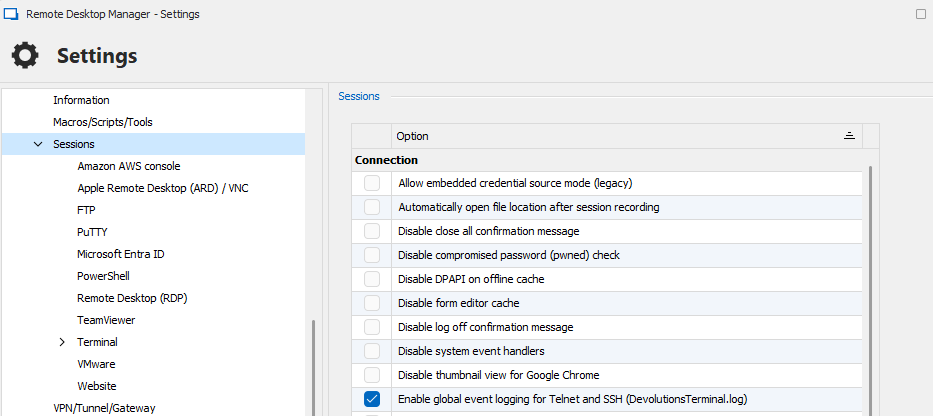
File > Settings > Sessions > Terminal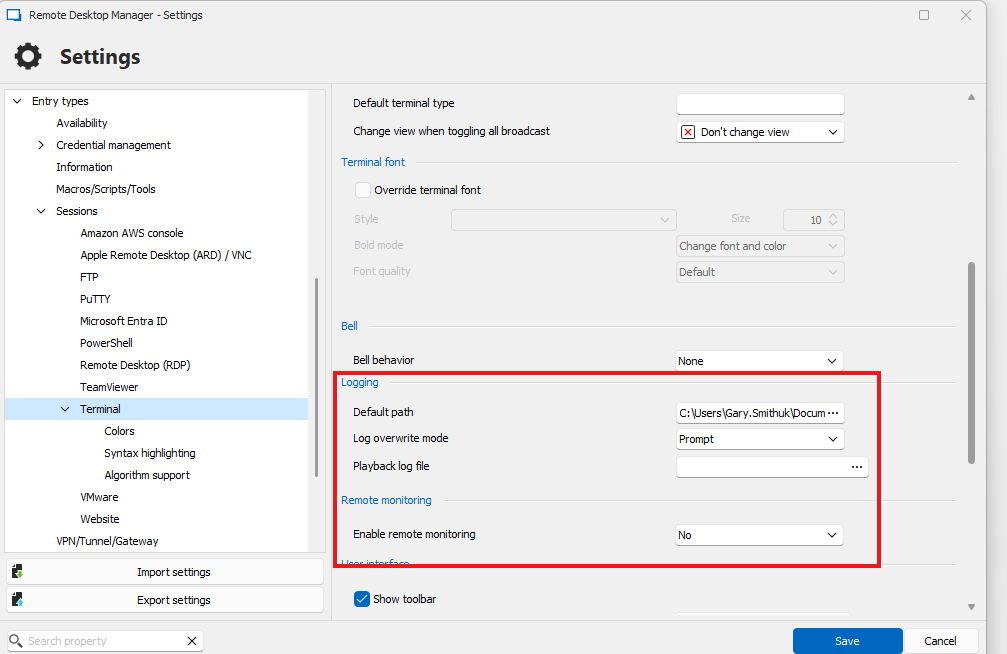
Ideas? have I missed something?
Gary
c411ea9d-f6f4-48a2-8e68-c3ba8a2c6738.png
34aac38b-31fd-4f40-b570-206b3b53891f.png
39151132-4d37-4401-925e-f15120c89f63.png
62779922-8f43-447c-8c16-95b035a20d7d.png
Hello,
Thank you for reaching out to us regarding this matter.
I recommend selecting your Putty entries, then right-clicking and choosing:
Edit > Edit Special Action > Convert Putty to SSH Terminal Session.
This will convert all the selected Putty sessions.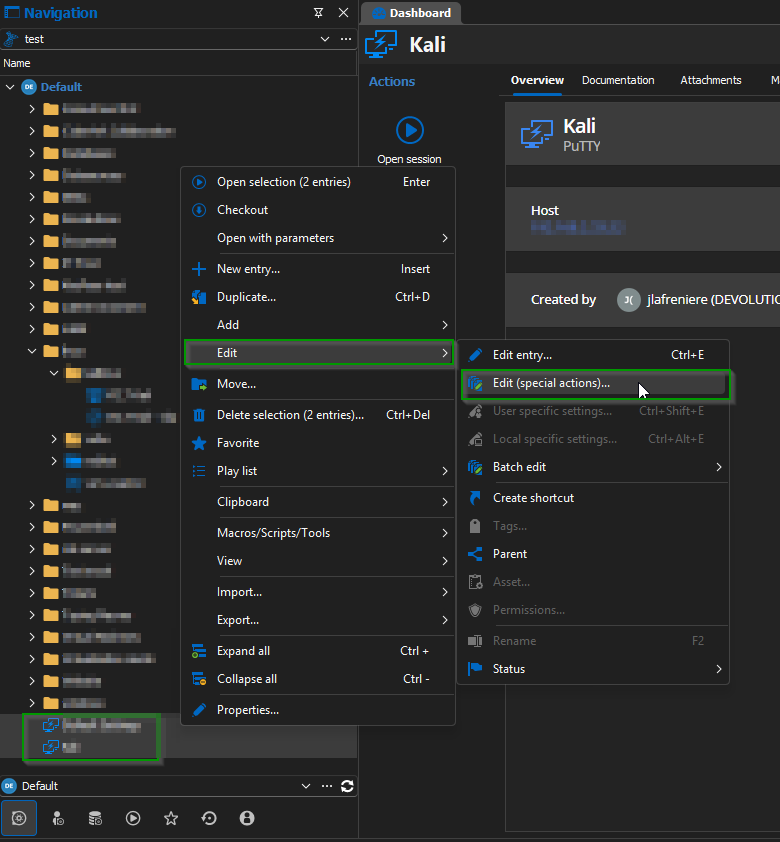
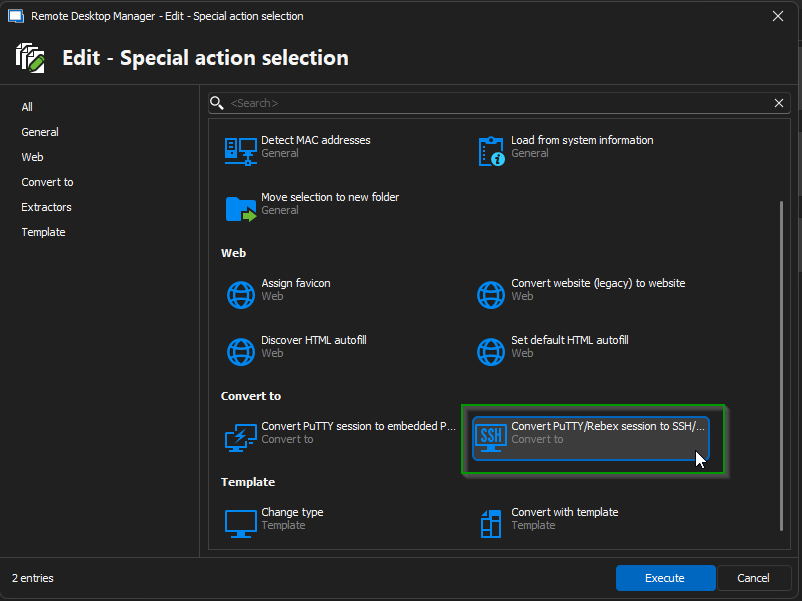
Next, you can configure session logging by navigating to:
Entry Properties > General > Terminal > Advanced, and then set up the "Log to File" option.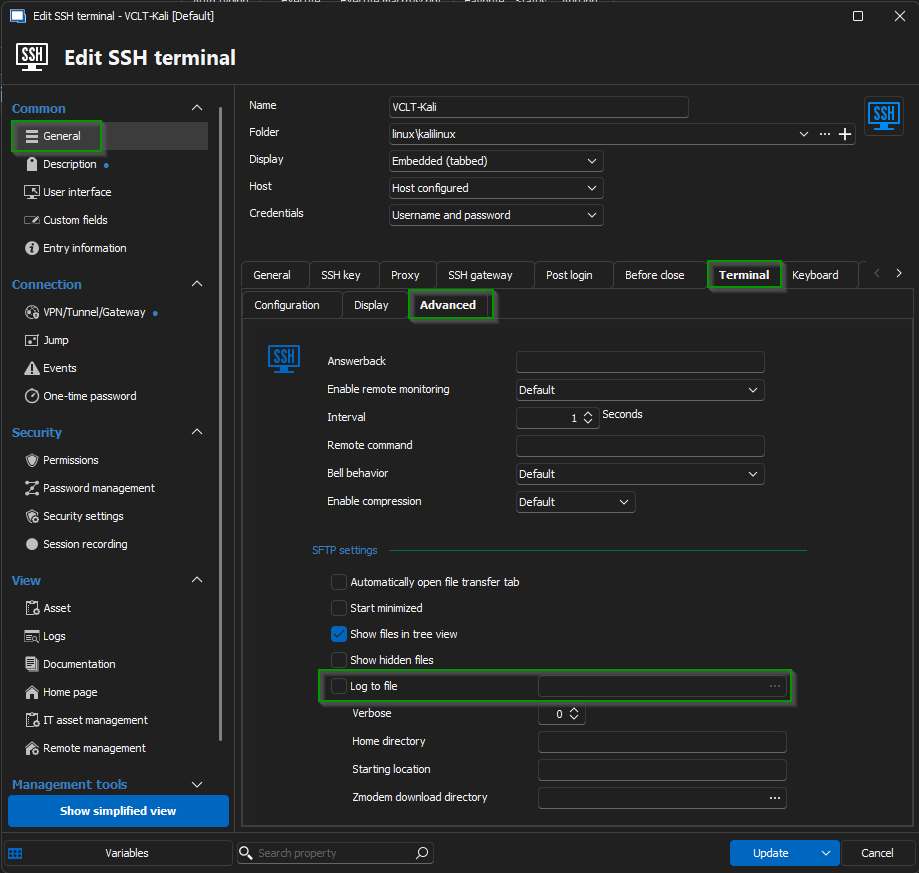
If you have any further questions, feel free to reach out.
Best regards,
Jacob Lafrenière
28a887cd-b438-48a7-af6f-726b0df8571e.png
744993ff-1818-4bbe-b56b-ec823664bc52.png
05e1a36b-7bb8-43b3-a6ca-bdc3187f41e2.png