RDM .NET crash

Hello people,
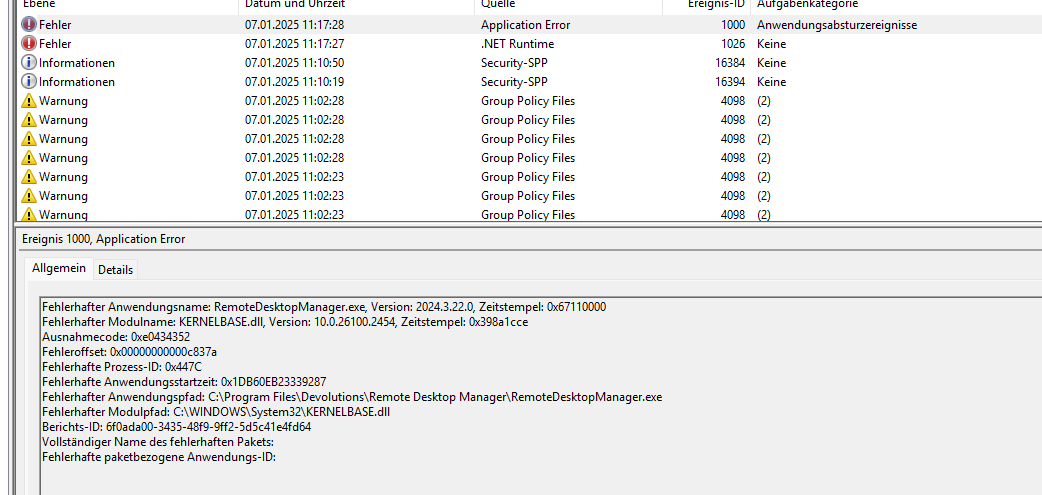
I am now still having insane RDM client crashes, since over half a year with various windows 10 and windows 11 versions, but I am completely annoyed now. Like, for real.
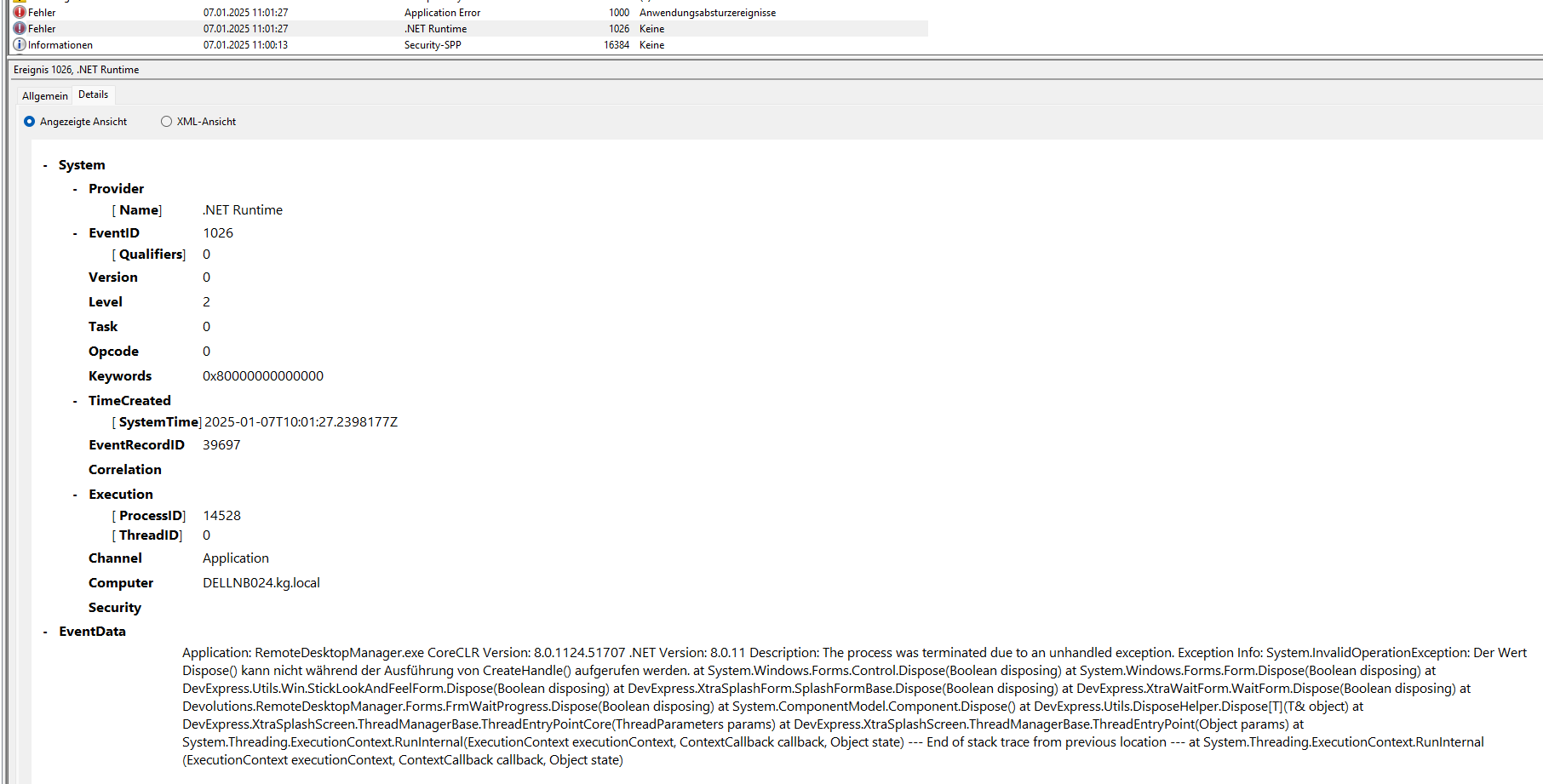
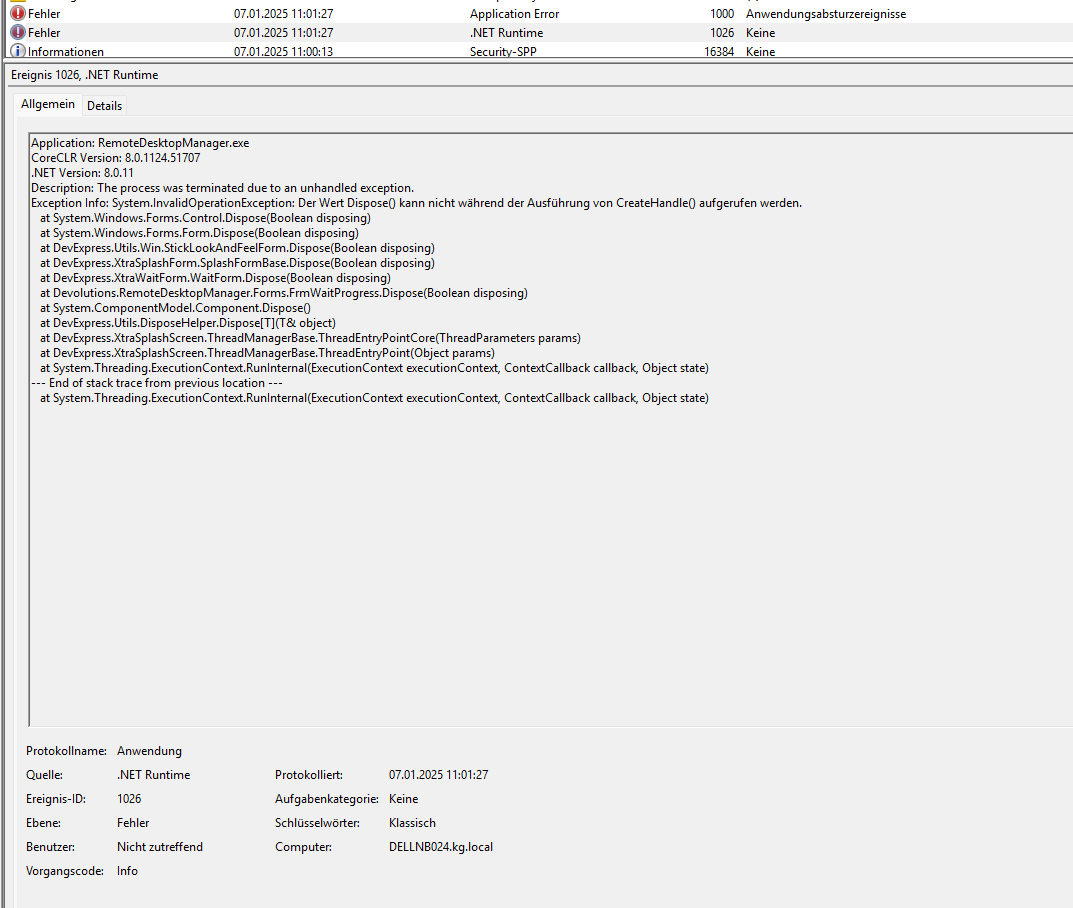
The crashes seems to be .NET related but I don't have any clue anymore. Even after a full clean windows 11 install (no insider build, or anything, across multiple versions from 22H2 to 24H2, everything), but it only happens when I edit RDP-entries within my connections (I only have RDP anyway), but once I edit one connection and save it and open up the next, then the RDM crashes.
I even uninstalled ALL .NET versions now and only installed 8.0.11 as required and 9.0.0 as it is the latest available right now.
Have ANYONE any kind of fix for this behavior?
Device: Dell Precision 7860, Core i7 13850HX, 32GB DDR5, RTX A2000 ADA 8GB, latest BIOS (1.18.2)
Windows: Windows 11 Pro, 24H2, Build 26100.2605
.NET: .NET 8.0.11 x64 + .NET 9.0.0 x64
RDM: 2024.3.22.0 64-bit, no enterprise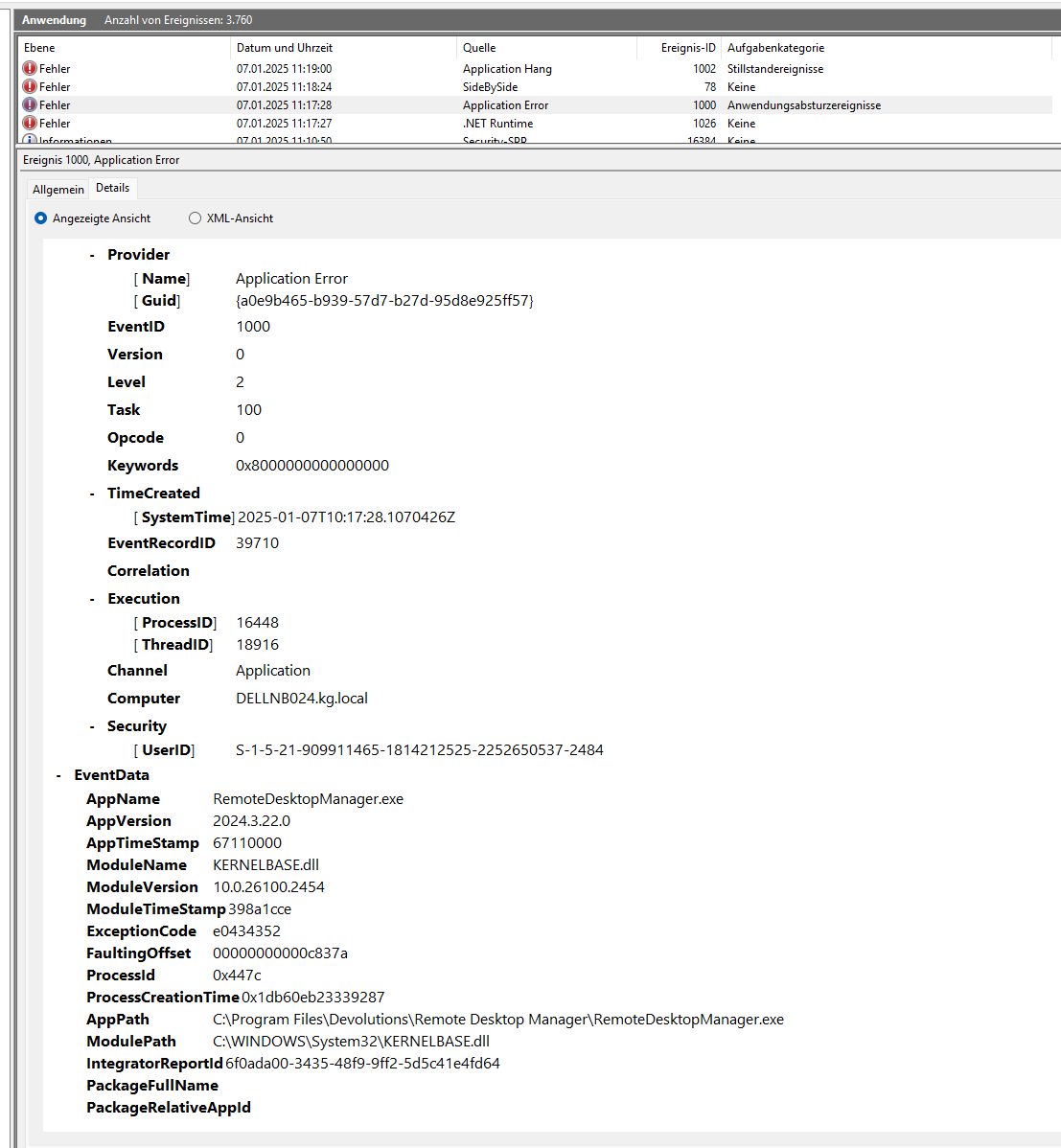
Thanks and cheers
Henrik
Screenshot 2025-01-07 111946.png
Screenshot 2025-01-07 111746.png
Screenshot 2025-01-07 110902.png
Screenshot 2025-01-07 110843.png
All Comments (5)
Hi,
We’ve been experiencing challenges in tracking this issue. While we’ve implemented several fixes across the 2024.3.x builds, the results have been mixed. Adding to the complexity, we haven’t been able to reproduce the issue on our end.
That said, I’ve just completed another fix that should resolve or at least mitigate the issue. This will be included in the next 2024.3 build, which is expected to release in the next day or so.
Best regards,
Stéfane Lavergne
Hello Stéfane,
thank you very much for reaching out!
I understand, that reproducing weird behaviors in a complete different environment are a major challenge to fight against, but I am very positive about it, that you and devolutions manage to fix this somehow. We are now looking forward for your upcoming fix and I will report back once it is enrolled.
Thank you very much and have a nice evening!
Henrik
That’s frustrating! Have you checked if a recent update might be causing compatibility issues? Sometimes rolling back to a previous stable version can help. Hope you find a solution soon! College papers can be tricky, especially when you have a lot on your plate. I found Academized, where we can find cheap college papers, we can visit here https://academized.com/cheap-college-papers website. The writer did an excellent job, delivering a paper that was insightful and well-organized. It was completed on time and met all the requirements I had. If you're looking for an affordable solution for your college papers, I highly recommend Academized.
@ashleypatty545,
What version of RDM are you currently running?
Best regards,
Jeff Dagenais
@ashleypatty545,
FYI - the issue is with our wait progress window, you can configure to not use the window but rather status bard. File > Settings > Wait Progress Mode, set it to Status Bar. Give it a try and let us know if it resolves it for you.
Best regards,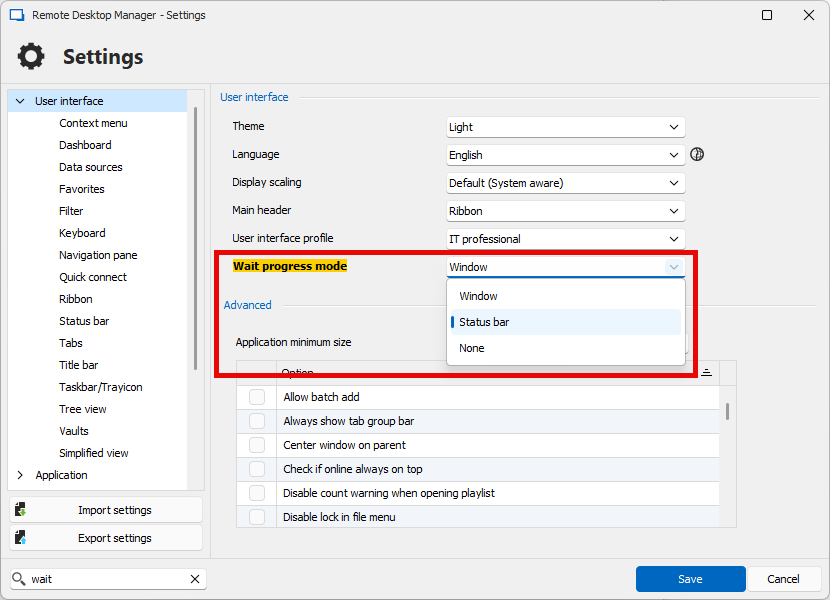
Stéfane Lavergne
19a2783d-1270-45ca-8b72-5a75d6de7bae.png