SCR1D1A.PS1 reported as virus by Norton 360

Hi
This morning, I updated my version to version 2024.3.22 and Norton 360 detected a virus (generic). It is probably a false positive but I'm leaving it in quarantine until confirmed otherwise. Does it is an essential file? And somebody else have this virus detection?
Thank you!
Recommended Answer
Hello
I've made a fix here that should prevent this from happening in future. We'll now run the optimization script in-situ rather than letting Advanced Installer create a temporary file.
I don't believe they'll be any more releases in 2024.3.x, but this is implemented starting with 2025.1 which will be released within the next weeks.
I apologize for the inconvenience. Thanks for your patience, and let me know if you have further question or comments.
Kind regards,
Richard Markievicz
All Comments (5)
Hello Dany,
Thank you for contacting the Devolutions support team.
After investigation, this ps1 does not exist in the installation folder.
It could have been created when you updated it.
Could you share the complete error from Norton and the Hash file?
Best regards,
Patrick Ouimet
I don't have any hash in the log. I attached the image of the log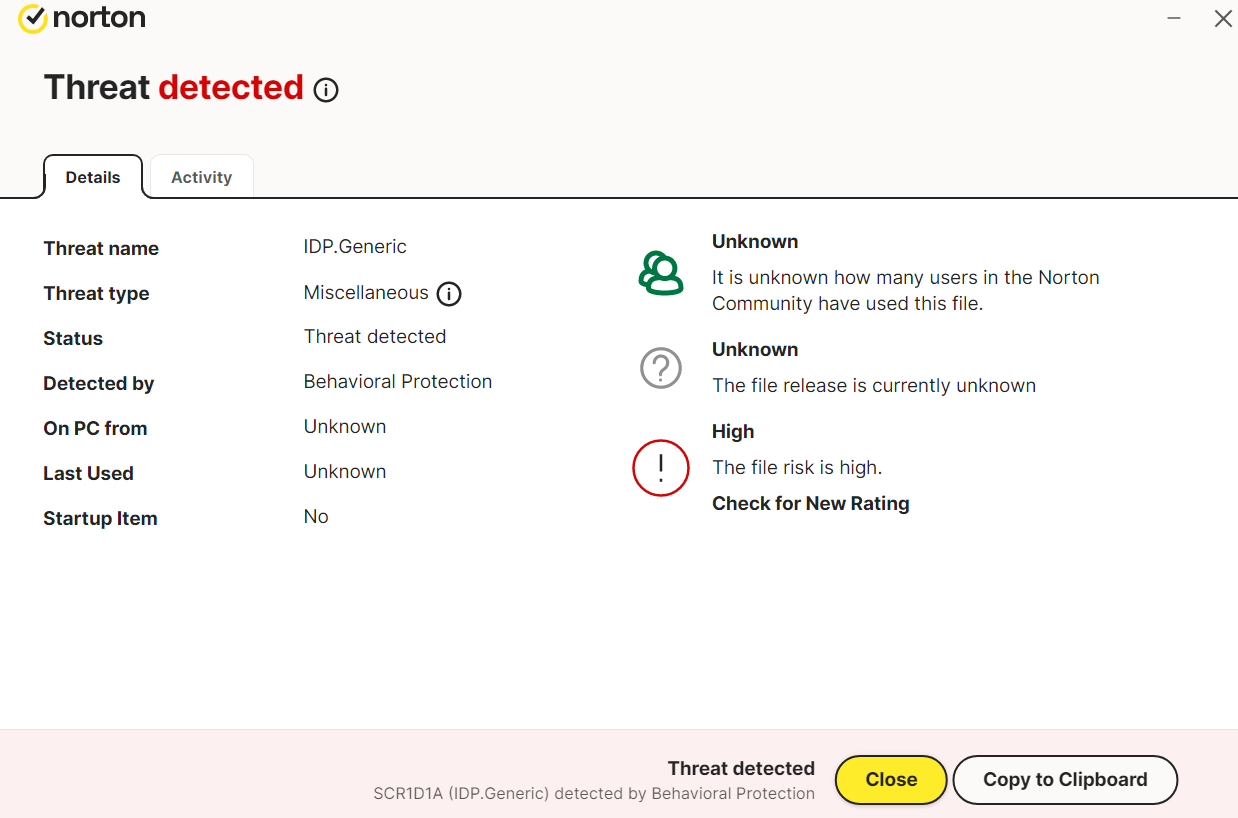
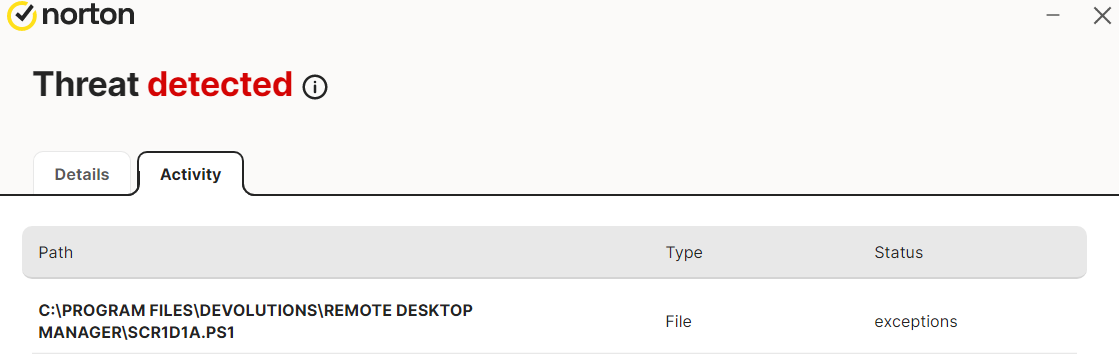
Norton virus RDM.png
Norton virus RDM 2.png
Hello Dany,
Thank you for providing this information.
After conducting some investigation, we found that the installation of RDM creates a .ps1 file in the installation directory. However, this file is deleted after the installation is complete. It's also important to note that this .ps1 file will always have a different name.
All evidence suggests that this is a false positive.
To confirm this, I recommend redownloading RDM from our website: https://devolutions.net/remote-desktop-manager/downloadenterprise/. Please install it a second time, and if Norton reports a new .ps1 file with a different name, this would support our theory.
Please keep us updated with your findings.
Best regards,
Patrick Ouimet
Hello
I'll chime in here with some more details since this has come up in a few other places.
We ship a file with the RDM install that you'll find in the install directory - OptimizeRDM.ps1. It does some housekeeping at install time like fixup some behaviour for ARM64, and correct issues with user pinned taskbar shortcuts. We use Advanced Installer to build our MSI, and as part of the install, we ask it to execute that script.
It seems that, rather than run the installed script in situ, Advanced Installer instead makes it's own copy of the file (and gives it a random file name), executes that copy and then deletes it.
My feeling is that it should be pretty easy to correct this behaviour and prevent the AV false positive. I'm going to make a ticket for that, link it to this thread, and we'll post back here once it's corrected.
Sorry for the inconvenience and thanks for your patience!
Kind regards,
Richard Markievicz
Hello
I've made a fix here that should prevent this from happening in future. We'll now run the optimization script in-situ rather than letting Advanced Installer create a temporary file.
I don't believe they'll be any more releases in 2024.3.x, but this is implemented starting with 2025.1 which will be released within the next weeks.
I apologize for the inconvenience. Thanks for your patience, and let me know if you have further question or comments.
Kind regards,
Richard Markievicz