Website is showing half of information in RDM

We use Nagios Log Server to make dashboard based on log data. When we connect to this system within RDM only half of the data is shown. Changing the browsersettings in RDM is not solving the problem.
This is shown in RDM: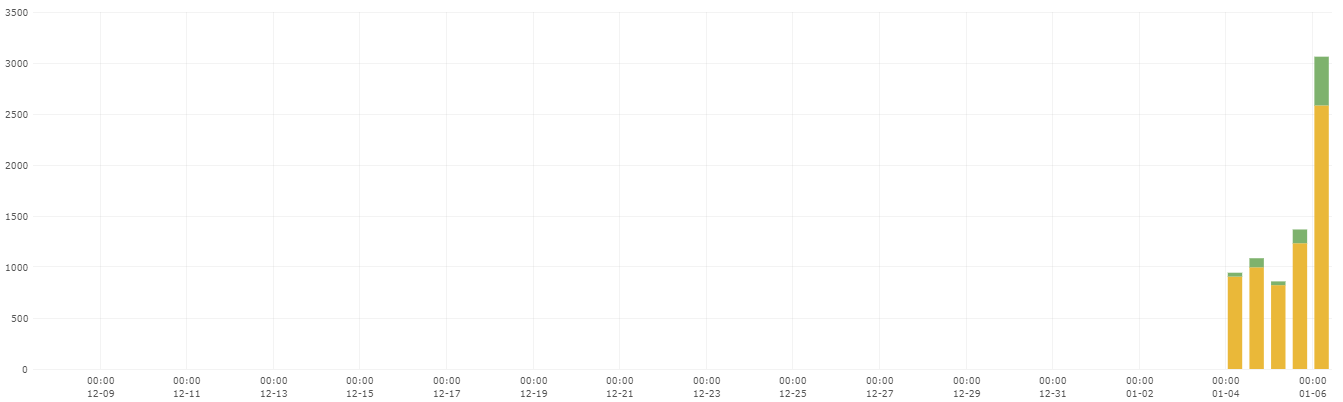 And this is shown in a normal browser: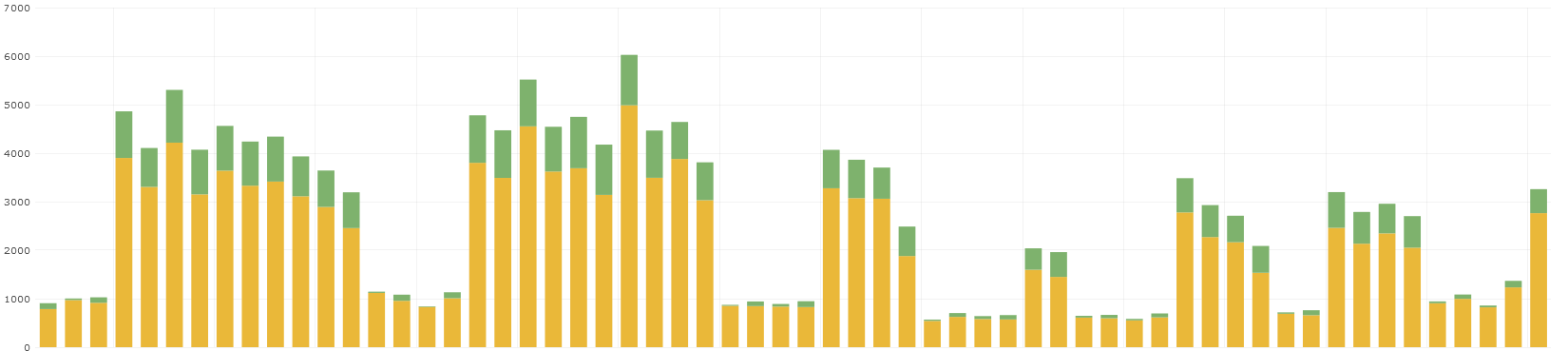
Is this a known issue and what can we do to fix this?
89dc4648-2d6e-43e0-8153-5a28aaa71eab.png
fb923fe8-55b8-4099-b779-2cdb93bb76a6.png
All Comments (23)
Hello,
Thank you for reaching out.
This does not appear to be a known issue on our end. Could you please try adjusting the "Web Browser" settings under RDP > General?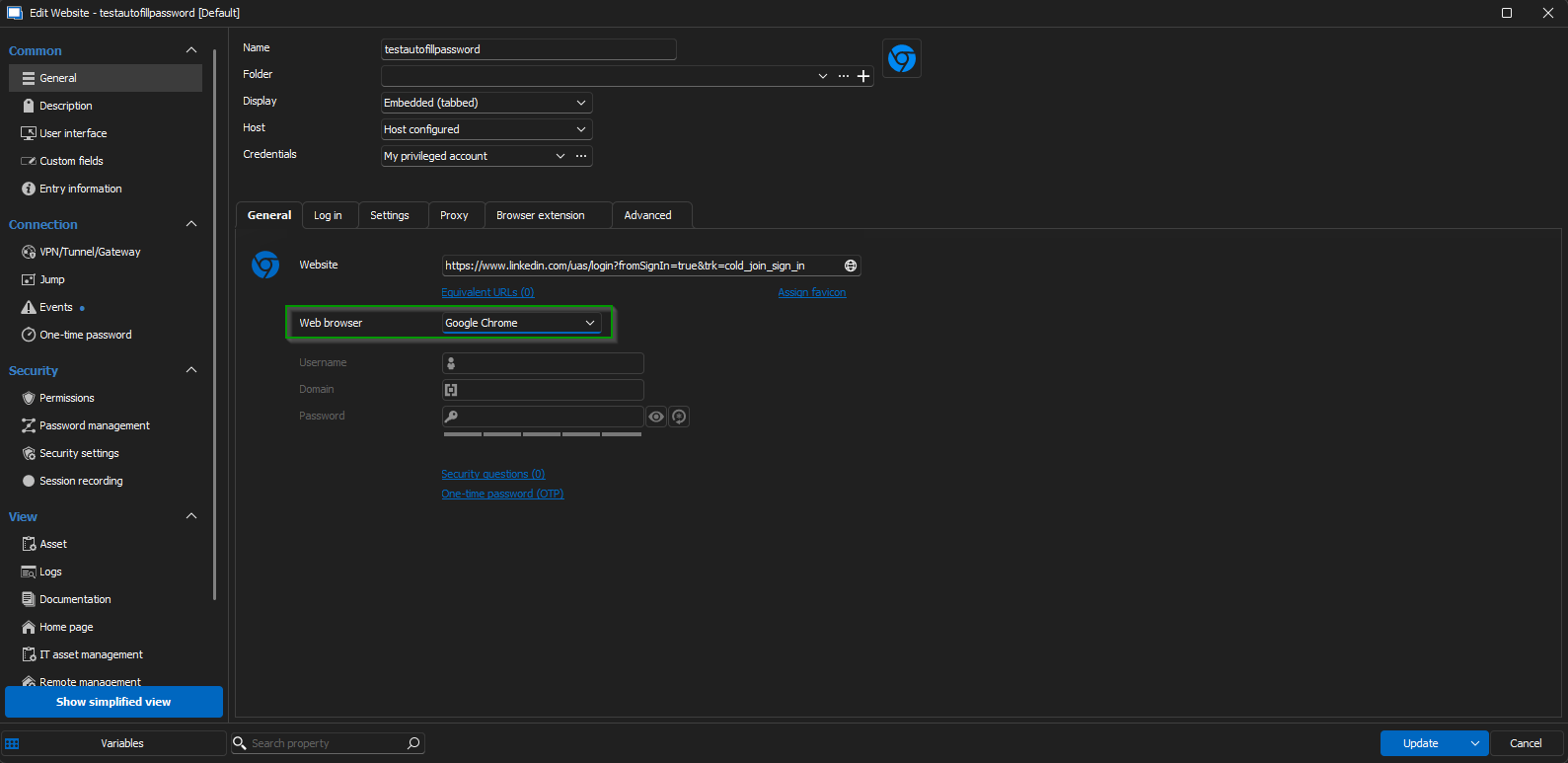
Additionally, I recommend switching the display settings and testing them out. 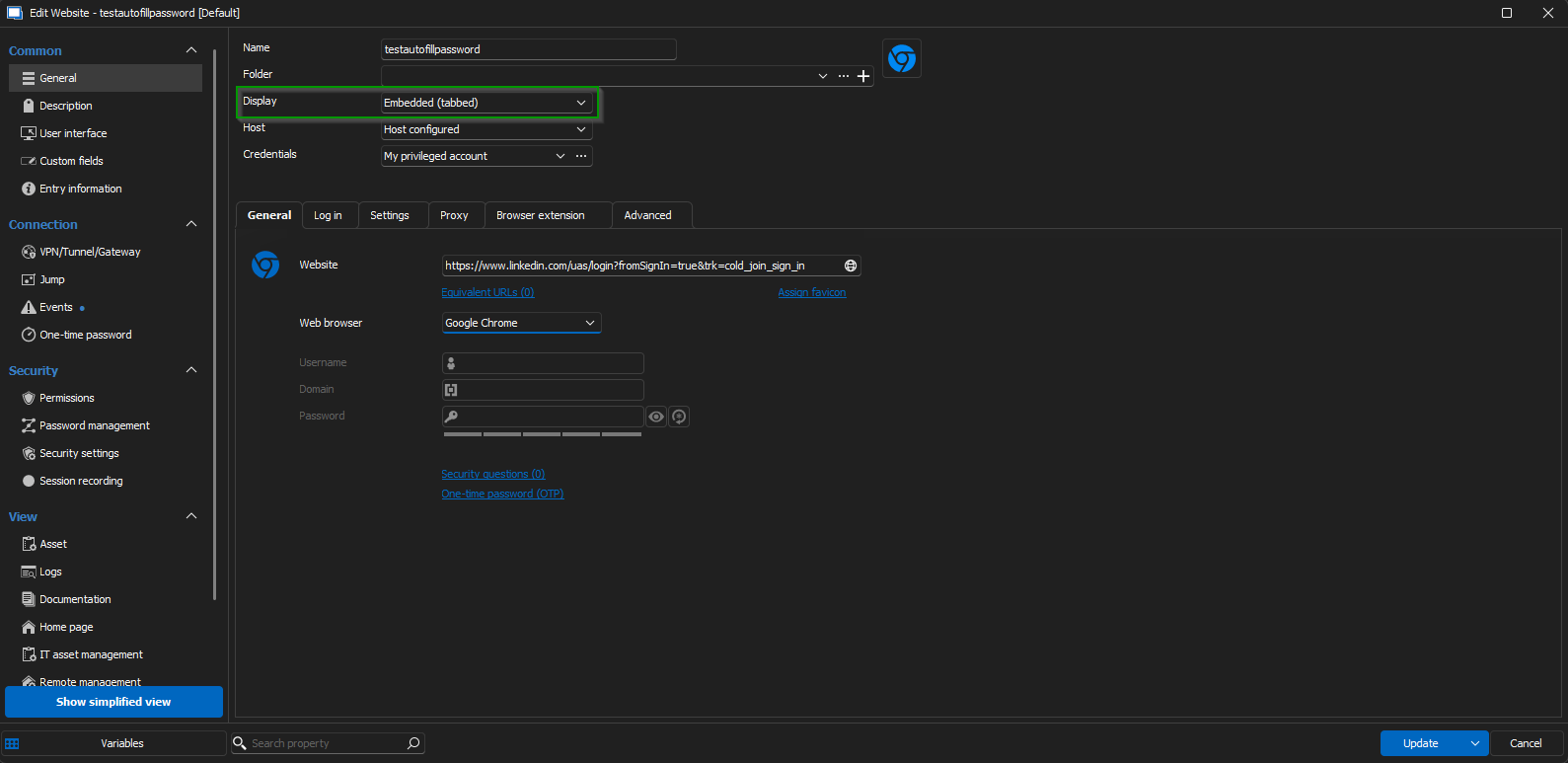
Please let me know about any changes or behaviour you observe after trying these adjustments.
Looking forward to your update.
Best regards,
Jacob Lafrenière
8ac04bed-df21-4fac-99d5-db110530dc62.png
ee41f897-4d6d-4da5-97a9-40eafc96b31e.png
I already tested this, also other webbrowser, but all give the same result.
Hello,
Thank you for your follow-up.
Could you please confirm whether the issue occurs with the following three settings?
- External
- Embedded (Tabbed)
- Undocked
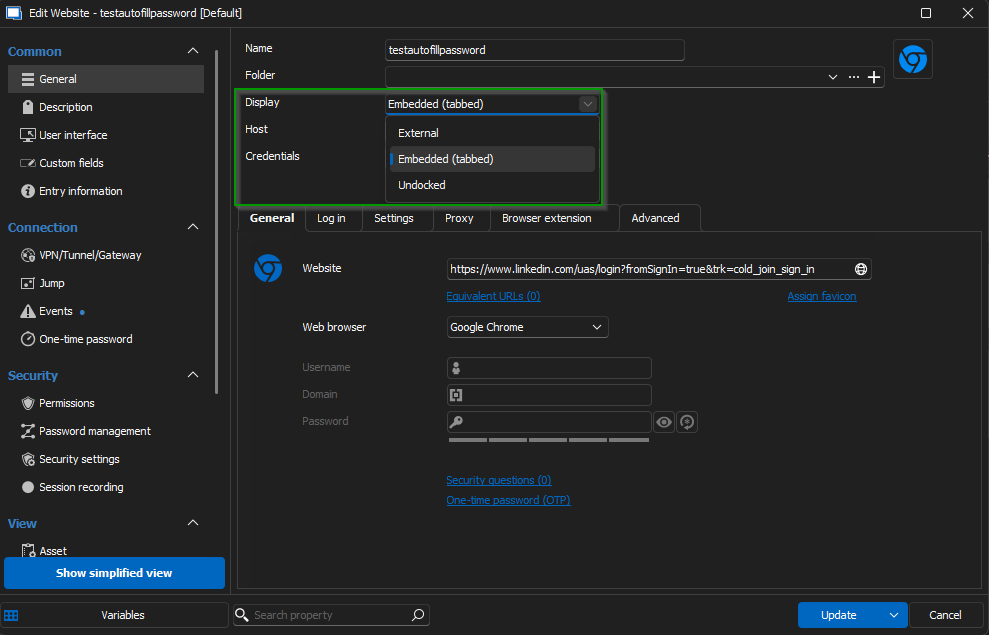
From what I can see, "external" should be the only one working.
Thank you for your collaboration.
Best regards,
Jacob Lafrenière
bc1c567f-55fc-443e-98c7-e00088018f68.png
All three options are not working. Embedded and undocked give the same result and external is not an option because we force session recording and connection through Devolutions Gateway.
Thank you for the confirmation.
Are you using any special resolution with your monitor setup?
Do you have any percentage of scaling configured in your display settings?
Looking forward to your reply.
Best regards,
Jacob Lafrenière
Nothing special.
The website is dynamically loading the graphs based on the timerange you set. The loading of these graphs can take up several seconds. It seems Devolutions is timing out after a few seconds and because of this the graph is not loading further.
Thank you for the precision.
Your theory sounds good. Can you try some of those settings: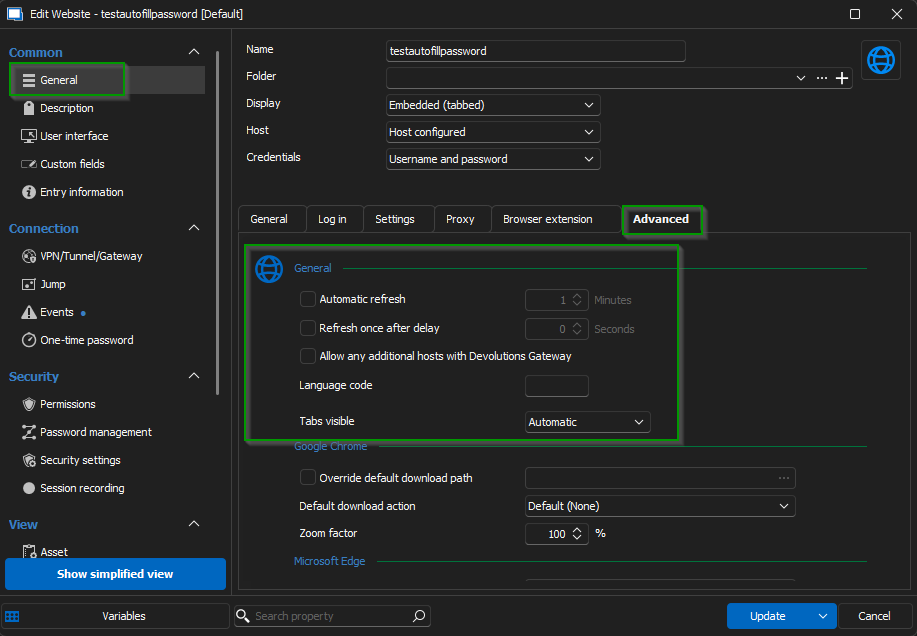
Looking forward to your results!
Best regards,
Jacob Lafrenière
d0ba26ce-7ee7-4823-b03d-c0409fd8161a.png
Those settings doesn't change anything based on the problem.
Hello
Thank you for your follow-up.
Could you please confirm the version of your RDM application? Additionally, I would appreciate it if you could specify the data source type you are using, along with its version.
Once I have this information, I will proceed to open an investigation with our QA team. They will attempt to reproduce the issue to help identify the root cause.
Best regards,
Jacob Lafrenière
At the moment we use RDM version 2024.3.21.0 in combination With Devolutions Server (this is the datasource). Devolutions Server is on version 2024.3.8.0.
Hello,
Could you try updating RDM? Several fixes related to web entries were included in the latest updates, which might resolve your issue.
Let me know if you need further assistance.
Best regards,
Jacob Lafrenière
Updating RDM didn't solve the problem.
Hello,
I will collaborate with the development team on this issue. In the meantime, could you please try toggling the following settings on and off to test it out?
Path:
File → Settings → Entry Types → Sessions → Website → Enable/Disable RunDll32.exe
Let me know if this resolves the issue or if you encounter any further challenges.
Best regards,
Jacob Lafrenière
Changing this setting did not solve anything.
Thank you for the follow-up.
I will investigate with the development team and follow-up as soon as I can.
Best regards,
Jacob Lafrenière
Hello,
We would like to recreate the same environment as you, can you please provide the version of Nagios you are using?
We use Nagios Log Server version 2024R1 at the moment.
Hello,
Thank you for the confirmation.
We are currently investigating and will follow up as soon as we have more information.
Best regards,
Jacob Lafrenière
Hello,
From what I found out from the development team. You can try checking this setting in your web entry.
This should let the site use redirection, which is usually blocked via the gateway.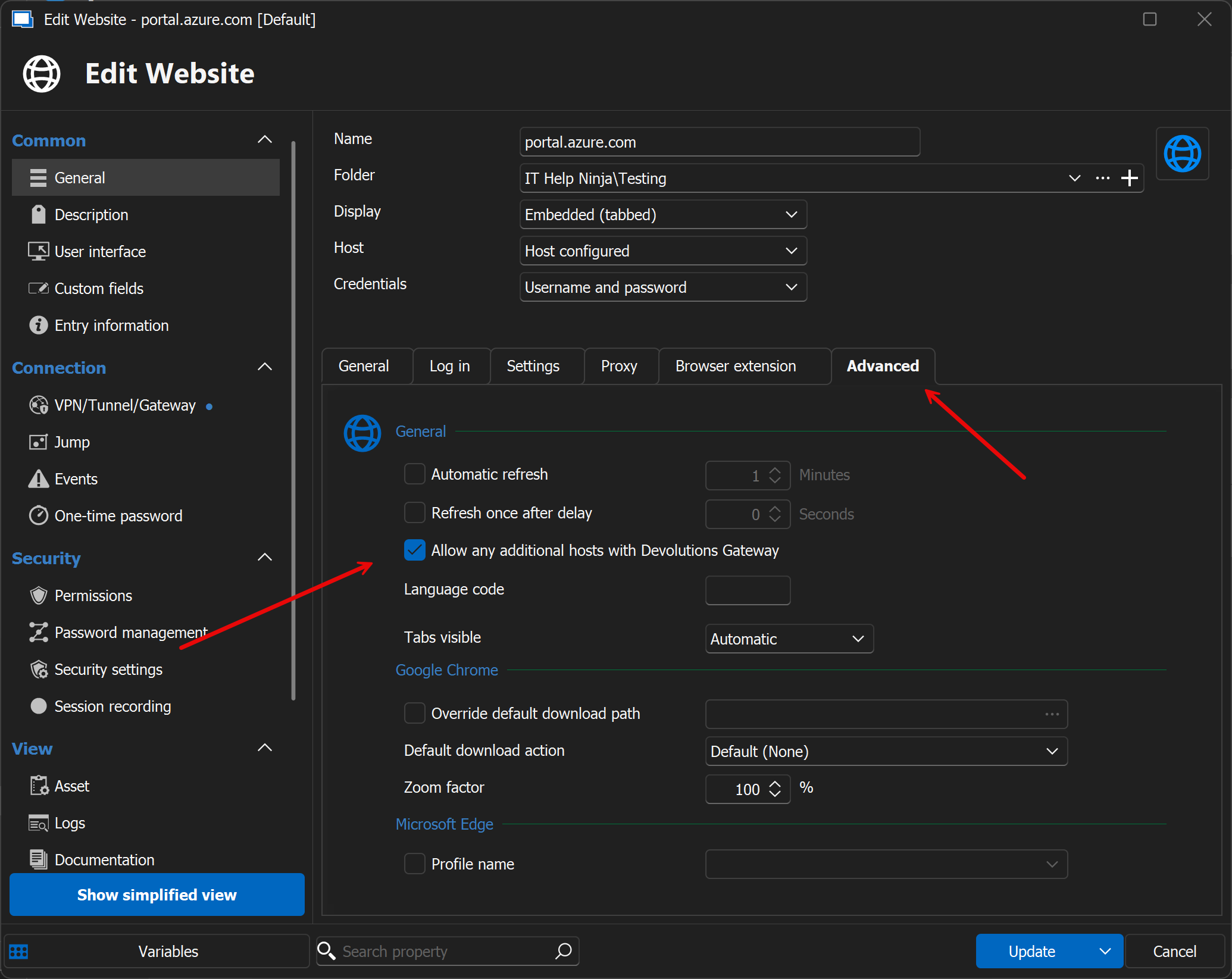
Please test it out and let me know the results!
Best regards,
Jacob Lafrenière
acb35769-6fe8-49b1-87c2-2d3b6afe13a3.png
Hi Jacob,
I don't see what this has to do with the issue we have. Guess this is related to another ticket :)?
Hello,
This is not related to any other ticket.
The development team has provided me with this solution.
Could you please test it on your end and let me know the results?
Best regards,
Jacob Lafrenière
Hi,
Enabling this option is not solving the problem. Still the same result missing half of the graph.
Hello,
Thank you for the follow-up.
I consulted the development team regarding this issue, and they proposed a workaround that might be good for you.
Here is a link to help you set up session recording via the gateway for an external browser: https://docs.devolutions.net/dgw/kb/how-to-articles/use-dgw-external-browser/
Can you take a look and let me know what you think?
Best regards,
Jacob Lafrenière