RDM Windows doest not support SSH certificate based authentication
RDM Windows doest not support SSH certificate based authentication

RDM windows version: 2024.3.22.0 64-bit
Problem: after setup SSH based authentication on Ubuntu 22.04, I can use open-ssh client with the private key to login, but I cannot do the same on RDM windows.
Steps to reproduce the issue
provision a Ubuntu 22.04
follow the steps in https://goteleport.com/blog/how-to-configure-ssh-certificate-based-authentication/ to setup SSH based authentication on the Ubuntu server. (I dont use host_ca to reduce complexity)
on Ubuntu server
generate user_ca keypair: ssh-keygen -t rsa -b 4096 -f user_ca -C user_ca
generate user keypair: ssh-keygen -f honda -b 4096 -t rsa
sign honda.pub by user_ca private key: ssh-keygen -s user_ca -I honda@goteleport.com -n honda -V +4w honda.pub
create user "honda" and lock password: useradd -m honda && passwd -l honda
cp user_ca.pub to /etc/ssh
config ssh server: add TrustedUserCAKeys /etc/ssh/user_ca.pub to /etc/ssh/sshd_config and restart sshd
on SSH client (another Ubuntu server) to test login by ssh client
mkdir ~/.ssh
cp user keypair (honda, honda.pub and honda-cert.pub) to ~/.ssh
test login: ssh honda@ubuntu_server -i ~/.ssh/honda
result: pub key auth success
on RDM windows
create SSH key entry by importing the user private key (honda)
create SSH terminal for the Ubuntu server and use the SSH key entry to login
result: pub key auth failure
from what I observed, ssh client uses both user private key (honda) and signed user pub key (honda-cert.pub) for ssh key auth, but RDM didnt use signed user pub key so RDM fails to pass key auth.
Maybe you can help on this matter. Thanks for your support.
Regards,
Eric
Recommended Answer
Hello,
Thank you for your patience.
The latest version of RDM includes a fix for your issue.
Could you please test if the issue persists in this version?
Best regards,
Carl Marien
All Comments (13)
additional info, if I do the following steps
on Ubuntu server
mkdir /home/honda/.ssh
touch /home/honda/.ssh/authorized_keys
cat honda.pub >> /home/honda/.ssh/authorized_keys
then RDM can do pub key auth, but that means SSH certificate based auth is not used.
Hello,
Thank you for reaching out to Devolutions Support.
Could you please let us know the data source you are using, as well as the version you are currently on?
Additionally, could you try setting the SSH key directly in the entry within RDM ( embedded data ), instead of using the file on your computer, and check if the issue persists?
Best regards,
Carl Marien
Hi Carl,
RDM windows version: 2024.3.22.0 64-bit
the data source: Devolutions Hub Personal.
I tried SSH Key (Credential) and SSH Key (embedded data) and both methods failed.
Best regards,
Eric
Hello
After conducting further research, I wanted to confirm if both of the following key files are stored correctly in the entry:
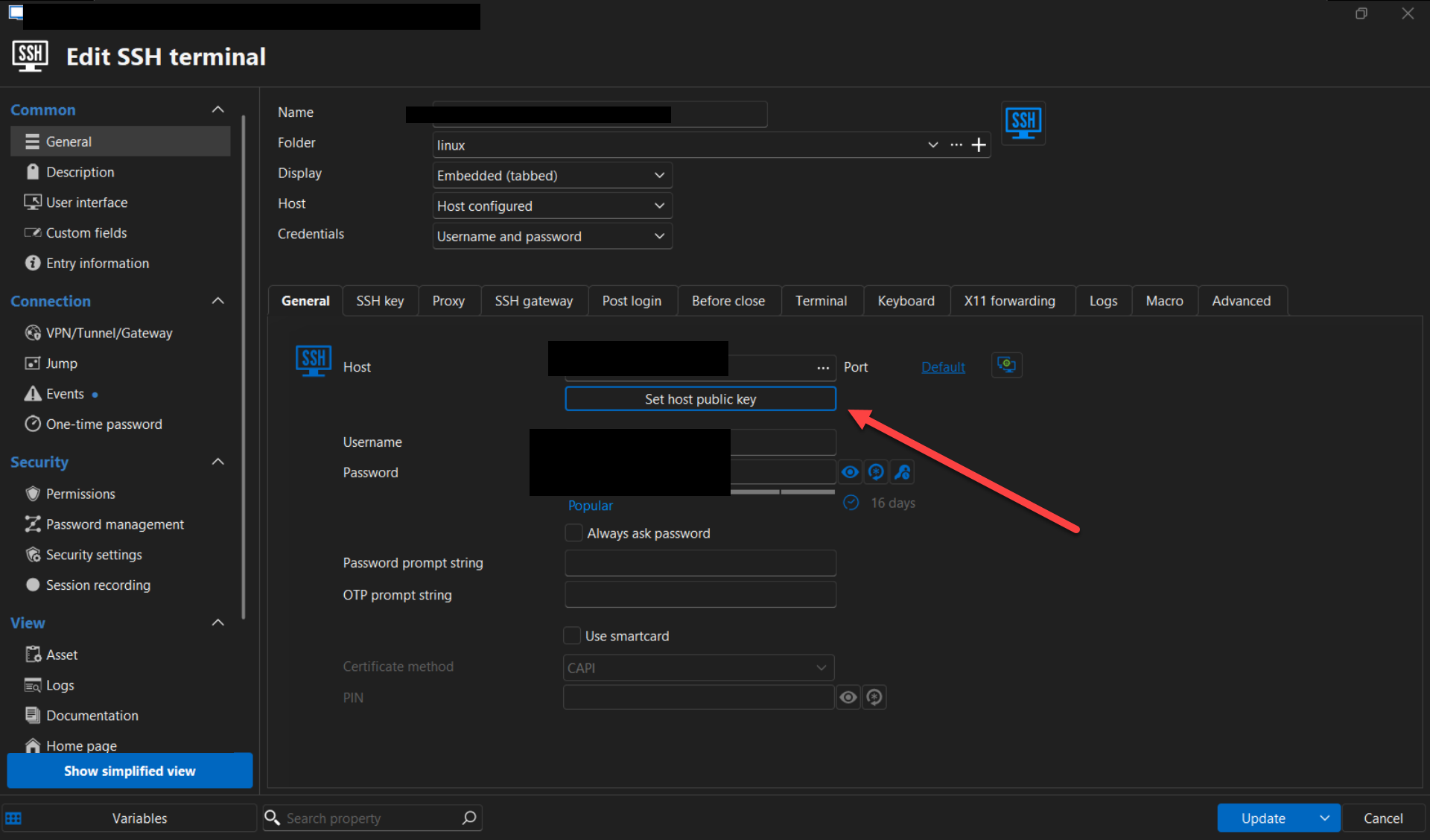
- The public key should be stored in the general section of the SSH entry.
- The private key should be stored in the SSH key section.
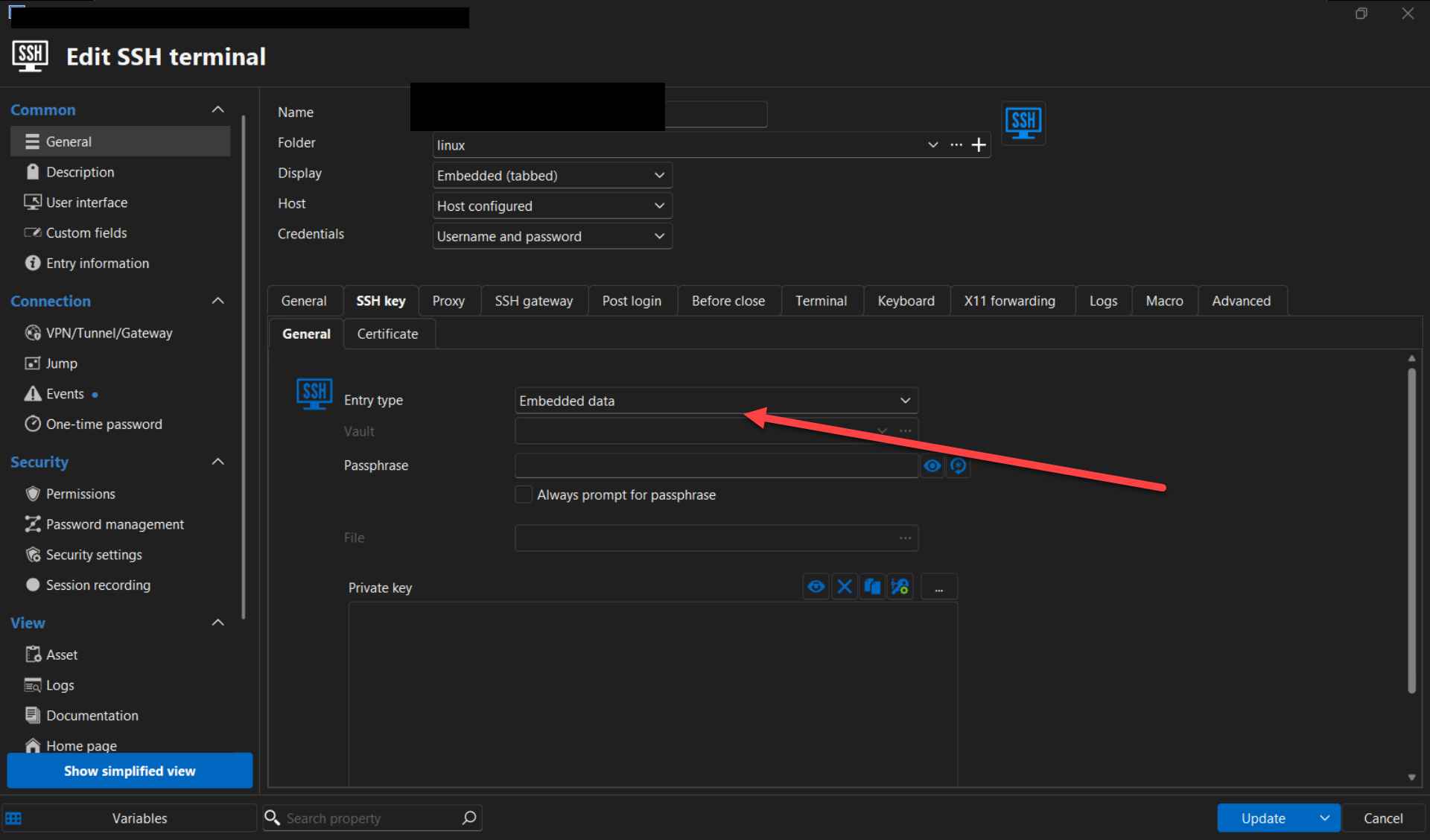
Could you please confirm if this is the correct configuration?
Best regards,
Carl Marien
hmm...maybe we have a misunderstanding.
On RDM, SSH public key authentication works well and no issue at all. The problem is when the host server switching to SSH certificate based authentication, RDM will fail to authenticate.
for SSH certificate based authentication to work, aside public key and private key, it also required the signed public key. This is what RDM not supported yet. In the example of this post, the private key file is honda, the public key is honda.pub and the signed public key is honda-cert.pub
Hello,
Apologies for the misunderstanding. In this case, would it be possible for you to send us the SSH logs with a verbose level set to 2? You can follow the steps outlined in this documentation to do so: https://docs.devolutions.net/rdm/kb/how-to-articles/send-ssh-logs-verbose/.
When sending the email, please include the link to this forum for reference.
Best regards,
Carl Marien
Hi Carl,
I've email the logs to service@devolutions.net.
Best regards,
Eric
Hello
Thank you for sharing the logs. Based on the information provided, it seems the issue might be due to the absence of the private key in the entry. Could you kindly double-check if the SSH key is configured correctly on your end?
I suspect the SSH key entry type might be set as "embedded data," but the private key may not have been pasted in. Could you confirm if this is the case?
Once the SSH key is verified, could you also check the certificate tab to ensure the certificate is properly configured?
Best regards,
Carl Marien