Tasks and task list

I’ve looked into tasks a few times, but every time, something seems to be missing or slipping through the cracks.
Since we all use RDM, I’ve been thinking about how to track tasks that need to be done for a specific device directly in RDM. I see that I can create tasks on entries and assign them to someone if needed, as well as set a status, due date, and similar details, which is great.
However, when I go to the Dashboard, I don’t see any tasks listed there. I’d expect this to show all tasks so I can filter them as needed. It’s a similar situation when I go to a specific folder—only tasks created under that folder are shown.
I haven’t found much information about this feature, but it seems like it could be really useful.
Regards,
Darko Bazulj
https://triton-grupa.hr
All Comments (7)
Hello,
I will have to test this on my side, could you confirm your Remote Desktop Manager version and Data Source type?
Best regards,
Etienne Lord
OS : win11 pro 24h2
RDM : 2024.3.22.0 64-bit
dvls : 2024.3.10.0
Regards,
Darko Bazulj
https://triton-grupa.hr
Hello Darko,
Thank you for your response!
Unfortunately, I'm unable to reproduce the issue. I created multiple tasks, and they all showed up on my dashboard. But they showed only if I refreshed the dashboard if the Auto-refresh is not checked, and then they would appear.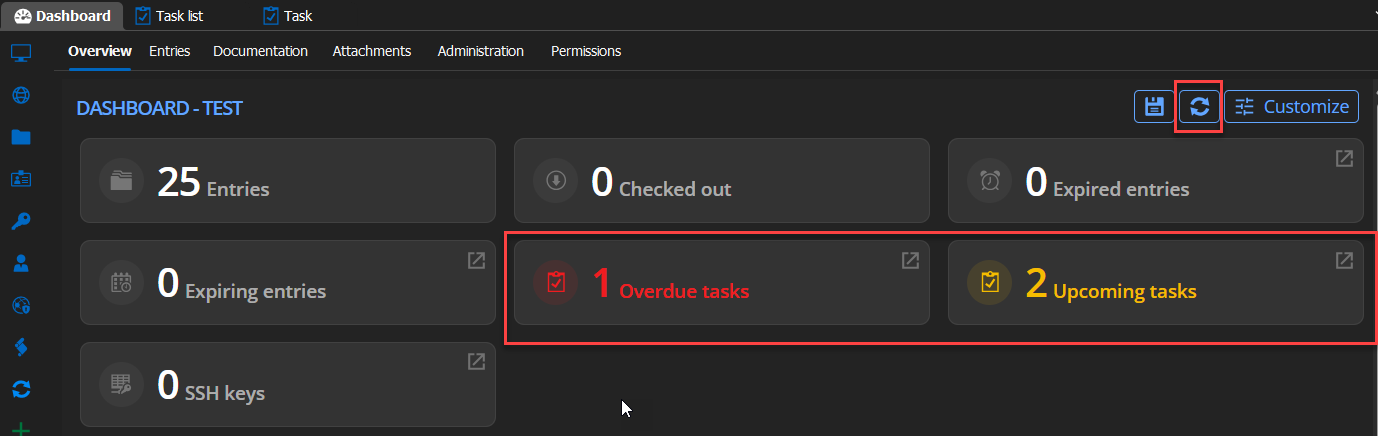
Could you please ensure that both "Auto-refresh" options are checked on the Task List and the Task tab and see if the behaviour changes? 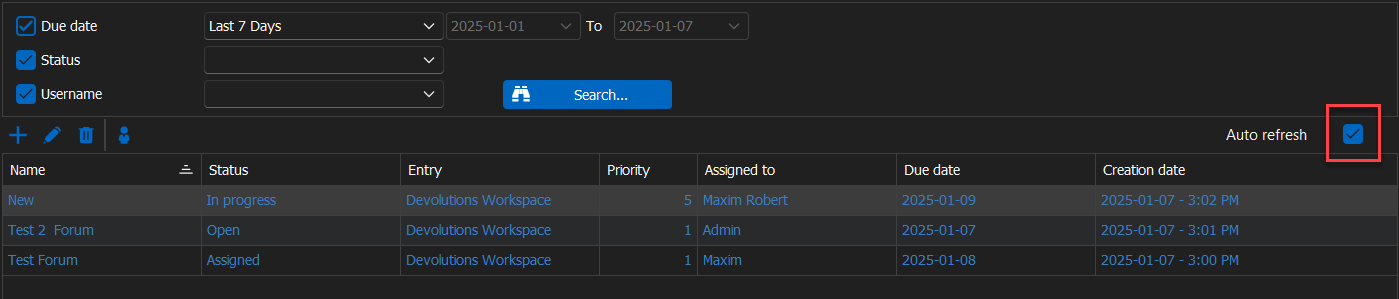

Thank you for letting us know. If you have any other questions, feel free to let us know.
Best regards,
Maxim Robert
2025-01-07_15-07-40.png
2025-01-07_15-07-14.png
2025-01-07_15-05-42.png
2025-01-07_15-04-51.png
Task list under View, now when I saw your screen shoots I also see all task, who knows what I was doing.
But I have noticed one problem.
If on Task list you do right click on task and click Locate related entry nothing is happening.
If on Dashboard I click on task it opens new tab and show entry on tree view.
Can you check?
Regards,
Darko Bazulj
https://triton-grupa.hr
Hello Darko,
Thank you for your response!
Could you please provide us with a recording showing the steps that led to the issue? This will allow us to investigate and try to reproduce the issue.
I sent you all the information so you could provide us with the recording in a direct message.
If you have any other questions, feel free to let us know.
Best regards,
Maxim Robert
I don't know what happened but it started to work.
I was thinking on this when you right click on task on task list and click "Locate related entry".
I even started recording video and when clicked on "Locate related entry" nothing was happening.
Now when I click "Locate related entry" when everything is collapsed it shows specific entry on tree view on left side.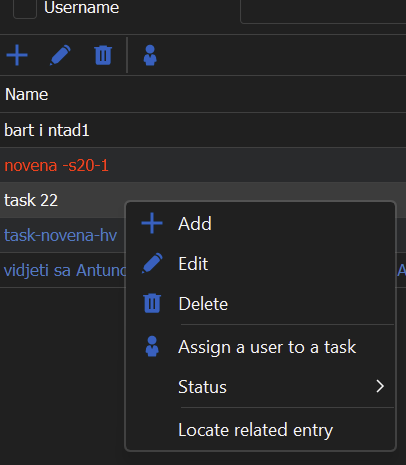
Regards,
Darko Bazulj
https://triton-grupa.hr
7aff0681-c296-4651-98e1-9b270151c555.png
Hello Darko,
Thank you for your response!
Unfortunately, I wasn't able to reproduce that issue. If the problem reoccurs, feel free to let us know.
If you have any other questions, please let us know.
Best regards,
Maxim Robert