Accessing SSH System With No password

Hi,
I have some test systems that I have not set password on, how can I set them up in RDM to be able to access them without a password.
When I configure and access them RDM asks for the Password with no optin to skip it.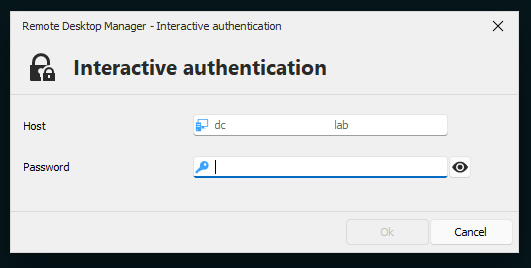 Thank You
2e1d82d5-92a2-4e49-9e46-7230e36a107b.png
All Comments (12)
Hello,
Under the advanced tab of your entry, could you confirm what the Interactive Authentication option is set to? : 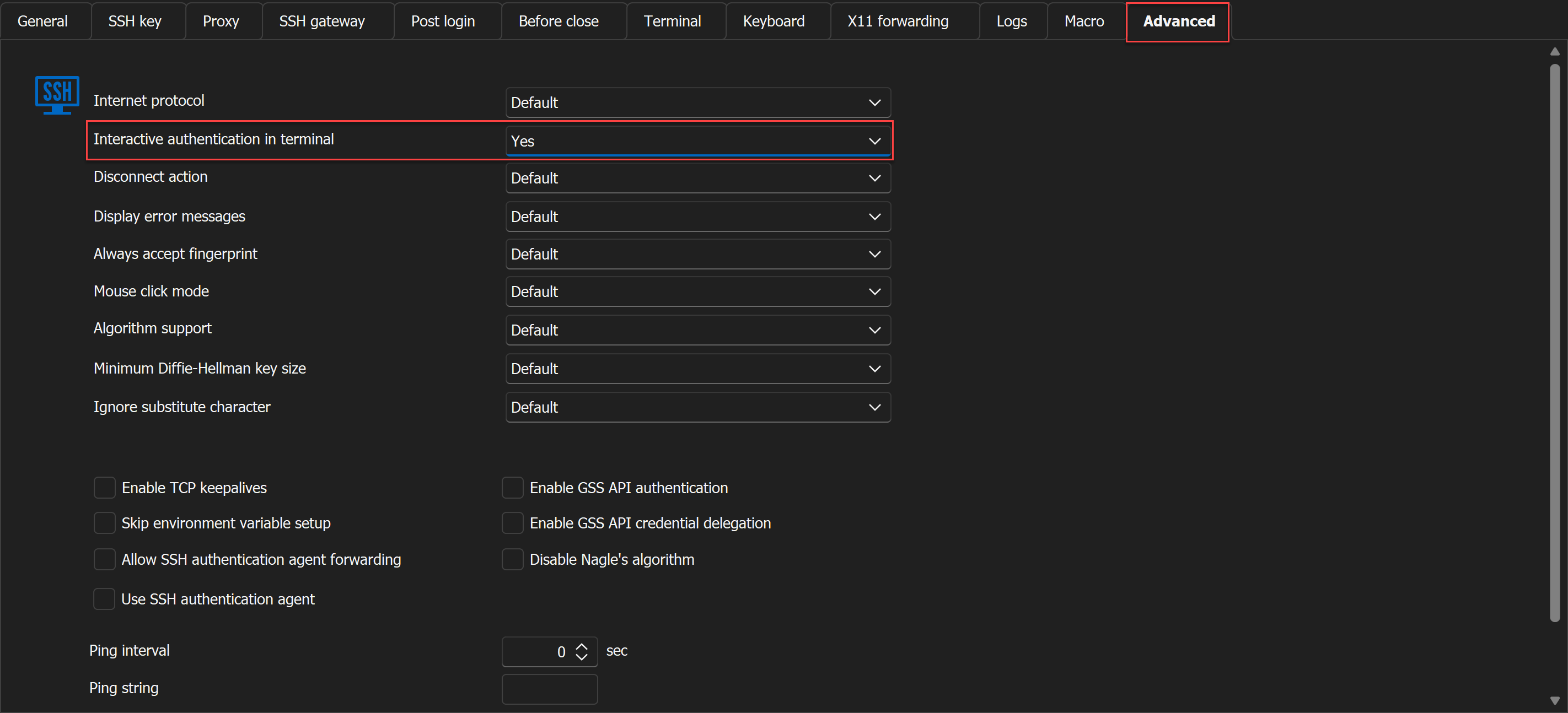
Could you try both Yes and No?
Best regards,
Etienne Lord
d977fbf2-3250-4856-82fe-26d461ea4a64.png
Thanks Etinne,
Its was set to Default, when changed to Yes, it enters the CLI mode and prompts for password there I can press enter and access the system.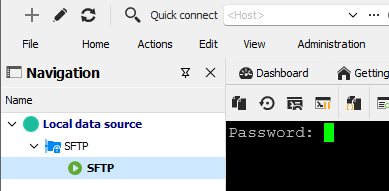
I'm understanding there is no way to get into the system without prompting for the password ?!
When set to No, its the same as Default, doesn't allow access to the system without a Password, shows the same Password prompt window as in the question.
Thank You
1fea0e53-ca8b-4e16-a9e4-40abf563da43.png
Just adding that this works only for SSH, SFTP does not have this option so it still prompts for password prompt which cannot be skipped.
Hello,
Thank you for the follow-up.
We looked into it with the QA team and reached this conclusion.
The password prompt is server-sided. I believe that the SSH connection won't prompt for a password since there is none. In the SFTP case, the FTP server is asking for a password even though there is none. You can look on your side in your FTP server configuration to edit that.
From the RDM side, I would use an "after-open event" to send a typing macro that presses enter for you.
You can follow my screenshot to configure it. (You can tweak the initial wait value depending on the delay in opening the session.) Typing macro: {ENTER}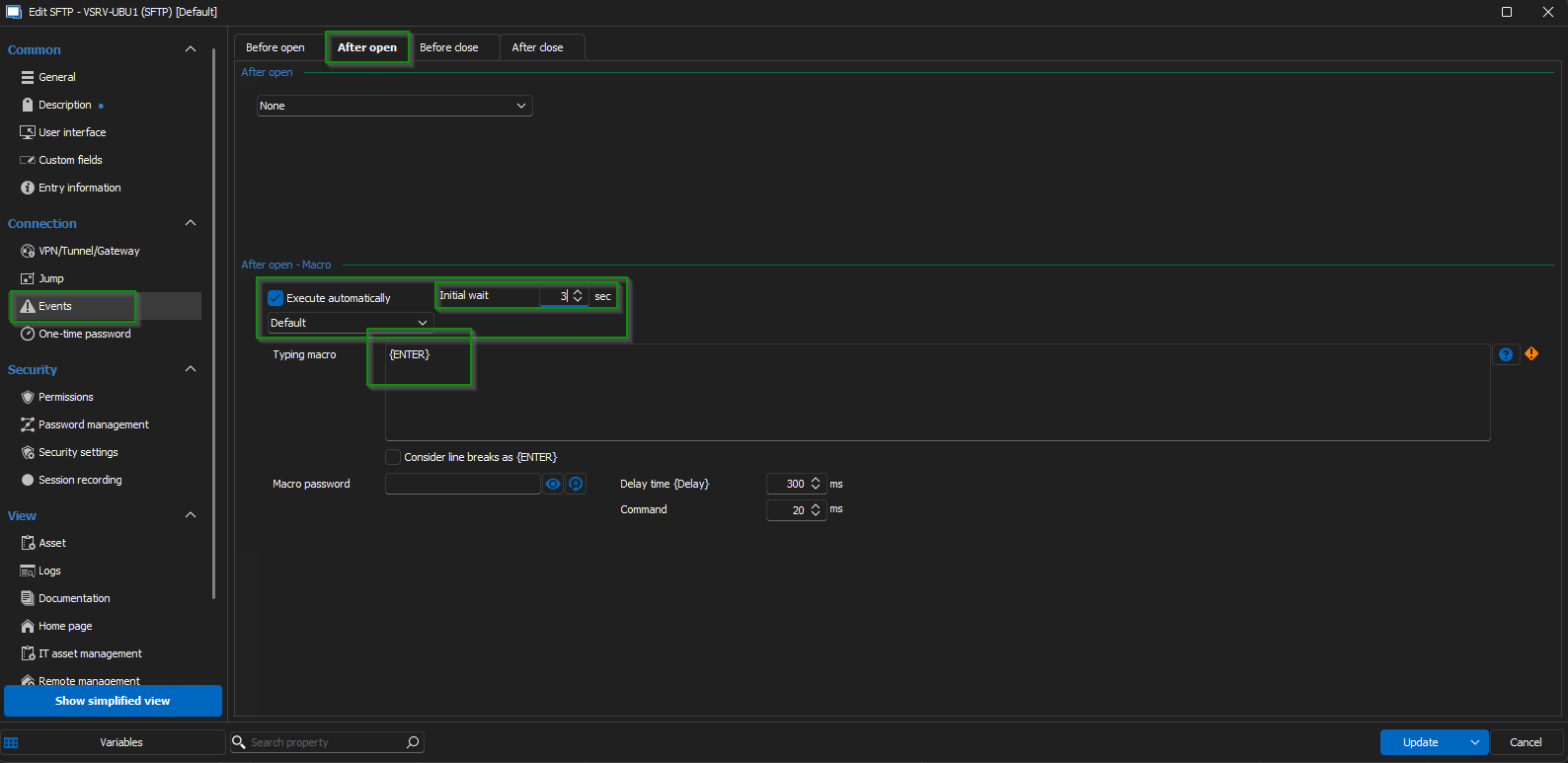
Feel free to test it out and follow up with the results; you can also send more information on the version of RDM you are using and the type of entry you are trying to configure.
Looking forward to your reply.
Best regards,
Jacob Lafrenière
eeafd5fb-7752-4b1c-846a-3d89f8a1fd21.png
Hi Jacob,
The version I have is 2024.3.20.0 64-bit, and is a ZIP version, not an exe installer one, I have installed .NET and Edge WebView2.
My Macro setting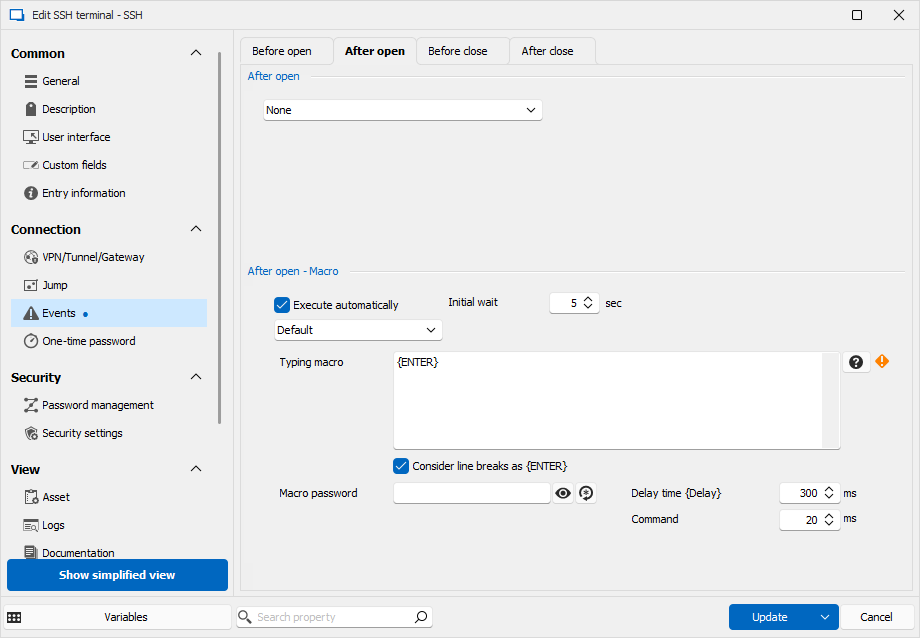
The system I'm working with are ESXi, and I tried the Macro and here is how it works.
On the Password prompt window if I don't press Enter, I can a message saying its executing the Macro but nothing happens.
But if I enter the system by pressing Enter key, the Macro executes and presses the Enter key again as can be seen below.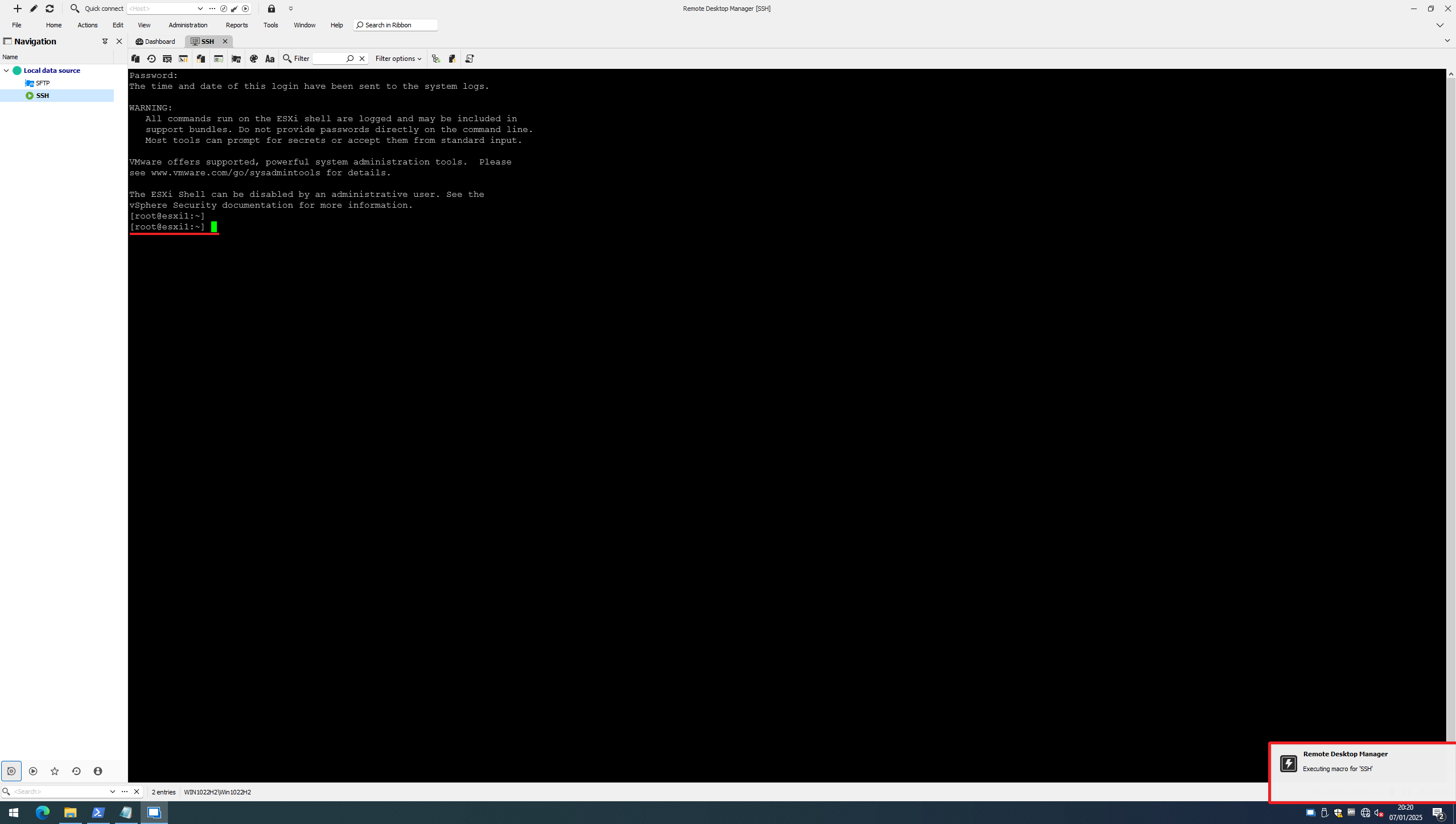
For the SFTP not much change, nothing happens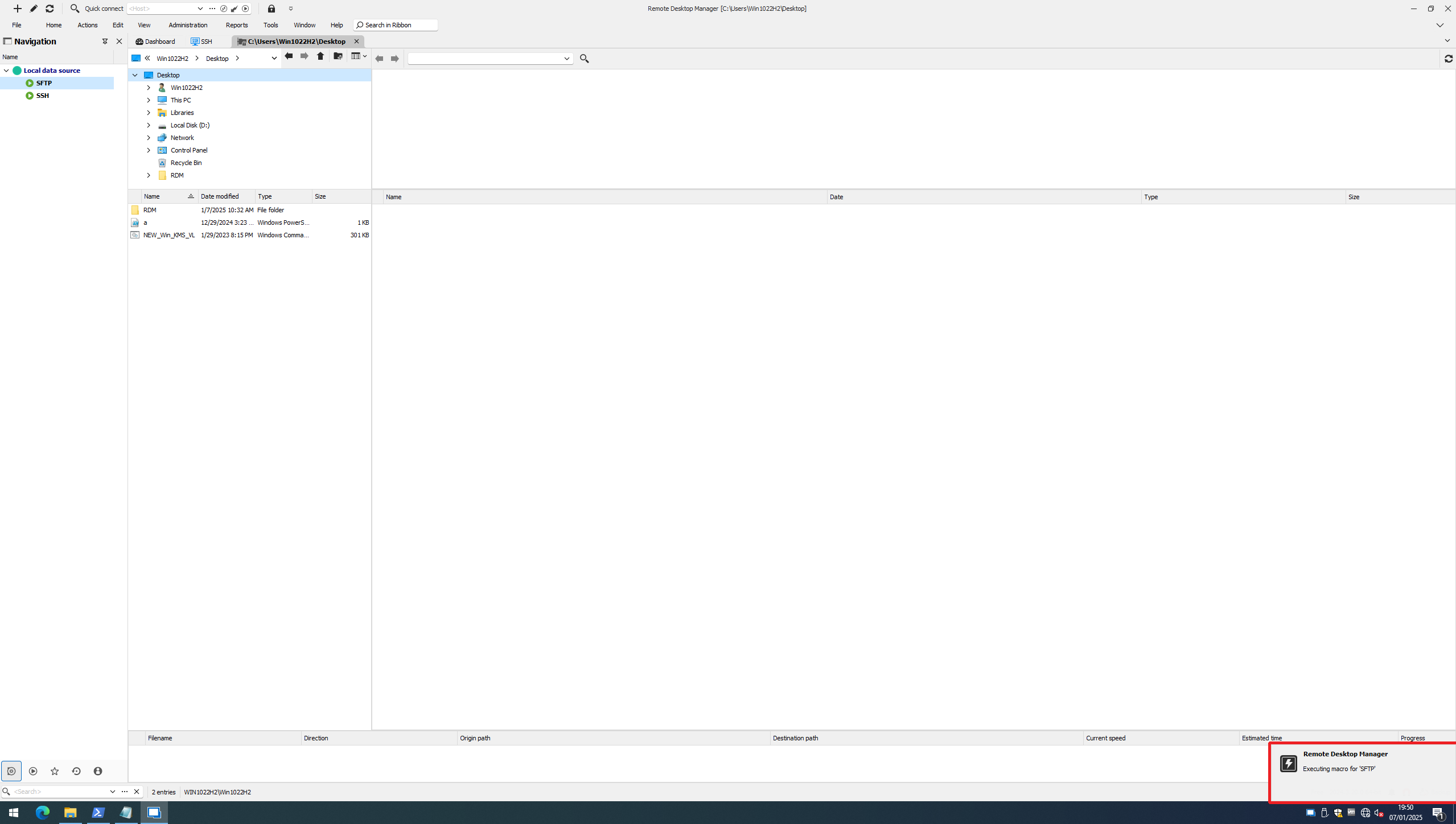
Thank You
21615eb3-2a05-476f-85a5-ecfe182267b6.png
b4281eca-ce45-4257-8aa6-8759136d1f51.png
39b77c2b-9c56-42d8-aef5-60f02fc706ee.png
e9e6d2d4-9556-4b1e-bc28-5b4c7520b3f0.png
Hello,
Thank you for providing all the information.
I’ll contact the QA team for assistance in investigating this issue and will get back to you by tomorrow at the latest.
Best regards,
Jacob Lafrenière
Appreciate that Jacob..
Thank You
Hello,
We are currently working on reproducing the issue on our end. Could you please confirm if you are using a root account without a password? We would appreciate it if you could provide more details about this setup, as we have been unable to replicate the scenario.
Looking forward to your response.
Best regards,
Jacob Lafrenière
Hi Jacob,
This setip just contains 2 VMs.
1 - ESXi VM (Basically ESXi is deployed as a VM)
2 - Windows VM
Both are in the same network 192.168.30.0/.24
I'm understanding you are familiar with ESXi, is a Linux, and yes its configured and being accessed with a Root acconut and without a Password, and is being accessed via SSH and SFTP.
Do let me know what more details you would need.
Thank You
Hello,
I apologize for the delay in responding.
After conducting some tests and consulting with the development team, it was confirmed that RDM does not push any password if the field is empty. Unfortunately, the team was not very receptive to changing this behaviour, as it is not considered a safe practice to begin with.
I recommend submitting a feature request on the forum's feature request page to address this topic.
In the meantime, the workaround would be to add a password to that account.
I am sorry for any inconvenience this may have caused. Please let me know if there's anything else I can assist you with.
Best regards,
Jacob Lafrenière
Hi Jacob,
Appreciate you, and your team looking into the issue.
It is understandable from a security perspective, however, for testing purpose over multiple systems this ia a much needed feature.
I will have a feature request submitted.
Once again thank you for looking into the issue.
It has been a pleasure working with you.
Wishing you a wonderful day!
Best regards,
Jacob Lafrenière