Change username for multiple connections

Hi,
We are evaluating remote desktop manager.
Now we are using rdman, and I have imported my rdman config in RDM.
I try to change the username for all connections to my privileged account via batch edit and set inheritance on the folder.
But still my personal username is used when another user try to open an connection.
How can I change this setting for all 100 + connections?
Pieter
Recommended Answer
Hello,
Thank you for reaching out!
My name is William and I'm here to assist you in any way I can.
When using the batch edit it is important to verify that you are selecting the same entry type as it often doesn't change the settings for folders for example.
Also when setting inheritance, you need to configure the top folder with My privileged account and all sub folder to Inherited. Then make sure that the entry credential is also set to inherited.
I would suggest starting by manually changing the top folder, then select all sub folder and change them to inherited using the Batch Edit. Afterward, select the RDP session and change the credentials to inherited using the Batch Edit again.
Best regards,
All Comments (6)
Hello,
Thank you for reaching out!
My name is William and I'm here to assist you in any way I can.
When using the batch edit it is important to verify that you are selecting the same entry type as it often doesn't change the settings for folders for example.
Also when setting inheritance, you need to configure the top folder with My privileged account and all sub folder to Inherited. Then make sure that the entry credential is also set to inherited.
I would suggest starting by manually changing the top folder, then select all sub folder and change them to inherited using the Batch Edit. Afterward, select the RDP session and change the credentials to inherited using the Batch Edit again.
Best regards,
Hi,
Thanks that's working.
I try to use the batch edit option by selecting the folder with the connections, right click and choose batch edit, i got a warning, but when continuing not all connections are updated.
when i try to use batch edit to set all connections in a folder to use the inherited credentials i can not chose inherited by override credentials.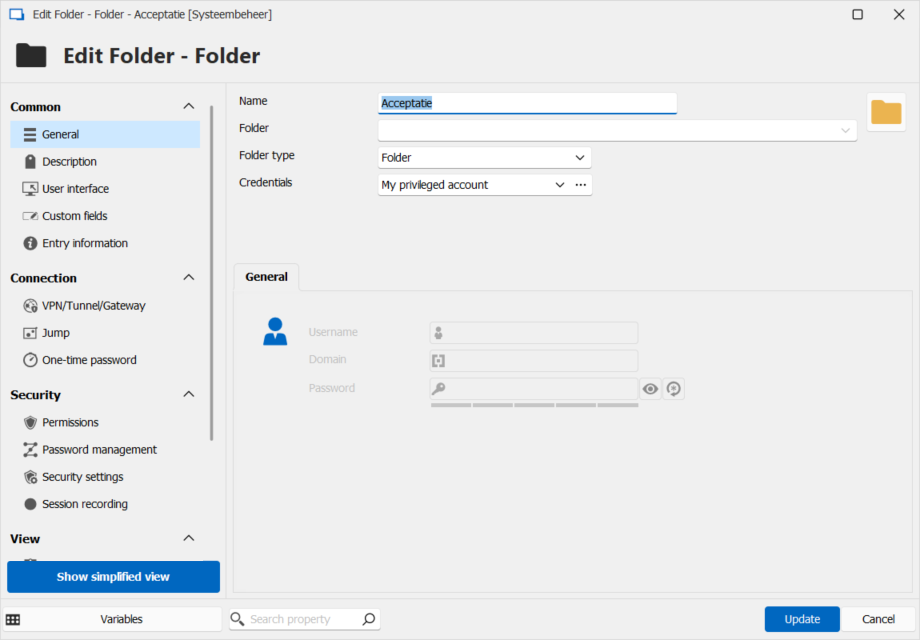
the folder is set to My privilged account
But when i try to set the connections to inherited i can't selexct this option.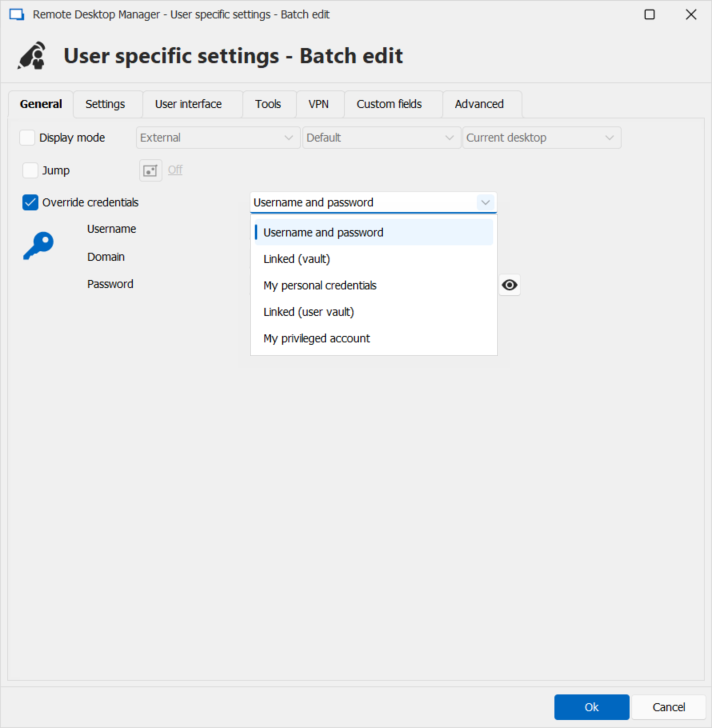
c4adf1ef-82c5-4477-96e2-de4564b7bbd8.png
3d950e30-b11e-457a-8f30-8cedfc64f355.png
Hello,
Could you try to perform the batch edit via the Advanced Search?
View - Search - Advanced Search - Search By connection type -> Folders. From there, can you select your folders and perform a batch edit? Let me know if you can set them to inherited from there!
Best regards,
Etienne Lord
Hello,
Happy new year.
When using advanced search i don't have the inherited option.
Hello,
This is because you are using the User Specific Settings instead of the entry properties.
User Specific Settings doesn't support the inheritance since they are individual to every entry you are configuring.
Best regards,