Login button not active when using auto login added website into RDM
Login button not active when using auto login added website into RDM

We want to add the VMWare Horizon Admin console into RDM, but can't get auto login to work because the Sign In button is not active. The website detects that you need to type something into both the User Name and Password field. When you do this the button gets active.
I tried to configure an After open Event but can't get it working.
Is there something we can do to get this working?
All Comments (11)
Hello,
Thank you for reaching out to us.
I’d like you to try this setup using the after-event typing macro. Please keep me updated on the results. (You can adjust the "Initial wait" if it takes longer to open the webpage)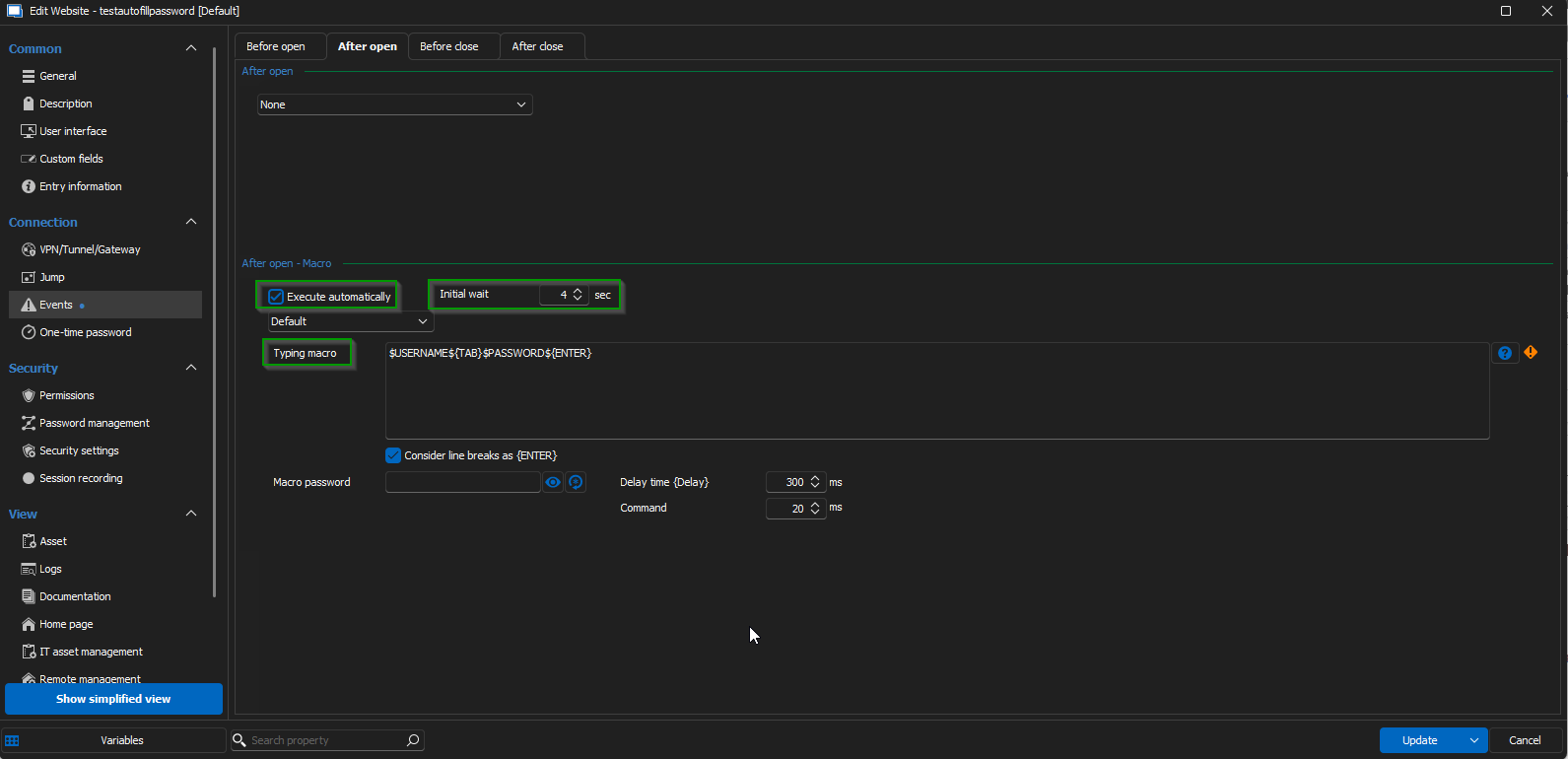
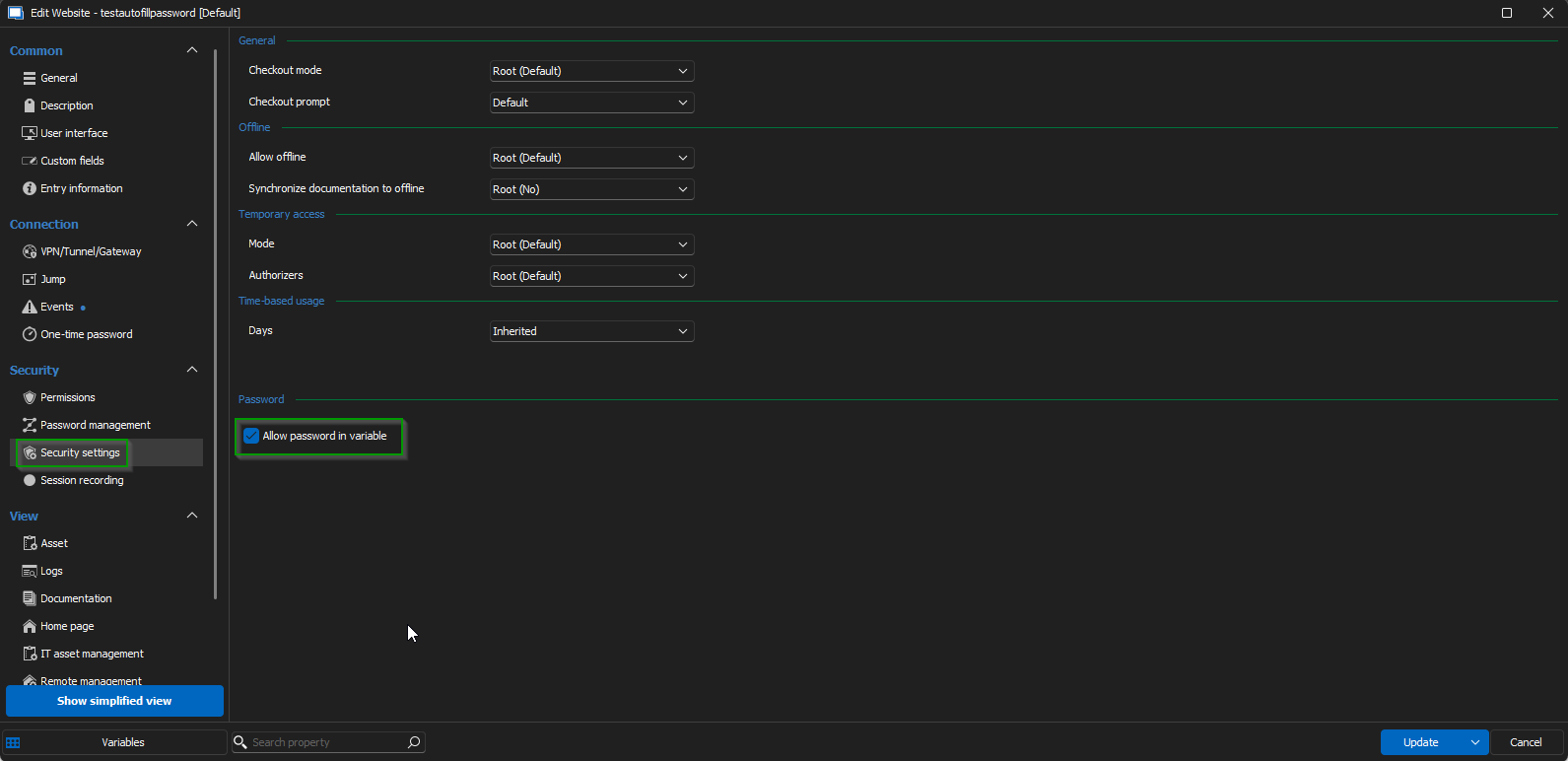
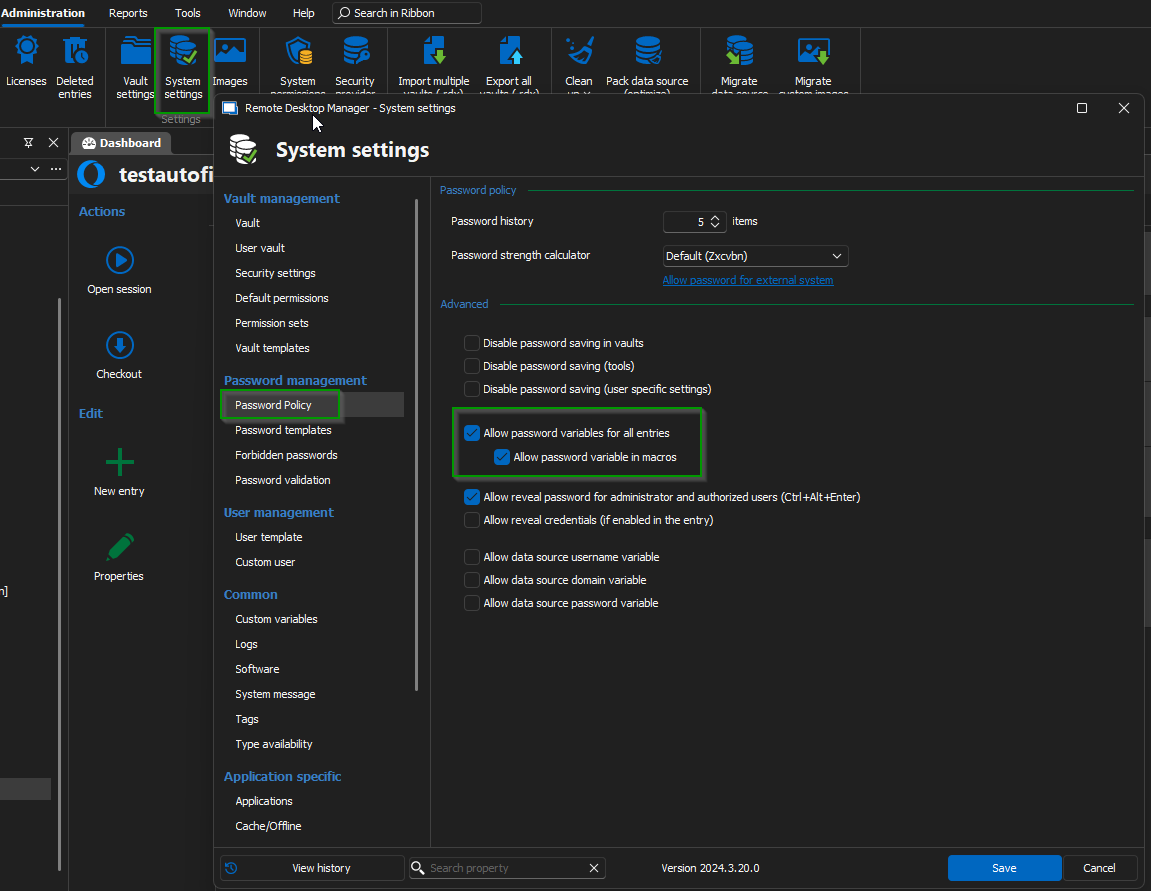
Best regards,
Jacob Lafrenière
a220571f-b2bb-4e15-b7fe-b11da64ac922.png
538b2b11-38af-450c-a2d1-ee1f6dc9f0a2.png
5d256220-9a0a-4688-b9f6-7d993c620eee.png
I setup it exactly the same. The macro is filling in the username and password and pressing the login button, but the password is not set. It's set as $PASSWORD$: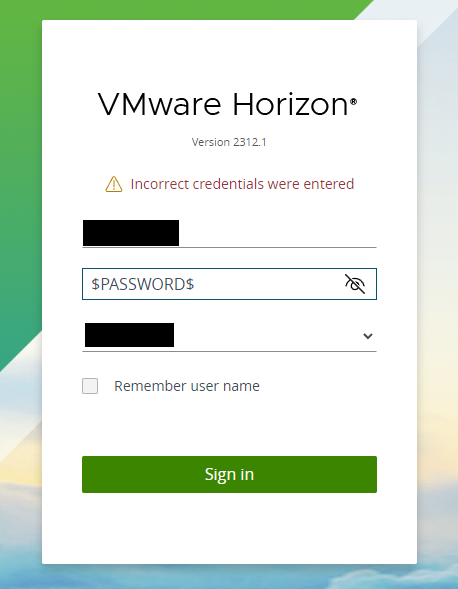
7f8ba6a4-5c49-4066-898b-cbc1bcda4fa6.png
Some additional information, I try to get the password from my privileged account.
Hello,
The variable $PASSWORD$ not working is common. You need to make sure you check these three boxes.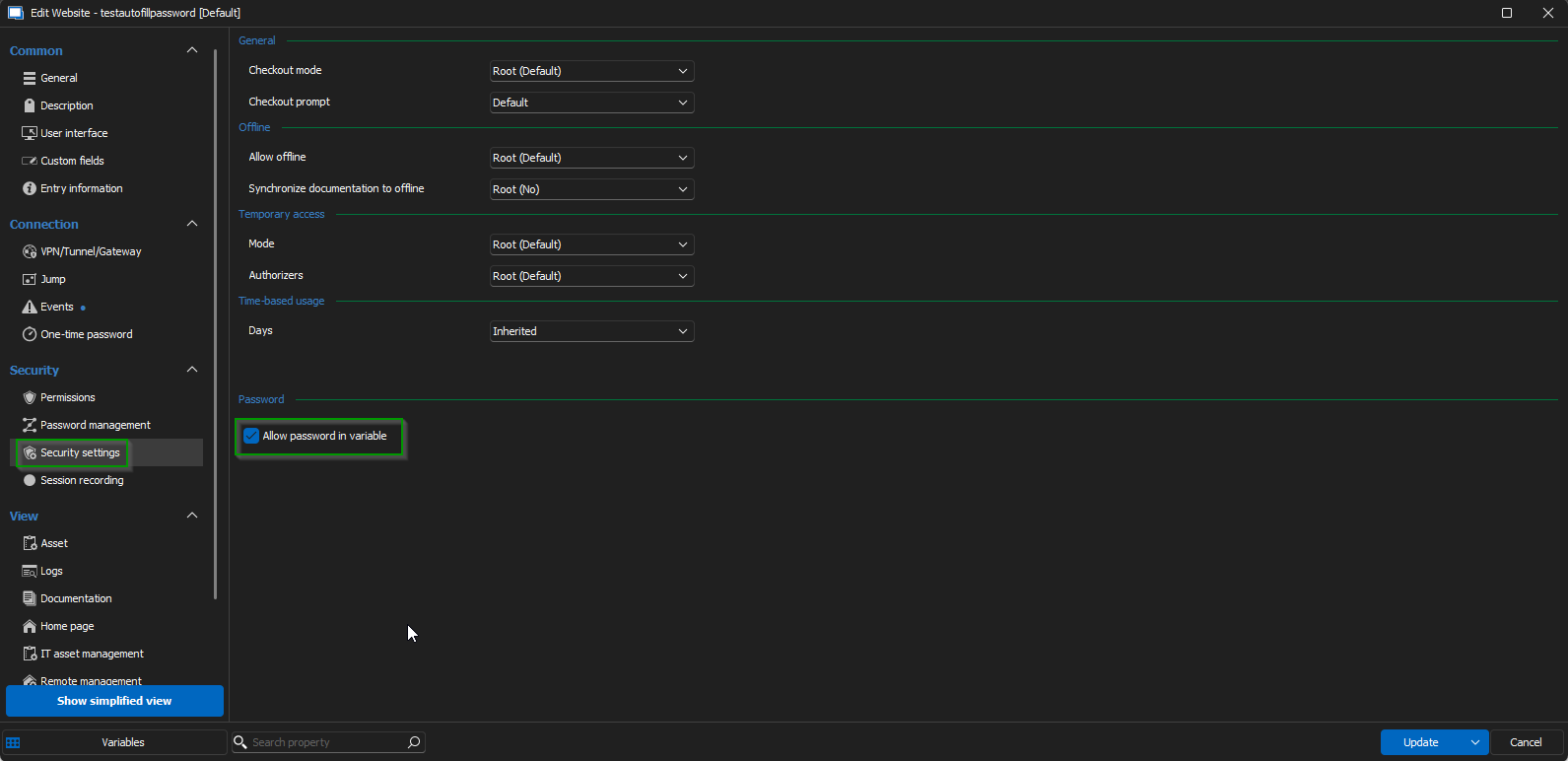
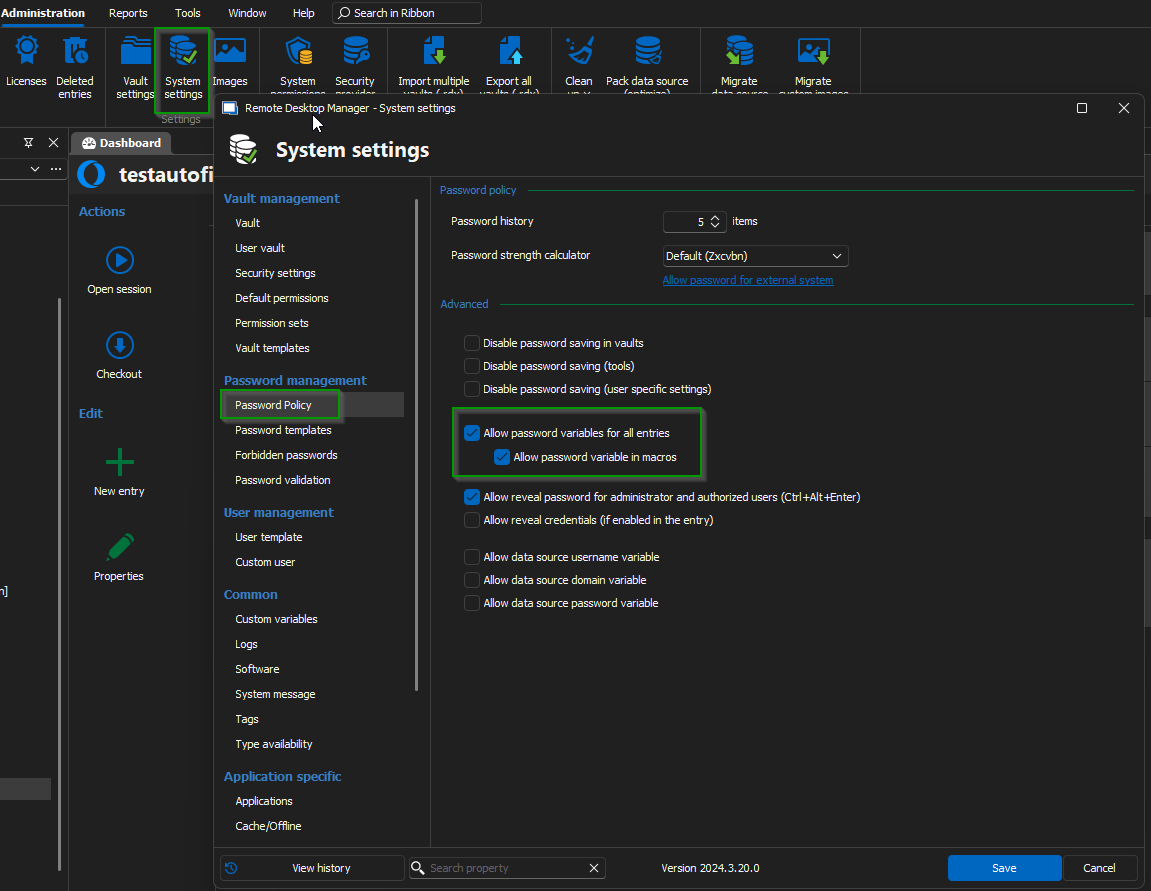
I look forward to your reply.
Best regards,
Jacob Lafrenière
2794baf4-9481-421c-83b9-4ea8a9567ec1.png
050ecedd-2b93-466c-9008-aa008d6a05ff.png
These three options are set, but I still get the $PASSWORD$ as result.
Hello,
Thank you for your reply.
Could you please share a screenshot of the entry property, specifically from the General tab?
I look forward to your update.
Best regards,
Jacob Lafrenière
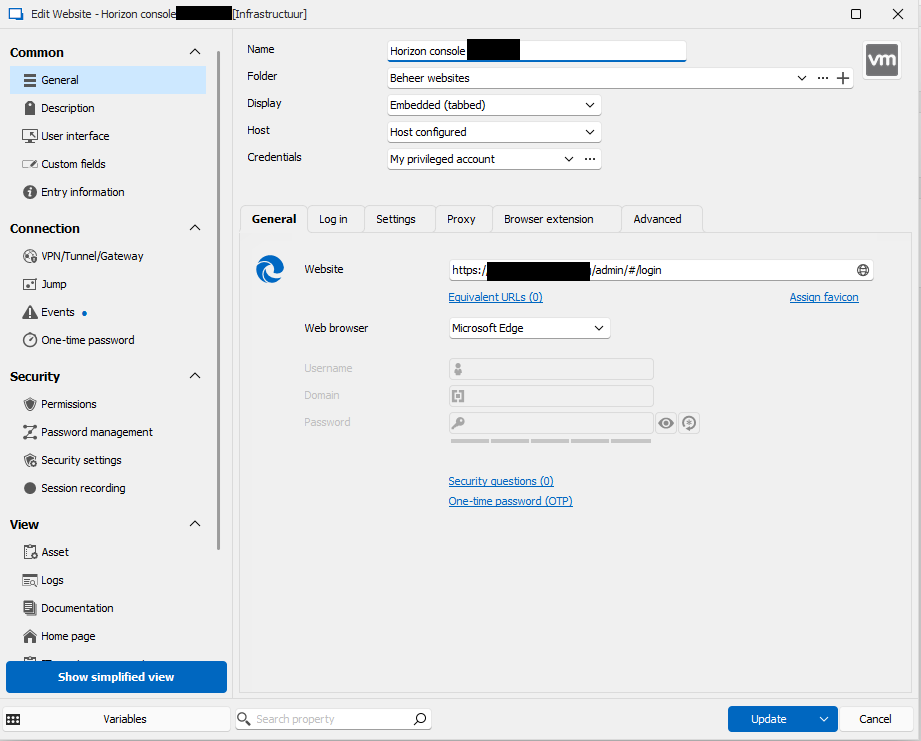
60c7b43e-1940-462d-b1e9-fd0d13bf352e.png
Hello,
I was able to reproduce the issue on my end, and it appears to be related to the "My privileged account" credentials.
I have submitted a bug report to our development team, and they will begin working on it shortly. I will keep you updated as soon as I have more information.
Thank you for your patience.
Best regards,
Jacob Lafrenière
Hello,
I have good news!
The development team showed me a method I wasn’t previously aware of. You can navigate to:
File > My Account Settings > My Privileged Account > Security Settings
From there, check the Allow Password option.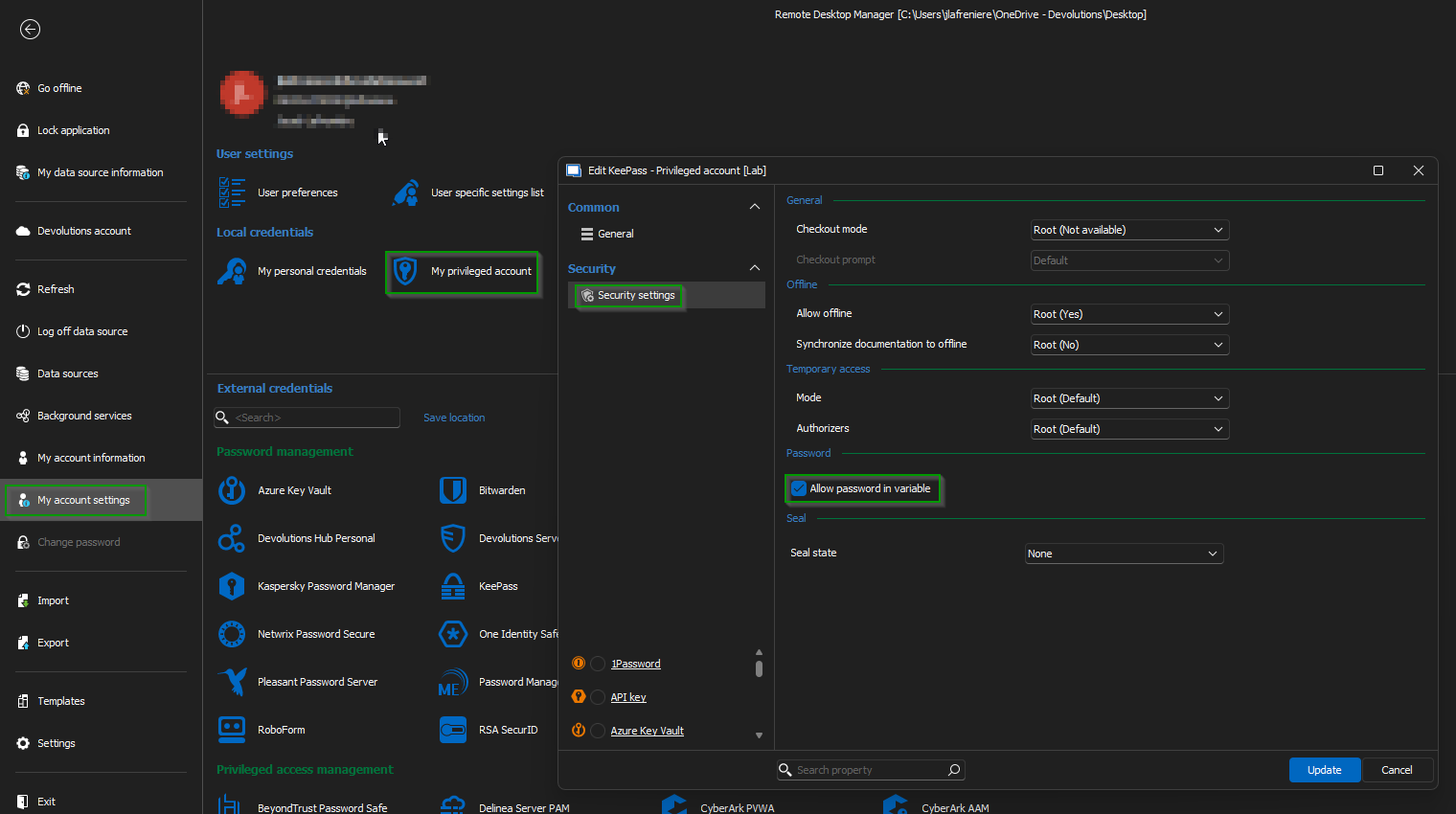
I tested this solution, and it worked well for me.
Best regards,
Jacob Lafrenière
68af345f-ed26-48db-b796-e83193f149c7.png
Yes, this option did the trick :).
Hello,
Thank you for following up.
Please don't hesitate to reach out if you need any further assistance.
Best regards,
Jacob Lafrenière