Mac Keyboard special character not work?

Hello everyone,
I have a problem with Remote Desktop Manager (Macbook) with my Mac keyboard if i connect to my Windowsirtual machine remotely, so I can't use certain special characters. For example, the @ looks like my keyboard isn't working locally. Is there a setting for this? Option + L doesn't work... Thanks
All Comments (24)
Hello,
Thank you for reaching out.
Could you please let me know which keyboard layout you use on your Mac?
Additionally, I would like to confirm the version of RDM you are using, as well as the type and version of your database.
Is the issue occurring across all your RDP sessions, or is it limited to specific entries?
I look forward to your response.
Best regards,
Jacob Lafrenière
Thank you for your feedback. The problems occur in all environments. The required data:
Remote Desktop Manager
Version: 2024.3.8.4
Database: Local Data Source
Keyboard
ISO/EC9995 (German Layout) (QWERTZ)
Thank you
Hello,
Thank you for the information.
We can explore adjusting the keyboard settings within the entry properties.
You can find these settings under:
Right-click on the entry and select Properties > RDP > Local Resources > Keyboard.
I look forward to your reply. Please let me know if you need further assistance.
Best regards,
Jacob Lafrenière
thanks for the answer.
here are my settings 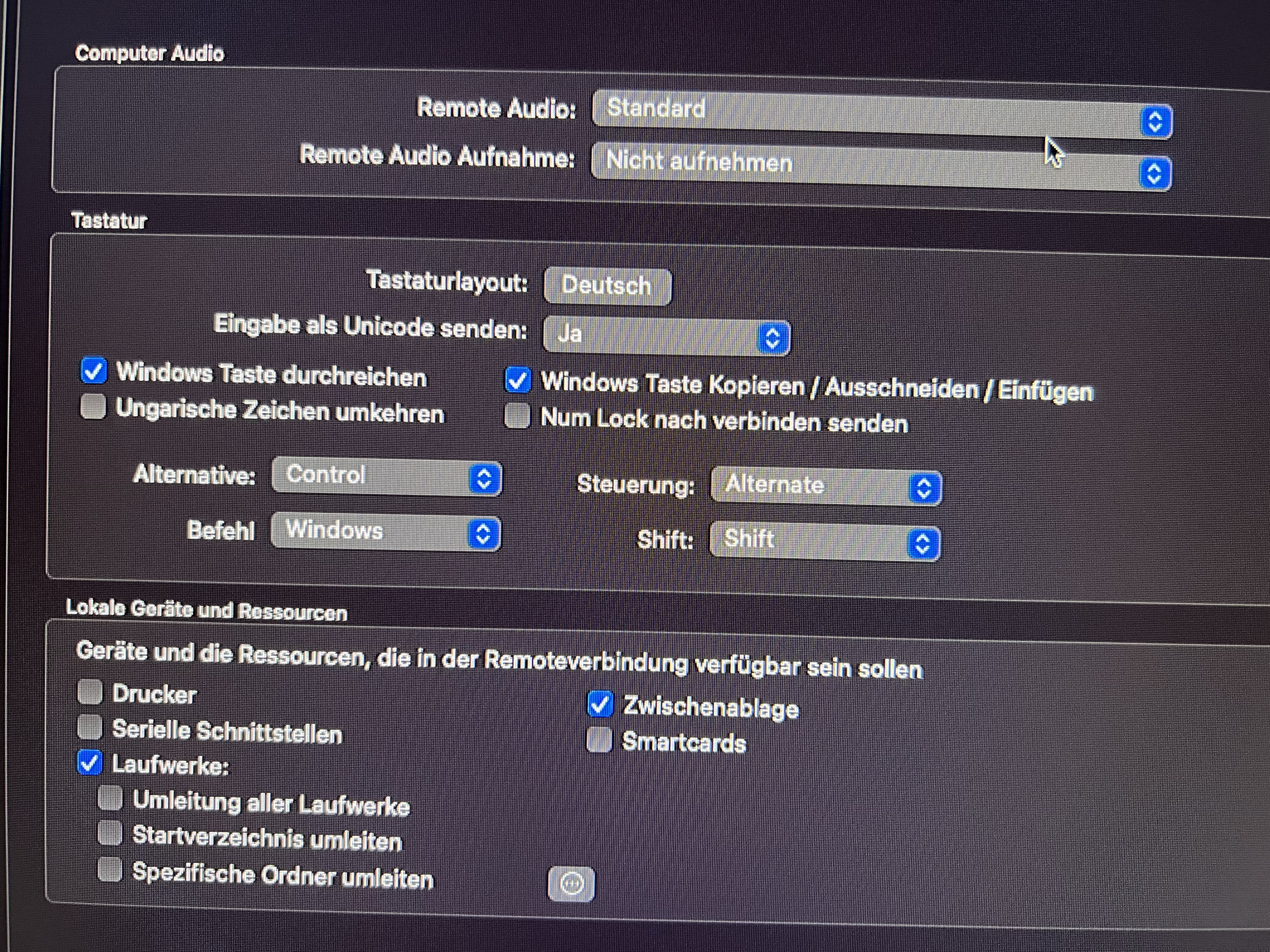
IMG_2483.jpeg
Hello,
Thank you for following up.
Could you please adjust the settings to match the details in the screenshot I provided? I appreciate your cooperation.
Looking forward to your update.
Best regards,
Jacob Lafrenière
3bf73308-34e3-45f9-bf95-91190e562014.png
Thank you very much! Its work now ;)
Hello,
I'm glad I could assist. Please don't hesitate to reach out if there's anything else I can help with.
Wishing you a great day!
Best regards,
Jacob Lafrenière
Hello,
I'm glad I could assist. Please don't hesitate to reach out if there's anything else I can help with.
Wishing you a great day!
Best regards,
I noticed that it only works on 2019 Windows Server. It doesn't work on my old Windows Server 2016. Is there a workaround? thank you
Hello,
Thank you for the follow-up.
Could you confirm whether both servers are using the same keyboard layout?
Best regards,
Jacob Lafrenière
Hey jacob,
thank you for u answer.
yes its the same keyboard layout
2019,2016 pictures 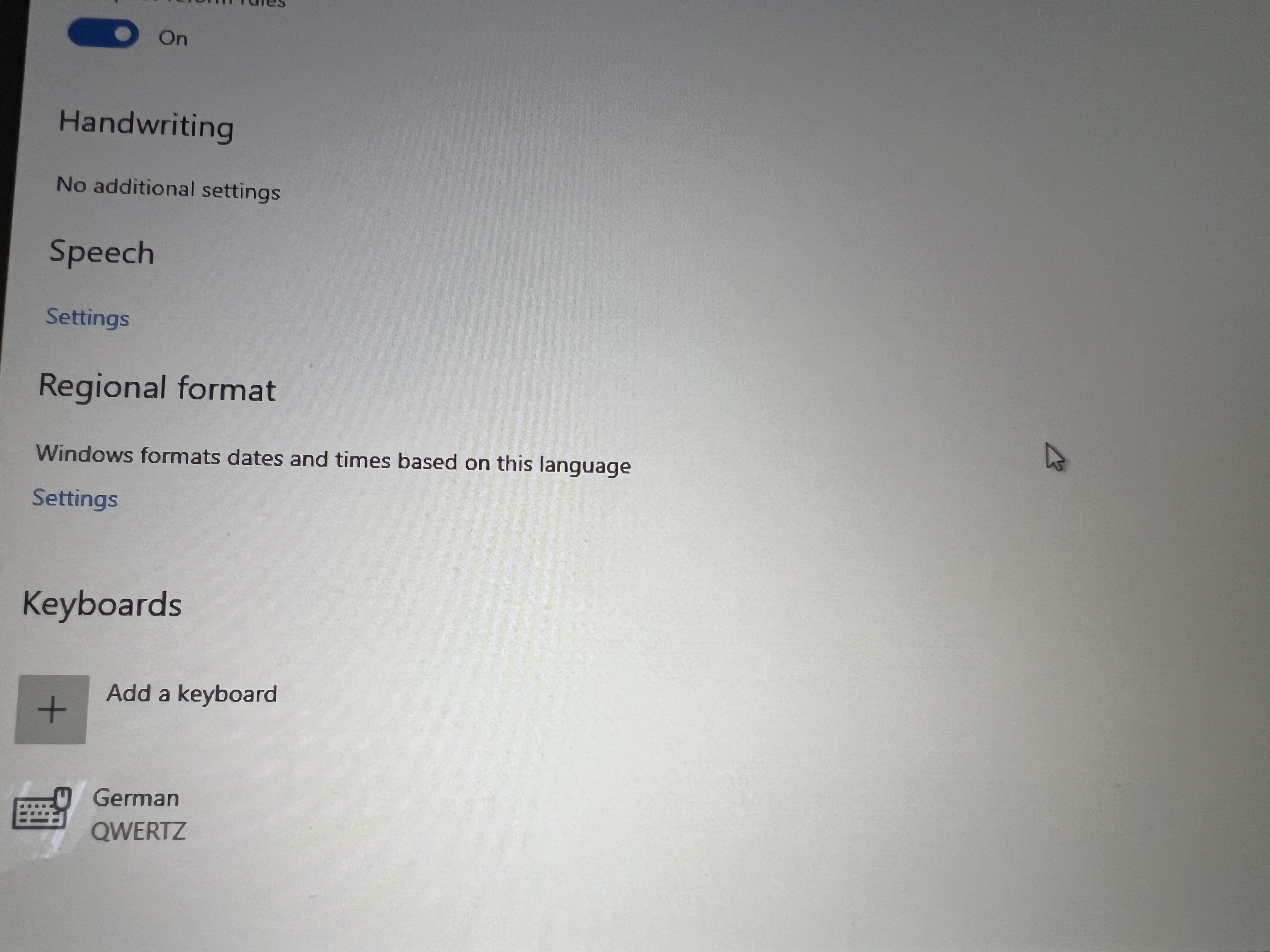
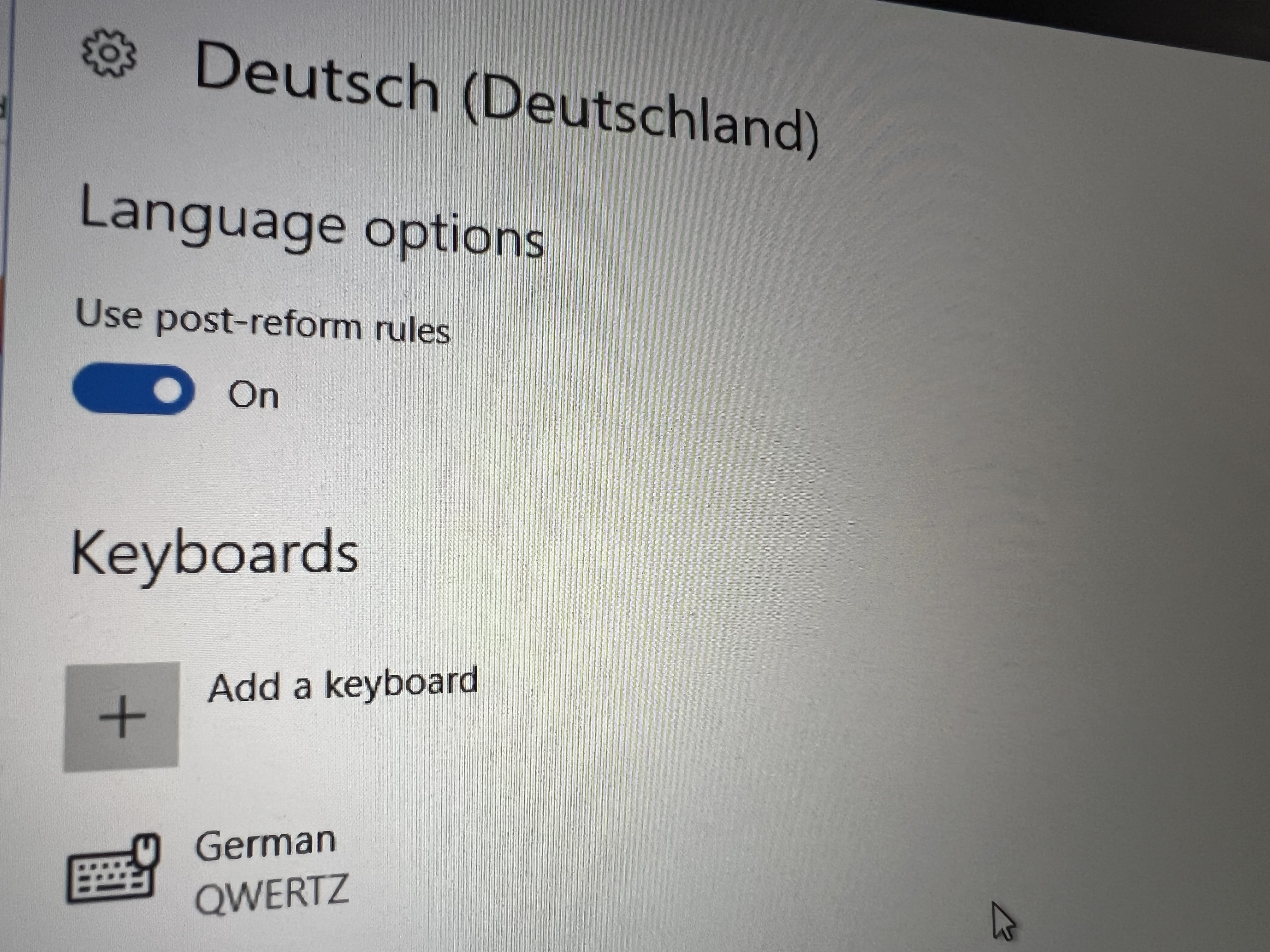
IMG_3178.jpeg
IMG_3176.jpeg
Hello,
Thank you for following up.
Could you confirm whether the entry properties are identical in the keyboard menu?
Best regards,
Jacob Lafrenière
Hello,
What do you mean by whether the entry properties in the keyboard menu are identical? There are 2 identical keyboards in the picture. So it should be identical.
Hello,
I was referring to the entry properties in RDM.
Could you please ensure they are configured the same way in the keyboard menu?
Let me know if you need any further clarification.
Best regards,
Jacob Lafrenière
Hello Jacob,
yes its the same. 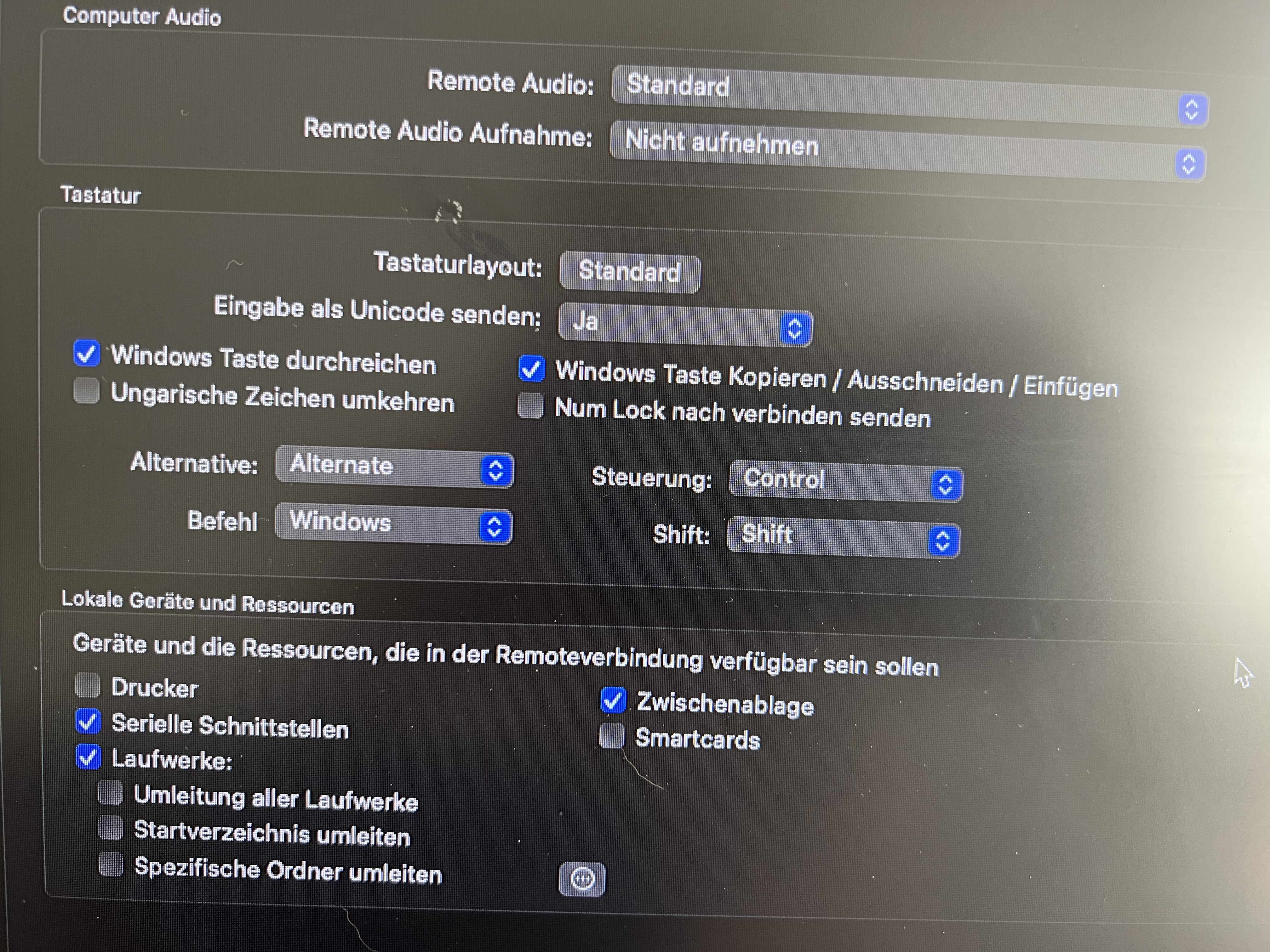
IMG_3190.jpeg
Hello,
In the latest screenshot you sent, I can see that the keyboard layout is set to standard. (The first screenshot of the topic is set to Deutsch)
Can you switch it to Deutsch and test it out, please?
Best regards,
Jacob Lafrenière
Hello,
Unfortunately it makes no difference. it doesn't work
Hello
In this example (typing the "@") symbol; the keyboard input on macOS (as you wrote) is Option + "L".
In the RDP session, are you using the left option key or the right option key? Fundamentally this makes a difference because in the first case, we are sending "Alt" to the remote system (which triggers the shortcut menu and then blocks the unicode input), whereas in the second case we are sending "AltGr".
In short - this may be a bug - but can you confirm if that case works if you use the right hand option key. Can you type the "@" sign in that case?
Please let me know if something isn't clear
Kind regards,
Richard Markievicz
Sorry for the late reply.
I've done some more testing.
Windows Server 2016
-> Right side Option+L = @ works
Works everywhere, but not in Notepad. At least the @ symbol works 99% of the time.
Windows Server 2019
Doesn't work at all here.
Tried the same thing above, but the @ symbol doesn't work here.
The strange thing is that on both servers, the @ symbol on the left works in the CMD console, Option+L, and Option+L works on the right.
I hope this helps analyze the problem.
Hello
Thanks a lot, the feedback is very helpful. I have an idea what's going on here but I need to investigate exactly where the problem lies (i.e. in RDM, or upstream in FreeRDP). I'm doing some other work on keyboard changes currently and I'll look into this as well.
In the meantime, there's one more thing you could check, that might server as a workaround (although perhaps not, because it's not very ergonomic).
In the session settings, under Local Resources > Keyboard, try changing "Send input as unicode" to "No". Now - assuming the same keyboard layout is used locally and remotely (i.e. you have a German layout on both ends of the connection), use the Windows shortcut to type the special character. Sticking with the example above, that would be [AltGr]+[Q] to type an "@" symbol. Let me know if it works.
Thanks and kind regards,
Richard Markievicz
hello sir,
Server 2016
-> In the Remote Desktop Manager session, under Send Keyboard Unicode, I set it to off.
I noticed the following:
The keys are swapped. When I press the "Y" key, it prints "Z."
The Left and Right Option (Mac key) + Q didn't produce a "@."
Hello
Thanks for your patience. I'm sorry for not getting back to you sooner. I'm looking into a few different international keyboard issues with RDP in RDM Mac and this is one of them. I will get back to you soon with an update.
Kind regards,
Richard Markievicz
Hello
Thanks for your patience. I've reproduced your problem on my side, and opened a ticket with the RDM Mac team explaining the issue in detail. Someone on that team will post back once there is progress on this.
Thanks and kind regards,
Richard Markievicz
Thank you so much
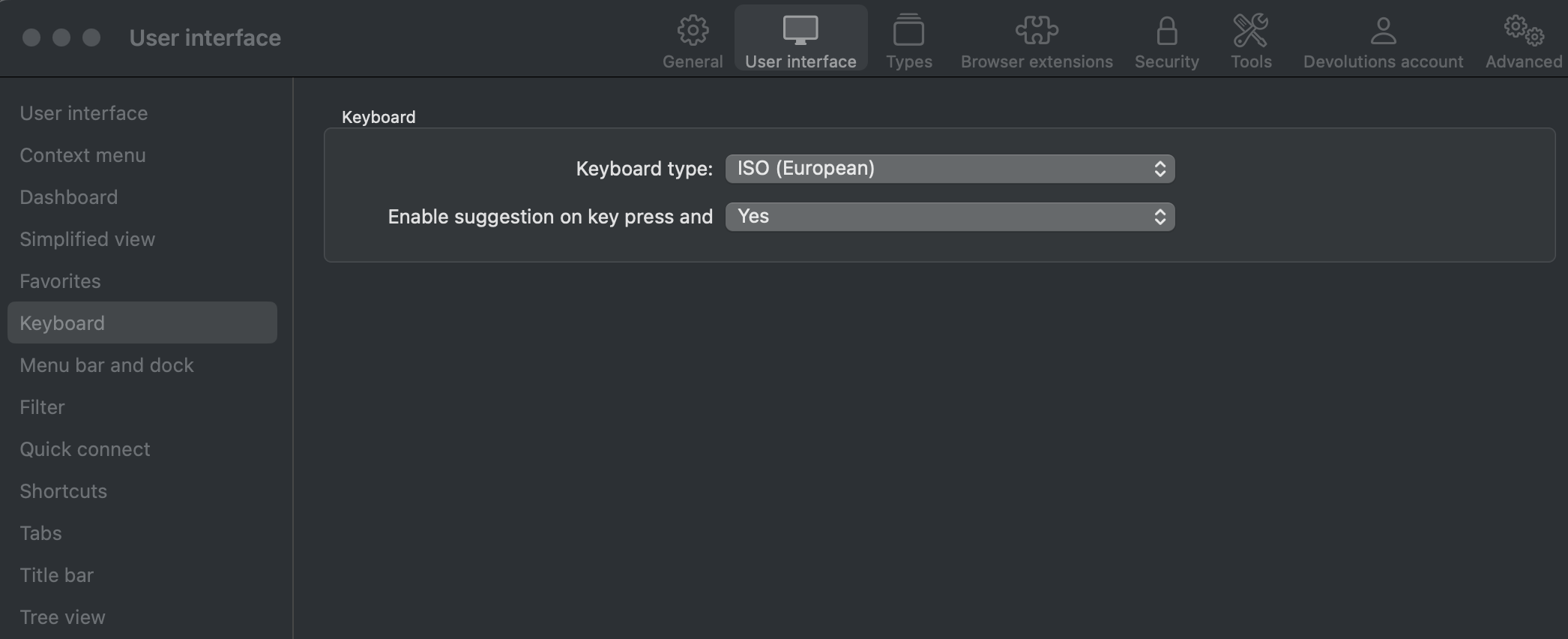
Have you tried the following:
- Open Remote Desktop Manager settings
- Select User Interface from the top menu
- Select Keyboard
- Make sure your keyboard type is ISO (European)
b2d829ec-3b0b-4af3-8619-a577e16a67b7.png