Help with Yubico FIDO2 Key in Dock Browser from Remote Desktop Management within Citrix
Help with Yubico FIDO2 Key in Dock Browser from Remote Desktop Management within Citrix

Hi everyone,
We’re using the dock browser in Remote Desktop Manager within a Citrix environment. The idea is to use our Yubico FIDO2 keys to log in to a Microsoft Account through the browser.
The issue is that while Citrix recognizes the USB key, Remote Desktop Manager doesn’t seem to pick it up when it’s in use (see the screenshot).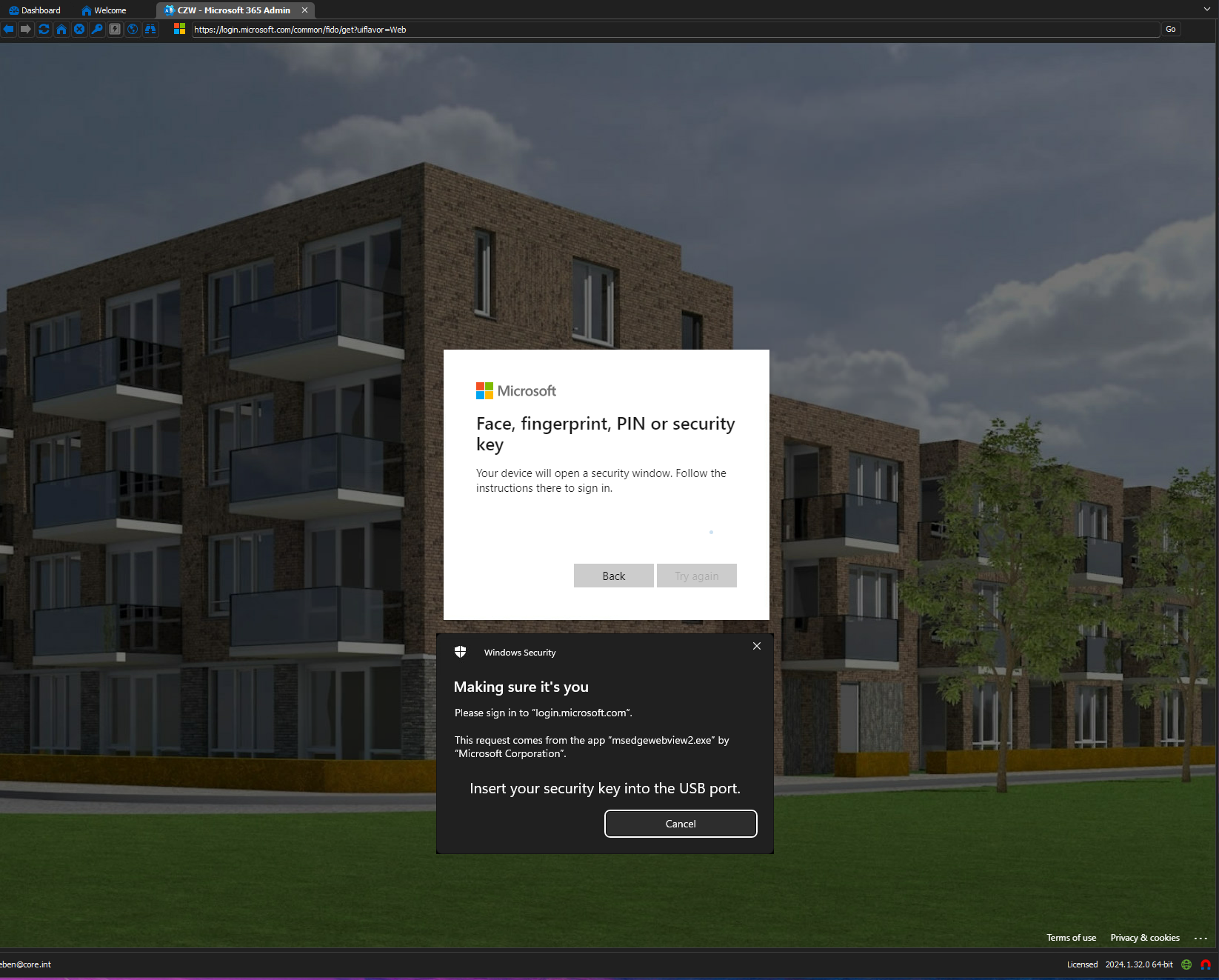
Does anyone know how to get this working? Is there something we need to configure in RDM or Citrix to make it recognize the key?
Thanks for any help!
2024-12-09 17_09_05-.png
All Comments (1)
Hello,
Thank you for getting in touch with us. To better assist you, could you kindly provide us with the following information:
- A screenshot of the Local Ressources tab under the properties of the RDP entry.
- Under the Local Ressources tab, ensure that the options "Smart Cards or Windows Hello for Business" and "WebAuthn" are checked.
- Your current RDM version.
- The data source you are utilizing.
- Any additional information and screenshots you believe might be relevant.
Once we have this information, we will be better equipped to diagnose and resolve the issue.
Best regards,
Maxim Robert