Weird RDP behavior on Windows 7 VM.

Hello.
After updating my Win11 pro to 24H2 ver I have a bizarre behavior on RDP sessions to some legacy systems (preserved on VM on an ESX server).
This is a screenshot showing the example:
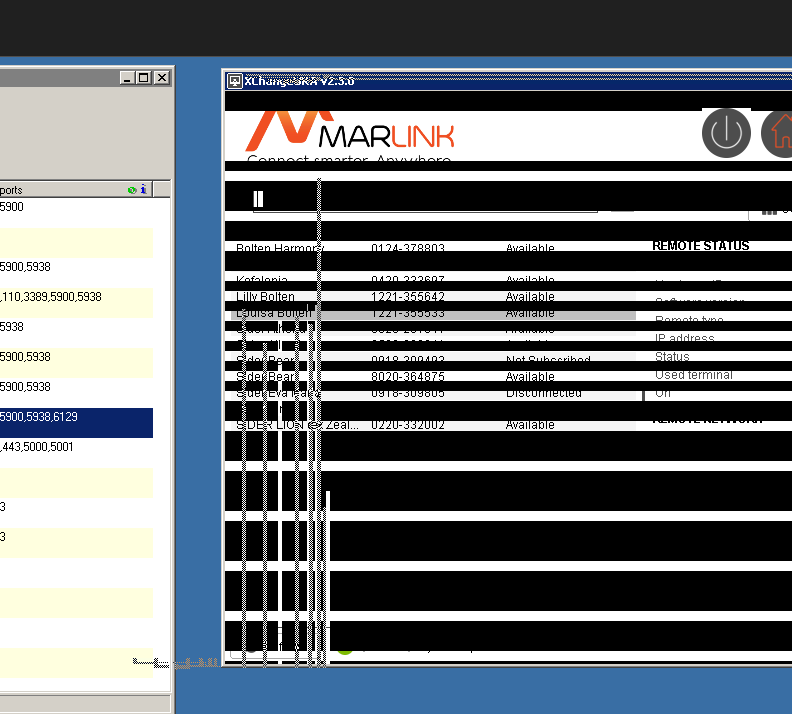
I tried the same VMs through a VMWare console and the view is correct..
I think it has to do with some change in the RDP client.
I also tried reboot of both systems, updated the RDM to latest (I use free edition). Nothing changed.
Kind regards.
All Comments (9)
Hello
VMWare Console uses VNC, so it's seems likely your assumption about an issue with the latest RDP client is correct.
Is this an embedded session in RDM? Do you get the same result if you open the session "external" (i.e. using the standalone mstsc / Remote Desktop client)?
Please, let me know if something isn't clear or you have further questions
Kind regards,
Richard Markievicz
Hello, I just tried it external, and it is the same behavior..
Hello it63,
Thank you for following up.
Could you please try connecting using the Windows RDP application (mstsc)? I want to test the behaviour with a remote application that utilizes the same protocol.
Feel free to reach out if you need any assistance with the test!
Best regards,
Jacob Lafrenière
Hello it63,
Thank you for following up.
Could you please try connecting using the Windows RDP application (mstsc)? I want to test the behaviour with a remote application that utilizes the same protocol.
Feel free to reach out if you need any assistance with the test!
Best regards,
Same behavior.. so the problem lies with Microsoft Windows.