Weird RDP behavior on Windows 7 VM.

Hello.
After updating my Win11 pro to 24H2 ver I have a bizarre behavior on RDP sessions to some legacy systems (preserved on VM on an ESX server).
This is a screenshot showing the example: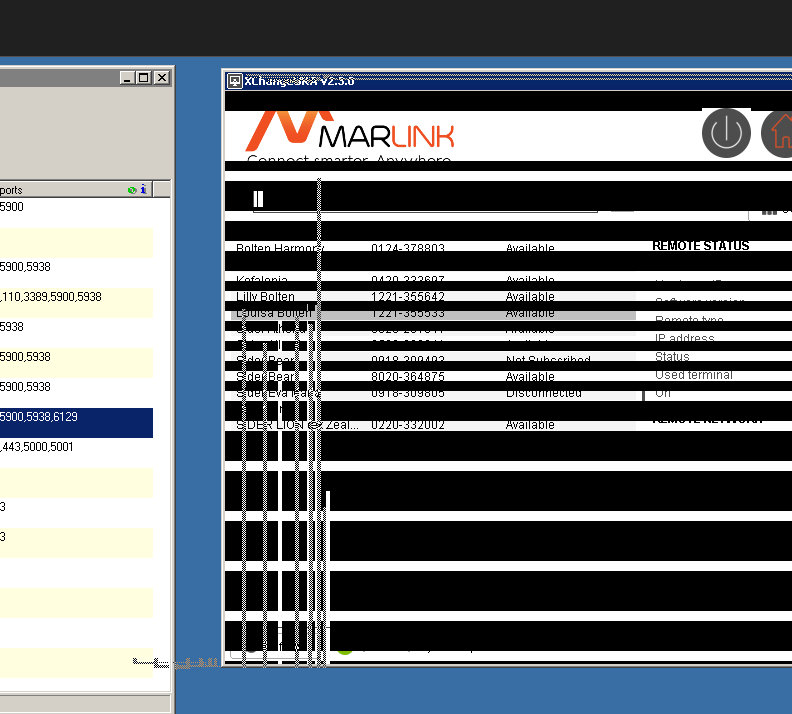
I tried the same VMs through a VMWare console and the view is correct..
I think it has to do with some change in the RDP client.
I also tried reboot of both systems, updated the RDM to latest (I use free edition). Nothing changed.
Kind regards.
2024-12-09_10h27_56.png
All Comments (9)
Hello
VMWare Console uses VNC, so it's seems likely your assumption about an issue with the latest RDP client is correct.
Is this an embedded session in RDM? Do you get the same result if you open the session "external" (i.e. using the standalone mstsc / Remote Desktop client)?
Please, let me know if something isn't clear or you have further questions
Kind regards,
Richard Markievicz
Hello, I just tried it external, and it is the same behavior..
Hello it63,
Thank you for following up.
Could you please try connecting using the Windows RDP application (mstsc)? I want to test the behaviour with a remote application that utilizes the same protocol.
Feel free to reach out if you need any assistance with the test!
Best regards,
Jacob Lafrenière
Hello it63,
Thank you for following up.
Could you please try connecting using the Windows RDP application (mstsc)? I want to test the behaviour with a remote application that utilizes the same protocol.
Feel free to reach out if you need any assistance with the test!
Best regards,
Same behavior.. so the problem lies with Microsoft Windows.
Hello it63,
I’ve reached the same conclusion regarding the issue and still have a few potential solutions for you.
For the entry experiencing problems, you can navigate to the entry settings under General > Advanced. There, you will have the option to change the RDP version.
I recommend starting with RDP (FreeRDP Latest) as a first step.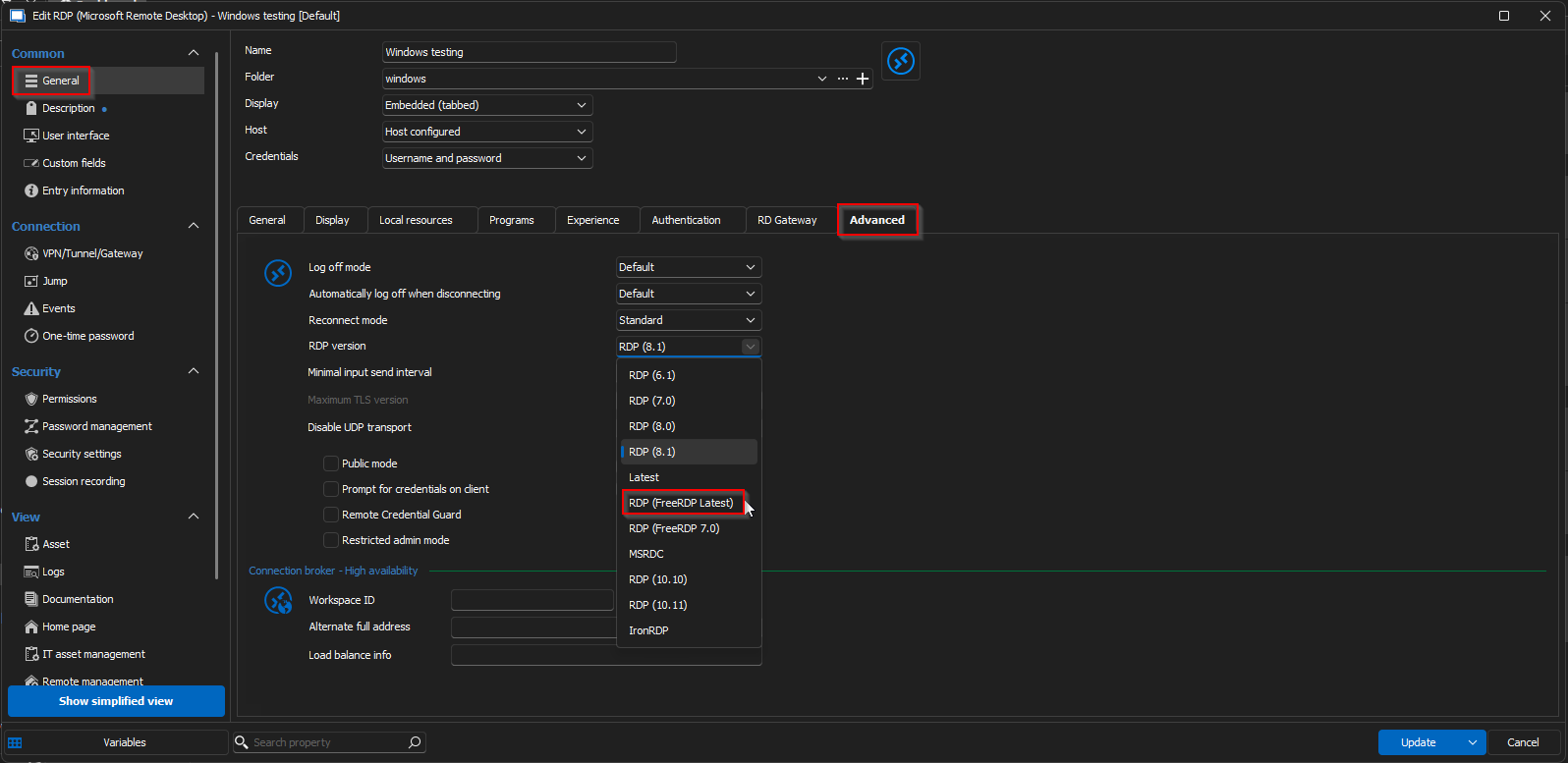
I am looking forward to hearing your updates on this.
Best regards,
Jacob Lafrenière
696e05d2-e23a-4c1a-b6d4-1219bae90c0b.png
Thanks! It works with this change!!
You are a life saver!
Hello it63,
I’m glad to hear that this resolved the issue! Please don’t hesitate to reach out if you need any further assistance.
Best regards,
Jacob Lafrenière
Hi!
I just came across this exact same issue and found this post but I'm using the Mac RDM client and the options are slightly different so just in case someone else has the same issue I thought I'd post the Mac solution!
There is no setting called "RDP Version" on the Mac instead you want to find the advanced setting called "Codec" and set "Codec level" to "Level 6"
Hope this comes in useful to someone in the future!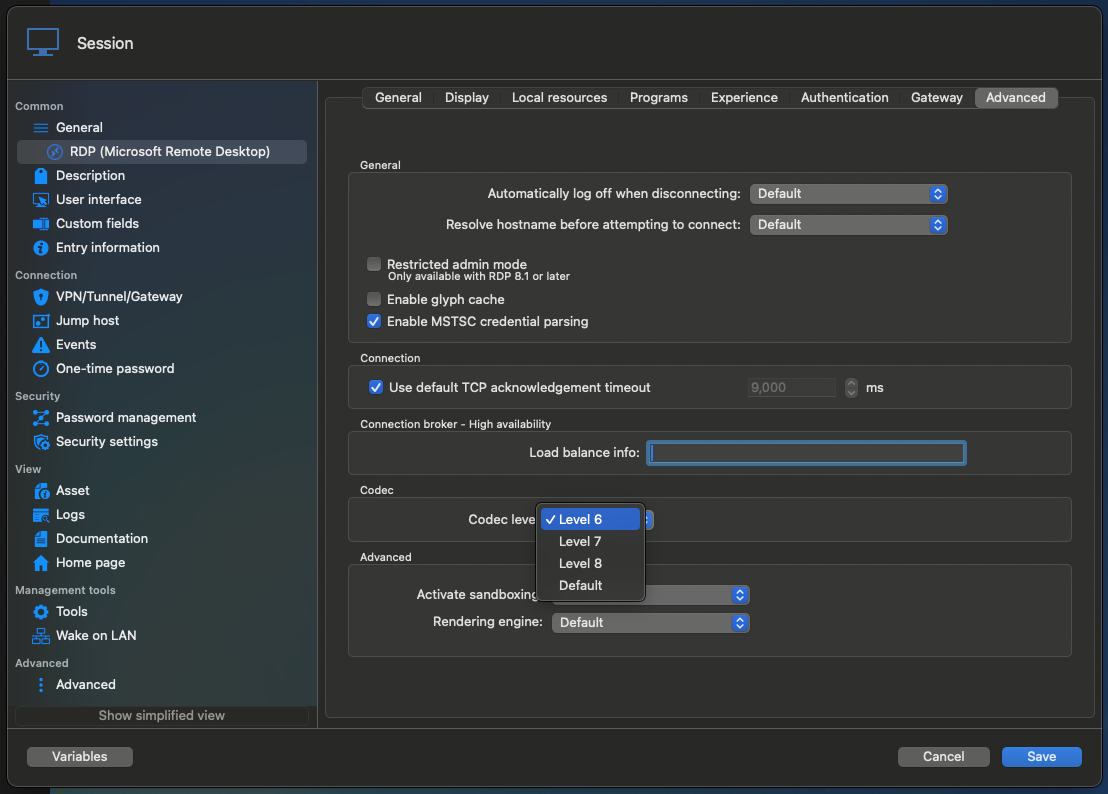
rdm_win7.png
Hi Andy3
Thanks for the pointer!
I wanted to draw your attention to this post. If you started getting this issue on macOS after a recent update (2025.1), this is known regression on our side and I apologize for that. I've already submitted a fix to the RDM Mac team; you can follow the other post for updates but it should be in a forthcoming update. After the fix you won't need to adjust the codec level any more.
Thanks and kind regards,
Richard Markievicz