Active Directory on RDM

I have configured some servers for the different domains I manage, but I keep getting the error message: "Could not connect to domain controller". It is intermittent, and I am using LDAP over SSL to connect and passing the fqdn of a DC on the host field.
All Comments (3)
Hello,
Thank you for reaching out!
My name is William and I'm here to assist you in any way I can.
Would it be possible to confirm what entry type you added for these servers?
I might be missing something here, but could you explain what you are trying to do exactly so that I can better understand the issue you are running into?
Feel free to reach out if you have any questions or need further clarification.
Best regards,
Sorry for the delay here William.
This is the type: Active Directory dashboard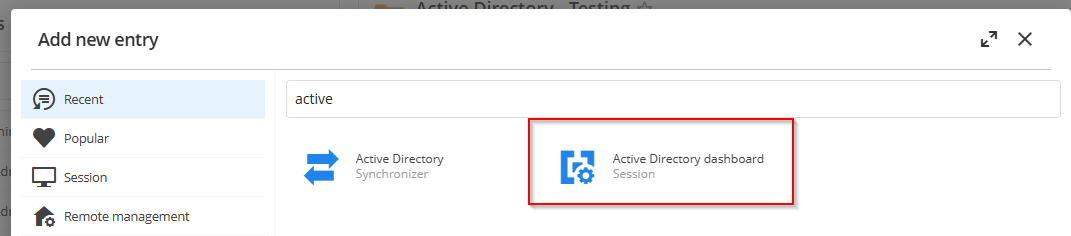
This is how the entry is configured: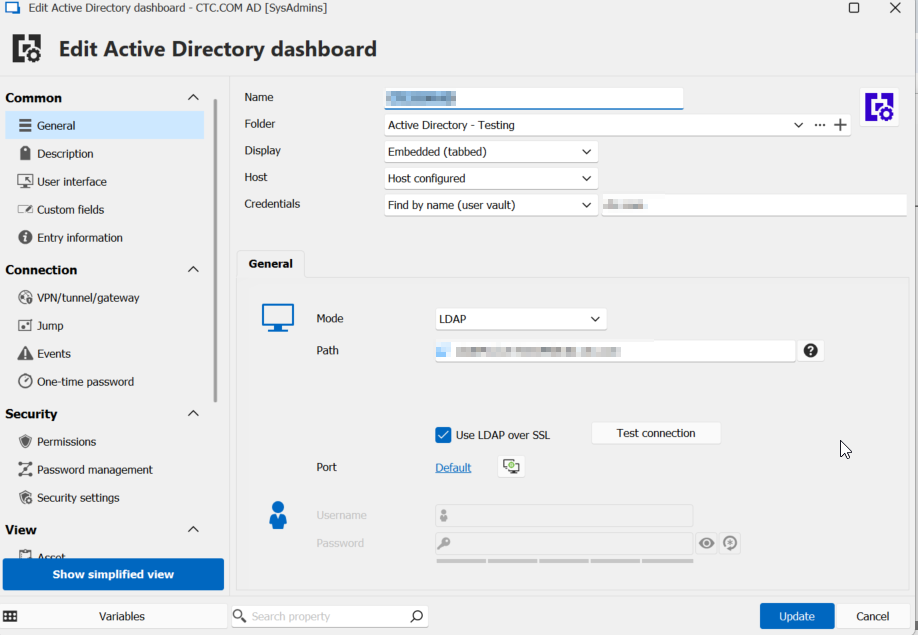
RDM Version: 2024.2.20.0 64-bit / .NET 8.0.11
Keep in mind, I've learned that if I remove my admin account from Protected Users in the Domain, that this connection works perfectly, but if I add the account back to Protected Users, then we start having the intermittent issue again.
5eb85364-9c84-4ac4-9288-4feb4d16a8f6.png
c89a1ea7-b6e4-499c-b82c-922cea72afdd.png
Hello,
Thank you for the feedback.
The issue you're experiencing with the intermittent connection error "Could not connect to domain controller" when using LDAP over SSL might indeed be related to the permissions associated with the Protected Users group in Active Directory.
The Protected Users group is designed to enhance security by restricting certain types of authentication and delegation. When an account is a member of this group, it may not be able to use certain authentication methods that are required for your connection setup.
Here are a few suggestions to troubleshoot and potentially resolve the issue:
1. Verify that the LDAP over SSL connection is correctly configured and that the domain controller's certificate is trusted by the client machine.
2. Check if there are any specific policies applied to the Protected Users group that might be affecting the authentication process.
3. Consider using a service account that is not part of the Protected Users group for these operations, if security policies allow.
4. Review the event logs on both the client and the domain controller for any additional error messages or warnings that could provide more insight into the issue.
If these steps do not resolve the issue, please let us know, and we can investigate further on our end.
Best regards,