Multiple connections to same host with different on connect line commands
Multiple connections to same host with different on connect line commands

Hello,
I'm sure there is a much better way to do this, but I have not figured it out yet in RDM. I need to launch 4 SSH sessions to the same host using the same credentials but need to run 4 different sets of commands on connect. In the past, I did this with 4 putty session links that I configured.
In RDP, when I launch all 4 sessions at once, the 4 different on connect line commands are being sent together in each sessions causing none of them to work.
Any tips on how to set this up property in RDM?
Thanks,
Tommy
All Comments (10)
Hello Tommy,
Thanks for reaching out!
Can you send us more details and screen captures of your setup and result?
For now, I could use different ways of doing this, but they don't match all use cases...
Thanks for keeping us posted.
Best regards,
Alex Belisle
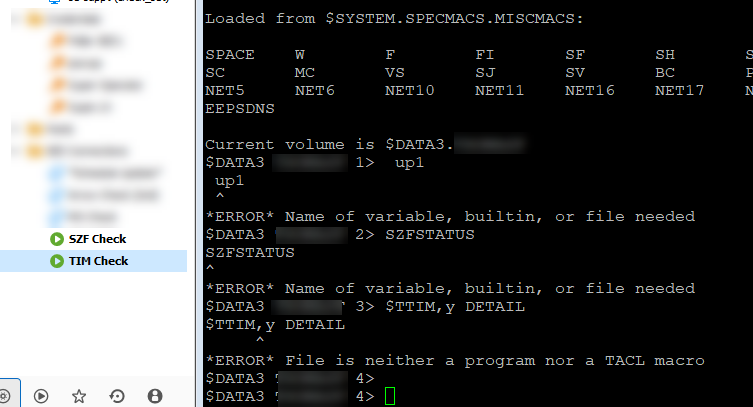
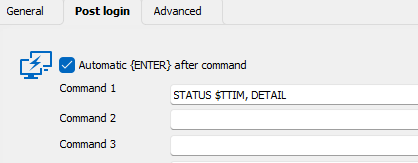
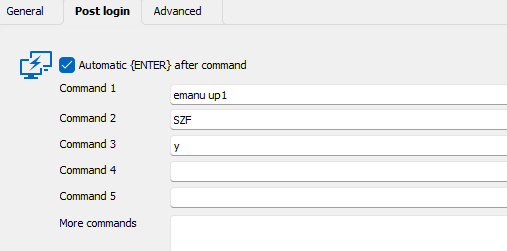
Sure. credentials and host are the same for each session. If I launch the one at a time and wait for the cmds to run, there is no problem. They work fine. When I launch 2 or more sessions, the post login cmds jumble together. It's using a saved session settings from putty. It's the only I can get the TACL remote command to work on connect. I tried using the built in SSH , but no luck there.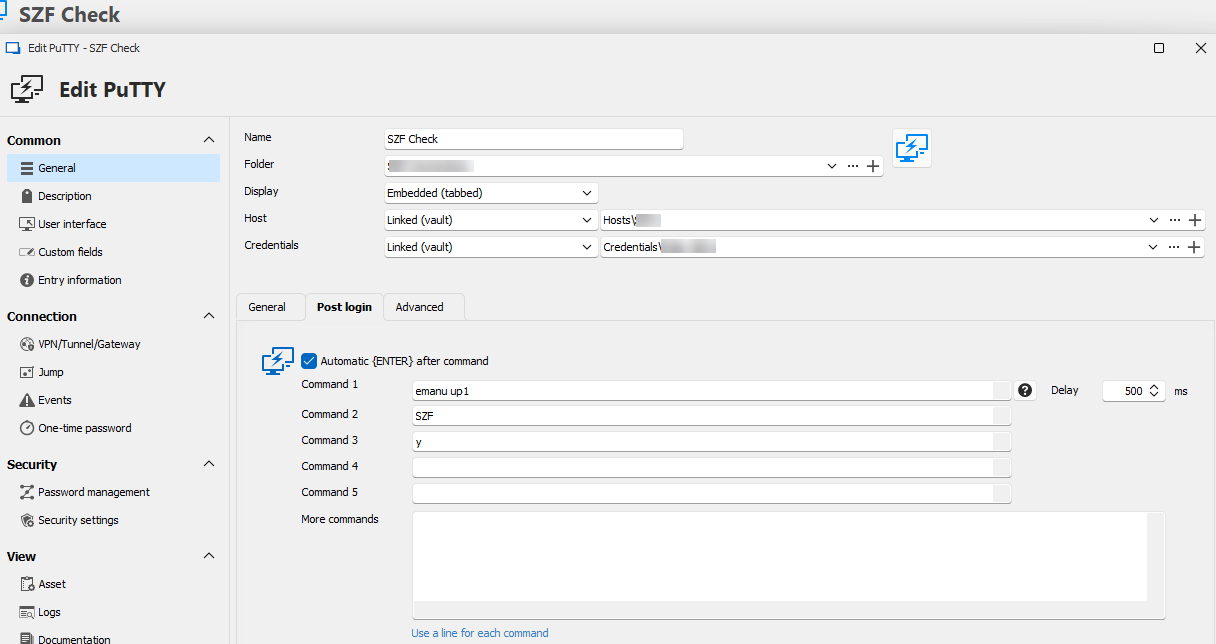
1.png
2.png
3.png
4.png
Hello Tommy,
Thanks a lot for the details.
Since we're trying to move away from Putty, I will not troubleshoot the Putty entries.
The good news is that this is relatively easy to achieve with SSH Terminal entries.
The SSH Terminal works pretty much like putty. You can link it to a Host and a Credential entry as you did.
You shall find the "Post login" tab like with the Putty session type.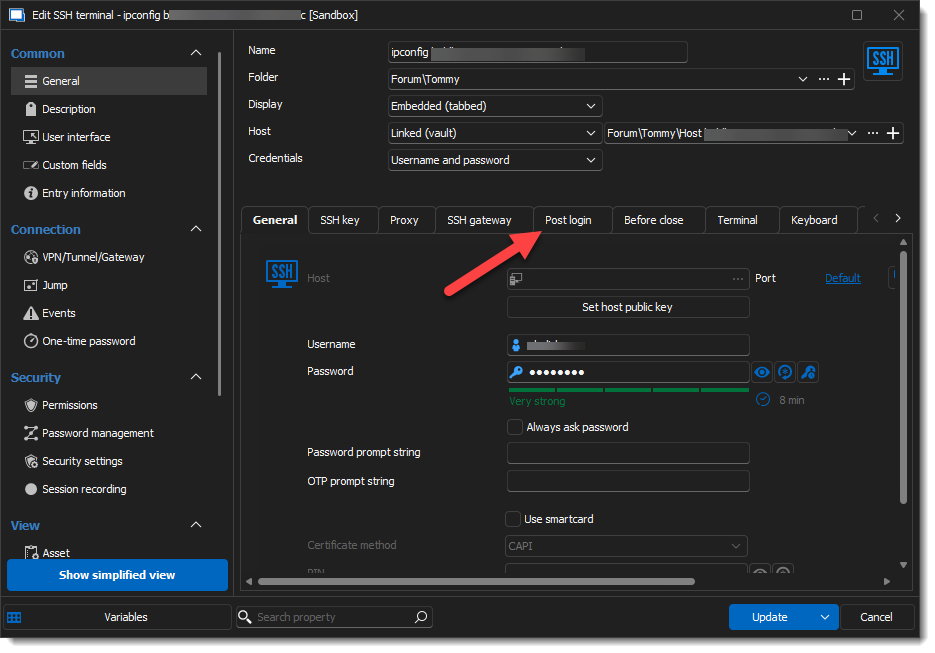 The UI is a tiny bit different but more flexible than with Putty: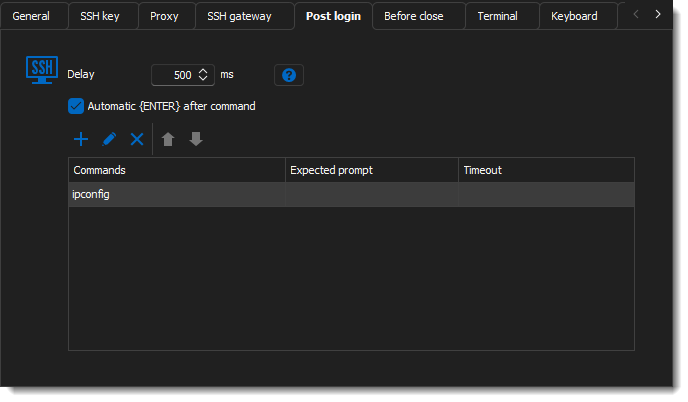
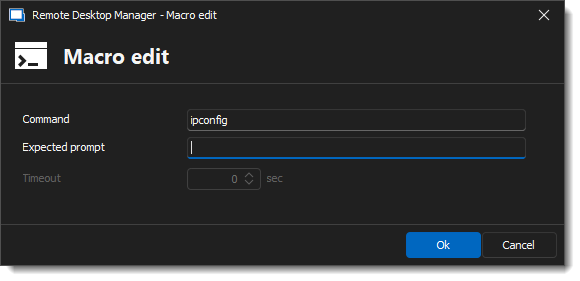 You should find more information here: https://docs.devolutions.net/rdm/kb/knowledge-base/ssh-session-entry/#post-login-tab
I've looked quickly if it was possible to convert the Putty session to SSH terminal; although it is feasible, I could not transfer the post Login commands. However, It is possible to do it via a PowerShell script, but before throwing ourselves into scripting, it's better to evaluate the workload of manually recreating them.
Let us know if this helps!
Best regards,
Alex Belisle
315f0ef0-be78-4da0-a080-47adf6d1a0ee.png
d6f90c66-902a-464a-b966-0a618b2e1820.png
524cf7aa-0a31-490e-afee-17c3b83cbb30.png
Hi Alex,
Thank you for the information. I would also like to move away from Putty as well. Before I can, I need to figure out how to execute the tacl command with the built in SSH Terminal. In Putty it was simple as putting tacl as the remote command. I've tried to do this in Terminal a few different ways but was unsuccessful. 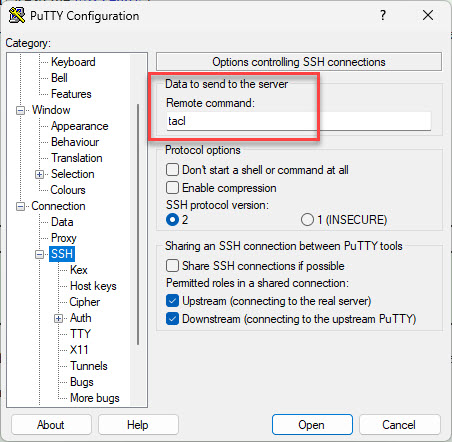
tacl.jpg
Hello Tommy,
Thanks for the feedback.
As I am unfamiliar with this feature in putty (and the "tail" command itself), I'm going to need some more insight into its purpose and how to implement it in our SSH Terminal.
I'm fairly confident that it's possible to leverage it, but I am unaware of how...
I will be looking into this tomorrow; in the meantime, feel free to give me any additional info on the challenges, output, and errors that are resulting...
Thanks for your cooperation.
Best regards,
Alex Belisle
Hi Alex,
We work HPE Non-Stop servers and use TACL to interface with the OS. Without being able to get into the TACL environment when connecting via SSH, there is no more to do. If connecting via OpenSSH I can execute the TACL environment on connect by putting tacl at the end of the target. e.g "C:\Windows\System32\OpenSSH\ssh.exe" username@hostname tacl
More info about it can be found here.
Overview of TACL | NonStop TACL User Guide
Thanks!
Tommy
Hello Tommy,
I think I found the answer.
By using the searching tool in the properties windows, I found "Remote Command" a little deeper in the options.
In the General Section > Terminal Tab > Advanced sub-tab: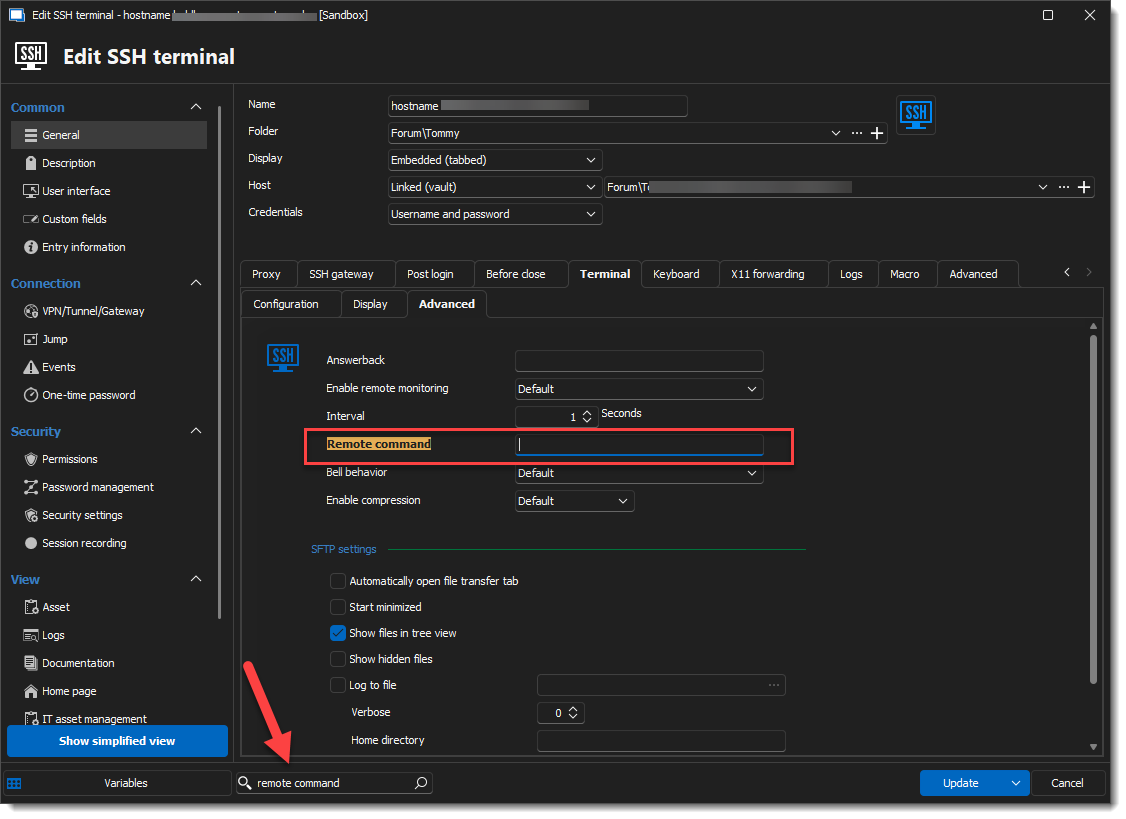 I cannot test it with the "tacl", but I have a fairly good feeling about it.
Please let us know!
Best regards,
Alex Belisle
a8cc3499-65c2-4b6c-b911-3344dd942cf0.png
Alex,
I think this may be it! I'll be able to test this in about an hour. I'll report back.
Thanks,
Tommy
Alex,
That was it. All good now.
Thank you for the help. Have a great day my friend.
Tommy
Hello again Tommy,
Pleasure is all mine; I'm glad I could help!
Best regards,
Alex Belisle