File Transfer Progress Indicator
0 vote

Summary:
Currently, when downloading files from a Windows remote server to a macOS client via Remote Desktop Manager (RDP), there is no clear progress indication. The macOS system's native progress bar only shows a generic "Preparing to copy" message, which can remain stuck indefinitely. This lack of feedback makes it difficult to track the status of file transfers, especially for large files, and may lead to user frustration.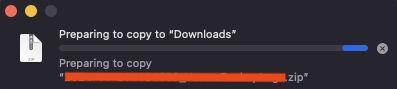
Request:
Request the addition of a file transfer progress indicator within the RDM application itself, similar to the progress bar seen in applications. The new feature should display:
- Transfer progress (e.g., percentage completed).
- Transfer speed (optional, but helpful).
- Estimated time remaining (optional, but useful for large files).
- Current file name being transferred, if applicable.
By having this feature built into RDM, users would no longer need to rely on the macOS system progress bar, which can be unreliable and unclear.
Benefits:
- Enhanced User Experience: Users will have clear, real-time feedback on the status of their file transfers, reducing uncertainty and improving the overall workflow.
- Time Management: Knowing the progress, transfer speed, and estimated time remaining would help users manage their time better, especially for large file transfers.
- Reduced Frustration: Eliminating the "Preparing to copy" message and providing actual progress reduces confusion and frustration, especially when transfers take longer than expected.
How This Will Help:
This feature will address the current gap in user experience by providing a more detailed and accurate view of the file transfer process. It will be especially valuable for users working with large files or in scenarios where multiple transfers are happening at once. This change will bring RDM closer to other remote access tools (like TeamViewer) that already offer this functionality, improving overall satisfaction.
Suggested Implementation:
- Integrate a progress bar within the RDM interface that updates in real-time during file transfers.
- Display the percentage of completion, file name, transfer speed, and estimated time remaining.
- Optionally, provide a notification or alert once the transfer is complete or if any errors occur during the transfer process.
f41ee2d1-71b1-4ae8-a107-65b1b81016e2.png
All Comments (1)
Hello,
Unfortunately, this is not possible, or realistic, for us to do. Our embedded RDP feature uses the FreeRDP protocol, which supports drive redirection and clipboard, but not file transfers in a way that would allow what you described. TeamViewer uses their own protocol. There is also a part of the problem that comes from the way macOS handles files copying, which makes copying large files from RDP slow and overcomplicated.
The best way to do file transfers in the way that you described would probably be to use drive redirection:
First, enable "Hard drives" under "Local resources" in your RDP session's properties and select either all drives or the folders you want to transfer to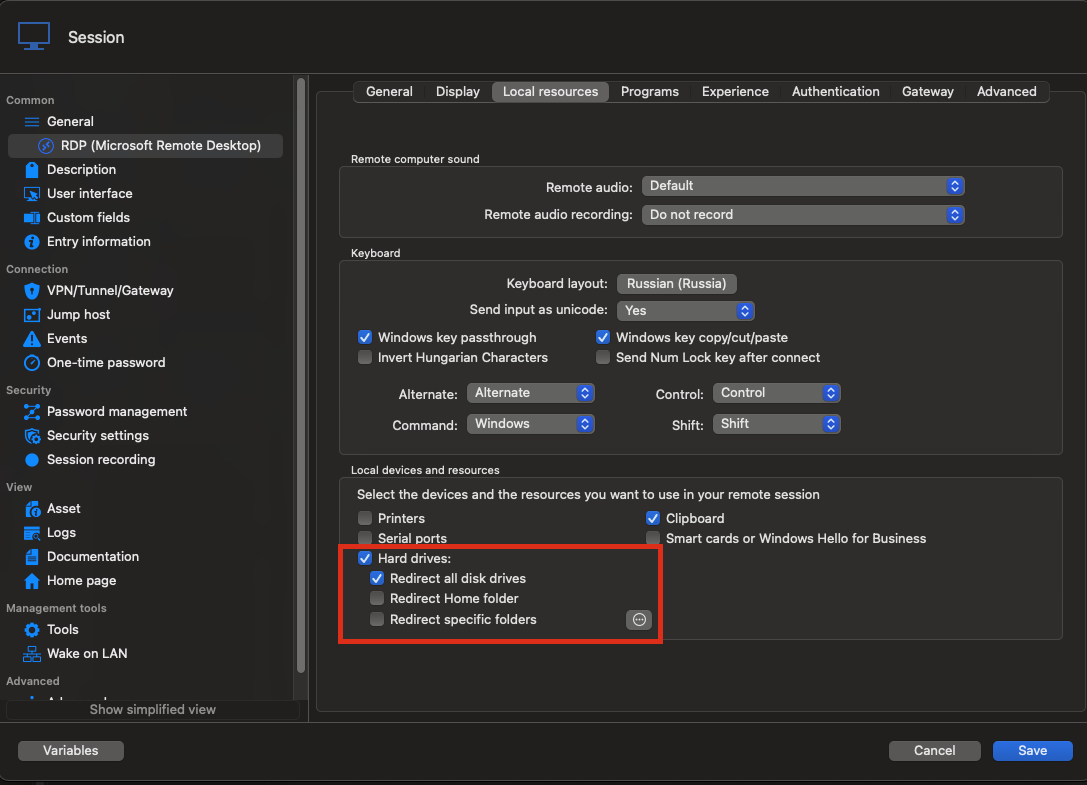
Then, in your RDP session, you should see the drives or folders you selected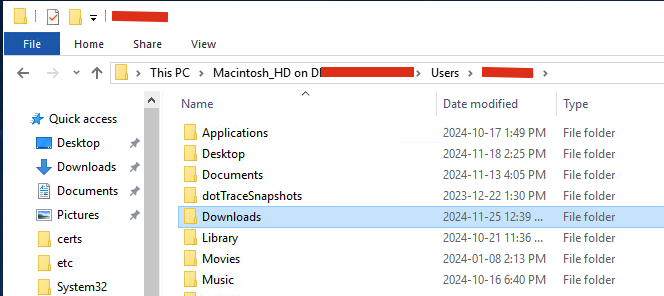
Finally, copying a file to that folder should copy it to your mac and show all the transfer data as you wanted directly in the RDP session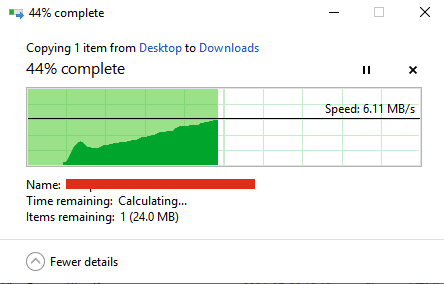
Hopefully that is a good solution for you, let me know if you have questions.
Best regards,
Maxim Buisson
d22e8668-63be-493f-a523-15ba1a471307.png
8a9ee85e-cc15-479e-8577-a9ee3a0638b7.png
962ad4fa-8eb1-4457-aca3-48fcc6189674.png
Screenshot 2024-11-25 at 12.42.39 PM.png
Screenshot 2024-11-25 at 12.40.53 PM.png
Screenshot 2024-11-25 at 12.39.46 PM.png