Azure Bastion Error trying to connect to server

We use Azure Bastion on a number of our servers in another region. After upgrading to 2024.3.18.0 64-bit I am no longer able to connect to any servers via Bastion. 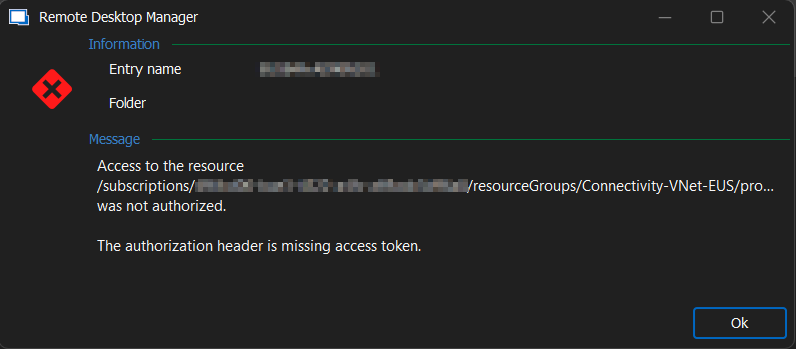
BastionError.png
All Comments (8)
Hello
Sorry to hear about the issue. What authentication option(s) do you have selected for the Azure Bastion entry? (Right click the entry -> Properties, and check the "Authentication" tab).
Please let me know if something isn't clear
Kind regards,
Richard Markievicz
Hey Richard,
Thanks for the quick reply. Here is a screen shot of the authentication tab you requested.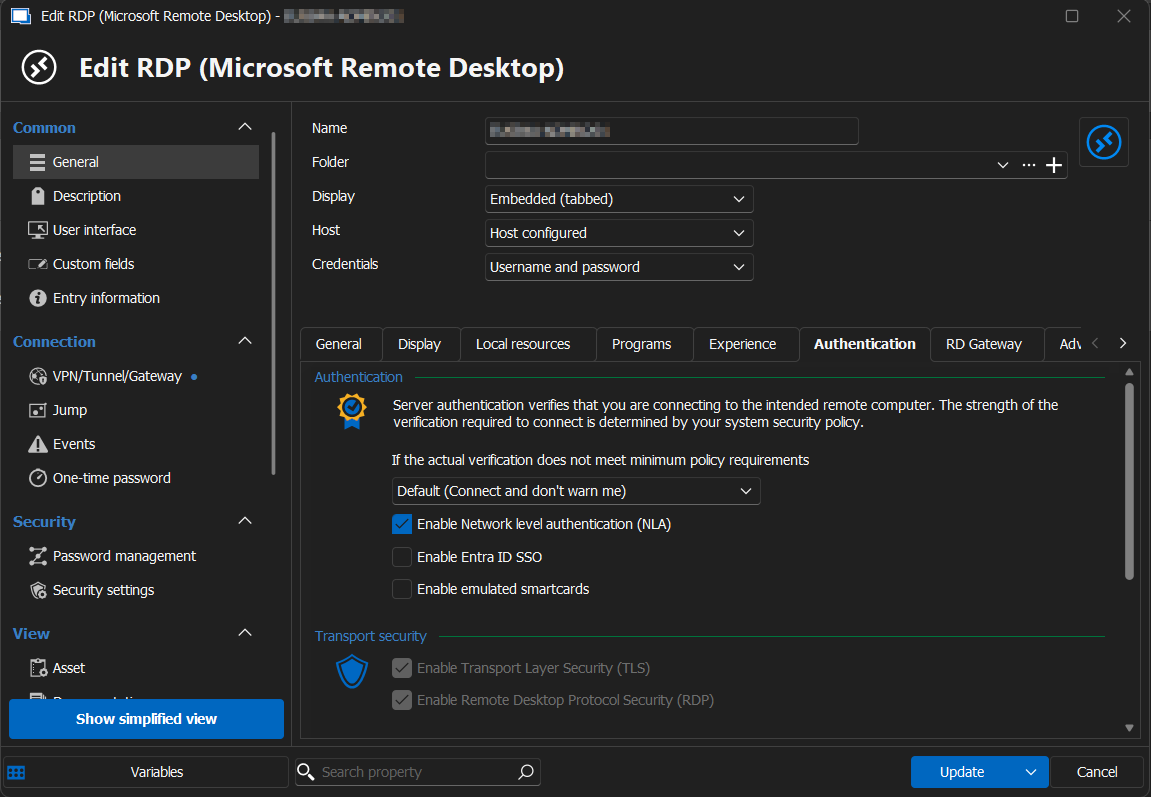
BastionAuthentication.png
Hello
Thanks for getting back to me - sorry, but I meant the Azure Bastion connection entry (the VPN) rather than the destination (RDP). Hope that makes sense, if you have a question please let me know.
Kind regards,
Richard Markievicz
Hey Richard,
Sorry for sending wrong information. I am hoping this below is what you are looking for.
Thank you!
Ryan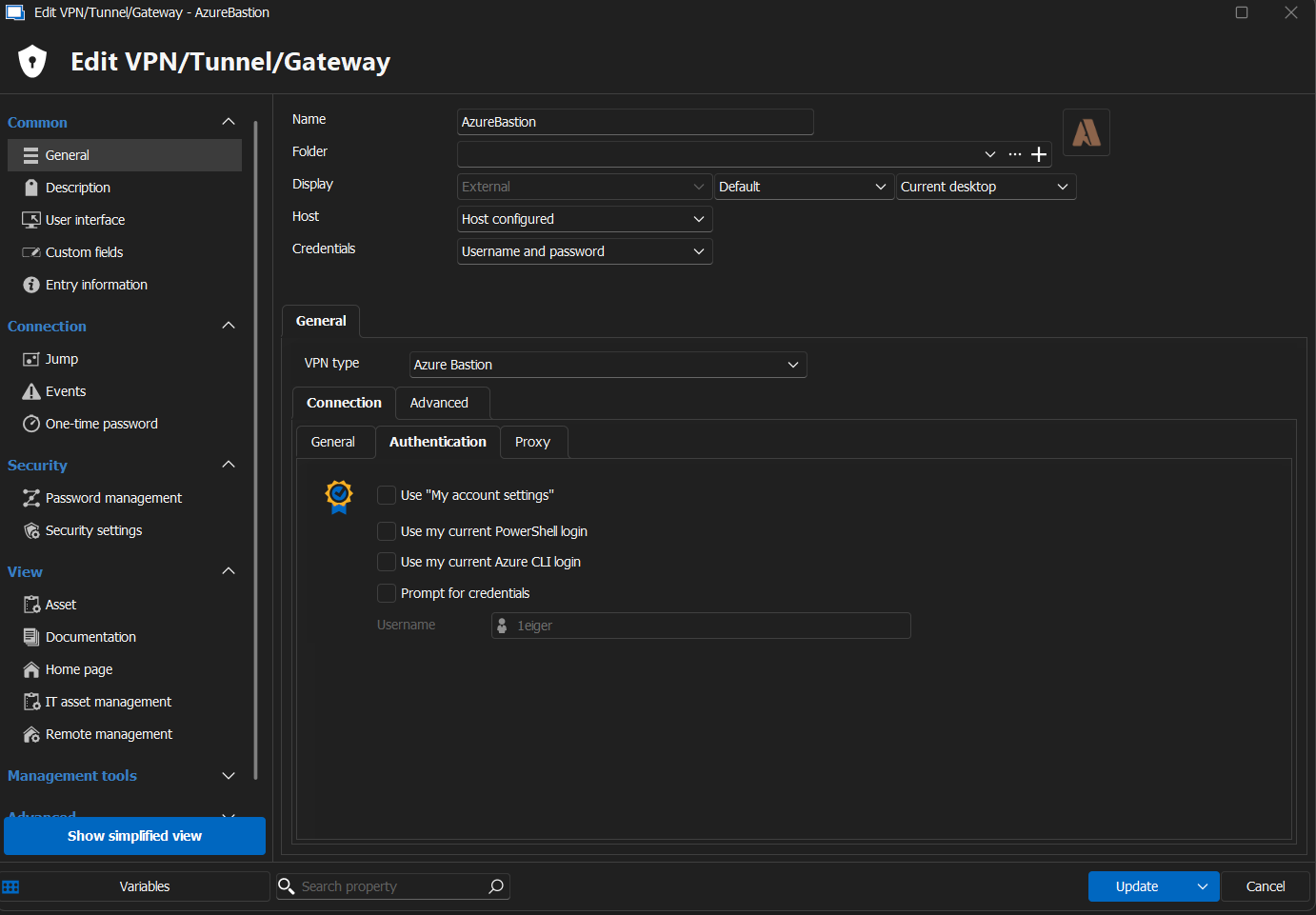
BastionAuthentication.png
Hi Ryan
Indeed, that's great, thank you. I believe I know what's going on here.
Can you try checking both "Use my current PowerShell login" and "Use my current Azure CLI login", save the entry and try again?
I want to check if that solves the problem for you before explaining the issue.
Please, let me know if something isn't clear
Kind regards,
Richard Markievicz
Richard my friend you are a genius sir. Thank you so very much for your quick response and help to fix this. I assume it had to do with the new update and Azure Privileged Identity Management.
Hello Ryan
I'm glad that fixed things for you.
I have to hold my hands up as I'm responsible for the regression, so I do apologize for the inconvenience. Previously, all three authentication methods were enabled by default; the idea is that if you have more than one selected they will be tried in sequence until we get an authentication token.
The "Use my current PowerShell login" was causing an issue for some users, and since it was selected by default, it often caused things to not work "out of the box".
The new default is to only enable the "Prompt for credentials" (interactive authentication). This is what the majority of users are using (in fact, I wasn't actually aware of anyone using PowerShell or Azure CLI authentication until now!). Because the prior values were "default", they weren't stored in your data source, so you automatically got the "new" defaults on your connection which broke things.
Once again, I do apologize for the inconvenience.
Please don't hesitate with further questions or comments.
Kind regards,
Richard Markievicz
Easy solution and I cannot complain at all Richard. The application works very well and you and your team do an amazing job at supporting it. Thank you again for your help!!