RDM 2024.3.17.0 Private Vault "View Password" does not work

Hi there
I just updated to the most recent dvls Server and RDM 2024.3.17.0. Since updating, I can't copy username / password / OTP within the context menu, but only in the private vault.
I can open the properties of the entry and copy the password from there as a workaround.
Thanks for your support.
Best regards, John
All Comments (12)
Hi,
I have the
same problem. But I only have this problem on the installation, where I took
the new configuration coming from the custom installer. (Use new
configuration (lose mine))
I have one
installation, where I kept the configuration from an old 2024.1 installation,
and this client does NOT have this problem.
Regards
Sebastian
Hi Sebastian
I confirm the behavior you described, we have the same
Hello John & Sebastian,
Do you get this behavior with every entry type? I've tried it with OTP, Username / Password, Website, and RDP entries, but it's working as expected.
Regards,
Min
Hi,
i can view OTP, but no copy.
I can't copy or view normal credentials.
I didn't had any other type of entries in my personal vault. I created one RDP and i can view and copy the credentials from this type of entry.
Regards
Sebastian
Hi there
Don't ask my why, but it works as it should when I add my UPN in the Datasource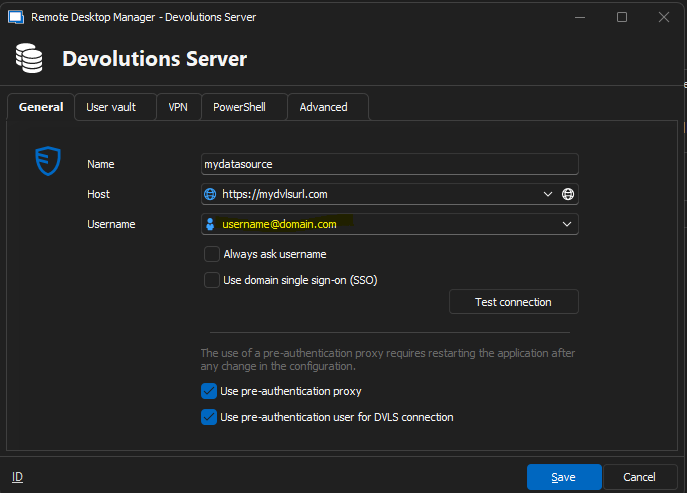
Best regards, John
7bddc131-fb46-4095-b137-3b916a633557.png
Hi,
i can confirm that on our side too.
Regards
Sebastian
Hello John,
Can you go to Administration - Users, synchronize your account with Refresh User Information from Active Directory and try your previous setting in RDM?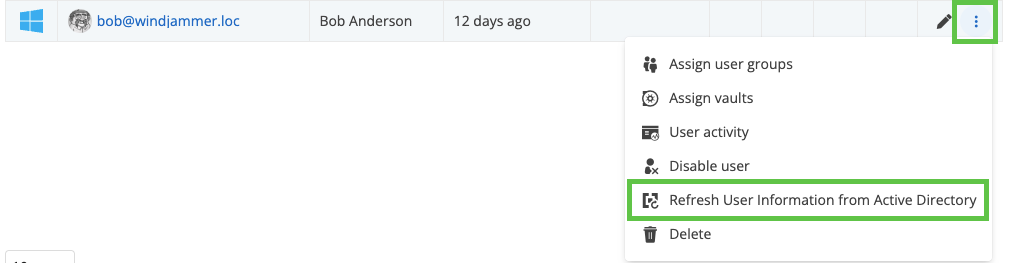
Best regards,
Érica Poirier
39f0dcd2-70f0-45c8-a8e0-4827be441f77.png
Hi,
i don't have this button because we are using Entra-ID only for our User Sync.
Regards
Sebastian
Hello Sebastian,
Are you using DVLS too? If so, what version are you using?
Could you try updating the accounts using the Synchronize user from provider(s) feature?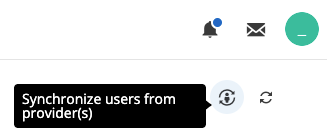
Best regards,
Érica Poirier
256a2b5e-d00e-4f52-aa8f-ba6f37443781.png
Hi,
Yes, we are using DVLS Version 2024.3.6.0. For Client 2024.3.15.0 and the newer once. I also tried it with the old 2024.3 clients, but always the same problem.
Nothing change after the sync of the users.
Hi,
Anything new on that case?
Regards
Sebastian
Hello Sebastian,
Thank you for your feedback.
I still cannot reproduce this issue with a domain or AzureAD account on RDM 2024.3.18. All the buttons to copy or view are available and working in the User Vault dashboard, and these operations are also working from the context menu.
Could you open a ticket at service@devolutions.net with a reference to this forum's thread? We will send you a link to book a support session.
Best regards,
Érica Poirier