Resolving Automatic Sign-In Issues with RDM 2024.3.16 on Windows 11
Resolving Automatic Sign-In Issues with RDM 2024.3.16 on Windows 11

After upgrading to RDM 2024.3.16 from 2024.2.19.0, embedded Chrome sessions using Digest no longer log me in automatically and instead prompt for Windows Hello. If I copy my username and password before connecting, I can log in successfully. Is there a way to enable automatic sign-in again?
Client: Windows 11 23H2
Remote Desktop Manager 2024.3.16.0 Licensed
Data source: Microsoft Azure SQL
All Comments (5)
Hello,
Thank you for reaching out to us regarding this,
That is odd, would you be able to provide me with a screenshot of this prompt?
I'm also wondering if the problem persists for you with RDM 2024.3.17.0 which was just released, you can download it from here:
https://devolutions.net/remote-desktop-manager/home/thankyou/rdmsetup/
Best regards,
Samuel Dery
Hello,
The issue persists in version 2024.3.17.0.
The entries we are experiencing problems with are pointing at webservers running on Microsoft IIS. We also have some entries pointing to other types of web servers that use Digest and are still functioning properly.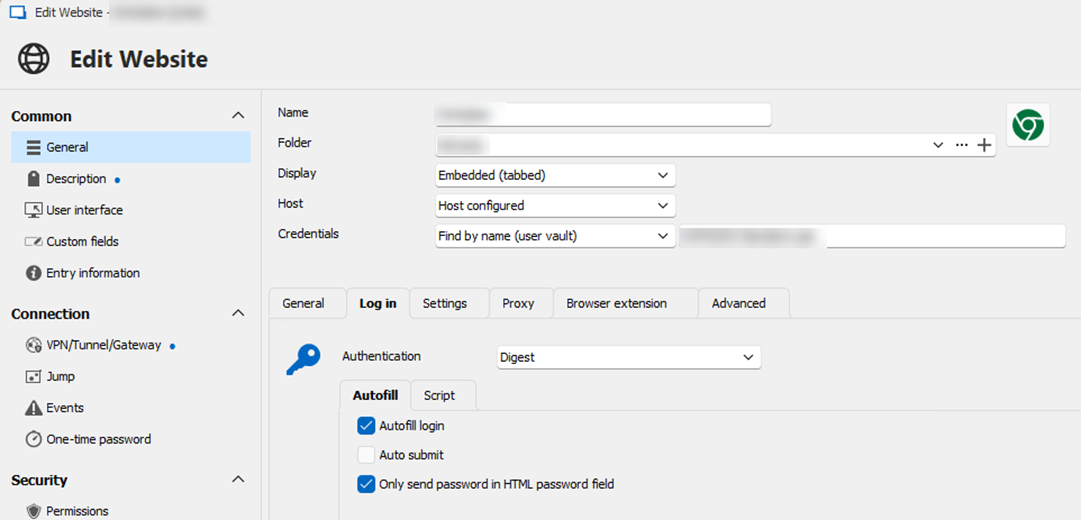
400f3582-1ba7-4d61-8423-35390ba187be.png
Hello,
Thank you for your reply,
I see, I've discussed your issue with our development team and they have informed me that they've made a fix that will be included in the next version of RDM 2024.3.
I have linked your topic with our internal development case and we will keep you updated with any news we receive,
Best regards,
Samuel Dery
It functions correctly for me in version 2024.3.18.0. Thank you very much.
Hello,
Thank you for your reply,
Perfect I'm glad to hear that!
Best regards,
Samuel Dery