RDP to 2 of 6 monitors

I have a PC in a control room that runs 6 monitors in 2 rows of 3 on Windows 10. I need to set up an RDP session to the 2 left 27" 4K monitors that are one above the other but can't get it to work. I have used the MSTSC /l to identify which monitors are the left two but it will only display on one of the screens. The thing is, when I built the PC I had it working beautifully, but when I moved it into the control room it didn't work and no amount of messing with the settings seem to work. I've been through what seems dozens of forum posts and 3rd party forums and can't seem to find anything similar. If anyone has any ideas, I'd appreciate some assistance getting this working.
All Comments (1)
Hello,
In external mode we have a way to choose which monitors you want to open the RDP connection on: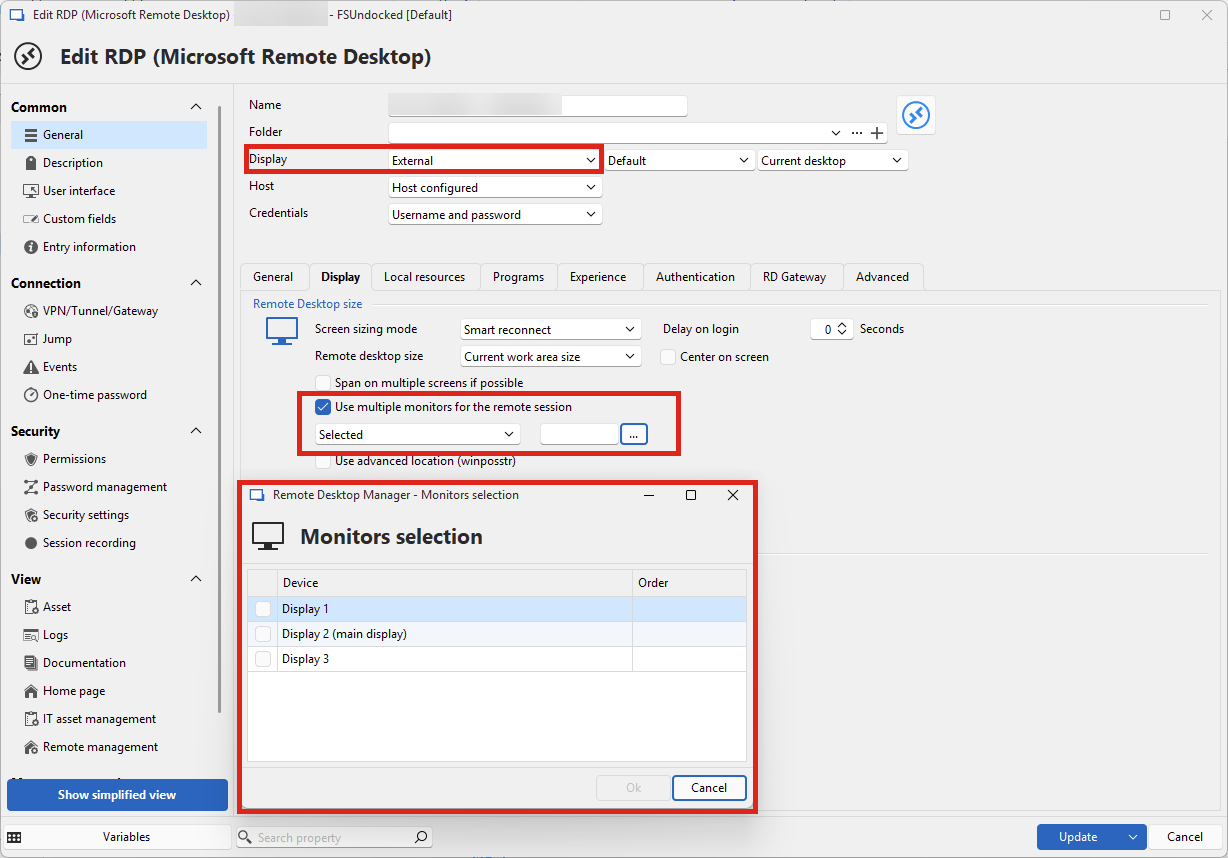
This might help you out in this scenario.
Regards,
Hubert Mireault
18249d9d-7b88-46e0-944a-780df00ee2cf.png