RDM Connection fails with Entra App Proxy

Hi there
I just finished setting up the Entra App Proxy. While login via web does work fine, the login with RDM is failing.
First I open RDM, the window for the pre-authentication does appear, I login with my credentials. After that, a browser window opens with this error (port is a random high port)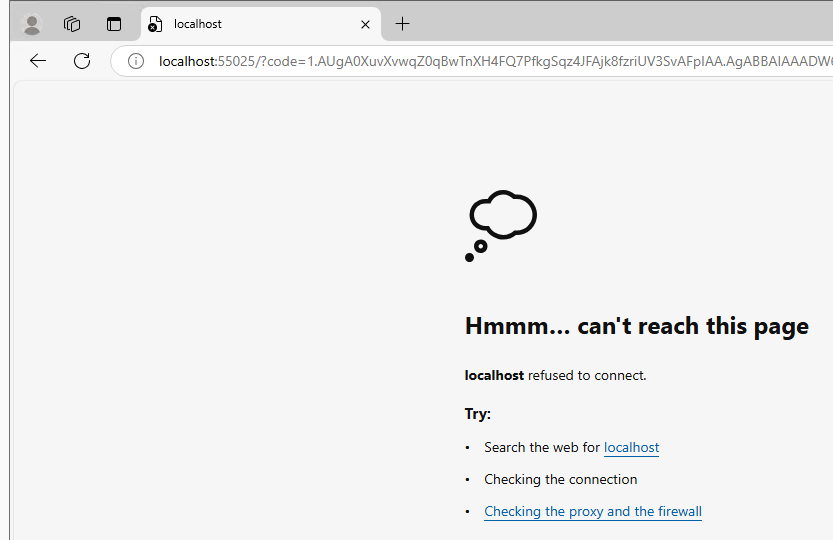
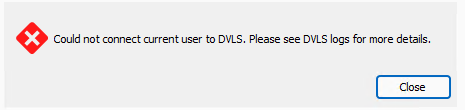
The DVLS logs:
I already tried to recreate the app proxy from scratch, but it changed nothing.
I'm using RDM 2024.3.16.0 and DVLS 2024.3.6.0
What am I missing?
Thank you!
852b51b6-a409-4b2d-b6a0-bb8fd70c707c.png
547aab25-307f-4032-84fc-ef26f963e0e2.png
ffd9d3be-ae1c-49d5-82dc-d362384f31b0.png
All Comments (33)
Update: It works when I set this option:
Is there a chance to get it work without this option? A new deployed DVLS instance works fine without this option.
2c493342-52c2-41e5-bdd8-c208298cf7f0.png
@RDM Support: Any Ideas?
Hello,
Thank you for reaching out on that matter. We apologize for the late reply.
We will try to reproduce this issue and get back to you.
In the meantime, could you try disabling these 2 options in the Azure App Registration you use for your DVLS and disable the Use only the TokenID for authentication option to see if that helps?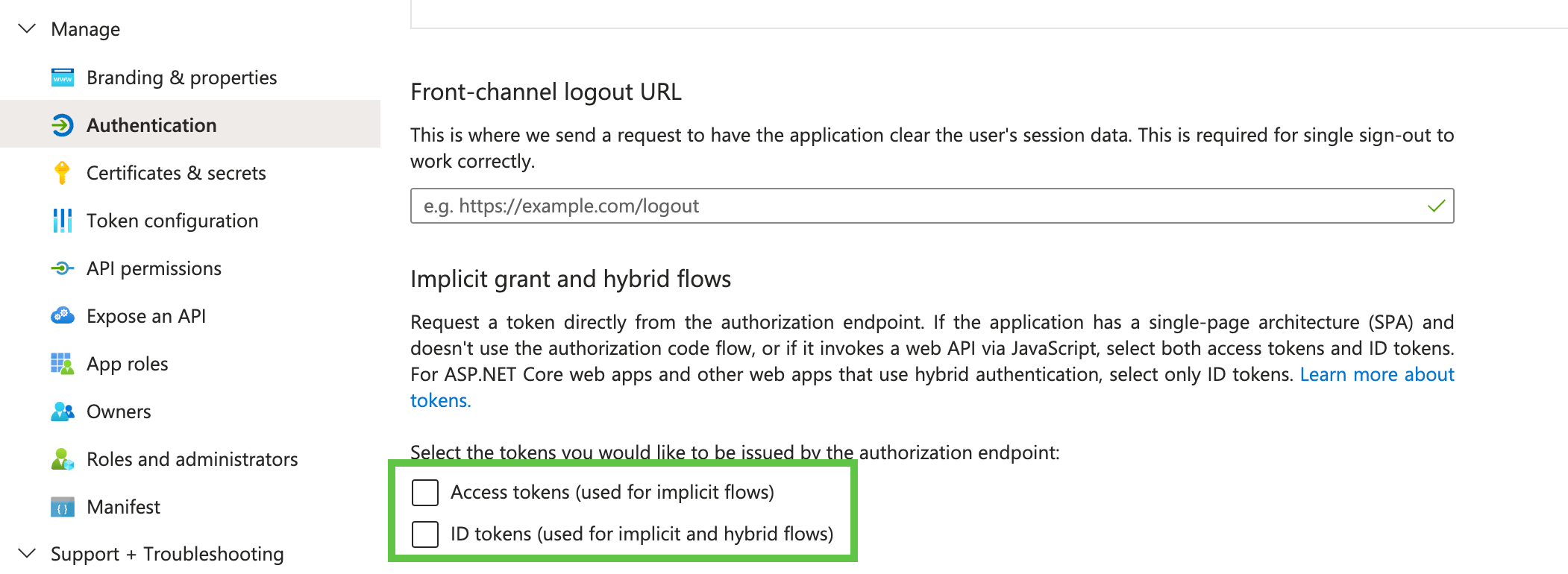
Best regards,
Érica Poirier
e354d67d-621c-49d0-be1c-be592c90e955.png
Hi Erica
I need a bit more time for testing this.
In the meantime, maybe you have some inputs regarding this issue: Since configurating RDM with Azure App Proxy, RDM wants to authenticate with Azure App Proxy multiple times per day. While authentication is working fine, it's a bit annoying that it appears multiple times per day. Is it possible to modify this in a way?
Best regards, John
Hi Erica
Maybe this helps. When I lock my computer at 12:00 and return one hour later, my browser tabs are looking like this: There is a authentication window in each tab. I have to kill the RDM process and open it afterwards again.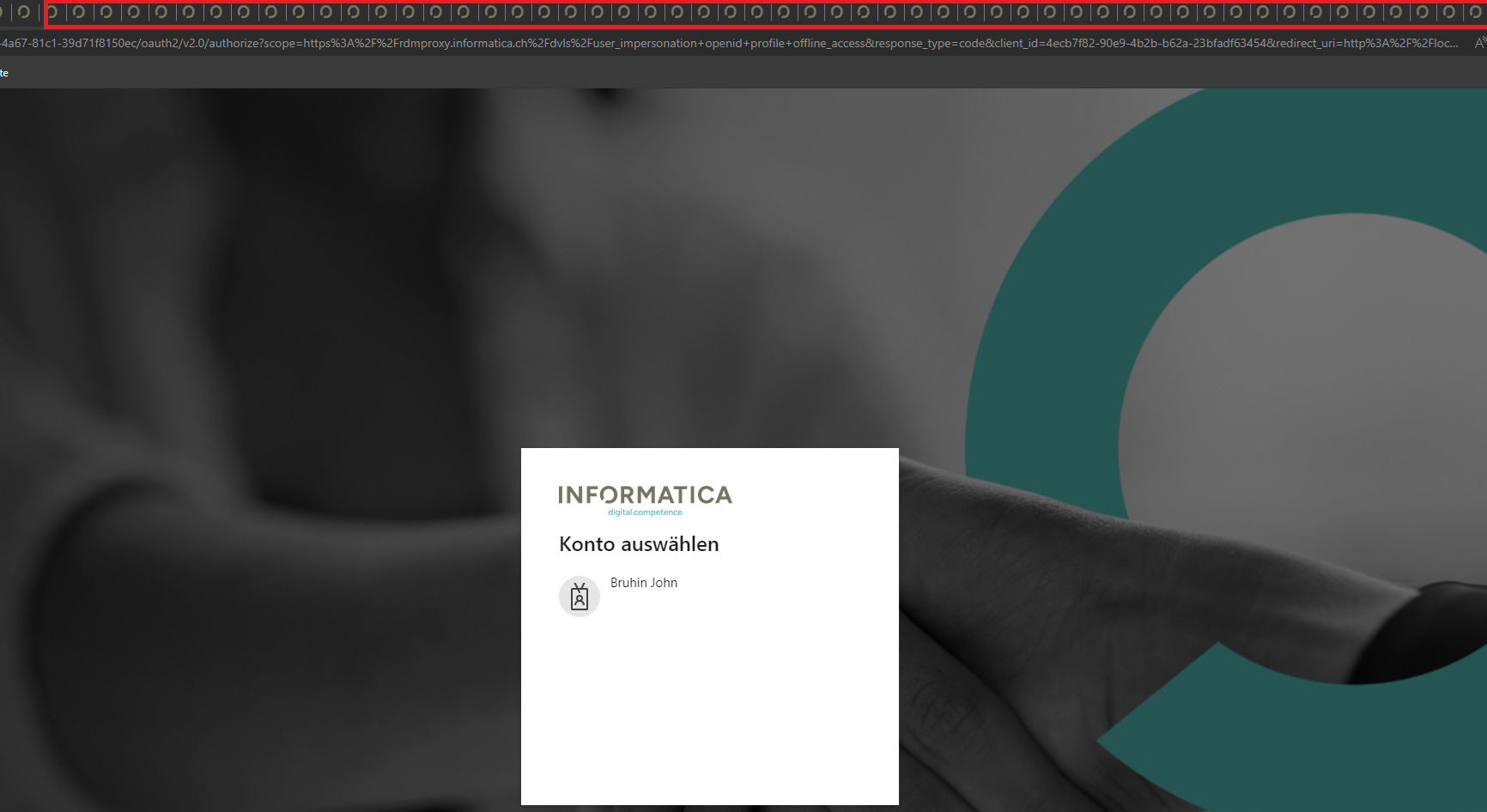
Best regards, John
d925ee16-549e-4174-ad16-0ea7de841288.png
Hello,
Thank you for your feedback.
Do you have any specific token rules set in Azure?
Could you verify the DVLS Refresh token lifetime in Administration - Server Settings - Advanced? Is it set high enough to avoid RDM authenticating every few minutes?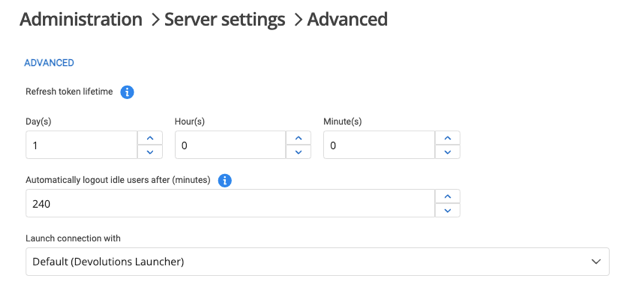
Have you enabled one or many Disconnect data source options in Administration - System Settings - Applications in RDM?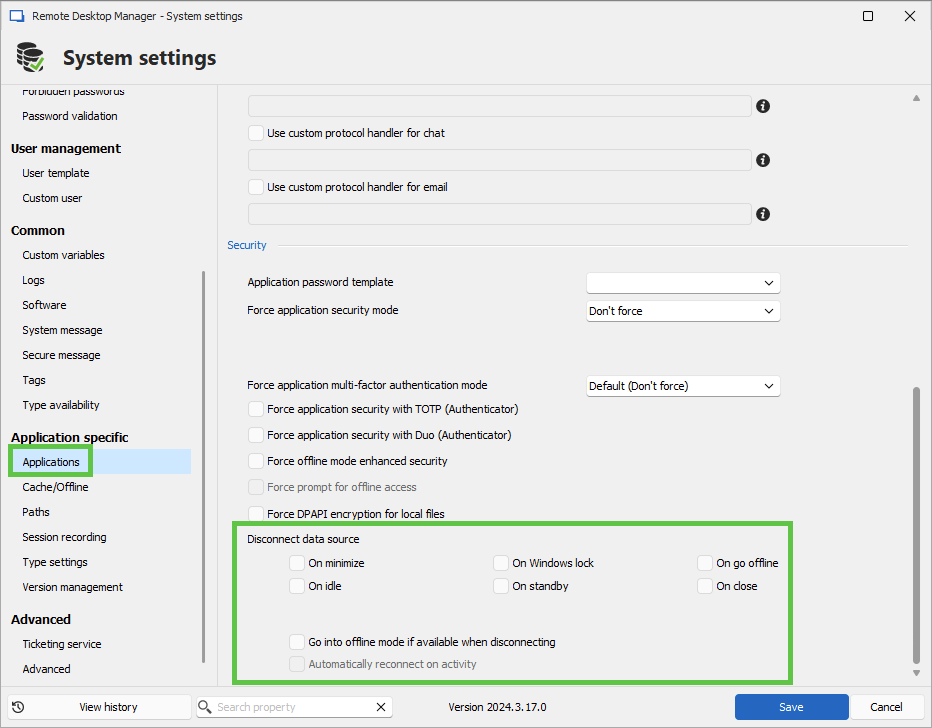
Best regards,
Érica Poirier
19627eba-63bb-4095-b9f2-adca68a54e97.png
ba519c91-faa4-4de9-a622-f01eaba79319.png
Hi Erica
The Idle timeout for the token was set to 20 minutes, i increased it to 12 hours.
The Token lifetime was set to 1 day, i increased it to 7 days.
The Application settings "disconnect data source" are all disabled.
I will check if the new settings will help.
Hello John,
Thank you for your feedback.
I forgot to mention that if you update the values of the token lifetime and/or the Idel timeout parameters, it's preferable to restart the DVLS instance using the Stop Server/Start Server button from the DVLS Console and reconnect from RDM.
We will wait for you to test these new settings.
Best regards,
Érica Poirier
Hi Erica
I restarted the DVLS instance after changing the values, but there is no change in the behavior.
Best regards, John
Hi Erica
I just disabled those 2 options, it works now without "use only the token id...". I will wait if there is any change in the behavior else.
Hello,
Thank you for reaching out on that matter. We apologize for the late reply.
We will try to reproduce this issue and get back to you.
In the meantime, could you try disabling these 2 options in the Azure App Registration you use for your DVLS and disable the Use only the TokenID for authentication option to see if that helps?
Best regards,
Hi Erica
With the disabled options it's getting even worse, after a few minutes of inactivity, I have to re-authenitcate because else we can't do anything in RDM: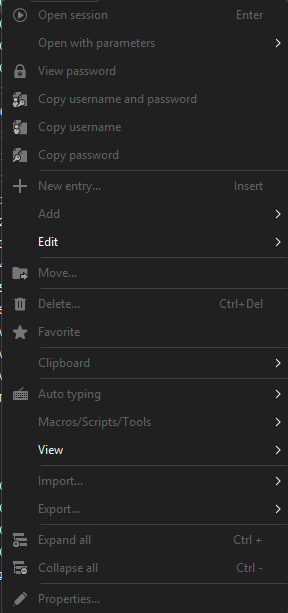
We will revert app-proxy configuration because it's causing too much issues. Or do you have a final solution?
58d32062-01b5-414a-931b-58ce1810ebd8.png
Hello John,
I have no other solution at the moment. I will check with the developer team and get back to you.
Thank you for being so patient.
Best regards,
Érica Poirier
Hello John,
I've configured the app-proxy on my end. I can't say I reproduce what you're experiencing.
For reference, my versions:
- DVLS: 2024.3.8
- RDM: 2024.3.18
I think we should schedule a meeting, go over your configuration and troubleshoot together.
I opened a support case and sent you an email with a link to book at your convenience.
Once we find the source of the issue, I will post a summary on the forum in case other users run into this.
Thank you so much for your patience.
Best regards,
Marc-Antoine Dubois
Hi Marc-Antoine
I will contact you as soon as possible, but it will take a few days.
We had do revert the configuration to a direct connection because it was not acceptable anymore to work with RDM under this circumstances. I don't have those issues in my test environment, so it has to do something with our productive configuration.
Best regards, John
Hi all,
we are switched over to DVLS recently so we have no comparison to old versions but we have the same problem in our setup using Entra APP proxy.
RDM 2024.3.14.0 64-bit
DVLS 2024.3.2.0
Starting RDM and authenticate is working fine so there should be no configuration issue. But becomes unusable after a few minutes showing "Waiting for authentication" in virtually every action. Switching vaults -> reauthenticate
Closing a session -> reauthenticate
If you don't use the RDM for a while and then take it out of the tray again, almost all functions are disabled until you manually press refersh, which causes a new login and only then can you work with the RDM again.
Using devolutions Workspace Browser plugin is practically impossible, because if RDM gets the timeout which you don't notice, the plugin claims that no access data is stored.
for testing we will also switch over to direct connection to verify its an app proxy related issue 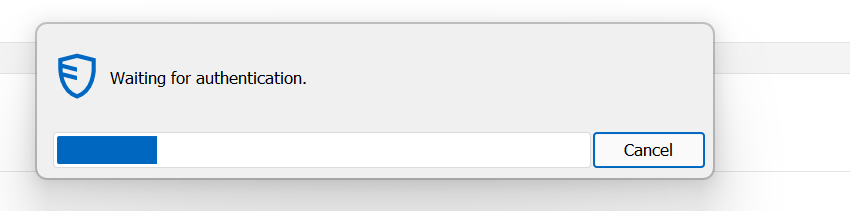
//add
while using direct conncection to dvls server there was not a single authentication issue within 4 hours
a4da9c1b-9398-4e96-81b6-6e2c76cc247d.png
Hello,
Thank you for your feedback.
We will test this behavior as it looks like a refresh token issue when using the Azure App Proxy.
Thank you for being so patient.
Best regards,
Érica Poirier
Hello Steven,
With the test environment, I can use RDM normally even if it was idle for a few minutes. I don't get any authentication prompts. The Workspace browser extension is working properly too.
Do you get error messages in the DVLS Logs when you get a authentication prompt?
Can you send the DPS_Main.log files to service@devolutions.net? Please add a reference to this forum thread in your message.
Thank you for your collaboration.
Best regards,
Érica Poirier
Hi Erica,
sorry for late response it seems like i didnt get any notification so i missed your reply. Sure i will check for logs asap and send over requested files.
Just for your information, we updated to v2024.3.9.0 in order to may fix the problem unfortunately it doesnt and even worse since the update the authentication using direct connection fails.
just give me some hours so get the logs.
Thanks in advance
regards,
Steven
//add
while trying to access DVLS Webinterface i discovered following error. Which is interessting since authentication using RDM is working fine.....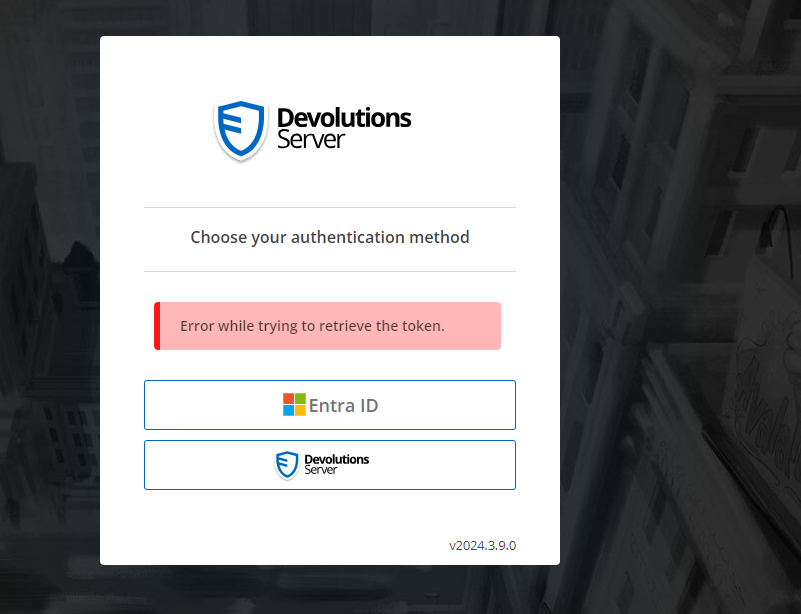
a86b192f-af0f-4a5a-9600-3208a74b456c.png
Hi Erica,
just left a teams meeting on 10:05 am (local time) discovered RDM was timed out which result in this error while trying to open any connection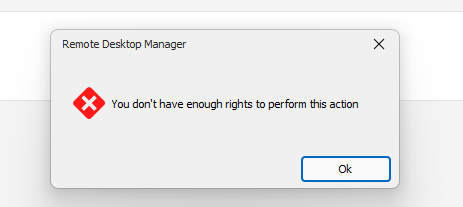
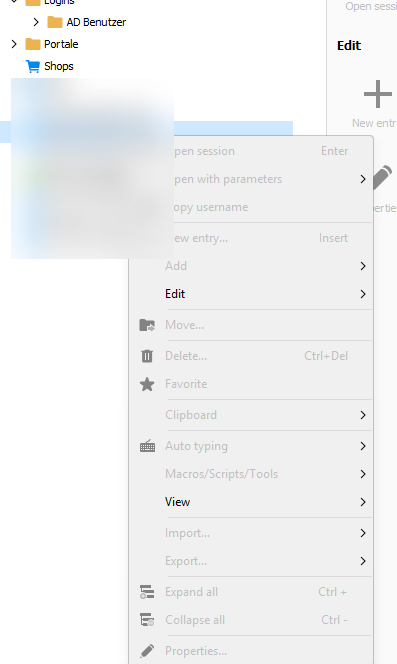
if have to manually refresh using the menu bar (may f5 is working too, i didnt try) which result in waiting for authentication screen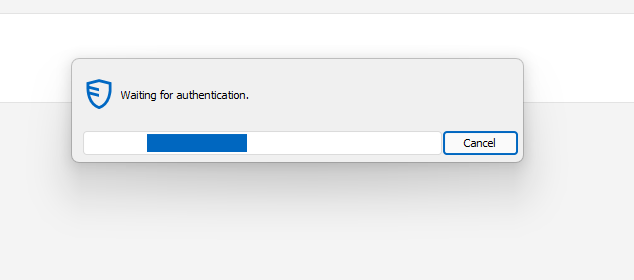
after around 5-10 seconds of waiting RDM is fully working again as expected
DVLS Data source logs just showing the authentication process which was started manually by myself
e7e53da3-f17a-49a6-930d-ffbe265eeef4.png
9a6724f3-a1c8-4459-95eb-047415039375.png
848d0c7f-3f24-4a05-98fd-ccc7200ed41f.png
f4c9c8ca-d51c-4b88-89a2-5453c7c59ef9.png
799fa88f-bfcb-4e97-97d9-b66eb5f62458.png
Hello Steven,
Thank you for your feedback.
Could you send us the DPS_Main.log file from your DVLS instance, which contains the logs in the timeframe of the refresh token issue you had?
You can send the file to service@devolutions.net with a reference to this forum's thread.
Thank you for your collaboration.
Best regards,
Érica Poirier
Hi Erica,
the logs have just been sent. Feel free to contact me if you have any questions. May answer my mail since it seems i dont receive any notifications from forum itself.
regards,
Steven
Hello Steven,
Thank you for the log file. Sadly, it doesn't contain any relevant information.
Could you make sure that the Use only the TokenID for authentication option in the Microsoft Authentication settings in DVLS and the ID Tokens (used for implicit and hybrid modes) option in the Azure Application are enabled?
Let us know if that helps.
Best regards,
Érica Poirier
Hi Erica,
can confirm, both options are enabled. As i said, in general its working so i dont think its an configration issue in authentication itself. its more like an timeout as soon as i dont use RDM for some minutes. 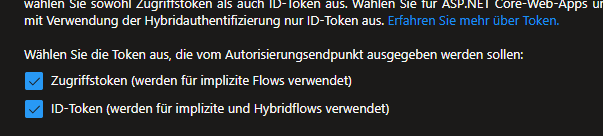
// add
oops didnt read your post correctly. "use only the tokenID for authencation" was indeed disabled . i have enabled this now 
regards,
Steven
dc0028e1-a948-492d-8570-f7db3e1c372c.png
e4b6791d-20a3-4c79-bcb6-5f84acb07198.png
fe8474ef-da2b-4456-b9f4-9c5b6f38ae2e.png
Hello,
Thank you for your feedback.
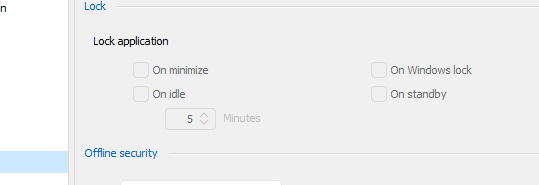
Have you enabled the On idle option in Administration - System Settings on the DVLS web UI?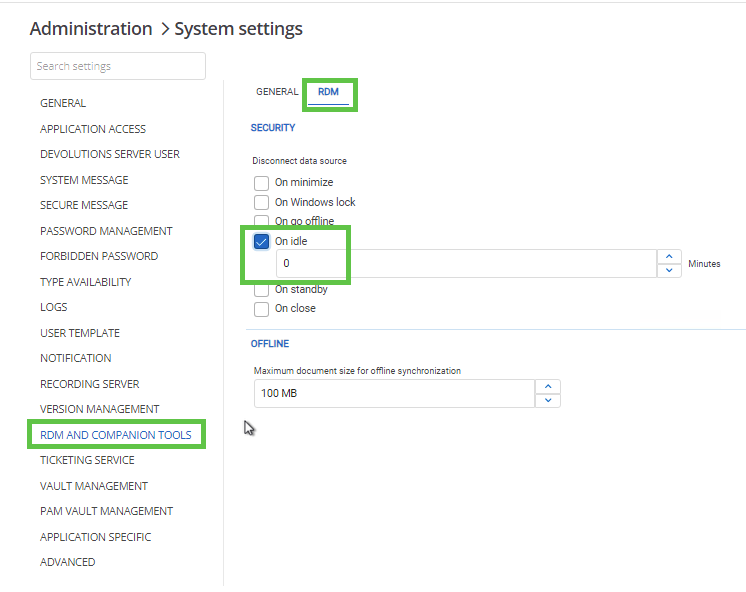
Or in RDM in File - Settings - Security?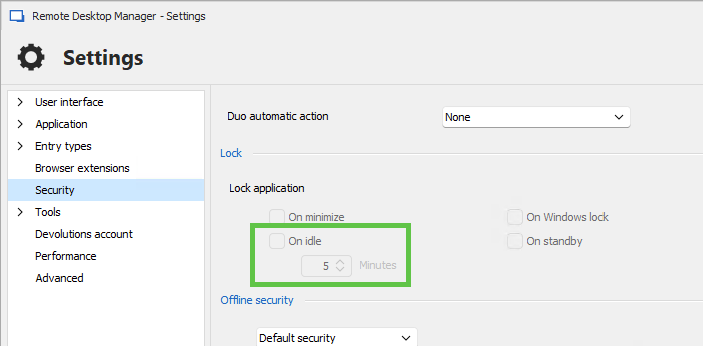
Best regards,
Érica Poirier
a5ba4c25-b813-4ef4-a005-09385ba02946.png
d96fba42-1eed-4574-a37f-42c6e6edef13.png
HI Erica,
not on DVLS and not possible on RDM since Locking is disabled. To be honest I have never used locking in around 7 years of using RDM since locking Windows is fine for us. The current behaviour RDM is showing is more likely using azure sql as datasource and disconnect from internet without switching to offline mode. its more likely an timeout instead of an planed function. Since we came from three years Azure SQL to DVLS i can compare this behavior very well
regards,
Steven 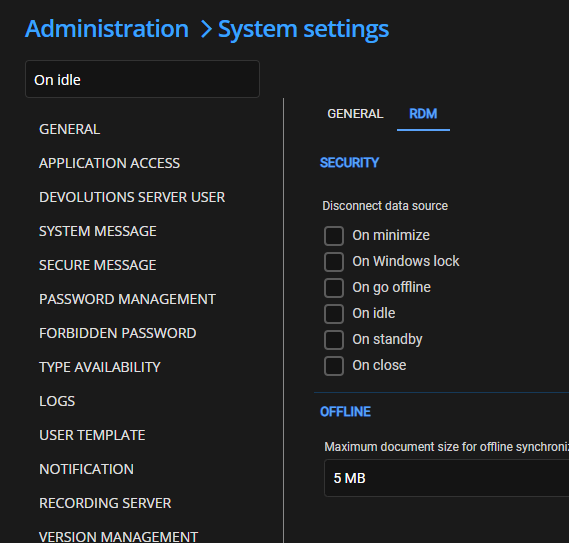
/add
was around 20 minutes away from screen, came back to this :/ 
2ec80fc6-e7b9-4c67-af1c-6178fc4fbcd5.png
70a0c396-b7a4-43ab-b0cd-9e50add93b7f.png
76690c3a-174c-4477-af30-932459474ac5.png
Hi Steven.
Thank you for your feedback.
The whole test I did was with RDM connected to a DVLS data source with Azure pre-authentication App proxy, not on an Azure SQL data source.
Are you the only user in your organization having this disconnect problem?
Is the Azure SQL database, on which RDM is connected, behind the Azure App Proxy?
You mentioned that it disconnects from the internet without switching to offline mode. Do you disconnect from the internet intentionally or switch to a different network connection to get this behavior?
Thank you for your collaboration.
Best regards,
Érica Poirier
Hi Érica,
I think I expressed myself incorrectly here. as mentioned in one of my first posting we just switched over from Azure SQL to DVLS with an local SQL. I was just trying to describe what it fells like and was trying to compare it with our previous datasource. We have no more azure sql. We are two users having the same issues but only me is using RDM on regular basis.
Nevertheless since i set "use only the tokenID for authencation" as requested the amount of disconnects / timeouts/ reconnect whatever you call it seems to has reduced to maybe 3-4 a day which is okay. not perfect and we never had such problems when we were using azure sql but we and especially me can live with it.
regards,
Steven
Hi Steven,
Thank you for your feedback. I apologize that I wrongly read the information you shared.
With the User only the tokenID for authentication option enabled, you now experience 3 or 4 disconnections a day. I presume the Refresh token lifetime property is set with a value greater than a few hours, am I right?
Do you have Conditional Access rules set in your Azure tenant that require you to authenticate a few times a day?
Do you switch to a different network connection (Wi-fi to wired or switch to a different Wi-fi) to get this behavior? If so, you can try this method.
Best regards,
Érica Poirier
Hi Érica,
sorry for late reply, due too holidays and vacation it took some time.
After setting the User only the tokenID for authentication it was let's call it okay. Now after some weeks of vacation its back to almost unusable. RDM is getting its timeout or whatever the problem is pretty much every time i go and get a cup of coffee. I just came back from an offline meeting,my notebook fans where on absolut maximum speed. i unlocked the screen and saw this again 
For some tasks we have to switch between multiple customers, however, the problem does not depend on it. This also happens by just browsing and trying to get login data from workspace. it's really frustrating to visit a website and workspace says "there are no login details for this site" only to find out that I have to open the RDM, press refresh, log in to 365 and then click workspace refresh to finally have the login details
regards,
Steven
e60ff9ab-9514-4c02-a6d9-045cacc7dc06.png
Hi Steven,
Thank you for your feedback.
Since you are now using DVLS as the data source, could you try to connect the Workspace browser extension to DVLS instead of RDM?
https://docs.devolutions.net/workspace/workspace-browser-extension/devolutions-server/first-login/
Let us know if you see any difference using this method.
Best regards,
Érica Poirier
Hi Erica,
sorry to say but since around two weeks after a weekend starting on a monday morning we recieve "{"errorMessage":"Unexpected exception. Please see server logs for details.","result":0}" while trying to use webinterface. also mobile apps aren't working anymore. Honestly currently i dont want to deal with it anymore and thinking about going back to Azure SQL.
btw. i still dont get any notifications about ne posts. I even check exchange message Trace logs, there is no mail from forum
Hi Steven,
Are you interested in troubleshooting this issue at least one last time during a support session?
I can open a case for you in our ticketing system to send you a link to book a meeting to investigate what could be the problem.
About the notifications, are you still subscribed to this thread?
Best regards,
Érica Poirier
Hello everyone!
After investigating with our development team, we opened an internal ticket to address the issue. We will provide more information as soon as possible. In the meantime, if you have any other questions, please let us know.
As a workaround, after some research, we found that the problem could be resolved using the PowerShell script under the Microsoft link below.
https://learn.microsoft.com/en-us/entra/identity-platform/configure-token-lifetimes
Changing the AccessTokenLifetime to 8 hours seems to work. You will need to change the script to 8:00:00 instead of 4:00:00. (1).png)
Thank you all for your collaboration!
Best regards,
Maxim Robert
image (34) (1).png