Using WinSCP for sftp instead of inbuilt sftp

Hi,
I am new to RDM.
Could anybody please guide me if it is possible to use WinSCP for sftp instead of inbuilt sftp?
It should pick the details of the connection automatically like mRemoteNG - https://mremoteng.readthedocs.io/en/latest/external_tools_cheat_sheet.html
WinSCP
WinSCP is a free GUI Secure Copy program.
- Filename: C:\Program Files\WinSCP\WinSCP.exe (example path)
- Arguments: scp://%Username%:%Password%@%Hostname%/
- Optional Arguments - turn on compression and ignore any host key errors: -rawsetting Compression=1 -hostkey=*
- Can integrate: No
Thanks.
All Comments (5)
Yep just click add new session and click WinSCP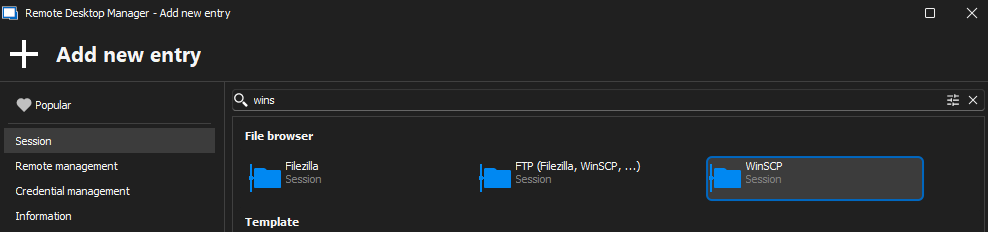
Should show in the General section that this session will use WinSCP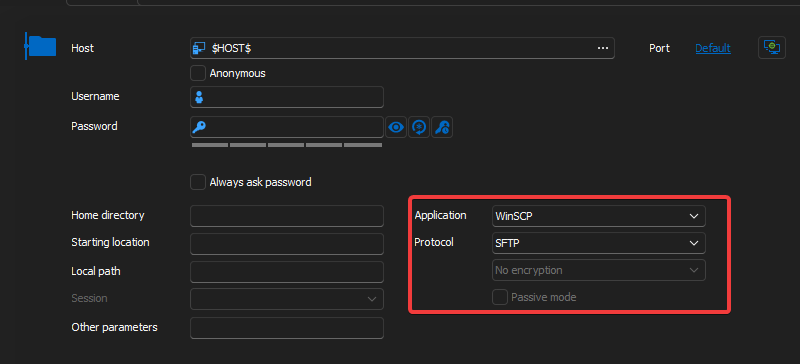
Thanks
Iain
Version 2026.2.13.0 64-bit
Data Source SQL
99dfead3-62bb-4684-b0e3-0ed052cac40e.png
d43a35d2-d785-4a47-8720-81cb51797efe.png
Hello Iain,
Thank you for your response. This is pretty much what I would have said as well.
Rajesh, was the response helpful for you? Do you need any further assistance?
Best regards,
Carl Marien
Thanks for your replies.
Actually, I have created multiple SSH Sessions ( Connections ).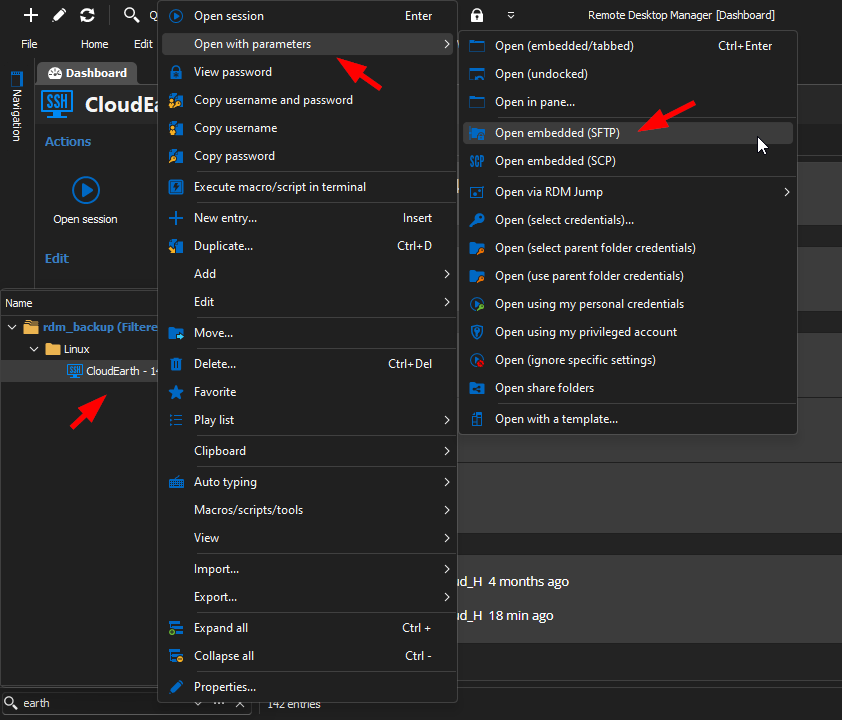
As per the screenshot above I can open inbuilt sftp and I don't need to re-type the connection details like username, password, IP / port etc.
I want to open WinSCP with parameters so I don't need to re-create all the connections again in WinSCP and I don't need to feed all the info. there.
I have over 200 connections, so re-creating them again is quite time consuming task.
Hope I am able to convey my requirements :-)
737df768-4627-45d8-96f1-342a44b1561f.png
Sorry! A newbie here!
I found that I can create a sub entry to existing session and set Host / Crediantial as inherited.
It works fine.
But the only problem is that for every session, I need to create a WinSCP session.
I don't want to create 100s of WinSCP sessions... is there any workaound?
Hello,
Thank you for your patience.
I am aware that it’s possible to convert an SSH entry to a WinSCP entry using the bash edit option; however, this modifies the existing entry rather than creating a new one.
I’ve reached out to my team to see if it’s possible to create a copy of each entry and then convert the copies to WinSCP entries. I will keep you updated on any developments.
Best regards,
Carl Marien