Simple way to run a powershell script against all open sessions?
Simple way to run a powershell script against all open sessions?

I'm looking for a simple way to run an incredibly simple script against all my open sessions.
Start-Process "msedge.exe" "https://www.example.com"
If I right click the folder I get the option to "Execute script vie RDP Jump" which doesn't seem to be right as I have to install something on every server to do that.
I have also tried setting it up as a "PowerShell Script (remote)" and running it against the folder but that opened PowerShell on my local machine (once for each session) and gave me a tonne of connection errors and also wanted software installed on the server.
Is there a simple way of running a script from a window within RDM against all open sessions?
All Comments (3)
Hello Jonh,
The most straightforward way to start a process when you connect to a server is to use the Event feature in RDM.
This feature is under the entry properties -> Events -> After open.
You can select multiple ways to interact with the opening of your sessions.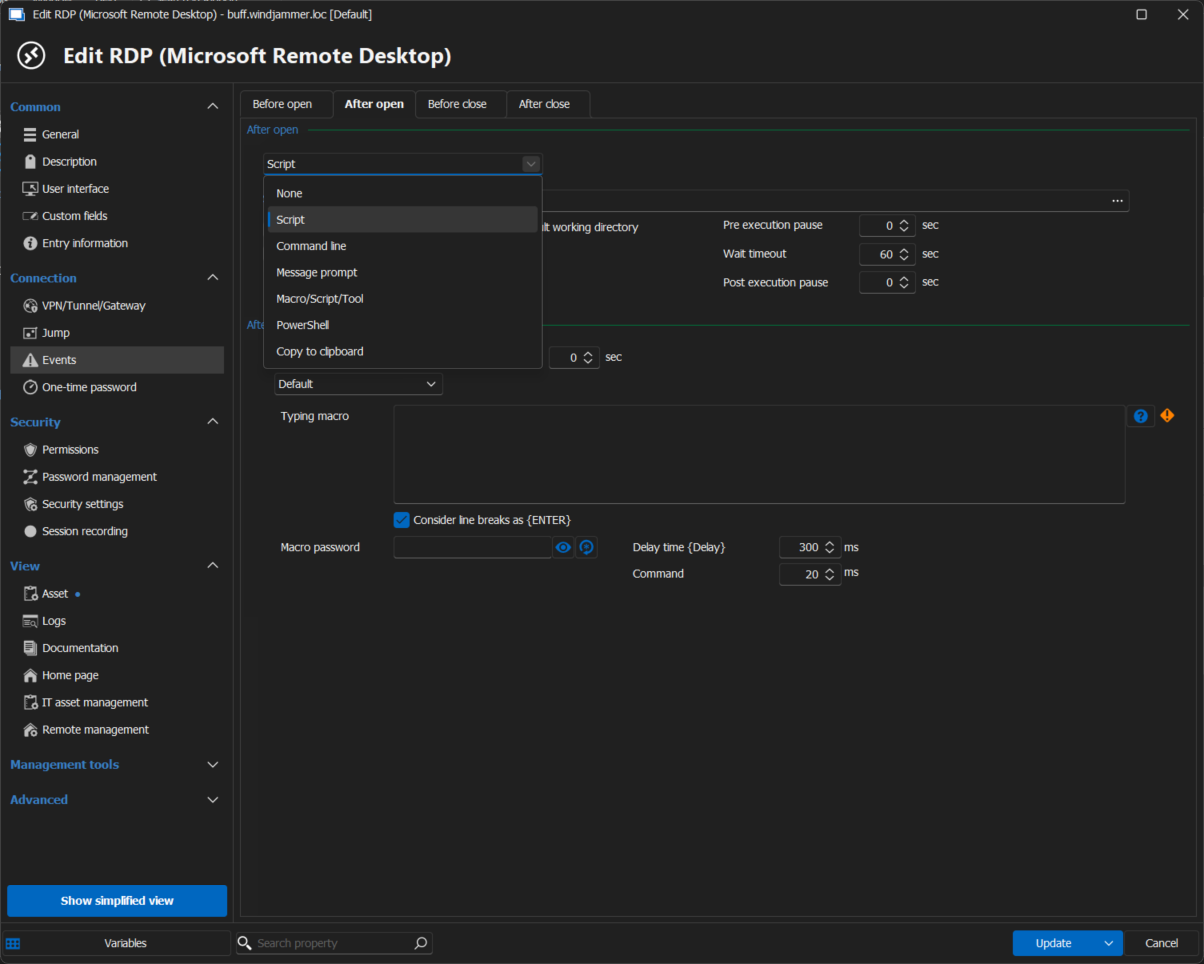
Let me know if this helps.
Best regards,
Patrick Ouimet
rdp.png
Unfortunately I get this error:
I'm not sure this would work for me though because this is what I need to do...
I have 48 servers and I need to have a browser and web page open on all of them. I have a powershell script that would open up a broswer on each one with a name and then allow me to run another script which will tell each browser to navigate to a new page.
So I need to be able to run scripts after the session opens but also while the session is running.
Also, I need to run it at group level because setting this up separately on 48 servers would take forever.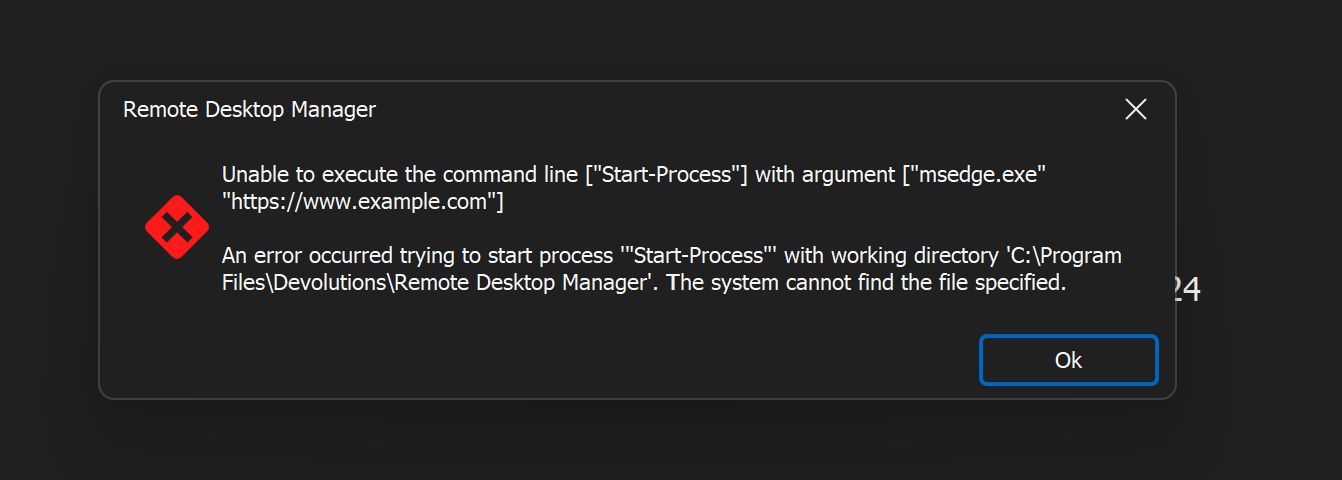
Screenshot 2024-10-16 200827.png
Hello John,
Thanks for the feedback.
In this case, may I suggest you look at configuring some jump hosts?
https://docs.devolutions.net/rdm/overview/the-devolutions-platform/rdm-jump/#configure-a-jump-host
This will allow you to launch any entry through your sessions.
In your case, it could be a Web entry and a PowerShell entry.
Best regards,
Patrick Ouimet