Dashboard does not update for user vault

We just upgraded from 2024.2.17.0 to 2024.3.10.0.
The dashboard updates for information in shared and local vaults, but when switching to the user vault, it still shows the shared vault's information.
I further upgraded to 2024.3.13.0 to see if that would resolve the issue but it did not
All Comments (5)
Hello,
Thank you for contacting us on that matter!
Unfortuantely, I was unable to reproduce your behaviour on my end. In that case, would it be possible for you to create a portable installation of the latest version of RDM to rule out your local installation of RDM as a possible cause for this issue? To do so, you will need to do the following:
(Close RDM)
1- Download the .zip file below:
https://remotedesktopmanager.com/home/thankyou/rdmbin
2- Create a new folder on your Desktop
3- Extract the content of the .zip file into the folder created at #2
4- Go to this folder once the .zip file has been extracted and run remotedesktopmanager.exe
5- Connect to your data source
Best regards,
Maxim Robert
I downloaded and extracted the files to a temp folder and ran it from there.
After connecting to the data source, it still has the same issue.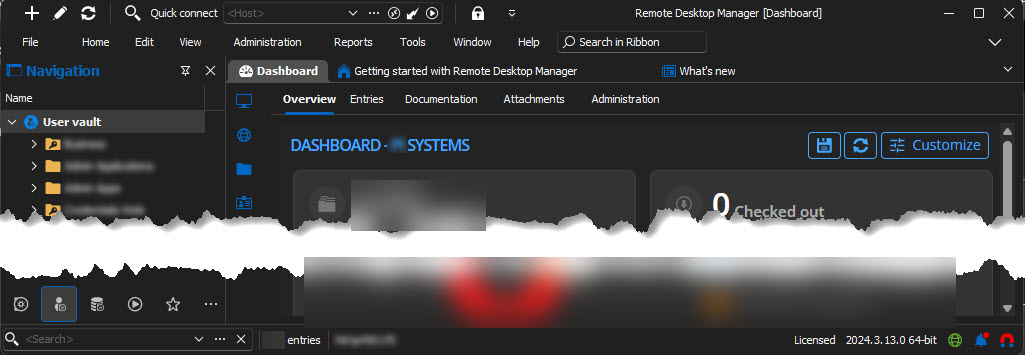
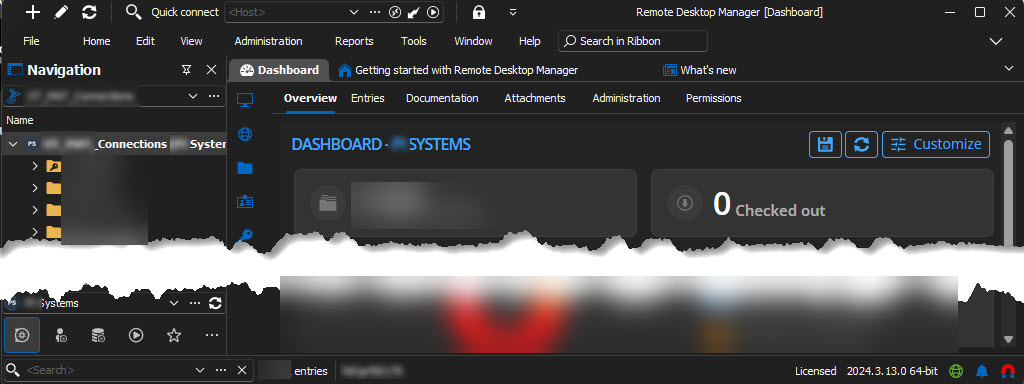
2024-10-15_12-55-43 - Copy.jpg
2024-10-15_12-55-32 - Copy.jpg
Hello,
Thank you for being this patient!
I've been able to reproduce the issue, and I have provided all the information to our team. I will let you know with more information as soon as possible.
If you have any other questions, feel free to let us know.
Best regards,
Maxim Robert
Hello,
The issue with the dashboard not updating for the User Vault has been fixed. The fix will be included in the upcoming version 2024.3.15.0.
Best regards,
David Godin
Excellent - Thank You