SSH Session logging - filename with path

Hi,
I record my SSH sessions in a .log file using variables. I use a custom path. The problem is that the path is being added to the filename.
I would like the file to have only the name of the variables without the path. Like on Windows Os.
Best regards,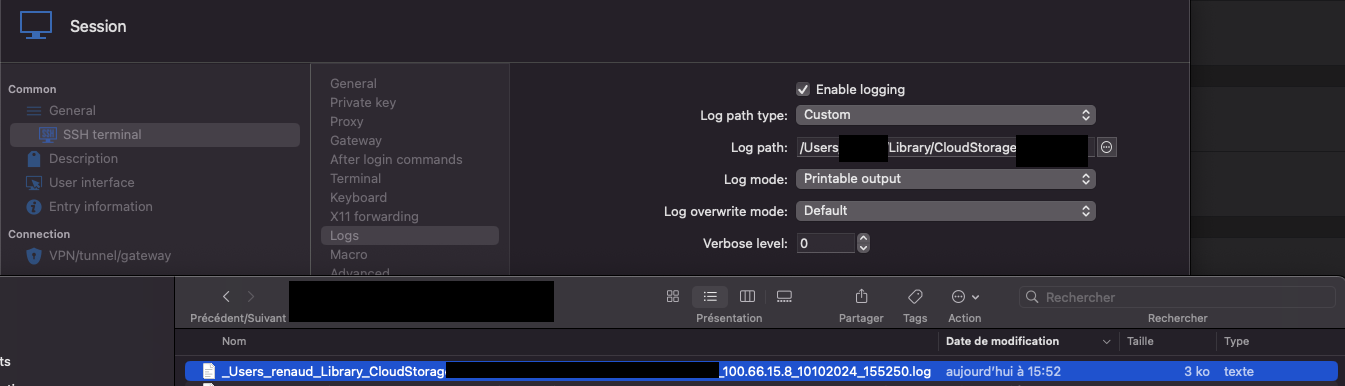
Capture d’écran 2024-10-10 à 15.53.31.png
All Comments (8)
Hello,
Thank you for reaching out to Devolutions support.
It seems I am unable to view the screenshot you provided correctly. Could you please resend it?
Additionally, your last phrase ("Like on Windows OS.") suggests you are using an operating system other than Windows. Could you confirm if you are using macOS or Linux?
If you are using Linux, could you also specify which distribution you are using?
Best regards,
Carl Marien
Hello,
yes I am using MacOS. The RDM version is 2024.3.4.4
The log path of configuration : /Users/xxx/Library/CloudStorage/xxxx/Documents/LOG_remote_desktop_manager/INFRA/$HOST_WITH_PORT$_$DATE_TEXT$_$TIME_TEXT$.log
And the entire path is included in the file name.
Exemple : _Users_xxx_Library_CloudStorage_xxx_Documents_LOG_remote_desktop_manager_INFRA_100.66.3.1_10102024_172032.log
I need only $HOST_WITH_PORT$_$DATE_TEXT$_$TIME_TEXT$ in the file name like : 100.66.3.1_10102024_172032.log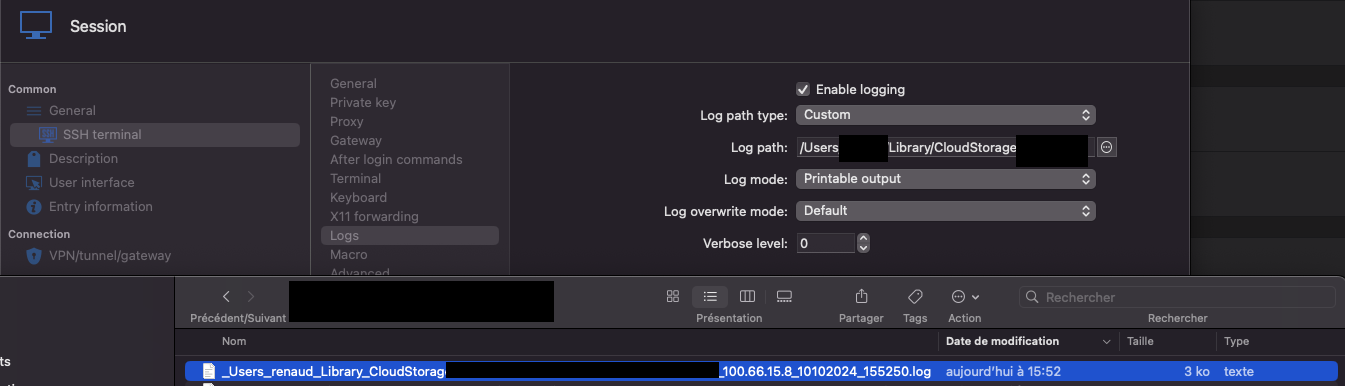
Capture d’écran 2024-10-10 à 15.53.31.png
Here is the OneDrive link to the screenshot : https://1drv.ms/i/s!Aj60fPIIDYK8jL06MeneWk62ev3REw?e=jma2yY
Hello,
Thank you for confirming the details and the version of RDM you are using.
I was able to reproduce the issue you're experiencing, where the full path is being appended to the filename. I have created a bug report for our development team, and I will keep you informed of any progress.
Best regards,
Carl Marien
Hi Carl,
Thank you for your response. I look forward to hearing back from you.
Best regards,
Hi Carl,
Any update ?
Best regards,
Hello,
A new version of RDM Mac is available (2024.3.8.4) and the issue with the session logs
should be solved. As usual, If there's anything or if you need anything else,
don't hesitate to communicate with us.
Best regards,
Michel Lambert
Hi,
I confirm that the update resolves the issue. Thank you for your support! It is greatly appreciated. RDM is an amazing product :)