Web Entry Default Download action not working

Hello,
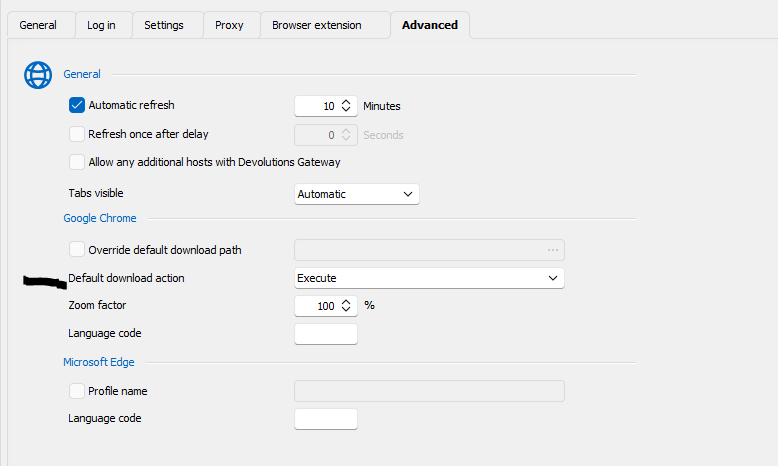
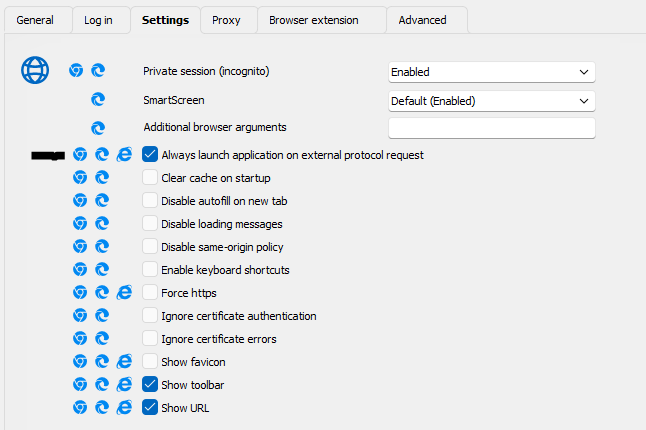
Since updating to RDM 2024.3.x, files downloaded in a web entry session no longer open automatically. For example, when accessing a Citrix portal, the ica files download but dont open / execute automatically like they used to. Previously I had to set the browser to Chrome in order for this to work, because there wasnt an option for this when the browser was set to Edge. Since 2024.3.x, the option is available irrespective of the browser setting, but it doesnt work.
Please let me know if you would like any additional info.
Thanks
Joe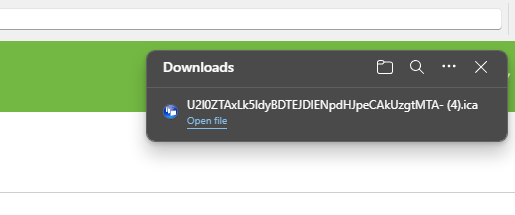
ce147a08-9e85-48bf-a33b-b1fd1e8c7e86.png
e9eabb20-d15a-4db4-ab87-6c903f4abb41.png
33d3fb37-fc94-4a9e-a3af-86633737f077.png
All Comments (5)
Hello,
Thank you for contacting Devolutions Support.
Could you confirm which version of RDM you were using previously where this was working?
Let me know,
Best regards,
Samuel Dery
Hi Samuel,
As far as I recall, it was working with the last iteration of 2024.2.x
Joe
Hello Joe,
Thank you for reporting this. This is most likely caused by the fact that we had to change the embedded web engine we use for Chrome to the same one we use for Edge.
We will open a ticket and investigate to see if we can make it work properly with the WebView2 engine which is now used by both our edge and chrome implementations.
Best Regards,
Michaël Beaudin
Hi support,
Is there any update on this issue, or way that we can see the ticket to see if there is an update?
thanks
Hello,
This issue should be fixed in the next major release of RDM (2025.1).
The release is currently planned for around the end of February.
Best Regards,
Michaël Beaudin