ARM64 dialog illlegible

It took some doing but I finally got an Azure Bastion RDP session working via the VPN settings.
Naturally, that prompted me to start looking through all the dialogs to see what I could see -- and I came across this one.
This is on Windows 11 ARM64 22H2 with current maintenance in a Parallels VM.
I hope this helps and, as always, I appreciate the free edition more than you can know.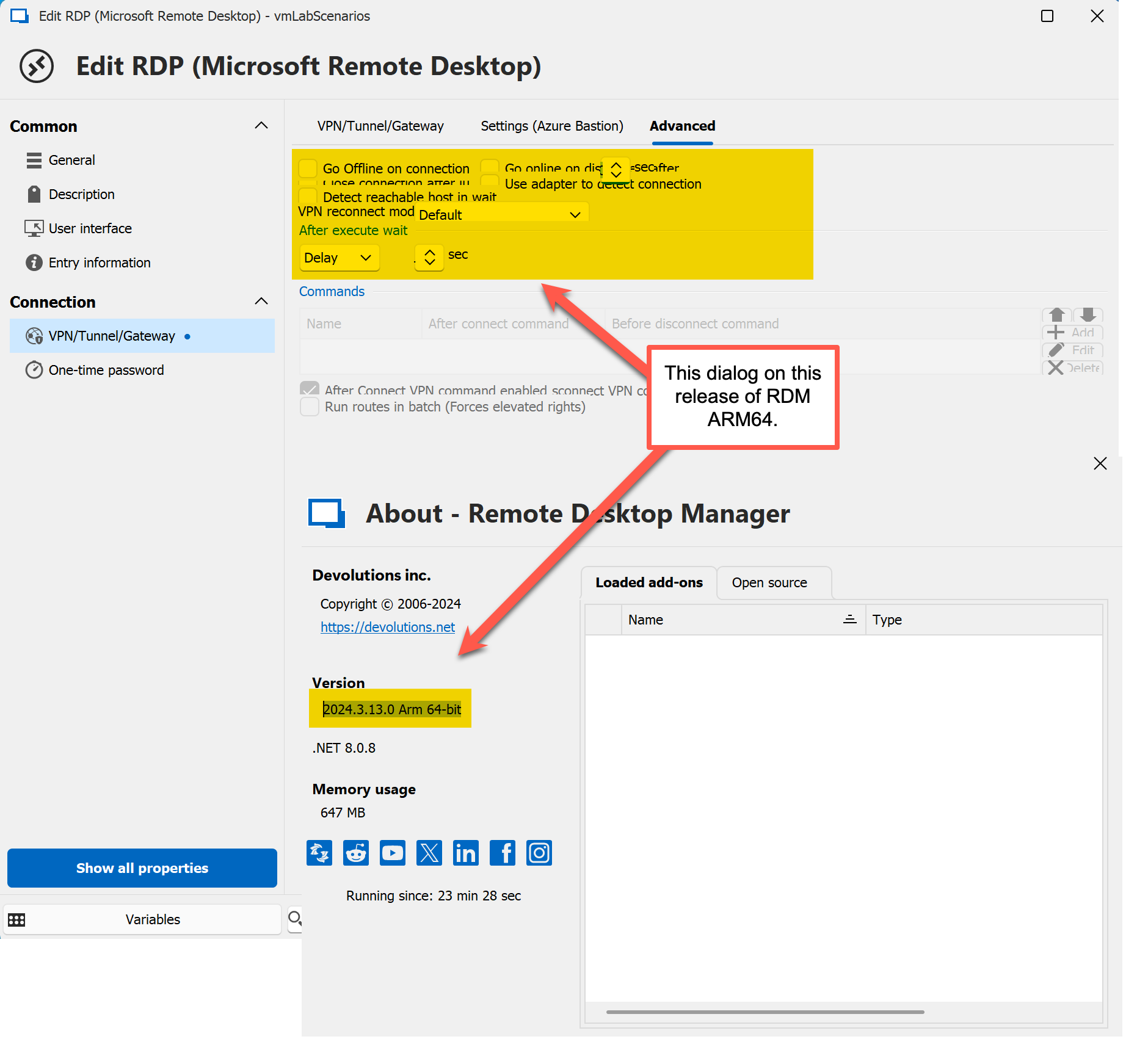
2024-10-07_13-42-39.png
All Comments (6)
Hello
First, I'm glad you got your Bastion VPN up-and-running; and we appreciate the kind sentiment that you find the free edition of RDM valuable.
To your actual issue - running RDM 2024.3.13 on an ARM64 VM in Parallels, I don't notice the same problem as you. This would appear to be a display scaling issue rather than something specific to ARM; but it may be Parallels specific since I know it layers additional display options.
I think it would help if you can provide us with the display configuration in Windows (resolution, scaling) as well as what you have configured for the VM in "Graphics".
Please, let me know if something isn't clear or you have further questions
Kind regards,
Richard Markievicz
Is this what you are looking for?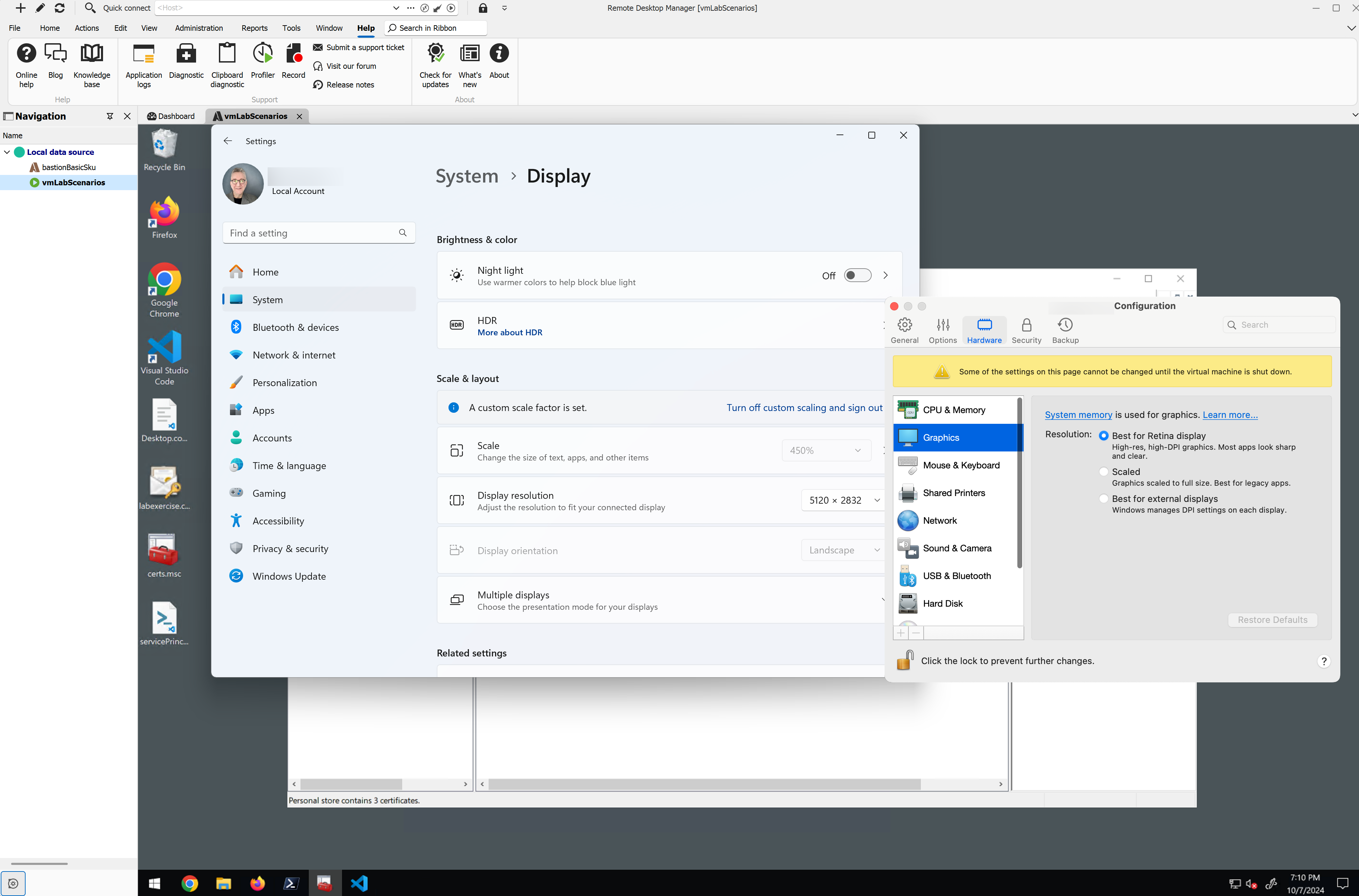
2024-10-07_15-11-13.png
Hello
Yes, thank you for the information.
Actually it's strange, at first I thought this might be due to the very high scale factor, but it still looks good on my side up to 400% (that's as high as I seem to be able to go on my setup).
I do notice that things start to get corrupted when I mess with the display resolution. Is it possible this only starts to happen after resizing your Parallels desktop or moving the VM between monitors? Perhaps that's not your workflow, but if you cold start RDM (close the app and reopen) and go directly to that screen without adjusting the desktop layout (Parallels window size / location), does it look ok?
To clarify - this definitely seems to be a bug, I'm just trying to narrow down exactly why it occurs. It's certainly related to the scaling rather than being an ARM specific issue.
Thanks and kind regards,
Richard Markievicz
Hello again
We got an internal QA report of this same issue for users with a 4k screen. Once a ticket has been opened on our side, I'll link it to this forum thread so you should be notified once there's a resolution available.
Thanks for your patience, and in the meantime please don't hesitate with further questions or comments
Kind regards,
Richard Markievicz
Thanks...no rush.
I wasn't able to respond to your previous request for additional info due to a hurricane near me. Now, it appears you won't need it.
Hello again
No problem and thanks for your reply. I hope that you stayed safe during the hurricane.
Best regards,
Richard Markievicz