RDM for Android removes all my data from all my Winbox sessions!
RDM for Android removes all my data from all my Winbox sessions!

RDM for Android removes all my data from all my Winbox sessions.
Each of my entries (about 10) looks like this: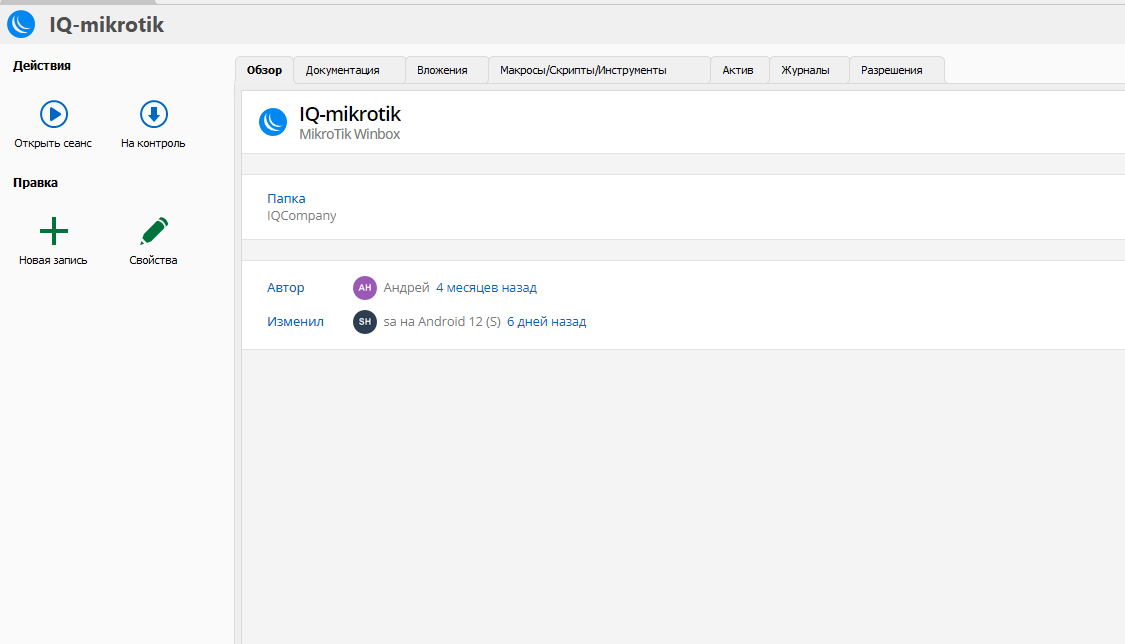
But I don't remove anything!
I use RDM + MSSQL
изображение.png
All Comments (4)
Hello Andrew,
Thank you for reaching out to us regarding this,
Could you please specify the version of RDM you are currently using?
Are other entries also having this issue, or are only Winbox entries encountering this behavior? Could you confirm which field data is lost?
I'm also wondering if you access the entry Properties directly and if the data is still present?
Let me know
Best regards,
Samuel Dery
It's 2023.1.31.0 64-bit on PC (and laptop)
2024.2.3.1 on Android (Harmony OS 3.0.0, Huawei MatePad SE)
probllem only with winbox entries
data field like host, user, password lost, but one description (there was only one) stays in place
fortunately, I have backup of my SQL DB, but I don't want to restore it periodically.
I'll restore DB and after that test one more time
Hmm... Two things:
- I had realize I have no SQL backups
- I can see my winbox data in my tablet...
So, I think it's all because android app had updated DB structure, and all I should do - update my PC and Laptom RDM's...
Am I right?
Hello Andrew,
I’ve reproduced the setup using the versions of RDM Windows and RDM Android that you mentioned, and I experienced the exact same issue that you described. It appears that the problem is related to the database structure, as you had suggested.
After upgrading RDM Windows to the most recent version (2024.3), I was able to see the missing fields.
The only aspect I don't fully understand is how the database structure was updated. RDM Android doesn't have the capability to modify the database structure. Is it possible that another RDM Desktop (Windows, macOS, or Linux) connected to your database and triggered the update?
Let me know if you need further assistance or if you'd like to discuss any additional details.
Best regards,
Maxime Brousseau