automatic clear master password Bitwarden vault
0 vote

After changing the option of the Bitwarden External Credential to "Keep in memory", the password prompt for the masterpassword will appear. But, it will only show each time if the "Keep in memory" is cleared.
Could you add one of following options
- always ask for the master password
- automatically clear the memory on each disconnection/lock of the windows session
- automatically clear the memory after x minutes?
All Comments (6)
Hello,
Adding the "always ask for password" in the My Account Settings for Bitwarden would be the easiest and most in line with what we already offer for configurations. I will open a ticket for this since you say it would work for you.
Regards,
Hubert Mireault
Hi Hubert,
I had already created a ticket (#00070647) and the solution we wanted could not be achieved. With the way you suggested, I would have to enter the client ID and client secret for all used credentials entries instead of using the “use ‘My Account Settings’ option, which would somehow miss the mark for a centralized management system.
Regards,
Norbert
Hello,
I'm specifically talking about adding this option to the "my account settings" for bitwarden, which means your users will simply need to go check this option in their "my account settings" once, and they will then be prompted every time they use any of their Bitwarden entries configured to use the "my account settings".
Can you confirm I didn't misunderstand the scenario?
Regards,
Hubert Mireault
I'm not sure... at the moment we have 3 options, which together do not reflect our use case:
1) I can deactivate “keep in memory” in “my account settings”. In this case, I have to type in the Masterpassword and I am no longer prompted to enter the master password at all.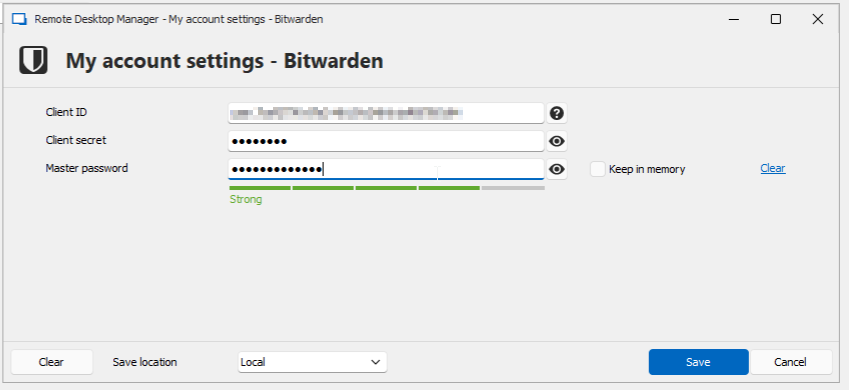
2) If I activate “my account settings” “keep in memory”, then I have to enter the master password at least once after starting the RDM application. However, the master password then remains in the cache until I either close the application or press “clear”.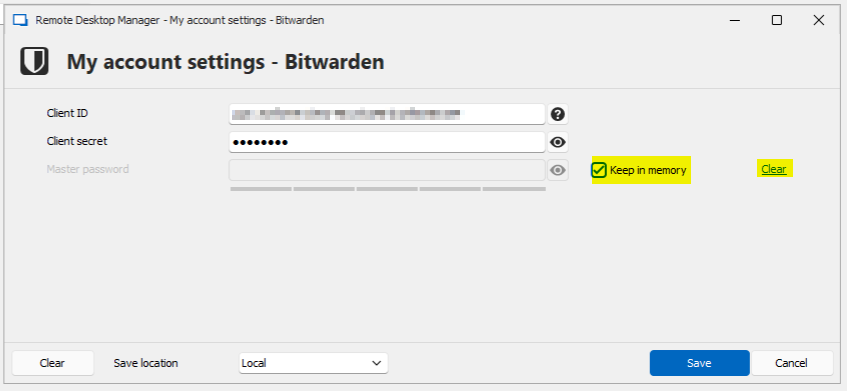
3) I can create a separate Bitwarden credential for each necessary user. There I have the option “Always aks password”. However, since I have to enter my personal client ID and client secret, I can only do this in the uservault and not in the shared vault, where we would actually like to provide this centrally.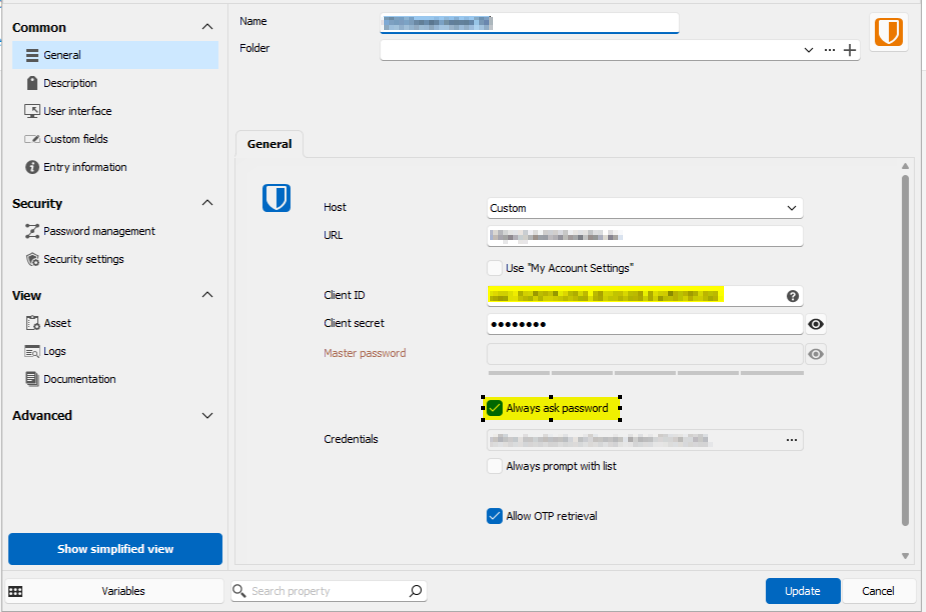
So the desired feature would be a “Don't keep in memory” or “Always ask password” button for the master password in the “my account settings”
f0e139b2-5600-4236-bdf3-60b4a43ee955.png
7fa66697-af20-4ae8-81db-688f47ea14ab.png
e5b9e623-ad22-4164-8434-0bb4e6277792.png
Hello,
> or “Always ask password” button for the master password in the “my account settings”
We're saying the same thing, so this confirms we will go with this solution for now.
Regards,
Hubert Mireault
Hi,
We added "always ask password" to the "my account settings" internally. It should be available starting with version 2025.2.10
Regards,
Jean-Francois Duchesne