User vault not showing up for a user

Hi,
I just notified some of my department that we are importing into SQL now and I have one user who doesn't have his user vault at all, but he did import his sessions into the one on the left.
So, I had him right click down there and User Vault is not an option, just what's listed there. I also checked his user account area and the "Disable user vault" under Administration>Users>User Management>Settings and that is unchecked.
Is there anywhere else we can check to get that user vault back?
no user vault.png
All Comments (5)
Hello,
Thank you for contacting us on that matter!
Can the user try the step below and see if the user vault appears?
- Under the "Window" Tab at the top of RDM, click on the "Reset Layout" option and select Reset.
Please let us know if the problem persists after this. If you have any other questions, feel free to let us know.
Best regards,
Maxim Robert
Having him try it. One thing he told me is that he is showing his product is unregistered but I am seeing an active license on his account.
so, the reset didn't work. I am concerned about this "unregistered" entry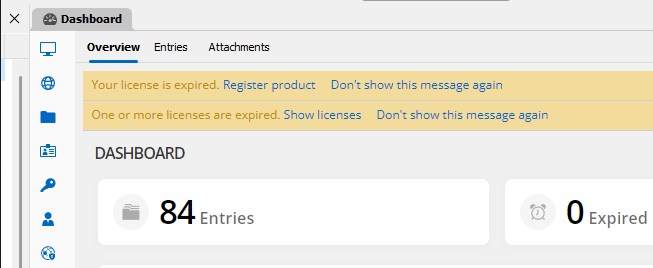
but he shows it here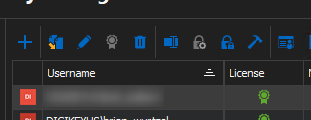
license2.png
license.png
Hello Brian,
Thank you for your response!
Could you please provide us with the following information?
- What is the current version of the user's RDM?
- A screenshot of his File > Data Source but without showing any sensitive information.
- Is the user licensed to an older license that is expired?
- A screenshot of your current License that is added under Administration > License without showing the license key.
Also, would it be possible for the user to create a portable installation of the latest version of RDM and see if this issue still occurs? To do so, you will need to do the following:
(Close RDM)
1- Download the .zip file below:
https://remotedesktopmanager.com/home/thankyou/rdmbin
2- Create a new folder on your Desktop
3- Extract the content of the .zip file into the folder created at #2
4- Go to this folder once the .zip file has been extracted and run remotedesktopmanager.exe
5- Connect to your data source
This test will allow us to rule out your local installation of RDM as a possible cause for this issue.
If you have any other questions, feel free to let us know.
Best regards,
Maxim Robert
We got it figured out. There was miscommunication on what I communicated to the user, and got it fixed. Took a Teams session but I saw what was wrong.
Thanks for your help, Maxim. Sorry I didn't do this sooner and take you away from other things. But you did give me some good info in the last post for the future. 👍