RDM 2024.3.10 Issues

Hello, I just upgraded from 2024.2.21 to 2024.3.10 and had the following issues:
- I closed RDM with one session running, after the upgrade I was prompted to reconnect the session, but nothing happened. Maybe because of the next issue...
- When I want to open one of my sessions, I only get this message:
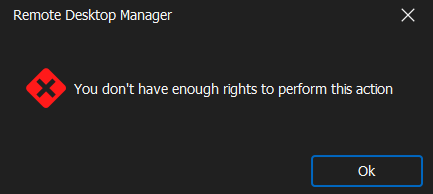
When I click "Ok" and then open the properties of this entry, close it (without saving or changing anything!) and click on "Open session" again, it is opening!
Edit: I have to do this on EACH session I want to open - not just once...
We use Delinea Secret Server as PAM where the secrets are stored. All session types (RDP, SSH, Web, etc.) are affected!
Brgds Andreas
76dc2317-ca23-41f4-9445-2c92b37c6aa2.png
All Comments (9)
Hello,
What type of datasource are you connected to?
Also, are you seeing this message on an admin or user account ?
regards,
Alexandre Roy
Hello,
SQL, with my regular user. Back to 2024.2.21 and it is working again as expected
Brgds Andreas
Hello Andreas,
Our QA team has tried to replicate the behavior to no avail.
We will open a support case for you and contact you for a remote working session together.
After the call, we'll update this forum with the cause and hopefully the solution.
Thanks for your patience; we'll be in touch.
Best regards,
Alex Belisle
Hello Andreas,
Thank you for contacting us on that matter!
I've sent you an email with the information to schedule a session with me so that we can examine your issue.
If you haven't received our email or if you have any other questions, feel free to let us know.
Best regards,
Maxim Robert
Hello,
I received it and booked a slot already. And I also downloaded 2024.3.10 as portable version - the behavior also exists there.
Do you have a newer beta where I can test if the problem still exists? I downloaded the first beta 2024.3.7 and the problem already existed there.
Brgds Andreas
Hello Deas,
We've found a way to reproduce the issue internally and fixed it for the next version release 2024.3.12 +.
The issue seemed to be only happening inside a user vault with a non-admin user.
Can you confirm this was the behavior you encountered?
Regards,
Alexandre Roy
Hello Alexandre,
yes - I am a non-admin and it only happens when I double-click on the entry. When I use Open session it works. Maxim saw it in the Teams session we had earlier.
Brgds Andreas
Hello,
I can confirm, that with 2024.3.12 it is working again! :)
Thanks a lot for your help!
Brgds Andreas
Perfect!
Have a good day
Alexandre Roy