Website Auto Login

It looks like with the latest update, the ability to log into websites is no loger working. I had a few that had been working for the longest time, I ran today's update and now none of them appear to even attempt to log in anymore.
Not even the username/password is being populated anymore
All Comments (20)
I also noticed that this version does not use any saved Delinea Credentials either.. so for now i have reverted back to the previous version i was on until this is worked out.
Hi Justin,
Are all of the websites configured to resolve with Delinea credentials? Can you resolve the credentials on the Delinea credential entries directly (with View Password for instance)? I'm trying to figure out if the issue is with the auto fill of the website entries, or the resolving of the Delinea entries?
Best regards,
Xavier Fortin
Seems like it is just not filling anything, I can pull passwords just fine.. THIs is also not exclusive to Deliena credentials.. Some sites I had setup[ used static entries, and on the newest version do not populate anything..
The Delinea issue, is for authenticating the Delinea connection, again I had stored credentials for that access, and when I open a session it asks for my 2fa.. after today update it prompted for all details.. so I filled it out.. closed RDM and went back in.. same thing.. so it doesn't seem to be pulling credentials for that.. and also not loading creds when launching that.
I have reverted back one version and all those things are working as intended.
Alright, for the website auto fill issue, I'll inform the RDM Windows team. Could you open a new thread for the Delinea one? Sometimes tracking two different issues in a single thread (especially if it includes multiple teams) can get confusing very fast.
Best regards,
Xavier Fortin
Just made a separate entry for the Delinea login
Hello Justin,
Could you please provide us the following information as to help us diagnose the issue?
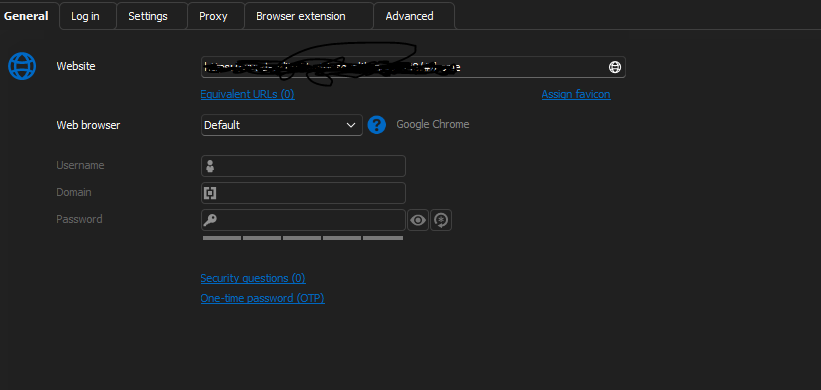
- A screenshot of the "General" section of your entry (make sure to hide any sensitive information)
- A screenshot of the "Log in" section (both the "Autofill" tab and the "Html control" tab (if it is visible))
- What is the "Web Browser" type selected in the general section of your website entry? Depending on the answer, If you change from Edge to Chrome or from Chrome to Edge does it fix the issue?
Best Regards,
Michaël Beaudin
I did have to revert back to the previous version for a few reasons so I am no longer on this build.
I have a handful of sites that all autofill correctly, but after this release non worked any more, the site would load but nothing out be filled out.
Hello,
Could you provide us with some of these sites so we can test on our end and see if we reproduce?
Also, even if you are on a previous version, could you still provide us with the required screenshots as to help us know exactly what setup you are using and make sure we reproduce your exact issue?
Best Regards,
Michaël Beaudin
They are all internally hosted sites, which work on the version.. and has been working for every release since I had this setup over a year ago. I also maintain the most current version when it is out.. This is the only release that didn't just work. Every web entry I have that is working currently, stopped working with this latest update.
Hello,
Thank you for that information.
Could you please let us know the following :
- Which authentication type you are using in your website entries (situated in the "Log in" tab)?
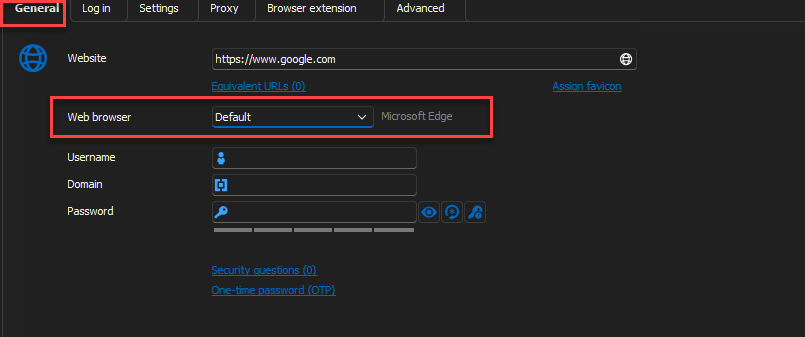
- Which web browser type is your website entry targeting?
We have done a few necessary changes to the entry recently and the information I am asking for is important because it will help us figure out which change could have impacted you. This would be the only thing that could give us a clue as to what is happening to you as we do not have access to your internal websites.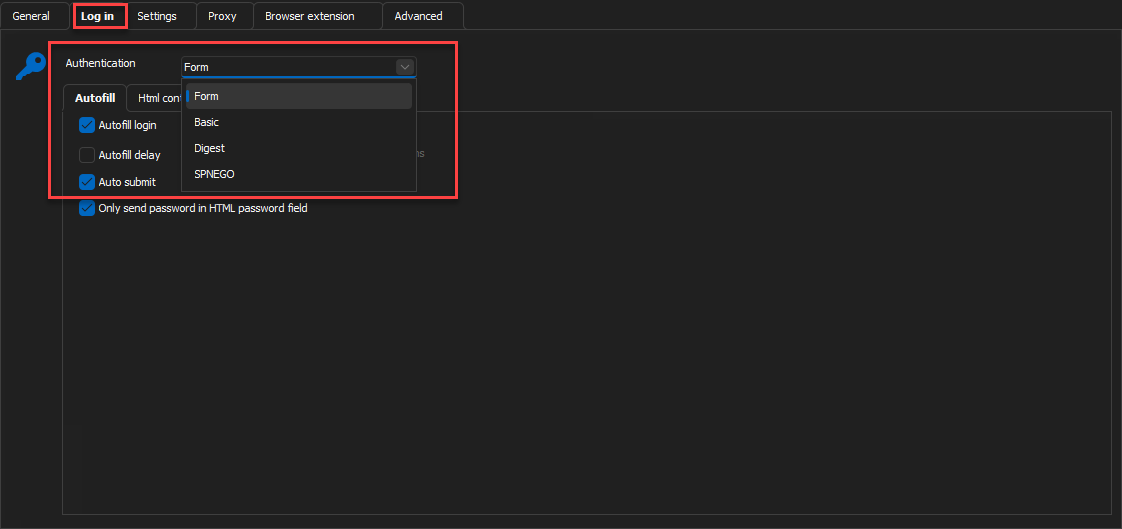
Best Regards,
Michaël Beaudin
47dc809c-14d5-4b63-9b17-3a02c1229631.png
0aaf39b7-8c85-49ea-8b70-9e4f96393993.png
Settings below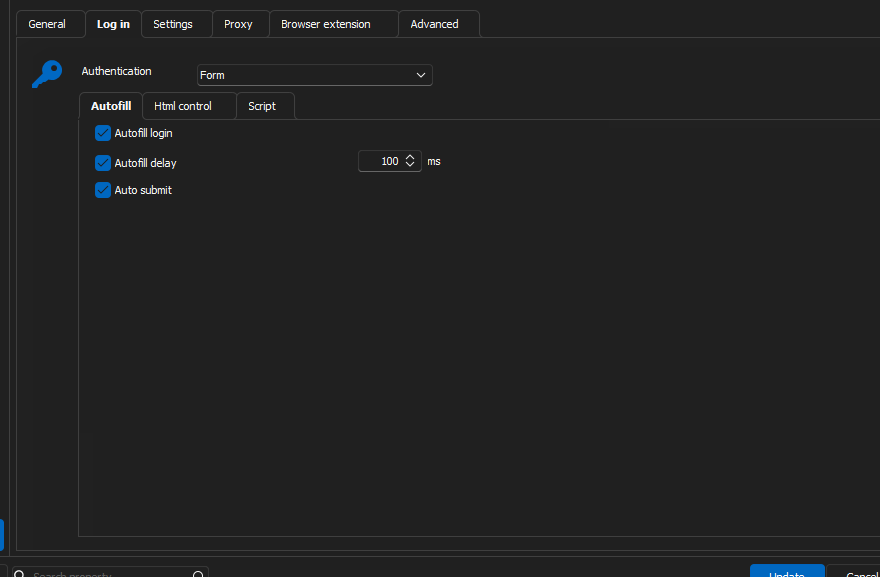 .
. 
9cefc1fc-9457-41a3-9975-e499f303c0e9.png
2a124583-0248-47c5-a7af-cb0c4c65a00a.png
Hello,
Thank you for that. I see that you are using Google Chrome. I would have one last question for now regarding this.
If you stay on your old working version and try to change the web browser from Google Chrome to Microsoft Edge do you reproduce the issue you are having on our latest version?
Best Regards,
Michaël Beaudin
Just did that test.. setting to Edge works as intended as well.
Thank you for your time.
We will investigate and keep you updated on any progress.
Best Regards,
Michaël Beaudin
thank you!
Hello,
There are actually 2 more questions that someone in our team would like to know. However, this would require you to use the latest version of RDM.
To do this quickly without updating your installed RDM, you could always download a portable version of RDM. See the screenshot below to see where the zip (portable) download is.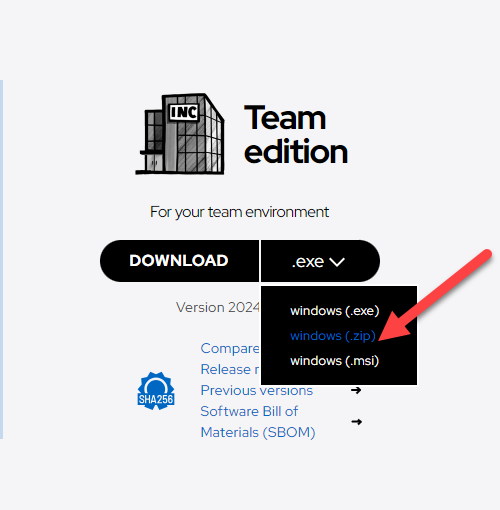
Please answer the following questions :
- If you change the autofill delay to a bigger value like 2000ms does it change anything to the behavior?
- If the autofill does not work, does filling in the credentials using the "key" button work? This button is made with the purpose of doing a "manual" autofill. This will help us know if the startup autofill is the issue or if we simply cannot find the username and password fields of your internal websites and fill them up. See the screenshot below.

Best Regards,
Michaël Beaudin
418085c4-4af7-4284-aac9-582502c5f40a.png
271d5de2-1eb1-44b0-8ebe-22911968fcf4.png
I grabbed the ZIP version.. but upon launch it acts like it is not setup. Is there a way to import my current config into this without affecting my installed version?
For a quick test, you could simply create a website entry in the local datasource of the portable version with the same settings as the one in your regular datasource.
If you wish to get all your settings from your installed version you should be able to get them by copying the files "RemoteDesktopManager.cfg", "RemoteDesktopManager.stv", "RemoteDesktopManager.enc", "RemoteDesktopManager.ext" from the path C:\Users\YourUser\AppData\Local\Devolutions\RemoteDesktopManager.
These files should be pasted in your unzipped portable RDM location.
Best Regards,
Michaël Beaudin
Looks like both modifying the delay and/or using the Key icon would actually load the credentials
Thank you for taking the time to answer our questions. If a bigger delay fixes the issue then we wouldn't consider the problem you were experiencing as a bug.
If 2000ms is too much delay you could always try a smaller delay time but it would seem that the 100ms was not enough in the case of your internal website.
We will consider this thread as resolved. Do not hesitate to contact us again if any other issue arises.
Best Regards,
Michaël Beaudin