Windowed Mode to show local task bar Dual Monitors

Hello,
I'm wondering if this is possible, I have two monitors screen resolution 2560x1440. RDM is using External Display and I have it spanning both monitors, is there a way to instead of going into full screen mode to use windowed mode so I can still utilize my local task bar? Or to go into Full Screen mode but still have access to my Local task bar without minimizing the RDP Session?
Thanks
All Comments (2)
Hello Alig,
Thank you for contacting us on that matter!
Could you please try to set the Display option of your RDP session to Undocked and set it like the screenshots below? 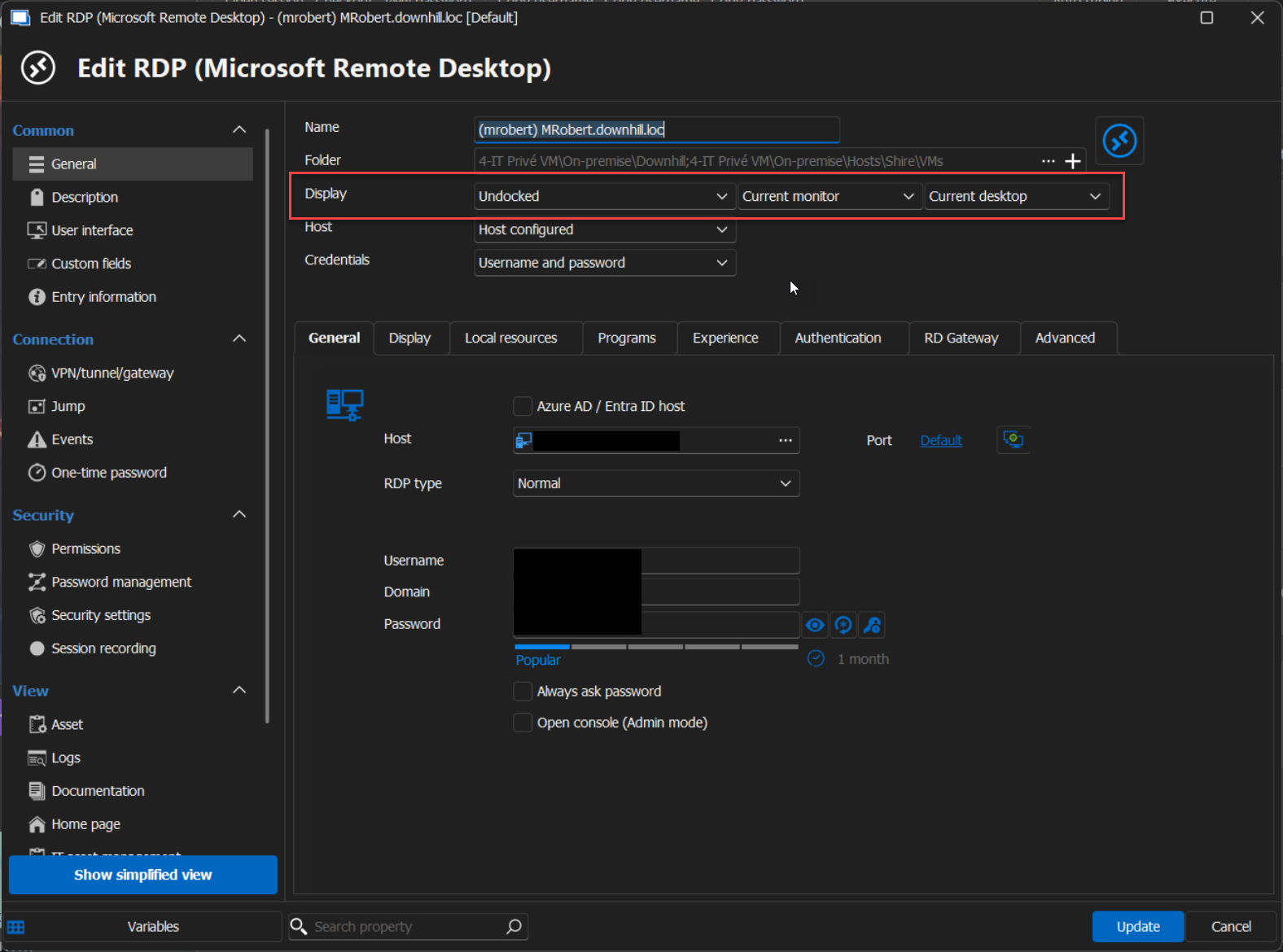
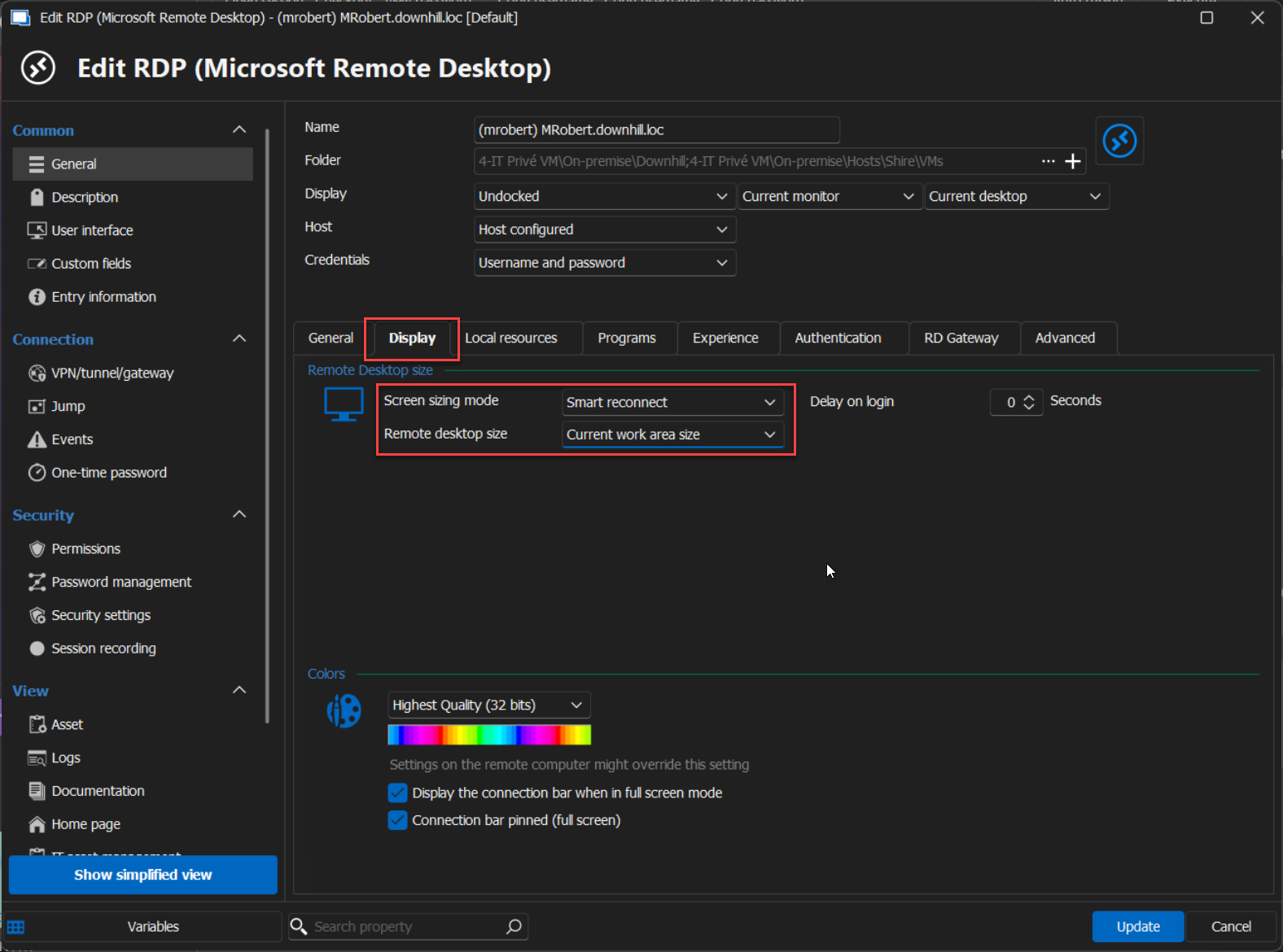
Unfortunately, with the Undocked mode, you cannot have the option to span on multiple screens. This feature is only available for the External mode, but unfortunately, to my knowledge, it is impossible to configure the External mode to always see the taskbar of the main machine.
If you have any other questions, feel free to let us know.
Best regards,
Maxim Robert
2024-09-09_14-05-39.png
2024-09-09_14-05-54.png
Thank you for the reply.