Fresh Instalaltion failed to start with "Error in save option"
Fresh Instalaltion failed to start with "Error in save option"

Fresh installation on server failed to start with "Error in save option".
There are no folder "RemoteDesktopManagerFree" under "\AppData\Local\Devolutions".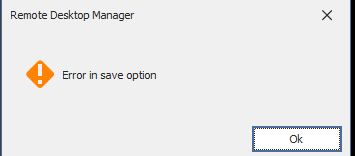
After this, we get the error "Failed to load sensitive options, attempting to recover from backup".
2024-09-05_15h35_35.png
All Comments (3)
Hello Marco,
Thank you for contacting us on that matter!
Would it be possible for you to create a portable installation of the latest version of RDM and see if this issue still occurs? To do so, you will need to do the following:
(Close RDM)
1- Download the .zip file below:
https://remotedesktopmanager.com/home/thankyou/rdmbin
2- Create a new folder on your Desktop
3- Extract the content of the .zip file into the folder created at #2
4- Go to this folder once the .zip file has been extracted and run remotedesktopmanager.exe
5- Connect to your data source
This test will allow us to rule out your local installation of RDM as a possible cause for this issue.
Please note that if you are using an Advanced Data Source, I would recommend skipping step #5 and using the default data source created by the portable installation of RDM instead.
Best regards,
Maxim Robert
Get still the same error from the software.
I tried it over my desktop (is folder redirected to my home) and direkt on the server (D:). Always the same problem.
Hello Marco,
Thank you for your response!
Could you please provide us with the following information?
- Can you check if there is any information in the Application Logs, or does the error message prevent you from accessing it?
- A screenshot of your File > Data Source (Hide any sensitive information)
- The operating system you are using and its version.
- Is there any information related to RDM in the Windows Event Viewer?
- A recording showing the steps that led to the issue. I sent you a direct message with the information to provide us with the recording.
Once we have this information, we will be better equipped to diagnose and resolve the issue.
Best regards,
Maxim Robert