Setting Default Connection Settings not applying

Hello,
I am trying to set the Default Syncrhonzer settings for the VMRC here: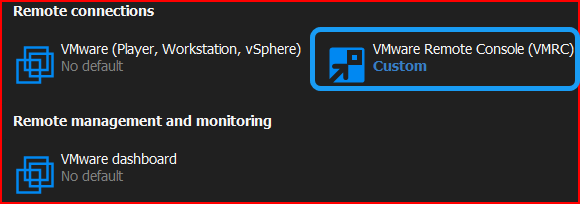
I want the following settings to automatically populate when I run a VMWare Syncrhonizer (image, and blue boxed):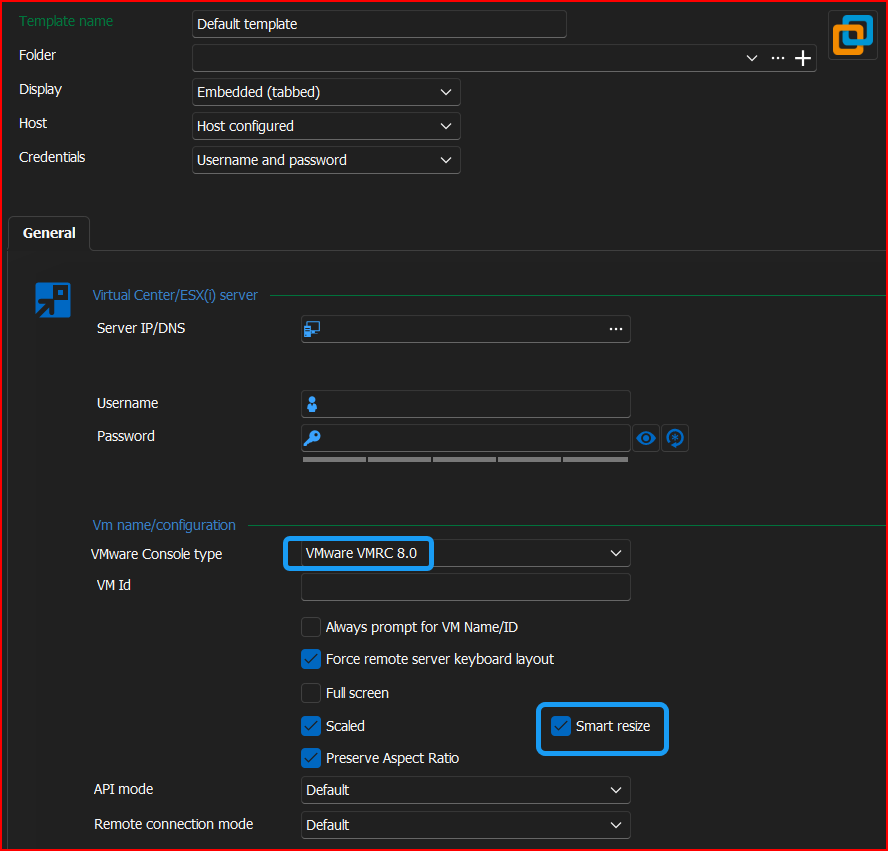
However, even though I have those set, I see the below: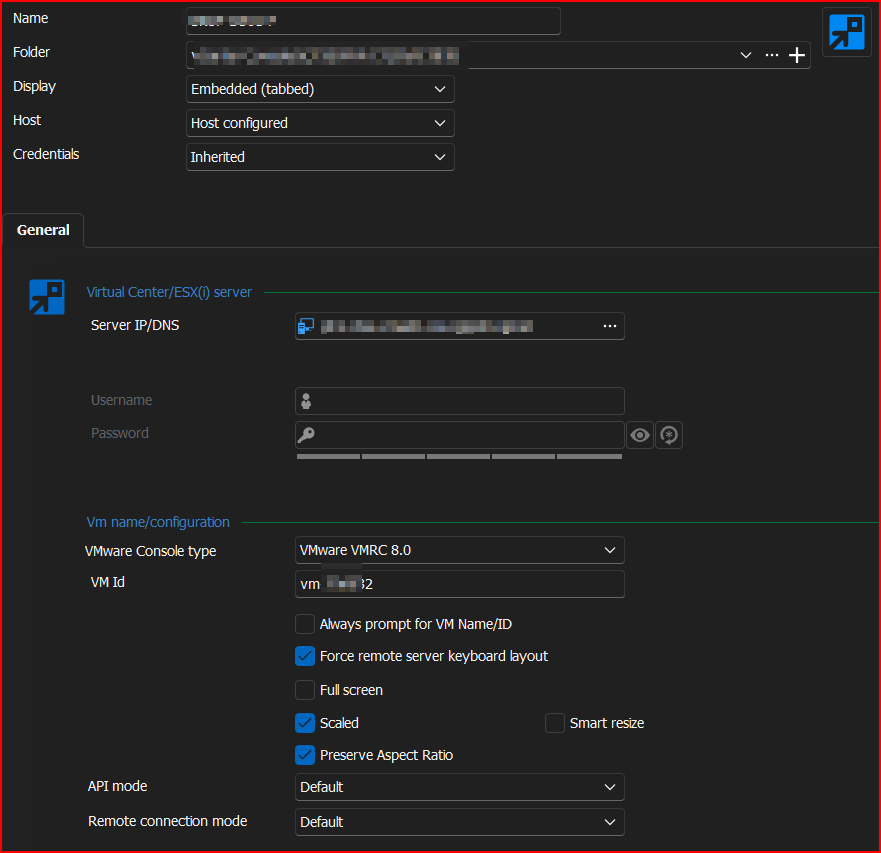
The only other way I have been doing it is by setting up an Entry Template which does in fact carry the settings. HOWEVER!!!!!
If you apply the Entry Template either after (Edit > Special Actions > Template > Convert), or by specifying a template in the VMWare Synchronizer, it does NOT populate the host or VM id, so it leaves the entry useless.
If the latter of the two are the appropriate way to do it, would you please investigate and fix the issue with not populating the host or VM id?
Thanks!
--- Chuck
Overgaard, AZ (-7 MST / Zulu Year-Round)
RDM Version: 2026.3.2.0 64-Bit - Free
8d982299-75c7-4548-8f39-15e967af439a.png
548930c1-e918-46c5-8a9f-82846565e10d.png
458ca7bf-ed0f-4227-a191-ecbd145a7732.png
All Comments (8)
Hello Chuck,
Thank you for contacting the Devolutions support team.
I have tried it on the latest version, 2024.2.20.0.
All the settings from the template created are applied by using the convert to the template as a batch edit.
Have you tried it with the 2024.2 or 2022 version on SQL?
Best regards,
Patrick Ouimet
Hello Chuck,
Thank you for contacting the Devolutions support team.
I have tried it on the latest version, 2024.2.20.0.
All the settings from the template created are applied by using the convert to the template as a batch edit.
Have you tried it with the 2024.2 or 2022 version on SQL?
Best regards,
I am on SQL Server 2022.
Yes, the options do in fact populate. BUT, you will lose the vmID that is stored, and whatever host is stored when you do the convert with template.
--- Chuck
Overgaard, AZ (-7 MST / Zulu Year-Round)
RDM Version: 2026.3.2.0 64-Bit - Free
Hello Chuck,
Thank you for this feedback.
Could you try this with 2024.2 with the local data source and see if this issue still occurs?
An export of some of your entries + a new template could be enough to have an accurate result.
Best regards,
Patrick Ouimet
Good morning Patrick, and sorry for the delay.
So, here is what came up when I just did a vCenter Sync: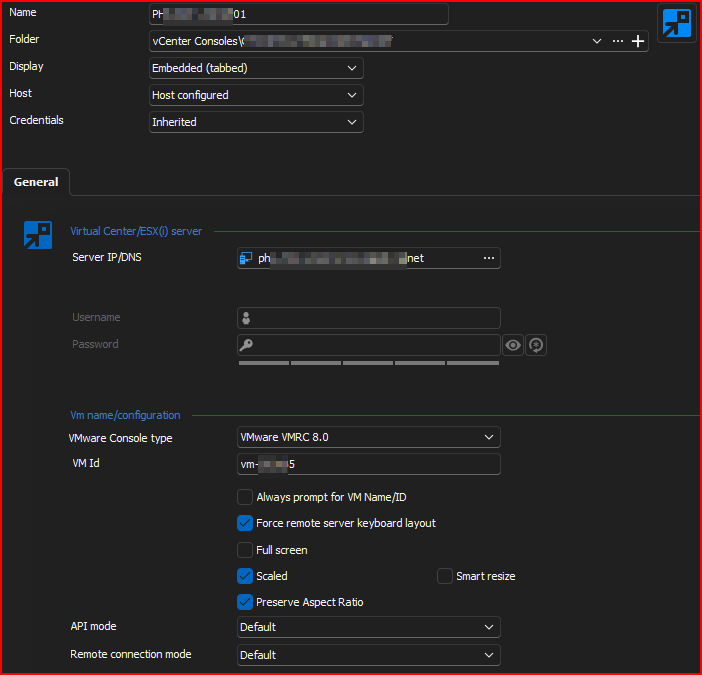
HOWEVER... This is what is currently set up for VMRC under "Settings > Templates > Default session settings > VMRC":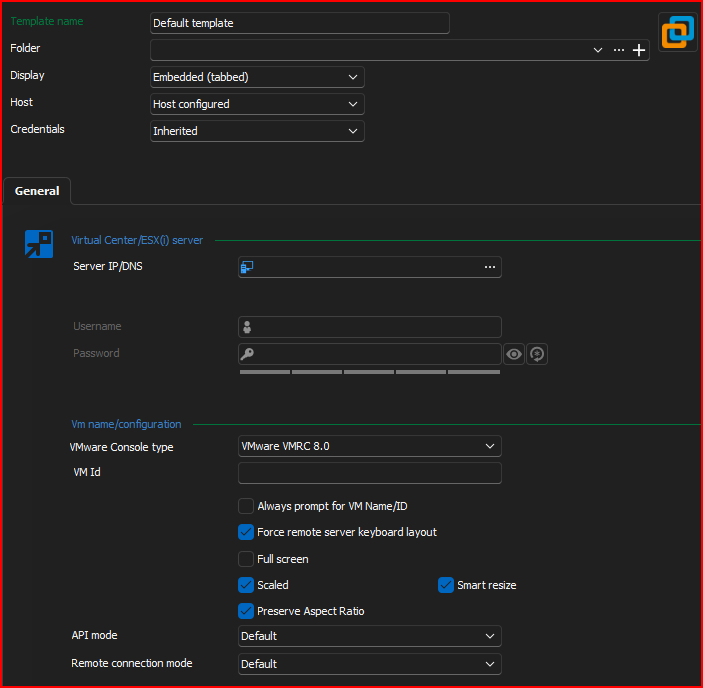
Without making any changes at all to that screen, I am doing an "Edit > Special Actions":
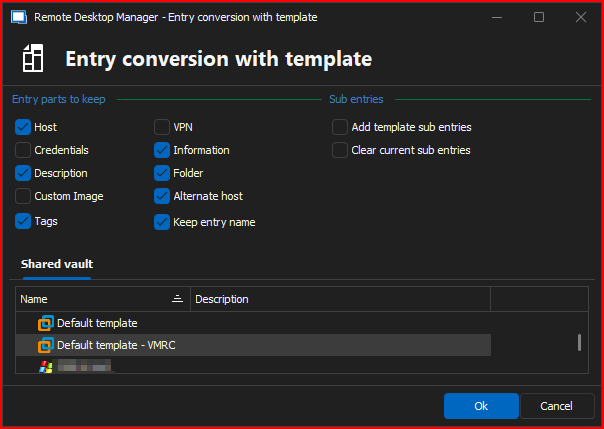
When I did that, I now have this as the saved entry looking as it should. The VM Id is completely removed by RDM: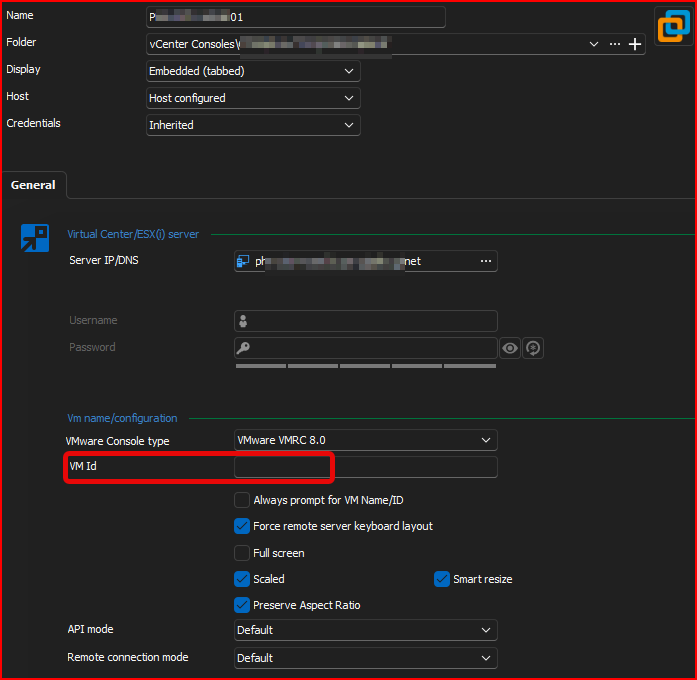
By doing that, I now get this whenever trying to connect: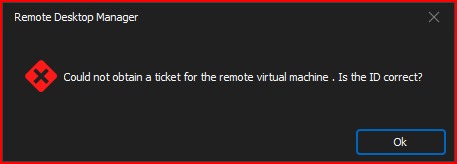
When I add the appropriate VM ID back to that entry, it connects just as expected: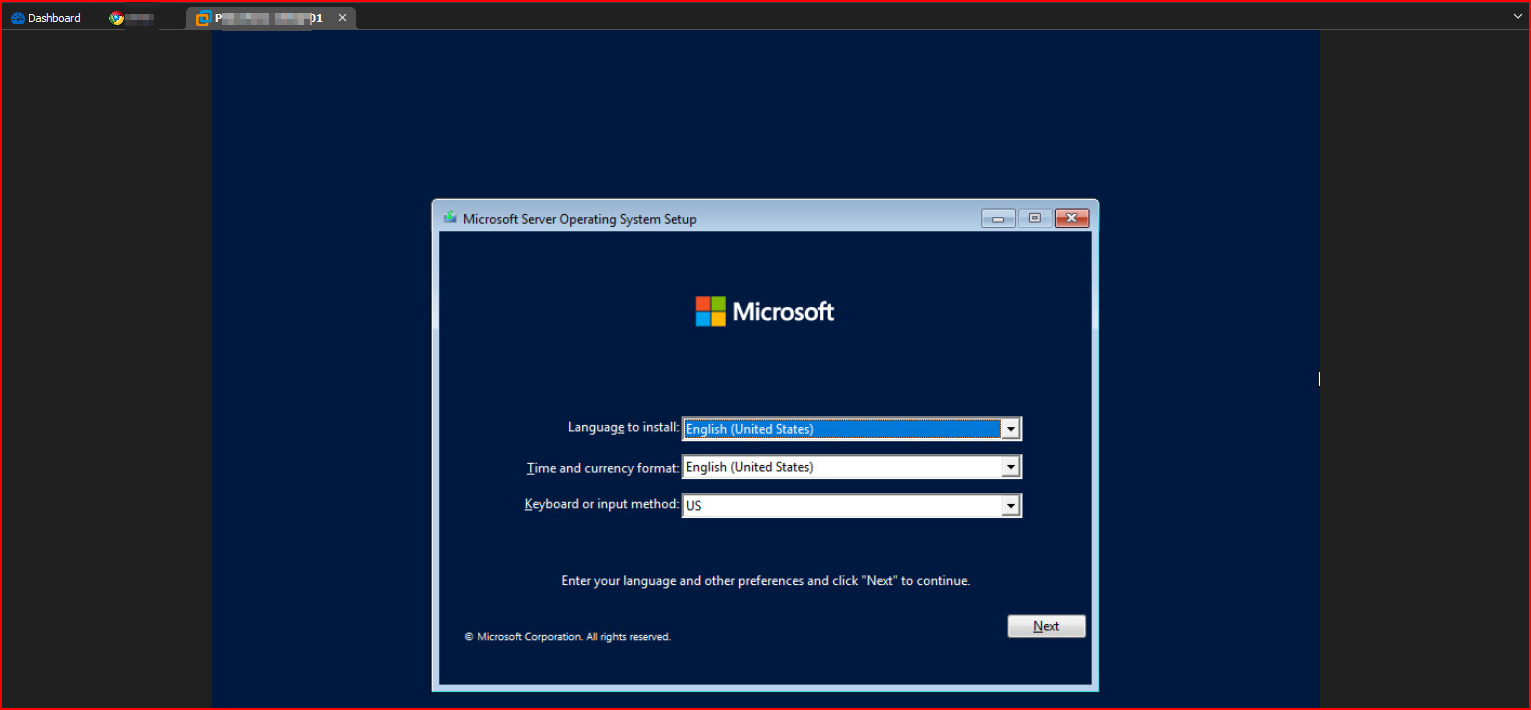
Hopefully this helps.
--- Chuck
Overgaard, AZ (-7 MST / Zulu Year-Round)
RDM Version: 2026.3.2.0 64-Bit - Free
23306174-28bb-4875-8d05-63d524db8787.png
50face8b-58b4-436b-9e6f-7e71d7fa9d5f.png
cff0494d-fc1c-4126-a6cd-5d7fa4d8e2f2.png
72c50ba3-2527-47f1-9083-4a0e9b8dc995.png
dfdc080c-f350-4da2-b977-419e2387e684.png
06857760-276c-4d17-b876-a21b4cad9981.png
becf4ac1-3270-4a49-a1a3-4dff2bd99211.png
Good morning.
Any updates on this? I have two new vCenters I need to add to RDM and get them imported.
I don't want to have to edit each entry one-by-one.
Thanks!
--- Chuck
Overgaard, AZ (-7 MST / Zulu Year-Round)
RDM Version: 2026.3.2.0 64-Bit - Free
Hello Chuck,
We have reproduced this issue.
An internal ticket is now open.
I'll let you know when I have news on this.
Best regards,
Patrick Ouimet
Hello Chuck,
The batch edit in this case seems to be working "as intended". All the settings not customizable in your convert with template prompt will be overridden by your template through the convert action.
To avoid this behavior in your case we would recommend using the "Template" field of your VMWare synchronizer.
This setting will make it so all the entries generated from your VMWare Sync will use the selected template as the base and then the information queried from the synchronizer will be added on top of that base.
Here is a screenshot of the setting in question : 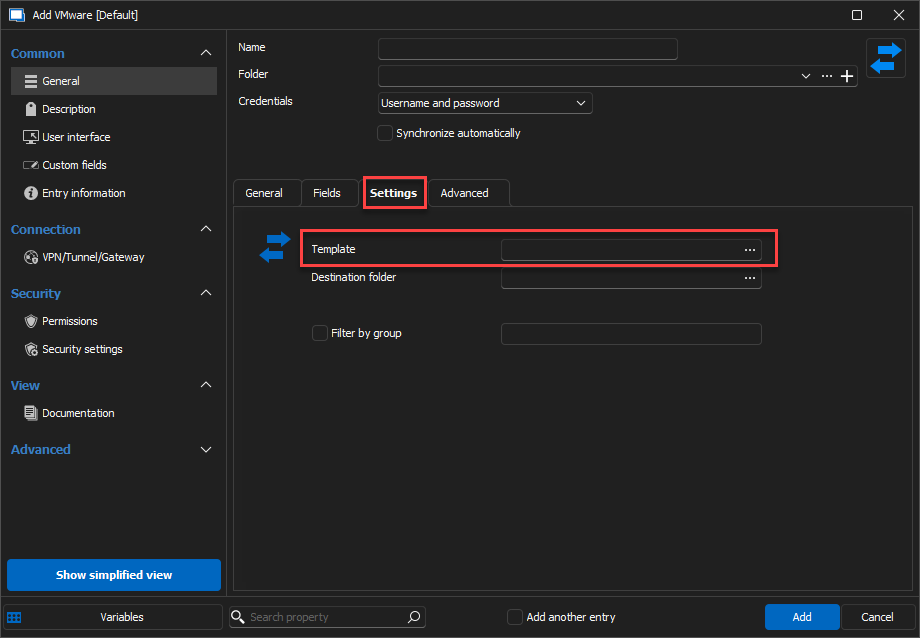
Please do let me know if this works for you.
Best Regards,
Michaël Beaudin
75befab1-6f15-4b71-b6cf-aa7786272bd0.png
Michael,
This seems to have been fixed in the release the ticket was worked that Patrick mentioned where the team was able to replicate the issue I was having.
That issue was resolved, and now when you do a VM Sync, it is back to working as it did a few versions ago before it bused.
Thanks for the follow up.
PS: This is where the option to mark topics as Resolved for the original poster would come in extremely handy. ;-)
--- Chuck
Overgaard, AZ (-7 MST / Zulu Year-Round)
RDM Version: 2026.3.2.0 64-Bit - Free