FOLDER IP Variable

Hello,
Is there a variable that return the IP set in a server type folder ?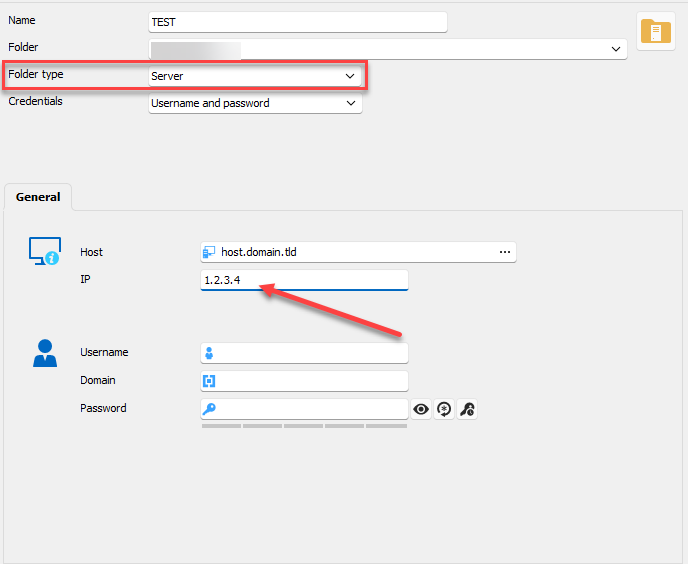
Right now I use the asset information, but we often forget to fill it.
This would be easier to use this IP instead of the asset one.
Best Regards,
Christophe
b4c921bd-7b28-4600-a526-2a4cd3e827e2.png
All Comments (7)
Hello,
I believe the variable $COMPUTER_IP$ would work in your case. It also doesn't try to resolve the IP through the DNS so it should not have any performance impact.
Let me know if it works for you.
Best Regards,
Michaël Beaudin
Thank you for the return.
Unfortunately it doesn't work.
If I put a dummy information in the folder IP field, I don't find it while browsing the variables.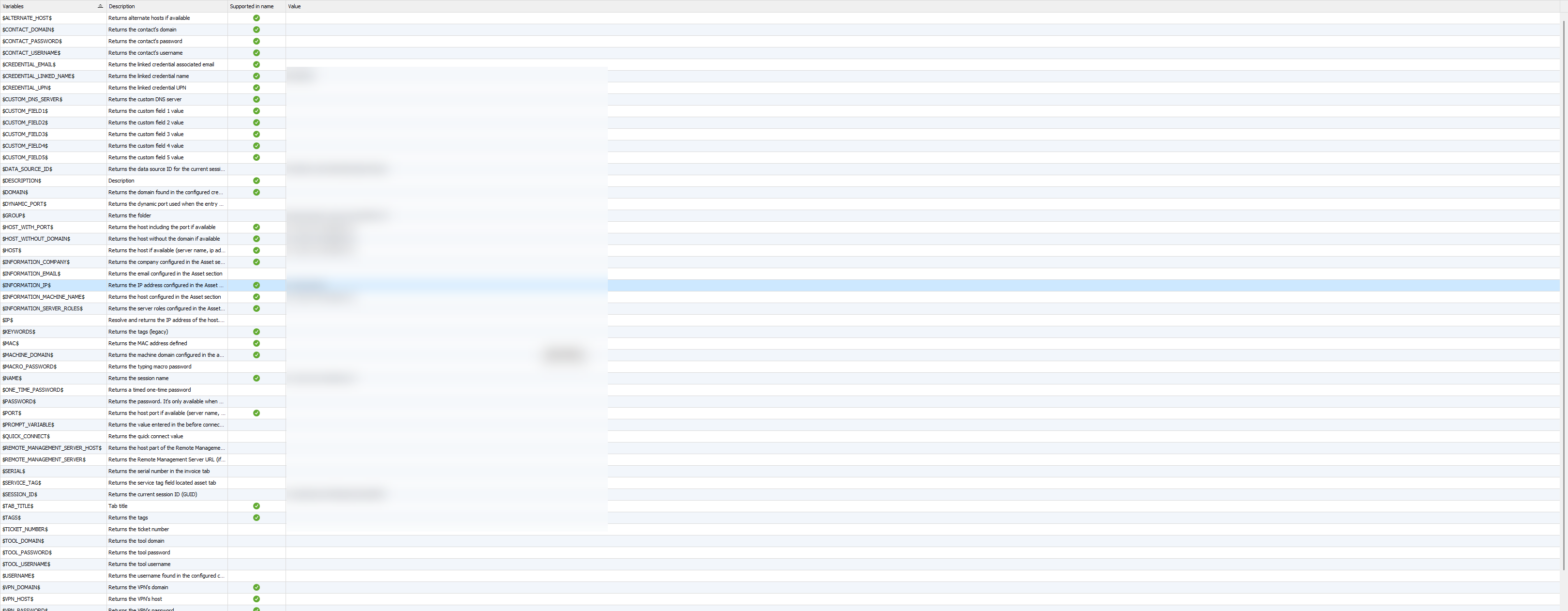
Best Regards,
Christophe
56479677-0e15-43fe-835f-5f9ee7af94c1.png
Hello,
I've done a test and it seems to work for me. However, it only works in a context where the entry is "resolved". So it won't work when shown in the treeview but should work when opening the session. See screenshots for reference:
1- You can see it won't resolve in the tree
2- The name and username use the variable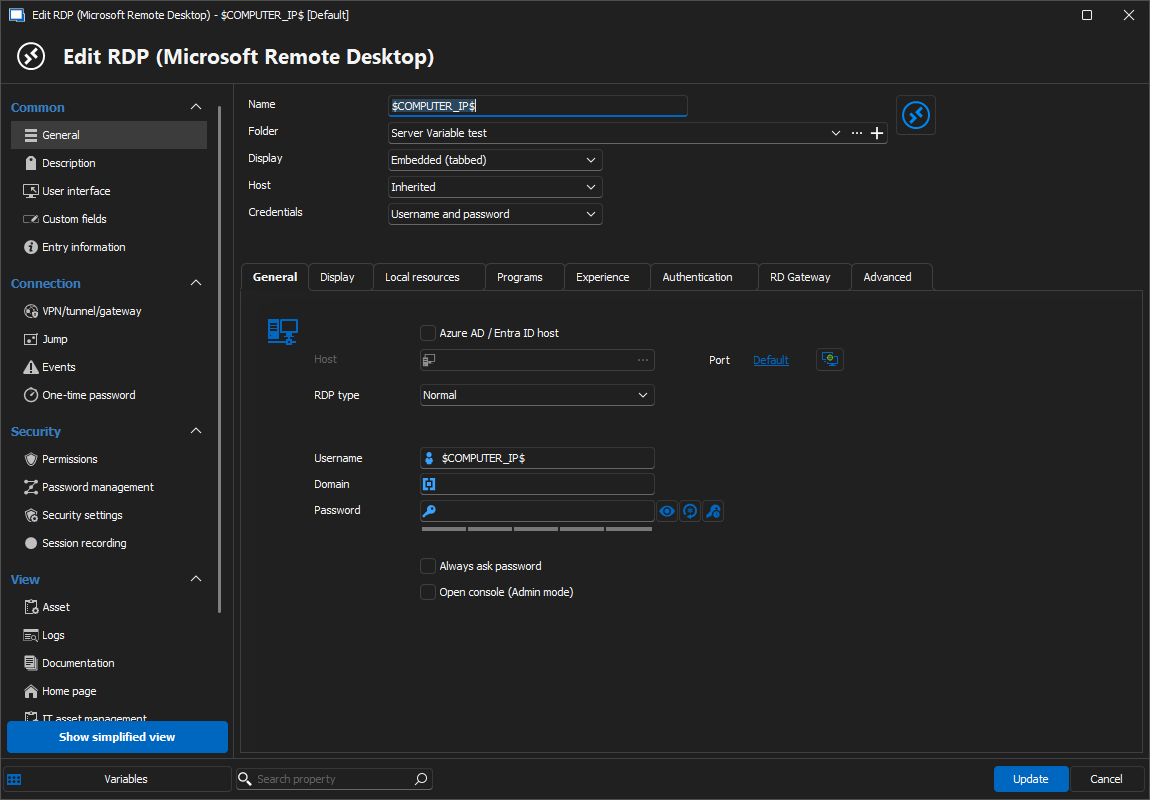
3- The IP is "Folder IP"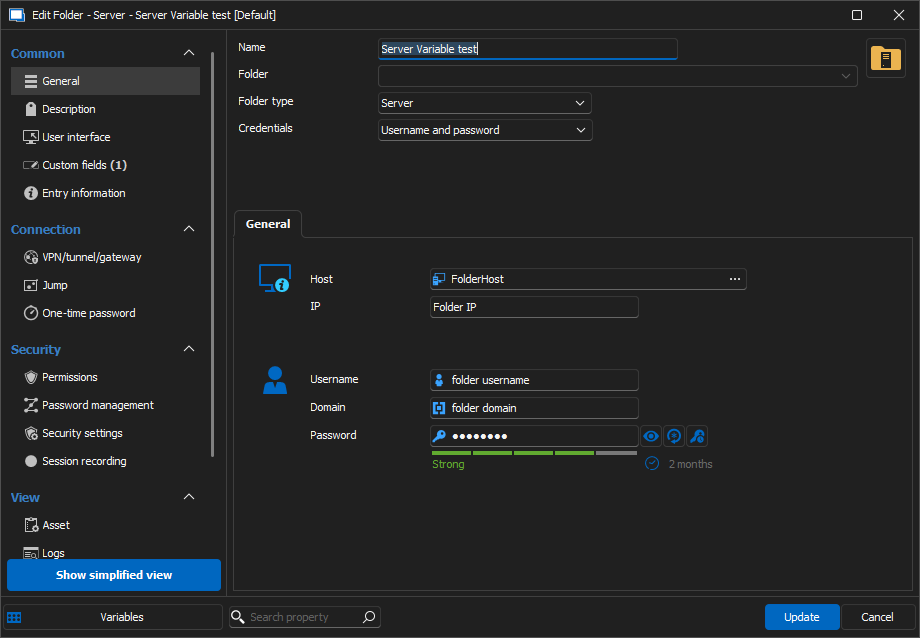
4- Doing a "View Password" on the RDP connection will "Resolve" the connection like an "Open" and therefor the variable is resolved.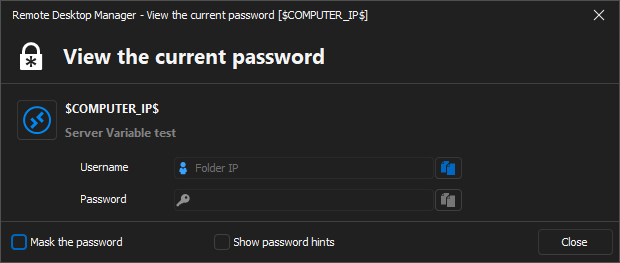
If what was shown earlier really doesn't work for you and you wish to have something that always resolves the variable in all cases even in the navigation pane, what I would recommend are the variables $FOLDER_INFORMATION_IP$ (for a regular parent folder) or $COMPUTER_INFORMATION_IP$ (for a server type parent folder).
These variables will target the IP address in the Asset section of the parent folder.
Best Regards,
Michaël Beaudin
c03134b2-bf65-4b8b-b2ac-b183e61af570.png
38aea7df-3052-4e88-8cbc-631cf93a58f4.png
196cb1d0-f2ac-42af-928e-71e41a2b8262.png
bd821fe8-7f30-4df9-bc6b-ef7e303d238e.png
The main goal of the IP was to add it as an equivalent URL automatically.
It works with $COMPUTER_IP$.
The tricky part is the equivalent URL will still with the variable name instead of the value.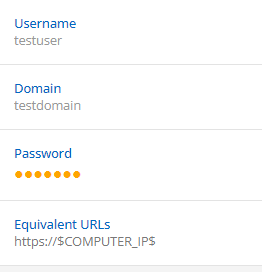
With using $INFORMATION_IP$, it's parsed in the GUI, the equivalent URL will be the exact URL.
Best Regards,
Christophe
09e17d97-8db1-4c24-b60d-523d53858f10.png
Hello,
This behavior is normal and intended. Take a look at the Supported in name column in the following screenshot.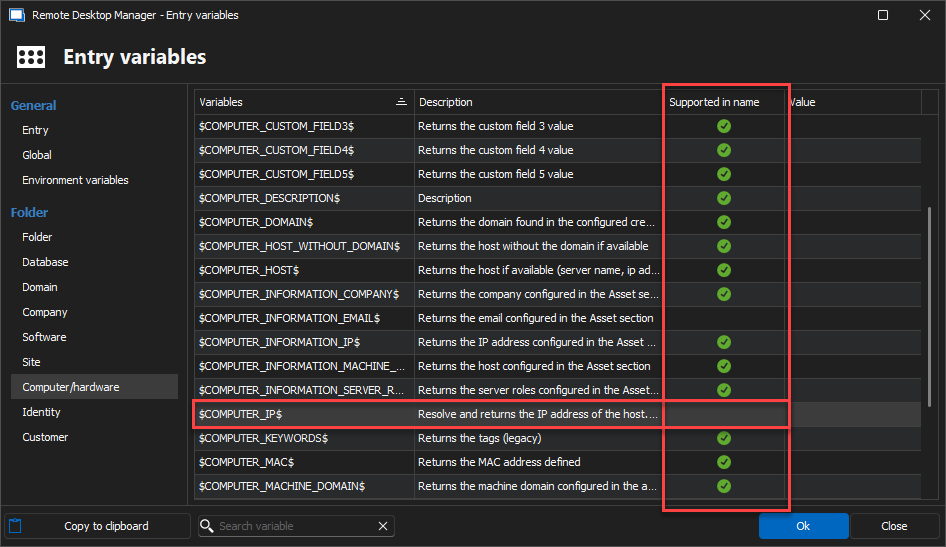
As you can see the $COMPUTER_IP$ is not "Supported in name" and will therefor never be resolved in the UI. A variable is not supported in name when it needs to do operations which take time when being resolved.
We do not wish for those operations to increase the loading time of your navigation pane's treeview by resolving it for display in the UI.
This is why we recommend using the $INFORMATION_IP$ type of variable as we support it in name.
Best Regards,
Michaël Beaudin
dada9268-acaf-4d61-8419-25d32470800d.png
Hello,
Great tip.
For me supported in name means, I can't use the variable in the connection name, but obviously this is not limited to that ^^.
Best Regards,
Christophe
Hello,
Indeed the Supported in name can be confusing. I believe that, in the past, it might have been chosen because it was the most common case and also the easiest one to understand.
A more appropriate column name would probably look more like "Supported in UI". As long as you don't open the session or view passwords or something of that nature, the variables without the checkmark won't be resolved.
Thank you for taking the time to discuss your issue. Please do not hesitate to contact us if you encounter any other issues or difficulties.
Best Regards,
Michaël Beaudin