Template with workspace brower extension.

Hello,
In my DVLS/RDM/Workspace environment, most of the entries were hard coded.
I want to take advantage of the template to lower the administrative tasks and lower the number of entries.
The plugin doesn't recognize the web entry that is added as template this way: 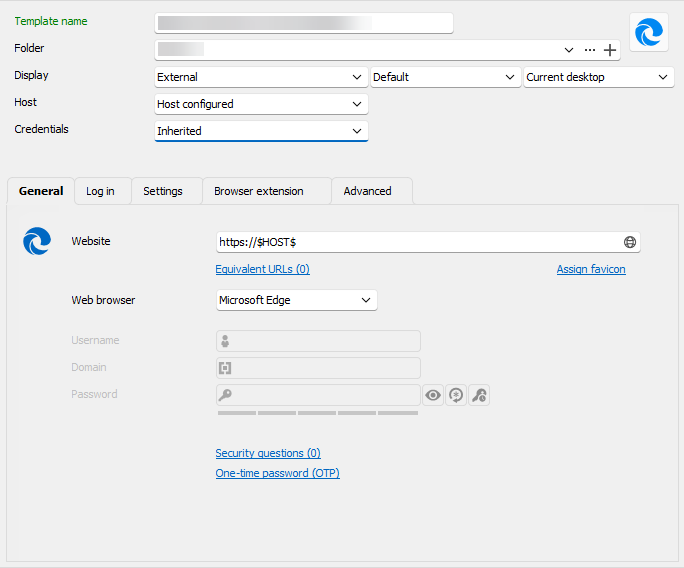
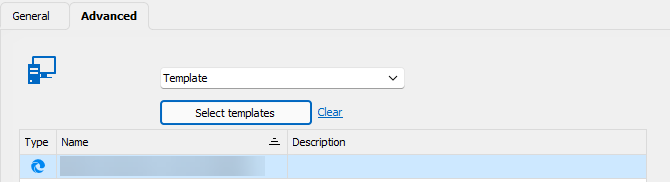
While it's not a a true entry, I can understand that.
So, is it possible to have the plugin to recognize a template without creating a full entry ?
Best Regards,
Christophe
d6521c7d-3c28-4f59-a4d4-4f47dae057fd.png
e07e188b-1aa4-4337-94e2-227f59e6ca5d.png
All Comments (4)
Hello Drpixel,
Thank you for getting in touch with us. To better assist you, could you kindly provide us with the following information:
- A screenshot of the structure of the entries/template in your RDM. It will allow us to reproduce the structure and perform some tests.
- Is the credentials of the template taken from a folder or another entry type?
- Your current RDM version.
- The operating system you are using and its version.
Once we have this information, we will be better equipped to diagnose and resolve the issue.
Best regards,
Maxim Robert
Hello,
Thank you for the answer.
So, I have created a web template.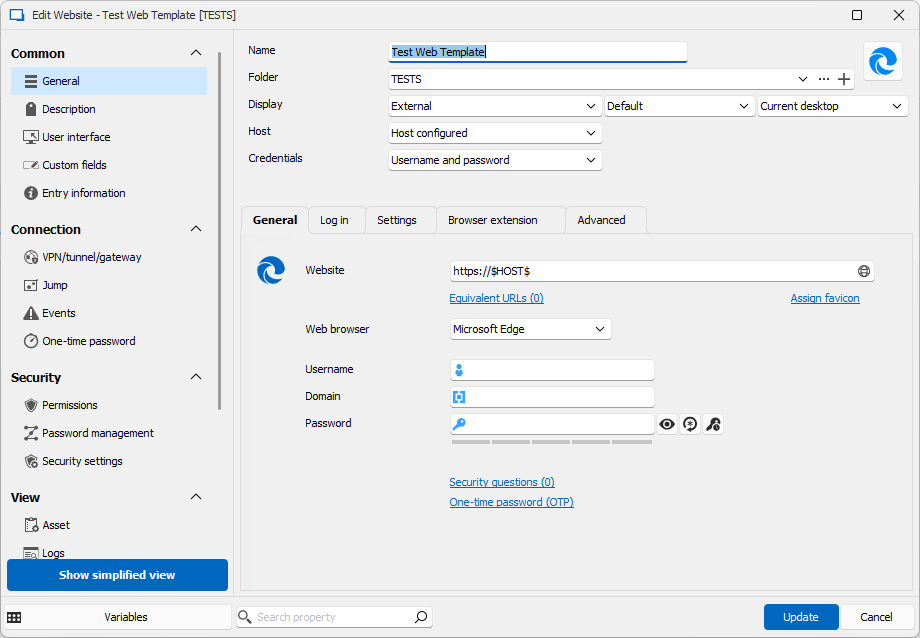
Then I create a host 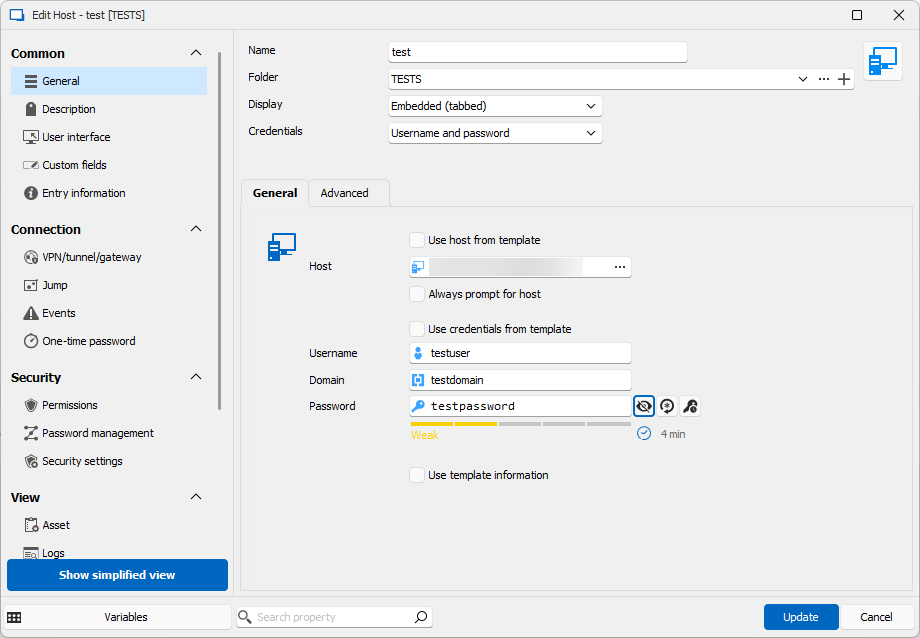
When I double click the host entry, the web site appear. But the devolution plugin doesn't find the username/password (the proposed credential in my screenshot is the one from the hard created entry)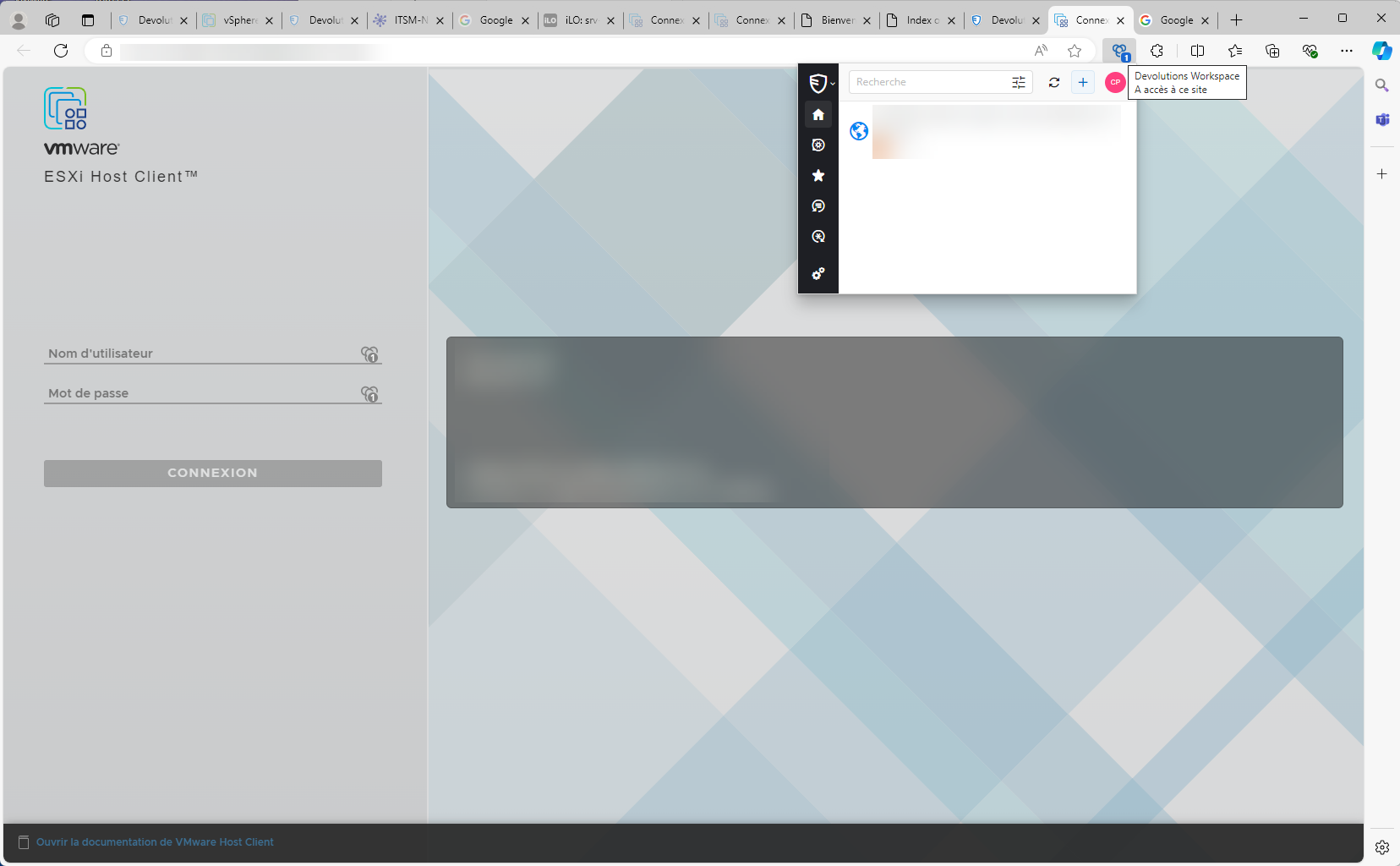
RDM is version 2024.2.19.0.
Workspace extension is : 2024.1.4.0
Best Regards,
Christophe
42450519-d712-4ee0-822e-94d52e1a2a3e.png
8b5c3e37-117b-4ad6-a4ce-57b165512f0a.png
d927a34c-7704-4ab3-9841-8ee3008e0e75.png
Hi,
Only "Website" entries that are configured to be executed or opened in Remote Desktop Manager will appear in the matching view of Devolutions Workspace extension.
We will analyze the possibility of displaying templates in the matching view.
Best regards,
Olivier Désalliers
Hello, thank you for the update.
Finger crossed for the technical possibility to display templates in the matching view.
Best Regards,
Christophe