Offline Mode doesn't work like KB

I am using Devolutions Remote Desktop Manager version 2024.2.20.0 64-bit and all the procedures described in the KB ( Enable Offline Mode to access data even when disconnected from datasource - RDM Pro Tip 009 (youtube.com) ) doesn't exists.
Please, can you explain me why or how do I reproduce it for my version?
I've tried this below, but no success:
- Hub Devolutions > "Click at Avatar Icon" > Settings > Preferences > General > Offline settings > "Check" Allow offline
- Settings > Application > Application startup > Startup online state: Automatically go offline
- Settings > Types > Sessions > Connection > "Check" Enable offline read/writes locks
- Settings > Advanced > General > "Check" Use Application directory for offline cache
- Settings > Advanced > User interface > "Check" Always show "Go Offline" button
All Comments (6)
Hello felippe,
Thank you for contacting the Devolutions support team.
I'd like to bring to your attention that the YouTube video you shared is demonstrating version 2021. I see that you are using HUB Business. Please note that the offline mode in this case is read-only and works with products like Remote Desktop Manager, Launcher, or Workspace.
Here are the links to the documentation about the offline mode with HUB Business:
https://docs.devolutions.net/hub/web-interface/administration/management/users/offline-mode/
https://docs.devolutions.net/hub/web-interface/administration/configuration-security/system-settings/#advanced
If you have any further questions about this topic, feel free to ask.
Best regards,
Patrick Ouimet
Hi, thanks for your response!
I'm sorry I didn't specify.
I'm using Hub Personal.
Is it possible to achieve Offline Mode with Hub Personal?
Hello felippe,
Sure, it is possible.
If I refer to your first response, you are using Remote Desktop Manager as the client for your HUB Personal.
Under File -> Go offline, you will have it activated.
Note that the cache settings are not an option with the HUB Personal, but the default settings will be applied.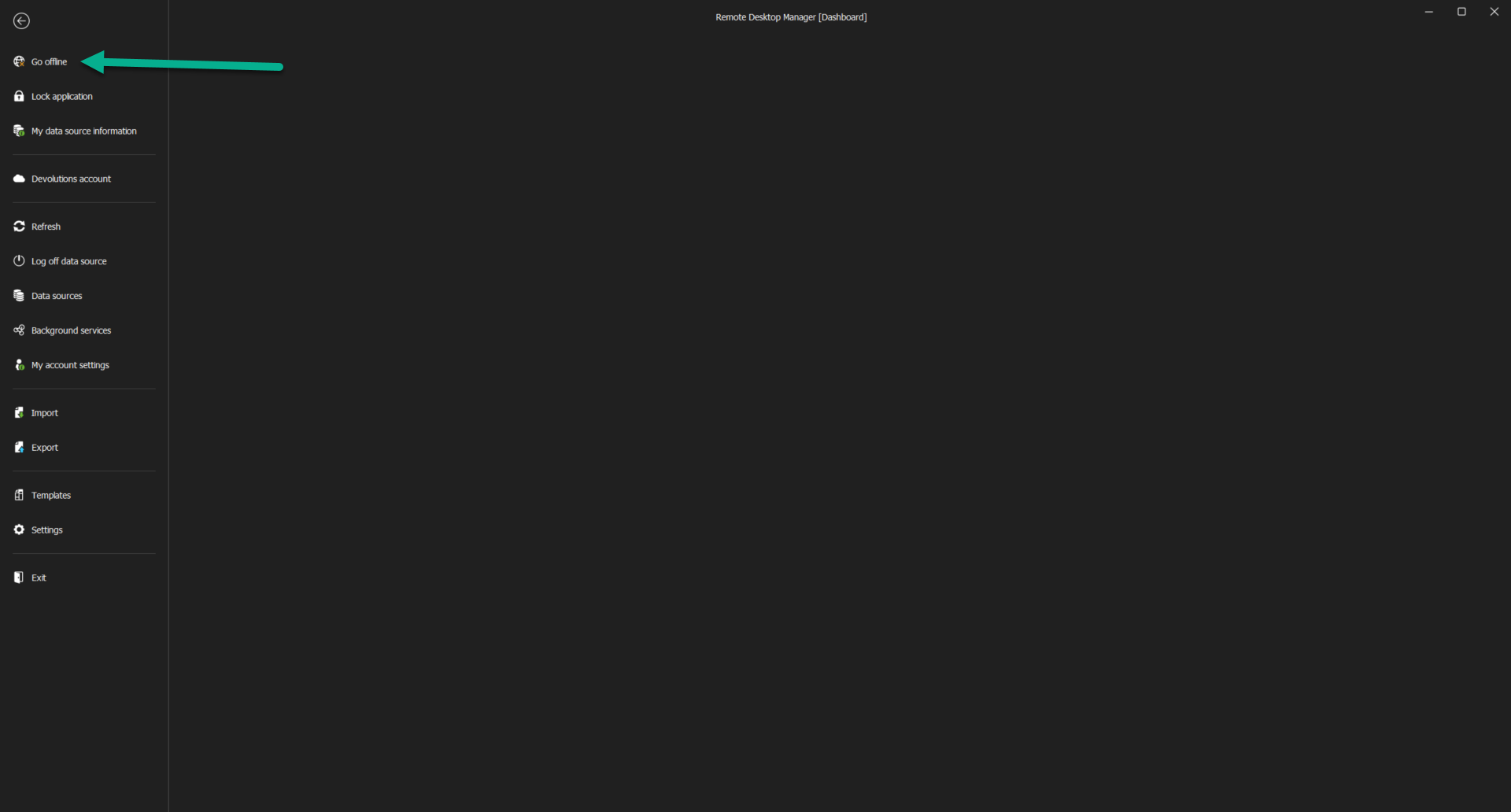
Best regards,
Patrick Ouimet
offline.png
It does not appear in my RDM.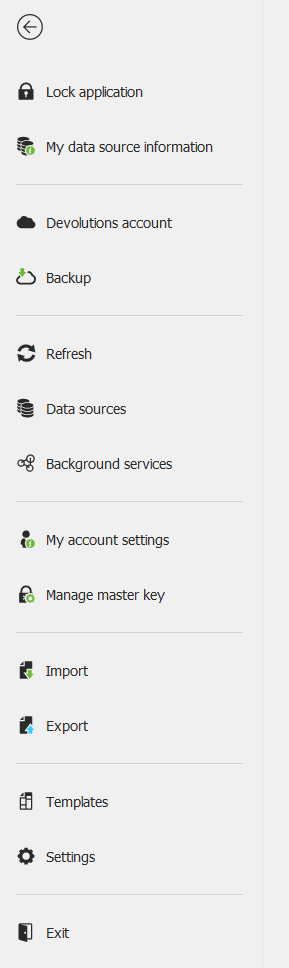
5f60c91c-acdb-4848-8624-c40212c9ee9e.png
Hello,
Thank you for this feedback.
Could you share your File-> Data sources?
If you are mistakenly connected to the local data source, this behaviour could also be possible.
IF this is not the case, would it be possible for you to create a portable installation of the latest version of RDM and see if this issue still occurs? To do so, you will need to do the following:
(Close RDM)
1- Download the .zip file below:
https://remotedesktopmanager.com/home/thankyou/rdmbin
2- Create a new folder on your Desktop
3- Extract the content of the .zip file into the folder created at #2
4- Go to this folder once the .zip file has been extracted and run remotedesktopmanager.exe
5- Connect to your data source
Could you share your File-> Data sources?
If you are mistakenly connected to the local data source, this behaviour could also be possible.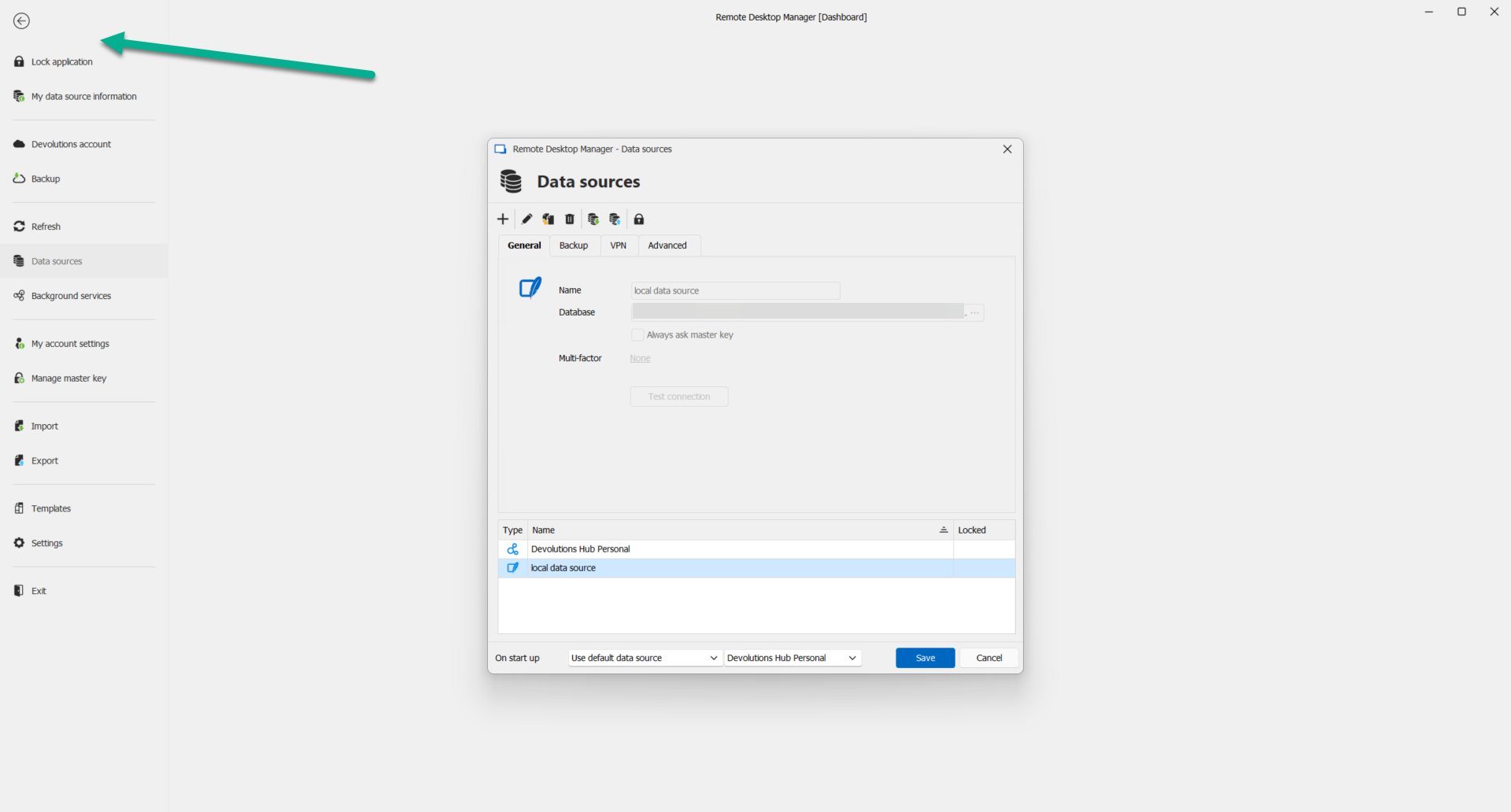
Best regards,
Patrick Ouimet
offline.png
Thank you! I was using the local data source and after I changed to hub data source, the option to go offline appeared!