Latest version kills clipboard

I cannot find any combination of settings that will allow me to use my clipboard, even outside of the application (notepad to notepad, edge to notepad).
All Comments (5)
Have you tried rebooting your machine?
The reason I ask is that the Windows Clipboard has a registration chain where once an app registers, it has the responsibility to pass the message along the chain. However, in the case where an app crashes hard, the chain can be broken. A reboot should get you back up and running.
On reboot, test without starting RDM. If that works, test with RDM running. Still working? No? Then we will need to investigate further.
Best regards,
Stéfane Lavergne
I have rebooted multiple times. I can kill RDM and my clipboard works just fine. This happened in a previous version and it was the "clear the clipboard" setting, which doesn't appear to be honored right now.
Odd, what version are you running?
What do you have configured here Help > Clipboard diagnostic > Configuration (tab)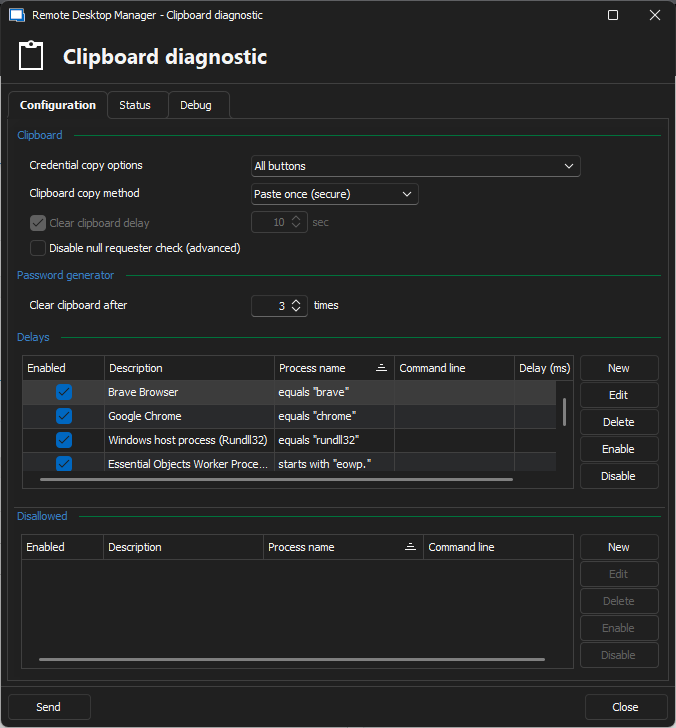
Stéfane Lavergne
c011ba9f-143f-4ab8-a023-23052939df24.png
I've just updated to the most recent version - 2024.2.21.0 .. I have changed computers and I'm experiencing it on the new computer as well (part of the reason for the delay). I can copy/paste inside the RDP sessions, and it just kills the OS copy/paste. Everything is default on this install as it's a new install, so the delays are all 100ms and the defaults you have normally. 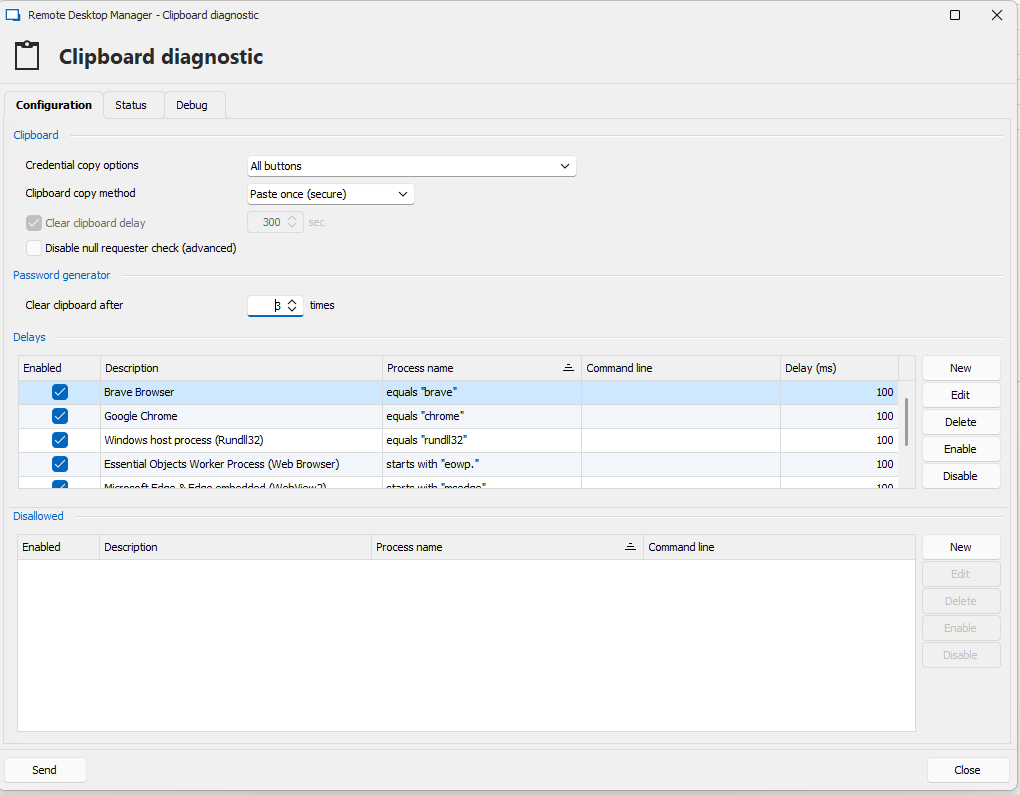
Screenshot 2024-09-16 080724.png
Some more details: If I enter an RDP session, clipboard is killed. I run the clipboard diagnostic and it's still killed. I then run the clipboard diagnostic debug and I can copy/paste again until it randomly stops working. Let me know if there's anything else I can provide: logs, etc.