Configuring Proxy Tunnel HTTP

When configuring Proxy Tunnel HTTP it's confusing what is "Local host" an "Remote host". I just have http proxy server and need to use RDP via this proxy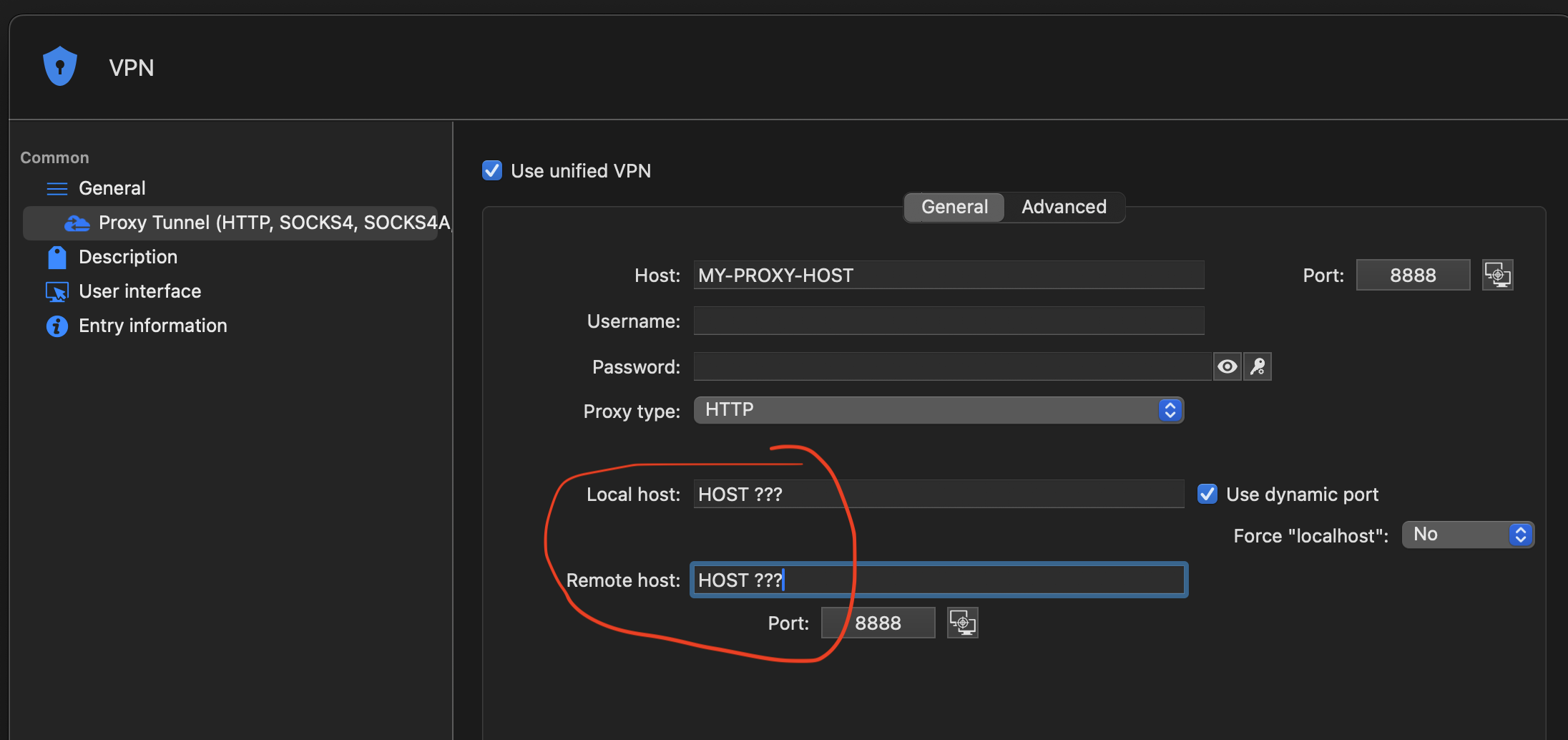
Screenshot 2024-08-15 at 11.21.02.png
All Comments (8)
Hello,
The local host is the host that will listen, usually 127.0.0.1 ( localhost ) with the port specified. The remote host is the host you want the proxy tunnel to connect to, so in your case, it would be your RDP host, with the correct port as well.
It may look like this:
This connects to the remote host from my local host using the proxy host.
Also, I think it is worth saying that if you want to use the proxy for an RDP session, you can configure it in the RDP entry itself under VPN/tunnel/gateway -> Type ( set to proxy tunnel ) and then in settings set your host as shown below. Then, when you open the RDP session, the proxy tunnel will open automatically before.

Let me know if that works for you and if not, what problems you are facing.
Best regards,
Maxim Buisson
Screenshot 2024-08-15 at 8.16.22 AM.png
Screenshot 2024-08-15 at 8.15.18 AM.png
Screenshot 2024-08-15 at 8.12.08 AM.png
Hello,
I saw your reply, but I saw it contained ip addresses and we decided to delete it just in case you didn't want them public. Keep in mind this forum is public and everyone can see what you share.
I still read what you said before so I can answer:
It looks like you have the proxy setup correctly. The problem you showed in your screenshot where the port was incorrect for the RDP connection after is probably due to a wrong setting. I know it might be confusing, but the destination IP and port you put into the proxy is not automatically the IP and port used for the RDP it is attached to. You still have to enter your RDP host and port correctly in the RDP settings here
Based on your screenshot, it looks like you might have put the wrong port here. Please let me know if this is correct. Also, if you aren't using the latest RDM version, try to update it since it is possible that we had a bug before that is now fixed. If it still doesn't work, it might be worth it to get you in contact with our support team so they can help you personally with your setup.
Best regards,
Maxim Buisson
Screenshot 2024-08-15 at 3.57.47 PM.png
Thank you very much for security concern!
Session entry RDP config is exactly the same as your's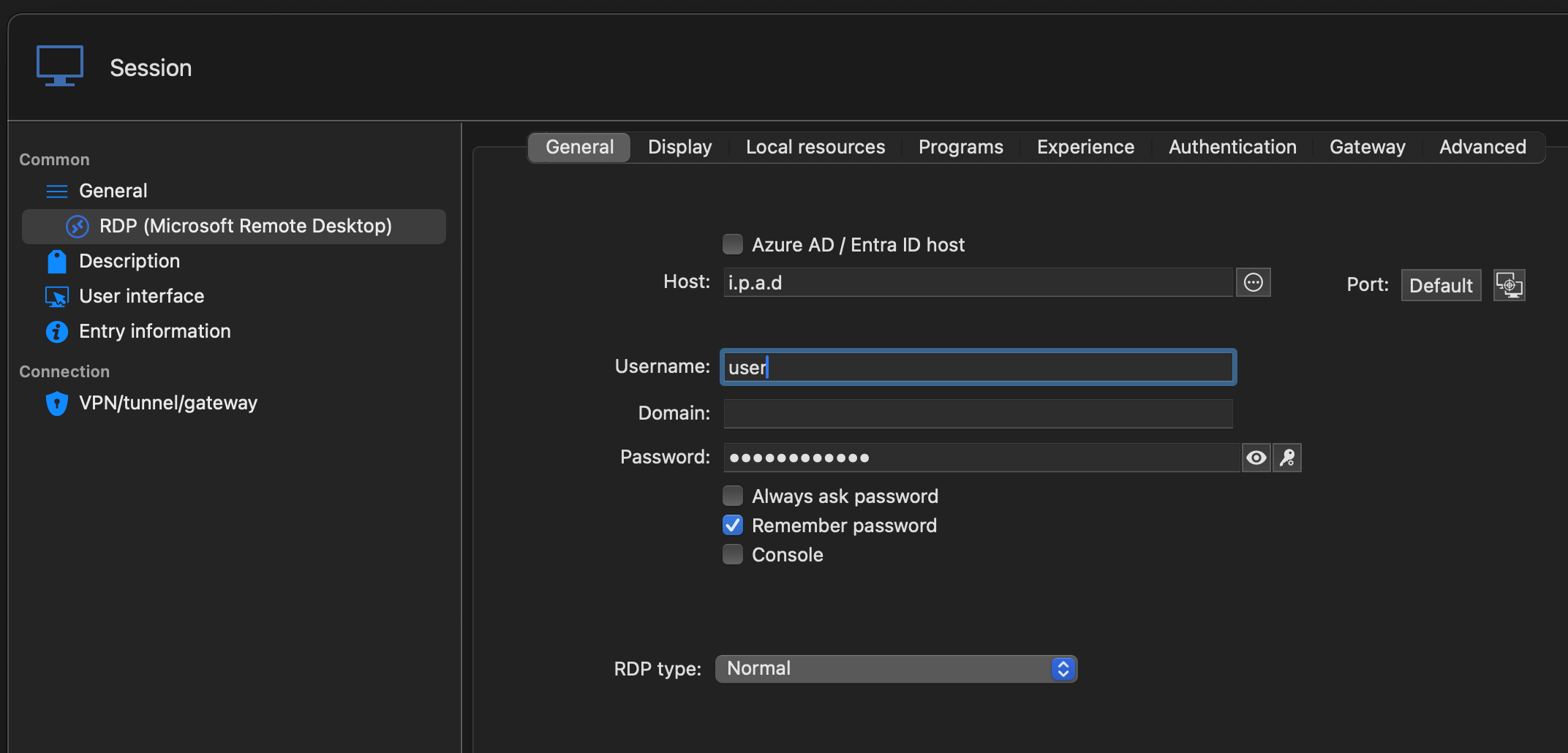
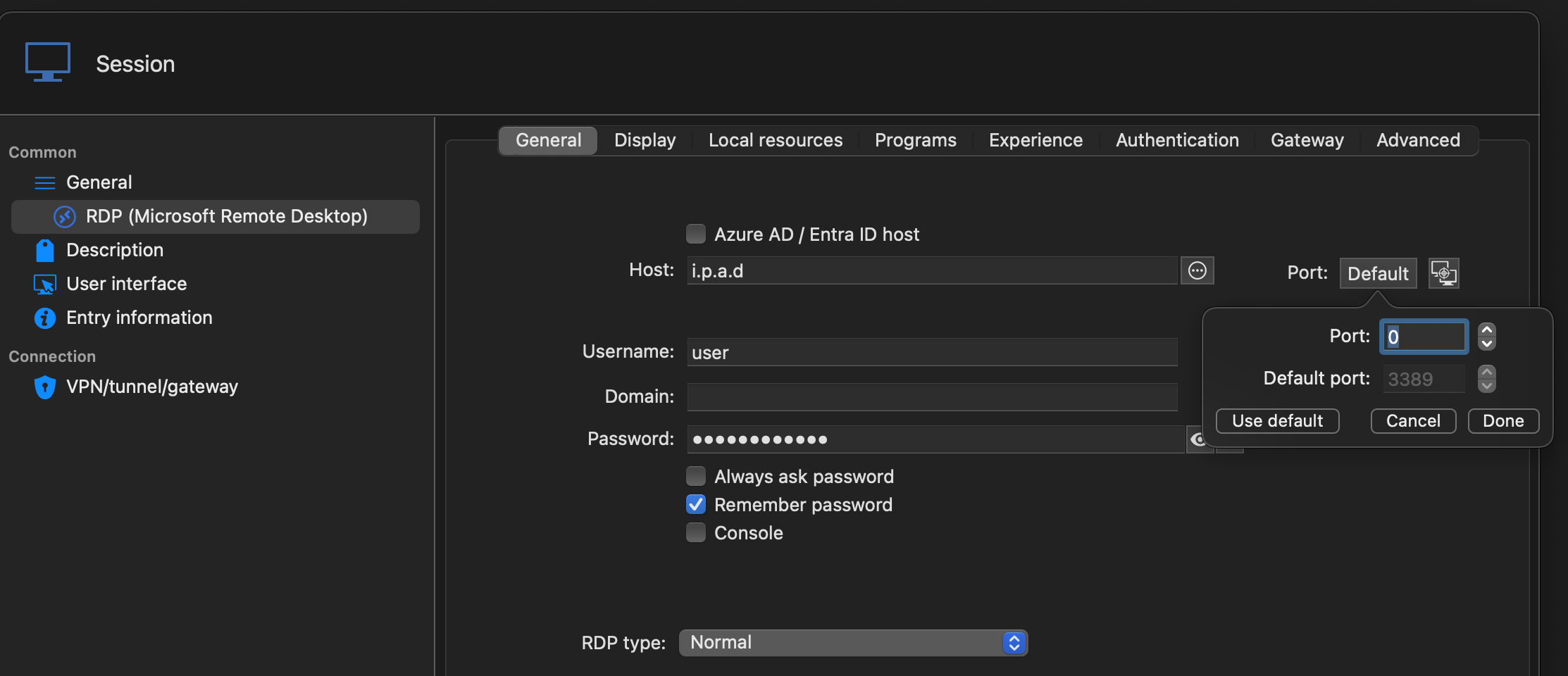
RDM version seems to be latest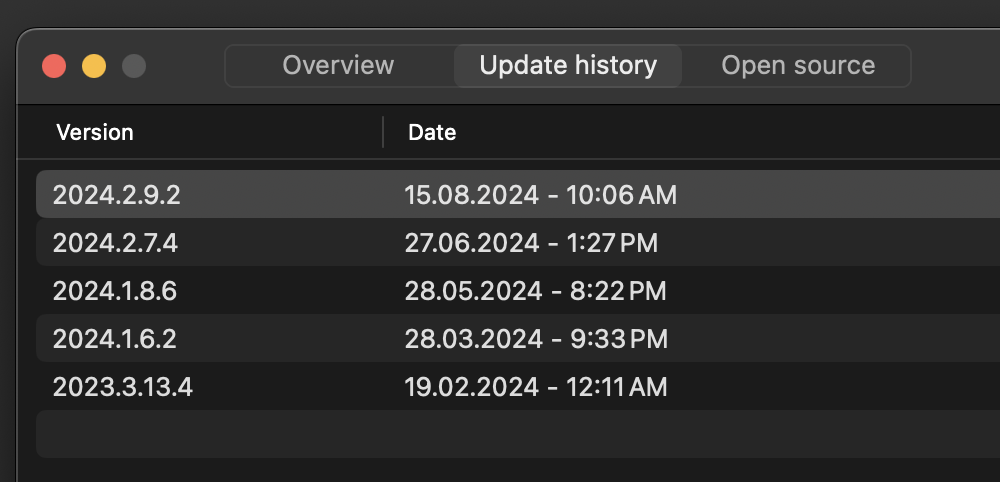
rdm-ver.png
rdm-http-proxy-rdp2.png
rdm-http-proxy-rdp1.png
Hello,
Since our setup is the same, I am puzzled by why it doesn't work for you. I think it would be best for you to do a session with our support team so they can help us figure out what the issue is and fix it. Please, send an email to service@devolutions.net with a link to this forum thread so they can further assist you personally.
Best regards,
Maxim Buisson
I think App messed up with IP:PORT
Port on the picture is 'dynamic port' from 'localhost' field but IP address is TARGET host
In opposite if we want use this dynamic port then address should be 127.0.0.1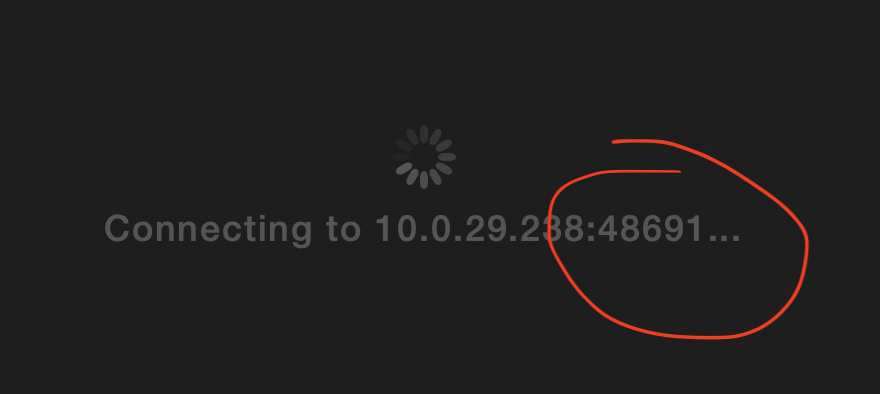
rdm-http-proxy-connect.png
Hi,
Do you really need to use a dynamic port for the local host ? It seems to work fine without it, but it is possible that RDP does not support dynamic port. I tested with dynamic port in RDM Windows and the same thing happened, so I don't think it is a bug on our end. I think the support team would be able to find a good working setup for you to do what you want.
Best regards,
Maxim Buisson
Can you please shoe how should I setup "localhost:port" then ? I dynamic port was just a guess...
Hi,
You can try to uncheck dynamic port and use a random unused port on your system. In my case, I used 60120 and it seemed to work, but my setup is a bit different from yours. This way the proxy goes through the port 60120 of localhost but the RDP can still use its port freely.
I use this and in my RDP I use the default port 3389.
Best regards,
Maxim Buisson
Screenshot 2024-08-19 at 12.39.57 PM.png