Network Scan work similar to Angry IP
0 vote

I realize that the Network Scan tool is scanning for RDP port numbers but was wondering if we could add a selection for just ICMP (ping) request similar to Angry IP. This would be a great feature and would be great to have Angry IP somewhat "built-in" to RDM.
All Comments (12)
Hello,
Our network scan feature checks for open ports and matches them to known protocols (RDP, ARD, Web, etc):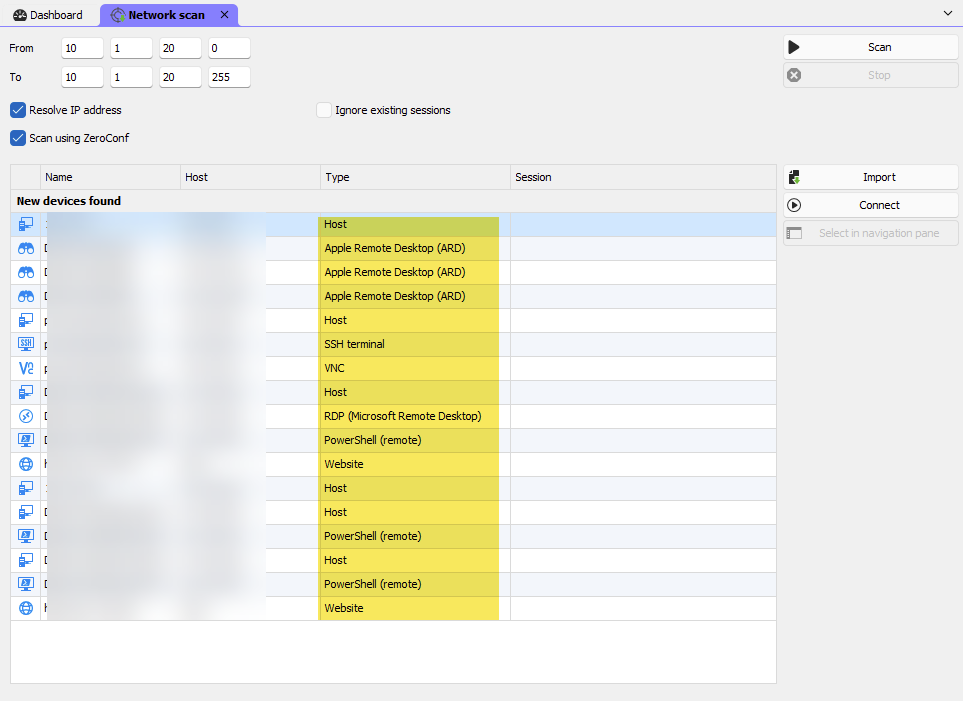
It should be possible for us to have a mode that checks with ICMP requests, but what I want to ask is the kind of behavior you're expecting for the result.
Would you want RDM to consider all of the machines that successfully respond to the request to show up as "host" entries since we can't assume the type they should have?
Regards,
Hubert Mireault
9f68fc3b-6229-41f4-a2b7-7b08e32e9db0.png
I would love the ability to have a screen quite similar to Angry IP. YOu get the IP, ping, hostname, ports available (if any), mac address, and mac vendor
Then have the ability to add the device would be nice as well especially for ssh sessions as well. Having an icon to show the status of the ping from the ip would be a nice touch. Color green if reachable, red if not. This could be quite helpful when trying to add a large amount of switches that use ssh.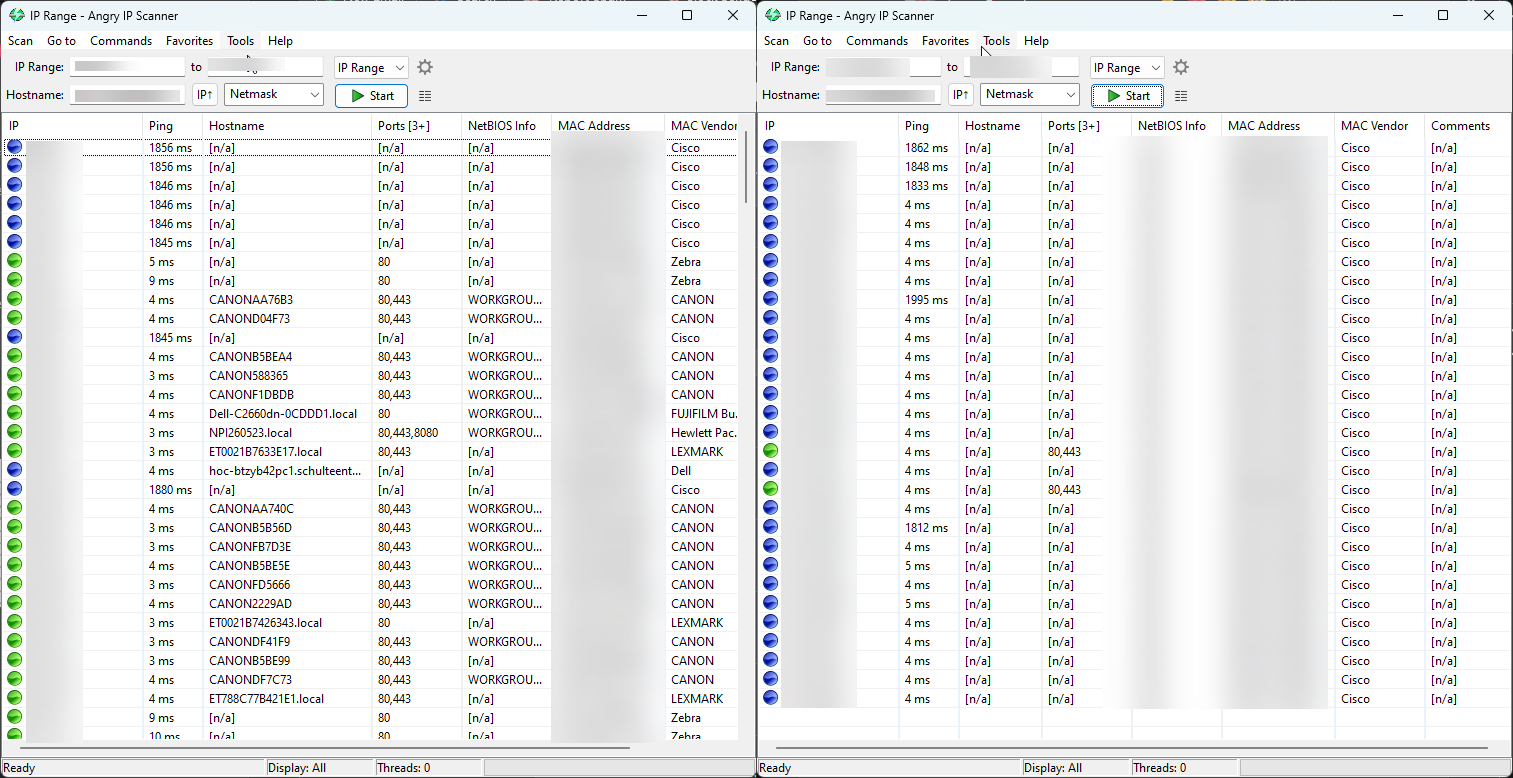
ae307eb7-e9dc-482a-a69e-ced5fa2b3fd9.png
Hello,
Thank you for the additional details. I will discuss with our team to see how we could implement this kind of idea into our network scan feature (or whether this would split off into a different feature).
Regards,
Hubert Mireault
Thank you very much. It doesn't seem like it would be that hard to implement. Really just adding ICMP as an additional item or port number to scan
Thanks again.
Yes this would be a great feature add. The reason for me is that our Security department does not like use using third party freeware apps like Advanced IP Scanner or Angry IP tool, which really only do one simple thing, ping subnet ranges as pictured above. The RDM scan tool, as mentioned previously is useful, but painfully slow if you just want to see what IPs are responding in a subnet, and what they resolve to. Highly recommend building this feature! Thanks
Yes this would be a great feature add. The reason for me is that our Security department does not like use using third party freeware apps like Advanced IP Scanner or Angry IP tool, which really only do one simple thing, ping subnet ranges as pictured above. The RDM scan tool, as mentioned previously is useful, but painfully slow if you just want to see what IPs are responding in a subnet, and what they resolve to. Highly recommend building this feature! Thanks
I absolutely agree, it's on my plate to improve the UI of the network scanner, we can definitely do all these things, It's mostly a matter of UI, as we already do all these things in the background, the "Host" entry that you see are results of ICMP Pings. I have logged an official ticket with your comments and I will get to it shortly. I think we can do great things with this feature as well.
Thanks for your feedback,
Paul Dumais
Following out of intrest. As this is a feature I would be intressted in also.
Thanks
Iain
Version 2026.2.9.0 64-bit
Data Source SQL
Following out of intrest. As this is a feature I would be intressted in also.
Absolutely, it's on my plan for our 2025.2 release so you should see it in June or so, we will completely redesign the UI of the network scan and improve it tremendously, making it completely customizable.
Thanks,
Paul Dumais
Following out of intrest. As this is a feature I would be intressted in also.
Absolutely, it's on my plan for our 2025.2 release so you should see it in June or so, we will completely redesign the UI of the network scan and improve it tremendously, making it completely customizable.
Thanks,
Paul Dumais
Christmas in June? I'll take it!
Is there any update on this as of yet? I have not noticed any new Network scan additions yet. I know you guys are busy but was still seeing if this is in the works.
Thanks,
Ian Lowe
Yes we are still working on this, thanks for your patience while we make sure to make it perfect!
Paul
Hello,
Thank you for being so patient!
I am pleased to inform you that the requested feature has been implemented in version 2026.2.3.0 of Remote Desktop Manager. As of now, the latest version 2026.2.3.0 is only available in Beta.
We strongly recommend upgrading in a Staging environment before installing this version in the production environment.
https://devolutions.net/remote-desktop-manager/download/
The full 2026.2 release (non-beta version) will be available in June.
If you have any further questions, please don't hesitate to let us know.
Best regards,
Maxim Robert
