Search results pop-up visible while RDM application is in background
Search results pop-up visible while RDM application is in background

Description
The pop-up containing the results of a search of entries performed in Remote Desktop Manager remains visible even once the main Remote Desktop Manager window is moved to the background or another application window is in the foreground.
Steps to Reproduce
- Launch the Remote Desktop Manager application.
- Perform a search with valid results using the search bar in the bottom left corner of the main application window (results should appear).
- Place any other application in the foreground and the search results will remain visible over the foreground window.
If you clear the search query from the search bar, the search results pop-up will then disappear.
Environment
Windows 11 23H2 (OS Build 22631.3880)
Remote Desktop Manager Enterprise 2024.2.16.0 (64-bit)
Devolutions Server 2024.2.3.0
--
Griffeth Barker
💻 Call/Chat on Microsoft Teams
📧 Send me an email
🔗 Connect on LinkedIn
All Comments (3)
Hello Griffeth,
Thank you for reaching out to us regarding this,
Could you go under "File" -> "Settings" -> "User Interface" -> "Filter" and provide us with a screenshot of your configuration?
Let me know,
Best regards,
Samuel Dery
Here is the requested screenshot. To my knowledge I've done no customization here: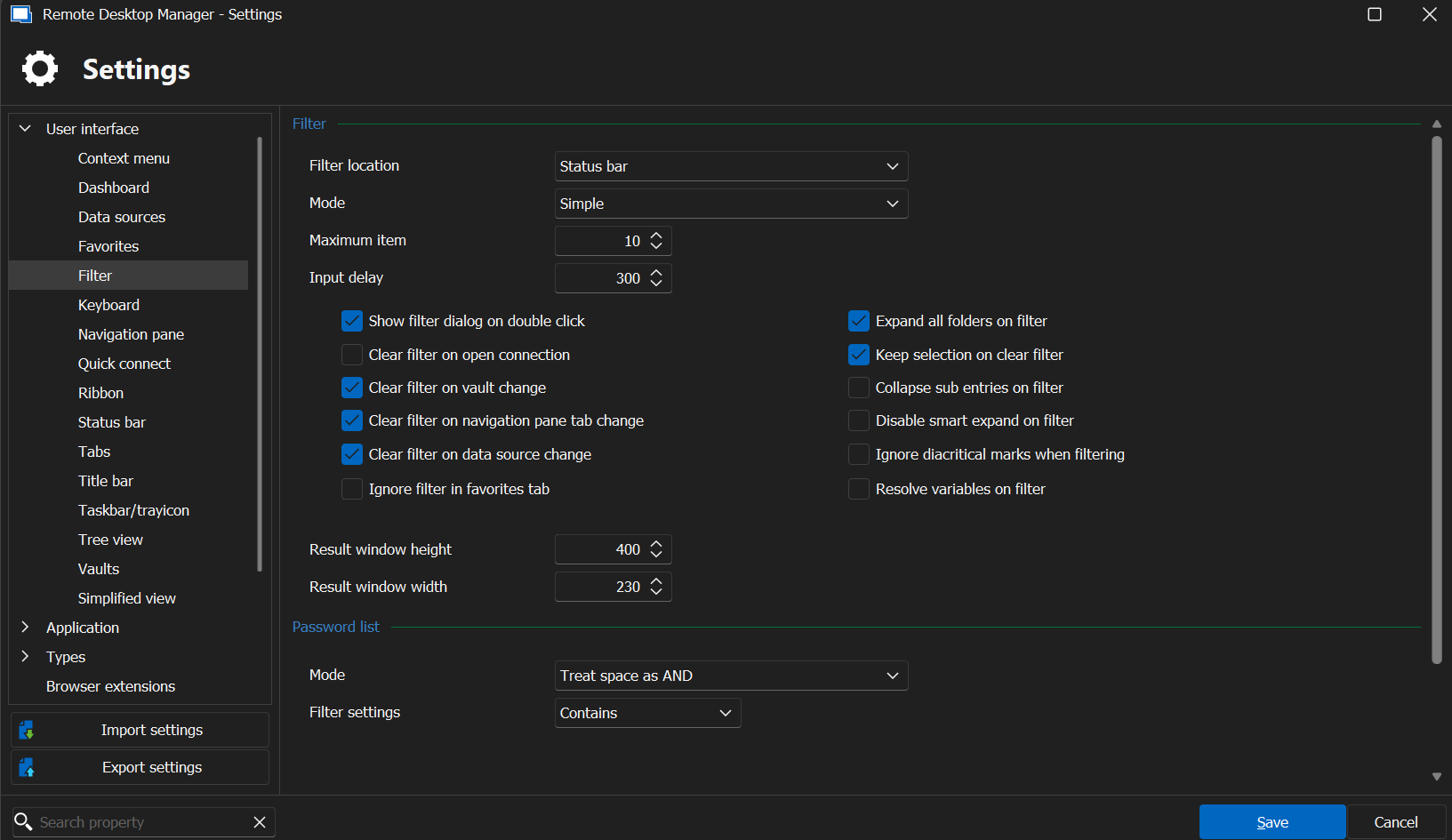
Thank you!
--
Griffeth Barker
💻 Call/Chat on Microsoft Teams
📧 Send me an email
🔗 Connect on LinkedIn
6df9215d-39ea-4ee7-862f-6aaeaf1342af.png
Hello Griffeth,
Thank you for your reply,
I see, would you be able to update to the latest version of RDM 2024.2.19.0 and let me know if this issue persists for you?
Best regards,
Samuel Dery