Intune installl and uninstall command for RemoteDesktopManager.exe
Intune installl and uninstall command for RemoteDesktopManager.exe

What are the install and uninstall commands to deploy RemoteDesktopManager.exe (version: 2024.1.27.0 )in Intune as a Win32 app?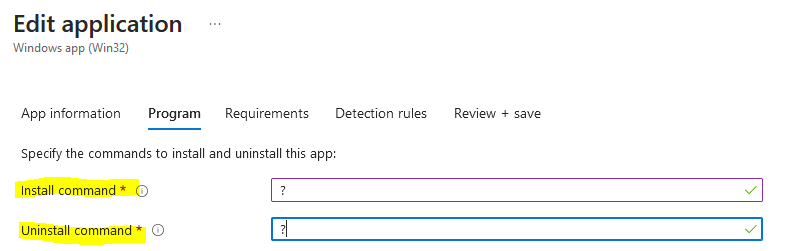
b2549713-b7a4-464d-b016-568bc4174939.png
All Comments (7)
Hello
I believe the answer depends on what you're packaging. Did you create your .intunewin from the RDM .msi, the .exe or some other way?
Please let me know if something isn't clear
Thanks and kind regards,
Richard Markievicz
I created from the RemoteDesktopManager.exe to the .intunewin file with the Microsoft-Win32-Content-Prep-Tool-master. I already find and succesfully tested the install command "RemoteDesktopManager.exe /quiet /norestart". Can you tell me in my situation what the uninstall command is?
Hello,
If you are using the .exe package with Intune, you will need to create a PowerShell script and include it in the .intunewin file to perform the uninstallation.
However, the simplest option is to use the MSI file for Remote Desktop Manager, which you can download from Remote Desktop Manager - Devolutions.
Then, use the Win32 Content Prep tool to create the .intunewin file. Here is an example of the configuration I used to create my .intunewin file.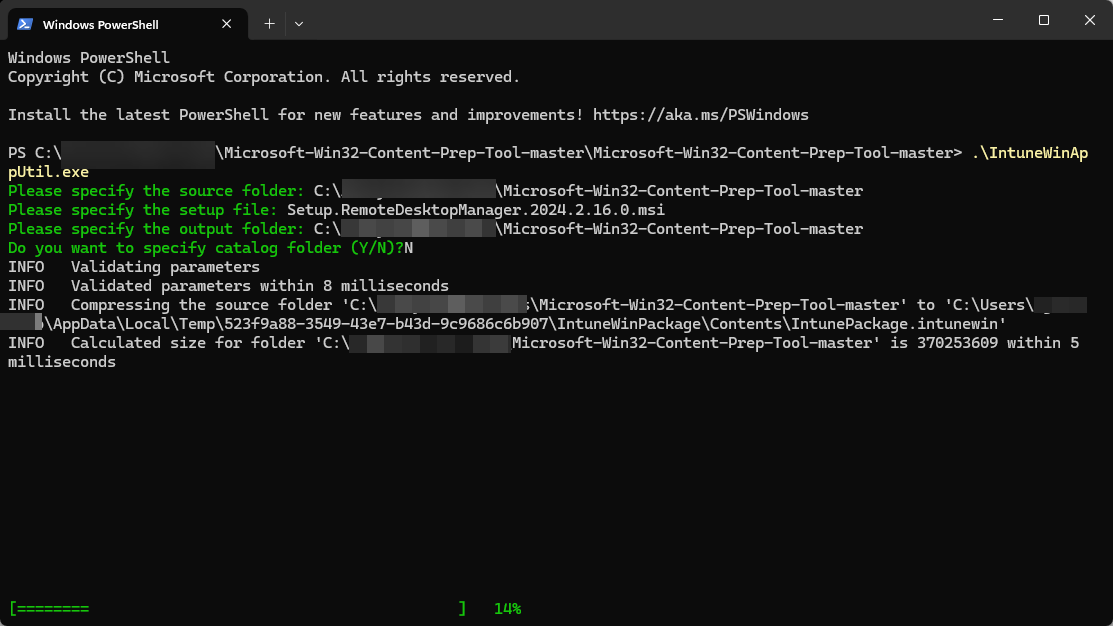
The install and uninstall commands will then appear automatically.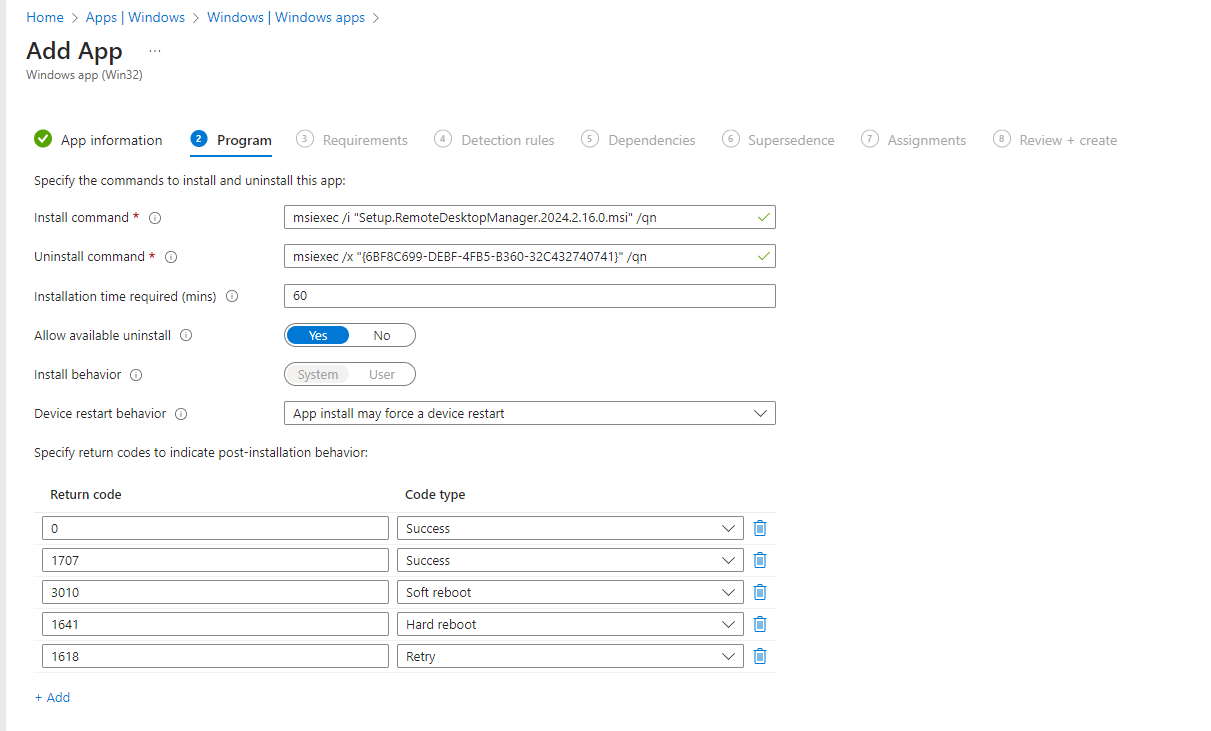
Best regards,
David Grandolfo
Intune.png
Win32.png
all of the above is awesome!!! i had no idea you could feed an MSI to the intune prep tool. now i am curious... does anyone have a good detection rule or script to finish the app deployment build?
all of the above is awesome!!! i had no idea you could feed an MSI to the intune prep tool. now i am curious... does anyone have a good detection rule or script to finish the app deployment build?
Yes, also the detection rule is automatically filled in if you use WinPrep32tool with a .msi application and add the .winintune file as Win32 app in Intune.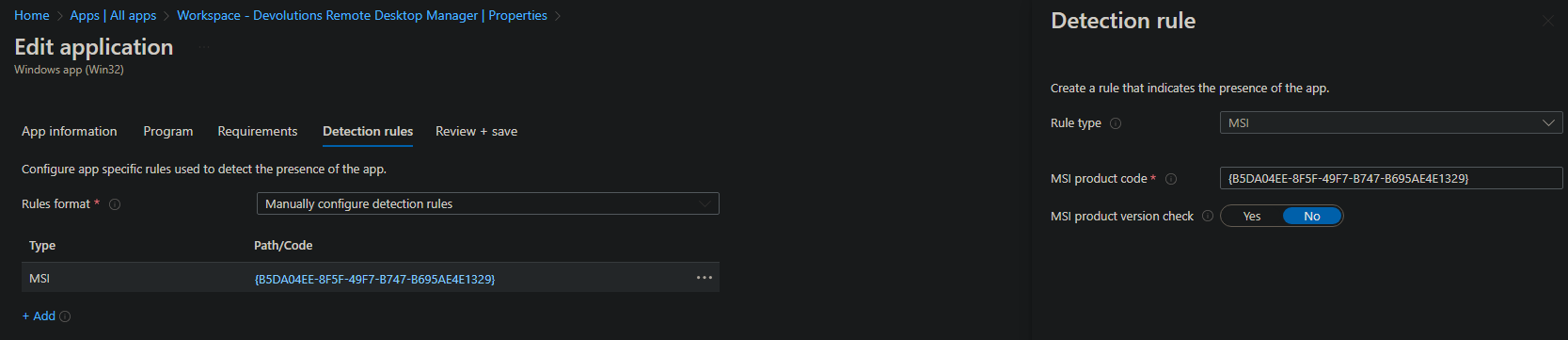
4f781b97-4ea9-4280-a326-e69c18454eb6.png
i literally built this using the MSI repackaged with the Intune prep tool before i posted the question, and i did not get the detection rule already filled in for me. that was the reason i posted the question
Hello
I only understand InTune at a very high level, but I believe the detection rules will depend on your use case.
For example: you might be wanting full control by InTune and driving all updates at that level; or you might want to just deploy the application and then let the users update/auto-update on their own terms. This kind of information would drive the type of detection rule(s) that you want (as is my understanding, anyway).
Please let me know if something isn't clear or you have other questions
Kind regards,
Richard Markievicz