Google Drive access blocked

I am installing RDM on a new computer and I am trying to connect to my data source which is on Google Drive. When I try and validate I keep getting App is blocked by Google even though its already installed on another computer. How can I bypass this so I can use it?
All Comments (5)
Hello,
We are aware of this issue and are in contact with Google to resolve the situation.
This issue stems from a Google policy change that happened on July 23rd.
We will keep you updated on this.
Regards,
Mathieu Morrissette
So there is no workaround at this time?
So there is no workaround at this time?
Exactly, there is no workaround for the moment apart from using the data source file locally with a local data source.
We are working to get the necessary approvals from Google.
Their review process can take up to 4 to 6 weeks.
Regards,
Mathieu Morrissette
Is there a way to use the file I use on my google drive as a local source file? Is there a conversion process or something that needs to be done?
If you have Google Drive installed on your host, there should be a Google Drive hard disk.
You can create an XML data source that link to the file that is stored in the Google Drive.
If Google Drive is not installed, you can copy the file on your host then use the XML data source to use it.
See the images below : 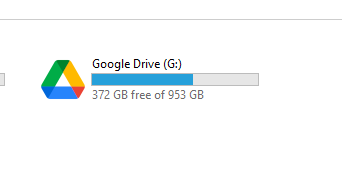
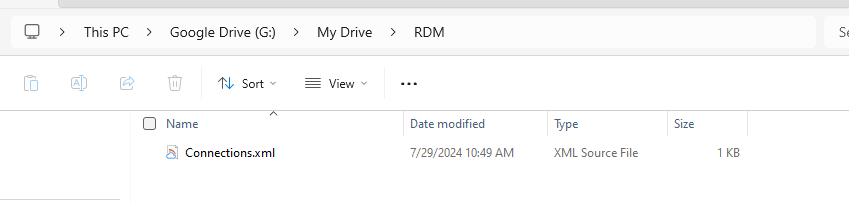
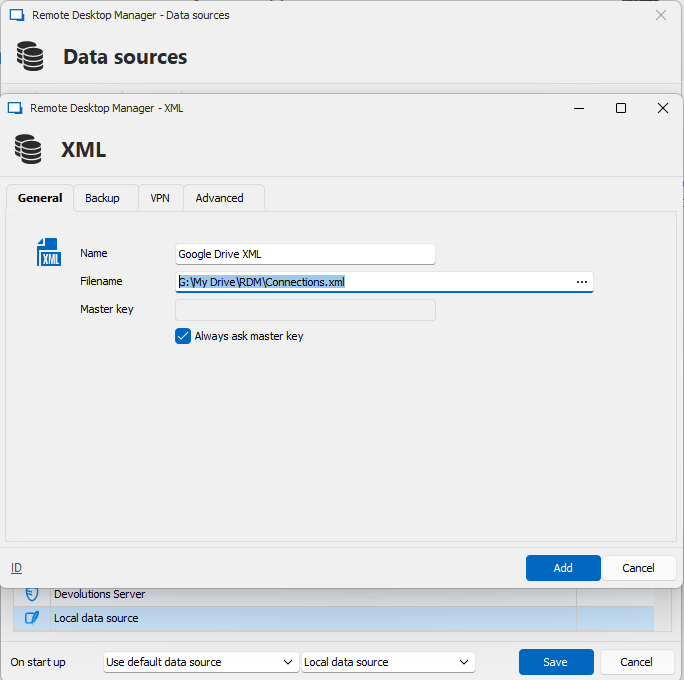
Regards,
Mathieu Morrissette
13ea3242-045b-444f-8f05-907199359088.png
f136eafc-9a50-4c1c-8c42-f275dd734818.png
72285f2b-a7af-4830-92f4-d8a41cf004e5.png